|
Arduino Nano V3 |
x 1 | |
|
|
DS3231SNMAXIM
|
x 1 | |
|
|
BME280 |
x 1 | |

|
MAX7219 8x8 RED LED Dot Matrix Module |
x 7 |

|
Soldering iron |
|

|
Soldering Iron Wire Welding Lead Roll |
|

|
arduino IDEArduino
|
#include SPI.h #include Adafruit_GFX.h #include Max72xxPanel.h #include Adafruit_BME280.h #include RTClib.h RTC_DS1307 rtc; char daysOfTheWeek[7][1
From one of my previous projects (Bluetooth-controlled scrolling text), I have a finished 8x56 LEDs matrix consisting of 7pcs MAX7219 Led matrix modules 8x8, and located in the appropriate box. I used this ready-made matrix to make a scrolling weather station that displays the temperature, air humidity and relative atmospheric pressure, as well as the current time.
For this purpose, I use a BME280 sensor and a DS3231 real-time clock module, so the device works independently of an Internet connection. The BME280 board is placed on the outer side of the case for more accurate readings, and it can also be placed outside with the help of a four-wire cable. Let me mention that these matrix modules are older type, and as you see (in the given picture), contain DIL IC on the front. The new modules are made in smd technology and usually composed of 4 coupled matrices, and they are turned 90 degrees clockwise.

In this project, using the library "Max72xxPanel" the position of the contents of each matrix can be rotated in code with command "matrix.setRotation", so we can use matrices of any type. Also the number of matrices in the array can be changed, and is defined by the command:
int numberOfHorizontalDisplays = 7; //we can simple change this numberaccording to number of matrices we use
As I mentioned before, the device is very simple to build and contains the following components:
- Arduino Nano microcontroller
- 7 pieces 8x8 Led Matrix modules driven by MAX7219 chip
- BME280 sensor module
- And DS3231 real-time clock module

Immediately after switching on, the scrolling text appears in order
- Day of the week
- current time
- Temperature in degrees Celsius
- Air humidity
- and Relative Atmospheric Pressure in hectopascals
Due to the large number of diodes, the device should be powered by an external source that should provide a current of 2 Amps or more.
The intensity of the LEDs, as well as the speed of the scrolling text, can be easily adjusted in code.
int wait = 25; // speed
matrix.setIntensity(3); // Use a value between 0 and 15 for brightness
On the video you can watch a short description of how this device is made.
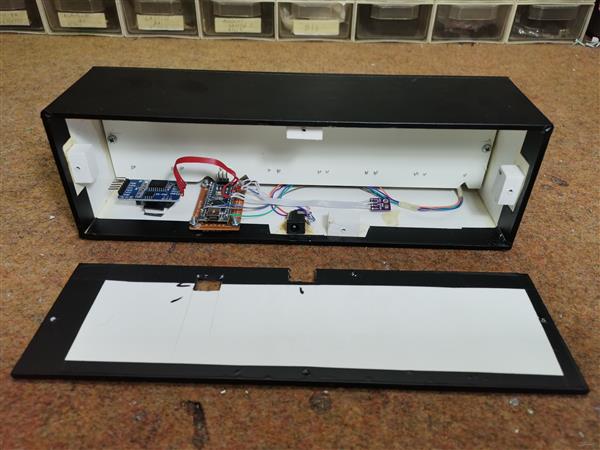
And finally, the device is built into a suitable housing made of PVC board with a thickness of 3mm and 5mm
#include <SPI.h>
#include <Adafruit_GFX.h>
#include <Max72xxPanel.h>
#include <Adafruit_BME280.h>
#include "RTClib.h"

RTC_DS1307 rtc;

char daysOfTheWeek[7][12] = {"Sunday", "Monday", "Tuesday", "Wednesday", "Thursday", "Friday", "Saturday"};

Adafruit_BME280 bme280;
int mm;

int pinCS = 10; // Uno or Duemilanove DIN 11 (MOSI) CLK 13 (SCK)
int numberOfHorizontalDisplays = 7;
int numberOfVerticalDisplays = 1;

Max72xxPanel matrix = Max72xxPanel(pinCS, numberOfHorizontalDisplays, numberOfVerticalDisplays);

String tape = "";
int wait = 25; // speed

int spacer = 2; // Character spacing (points)
int width = 5 + spacer; // Font width 5 pixels

String utf8rus(String source)
{
  int i,k;
  String target;
  unsigned char n;
  char m[2] = { '0', '\0' };

  k = source.length(); i = 0;
  while (i < k) {
    n = source[i]; i++;
    if (n >= 0xC0) {
      switch (n) {
        case 0xD0: {
          n = source[i]; i++;
          if (n == 0x81) { n = 0xA8; break; }
          if (n >= 0x90 && n <= 0xBF) n = n + 0x2F;
          break;
        }
        case 0xD1: {
          n = source[i]; i++;
          if (n == 0x91) { n = 0xB7; break; }
          if (n >= 0x80 && n <= 0x8F) n = n + 0x6F;
          break;
        }
      }
    }
    m[0] = n; target = target + String(m);
  }
return target;
}

String Serial_Read() {
  unsigned char c; // variable port for reading series
  String Serial_string = ""; // Forming from a character string
  while (Serial.available() > 0) { // If there are symbols in the series
    c = Serial.read(); // We read a symbol
    //Serial.print(c,HEX); Serial.print(" "); Serial.print(c);
    if (c == '\n') {  //If this is a string of lines
          return Serial_string; // We return the line
    }
    if (c == 0xB8) c = c - 0x01;
    if (c >= 0xBF && c <= 0xFF) c = c - 0x01;
    Serial_string = Serial_string + String(char(c)); //Add symbol to line
  }
  return Serial_string;
}
String chas;
String myn;
//String mesyc = "";

void setup() {

  Serial.begin(9600);
  Serial.println(F("bme280"));
  //==================================== hours
  if (! rtc.begin()) {
    Serial.println("Couldn't find RTC");
    Serial.flush();
    abort();
  }
  if (! rtc.isrunning()) {
    Serial.println("RTC is NOT running, let's set the time!");
    // When time needs to be set on a new device, or after a power loss, the
    // following line sets the RTC to the date & time this sketch was compiled
    rtc.adjust(DateTime(F(__DATE__), F(__TIME__)));
    // This line sets the RTC with an explicit date & time, for example to set
    // January 21, 2014 at 3am you would call:
    // rtc.adjust(DateTime(2014, 1, 21, 3, 0, 0));
  }
 //====================================
  while (!bme280.begin(BME280_ADDRESS - 1)) {
    Serial.println(F("Could not find a valid bme280 sensor, check wiring!"));
    delay(2000);
  }


  matrix.setIntensity(3); // Use a value between 0 and 15 for brightness
  matrix.setRotation(matrix.getRotation()+0); //1 - 90  2 - 180   3 - 270
 //a=a+1;
}
void loop() {
  DateTime now = rtc.now();
  float temperature = bme280.readTemperature();
  float pressure = bme280.readPressure()/100.0F;
  float altitude = bme280.readAltitude(1013.2);
  float humidity = bme280.readHumidity();
  pressure = pressure + 78.5  ;   //Relative pressure for 700m above sea level, comment this row for relative atmospheric pressure
 //======================================= correction digit time zero before the number
 chas ="";
 myn = "";
 if (now.hour() < 10) {
chas = '0';
}

if (now.minute() < 10) {
myn = ('0');
}

//=======================================
 tape = utf8rus((String)+daysOfTheWeek[now.dayOfTheWeek()]+"     Time  "+chas +now.hour()+":"+myn+now.minute()+" h    Temperature = "+temperature +" degree C   Humidity = " + humidity +  " %    Pressure = "+ pressure +" Hpa");
  if (Serial.available()){
    tape=Serial_Read();
  }
  for ( int i = 0 ; i < width * tape.length() + matrix.width() - 1 - spacer; i++ )
       {
    matrix.fillScreen(LOW);

    int letter = i / width; // number of symbols displayed on a matrix

    int y = (matrix.width() - 1) - i % width;
    int x = (matrix.height() - 8) / 2;

    while ( y + width - spacer >= 0 && letter >= 0 ) {
      if ( letter < tape.length() ) {
        matrix.drawChar(y, x, tape[letter], HIGH, LOW,1);
      }
      letter--;
      y -= width;
    }
    matrix.write(); // Send a picture for display
    delay(wait);
  }
}

#include SPI.h #include Adafruit_GFX.h #include Max72xxPanel.h #include Adafruit_BME280.h #include RTClib.h RTC_DS1307 rtc; char daysOfTheWeek[7][1






- Comments(0)
- Likes(0)
More by Mirko Pavleski
-
 Arduino 3D Printed self Balancing Cube
Self-balancing devices are electronic devices that use sensors and motors to keep themselves balanc...
Arduino 3D Printed self Balancing Cube
Self-balancing devices are electronic devices that use sensors and motors to keep themselves balanc...
-
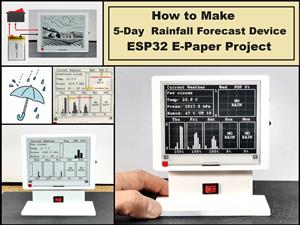 DIY 5-Day Rainfall Forecast Device - ESP32 E-Paper Project
In several of my previous projects I have presented ways to make weather stations, but this time I ...
DIY 5-Day Rainfall Forecast Device - ESP32 E-Paper Project
In several of my previous projects I have presented ways to make weather stations, but this time I ...
-
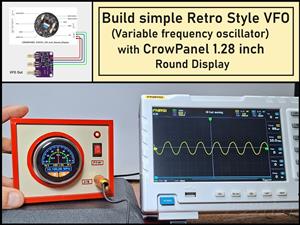 Build simple Retro Style VFO (Variable frequency oscillator) with Crowoanel 1.28 inch Round Display
Today I received a shipment with a Small round LCD display from Elecrow. The device is packed in tw...
Build simple Retro Style VFO (Variable frequency oscillator) with Crowoanel 1.28 inch Round Display
Today I received a shipment with a Small round LCD display from Elecrow. The device is packed in tw...
-
 Human vs Robot – Rock Paper Scissors with MyCobot 280 M5Stack
Today I received a package containing the few Elephant Robotics products. The shipment is well pack...
Human vs Robot – Rock Paper Scissors with MyCobot 280 M5Stack
Today I received a package containing the few Elephant Robotics products. The shipment is well pack...
-
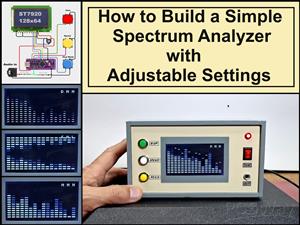 How to Build a Simple Audio Spectrum Analyzer with Adjustable Settings
An audio spectrum analyzer is an electronic device or software tool that measures and visually disp...
How to Build a Simple Audio Spectrum Analyzer with Adjustable Settings
An audio spectrum analyzer is an electronic device or software tool that measures and visually disp...
-
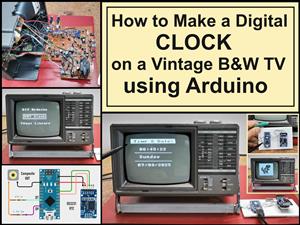 How to Make a Digital Clock on a Vintage B&W TV using Arduino
These days I accidentally came across this small retro Black and White TV with a built-in Radio, so ...
How to Make a Digital Clock on a Vintage B&W TV using Arduino
These days I accidentally came across this small retro Black and White TV with a built-in Radio, so ...
-
 Build a $10 Function Generator with Frequency Meter for Your Lab
A function generator is a piece of electronic test equipment used to generate various types of elec...
Build a $10 Function Generator with Frequency Meter for Your Lab
A function generator is a piece of electronic test equipment used to generate various types of elec...
-
 From Unboxing to Coding - Radar Clock on Elecrow’s 2.1 HMI Display
Today I received a shipment with a large round LCD display from Elecrow. The device is packed in two...
From Unboxing to Coding - Radar Clock on Elecrow’s 2.1 HMI Display
Today I received a shipment with a large round LCD display from Elecrow. The device is packed in two...
-
 Making a Retro Analog NTP Clock with Unihiker K10 - Arduino IDE Tutorial
Some time ago I presented you a way to use standard Arduino libraries on the Unihiker k10 developme...
Making a Retro Analog NTP Clock with Unihiker K10 - Arduino IDE Tutorial
Some time ago I presented you a way to use standard Arduino libraries on the Unihiker k10 developme...
-
 Build a Cheap & Easy HF Preselector - Antenna Tuner
HF antenna preselector is an electronic device connected between an HF radio antenna, and a radio r...
Build a Cheap & Easy HF Preselector - Antenna Tuner
HF antenna preselector is an electronic device connected between an HF radio antenna, and a radio r...
-
 DIY Static Charge Monitor - Electrostatic Field Detector (Arduino & TL071)
A Static Charge Monitor also known as a Static Field Meter or Electrostatic Voltmeter is a device u...
DIY Static Charge Monitor - Electrostatic Field Detector (Arduino & TL071)
A Static Charge Monitor also known as a Static Field Meter or Electrostatic Voltmeter is a device u...
-
 XHDATA D-219 Radio Short Review with complete disassembly
Some time ago I received an offer from XHDATA to be one of the first test users of their new radio m...
XHDATA D-219 Radio Short Review with complete disassembly
Some time ago I received an offer from XHDATA to be one of the first test users of their new radio m...
-
 How to make Simplest ever Oscilloscope Clock
An oscilloscope clock is a unique and creative way to display the time using an oscilloscope, which...
How to make Simplest ever Oscilloscope Clock
An oscilloscope clock is a unique and creative way to display the time using an oscilloscope, which...
-
 DIY Digital Barograph with BME280 and ESP32 - 24 Hour Pressure Trends
A barograph is a self-recording barometer that continuously measures and records atmospheric pressu...
DIY Digital Barograph with BME280 and ESP32 - 24 Hour Pressure Trends
A barograph is a self-recording barometer that continuously measures and records atmospheric pressu...
-
 Build a Raspberry Pi Pico SDR Radio with Waterfall Display
Software-defined radio (SDR) is a radio communication system where components that have traditional...
Build a Raspberry Pi Pico SDR Radio with Waterfall Display
Software-defined radio (SDR) is a radio communication system where components that have traditional...
-
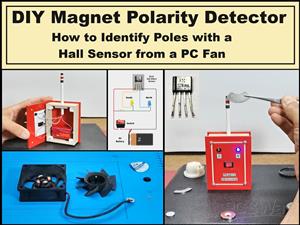 DIY Magnet Polarity Detector - How to Identify Poles with a Hall Sensor from a PC Fan
Recently, while working on a project, I needed to determine the polarity of several permanent magne...
DIY Magnet Polarity Detector - How to Identify Poles with a Hall Sensor from a PC Fan
Recently, while working on a project, I needed to determine the polarity of several permanent magne...
-
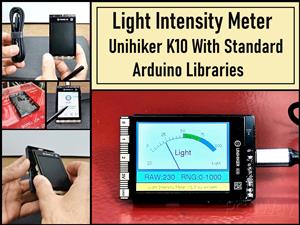 Light Meter Project - Making Dfrobot Unihiker K10 Work with Standard Arduino Libraries
The other day I received a shipment with a UNIHIKER K10 development board from DFRobot, which I rec...
Light Meter Project - Making Dfrobot Unihiker K10 Work with Standard Arduino Libraries
The other day I received a shipment with a UNIHIKER K10 development board from DFRobot, which I rec...
-
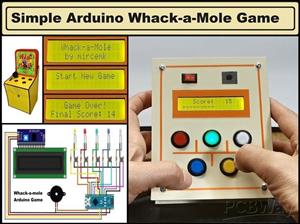 DIY Simple Arduino Whack-a-Mole Game
A "Whack-a-Mole" game is a classic arcade-style game where moles pop up randomly from holes, and th...
DIY Simple Arduino Whack-a-Mole Game
A "Whack-a-Mole" game is a classic arcade-style game where moles pop up randomly from holes, and th...
-
-
-
-
Tester for Touch Screen Digitizer without using microcontroller
329 2 2 -
Audio reactive glow LED wristband/bracelet with NFC / RFID-Tags
310 0 1 -
-
-