


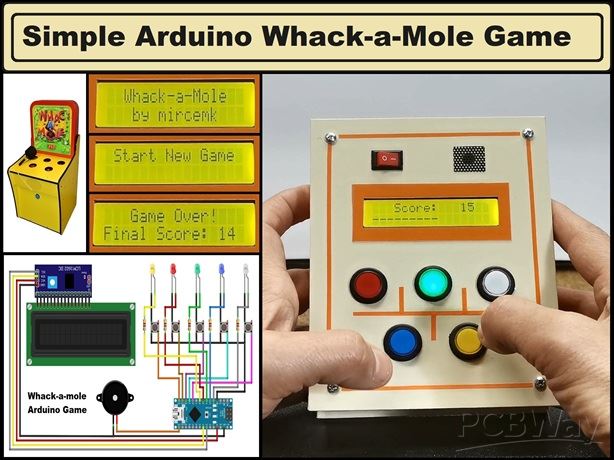
|
|
Arduino Nano R3 |
x 1 | |
|
|
I2C 16x2 Arduino LCD Display Module |
x 1 | |
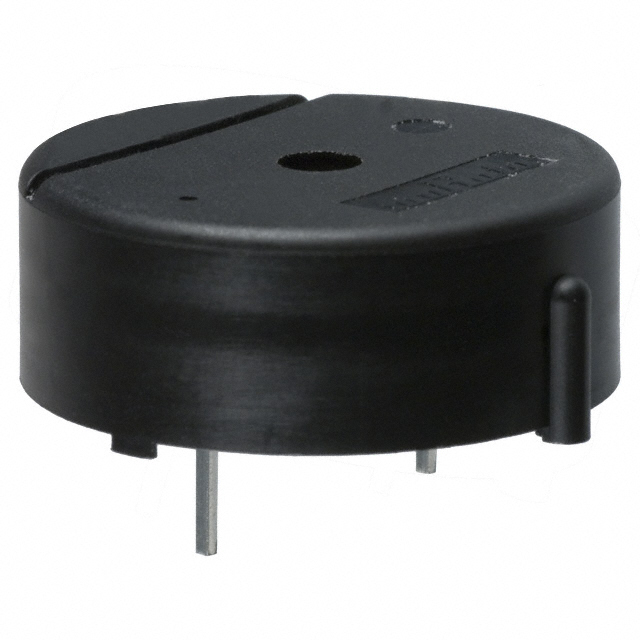
|
PKB24SPCH3601-B0Murata Electronics
|
x 1 | |
|
|
Illuminated Pushbutton Switch |
x 5 | |
|
|
Resistor, 470 ohm |
x 5 |

|
Soldering Iron Kit |
|

|
arduino IDEArduino
|
DIY Simple Arduino Whack-a-Mole Game
A "Whack-a-Mole" game is a classic arcade-style game where moles pop up randomly from holes, and the player uses a mallet or similar tool to "whack" the moles before they disappear.
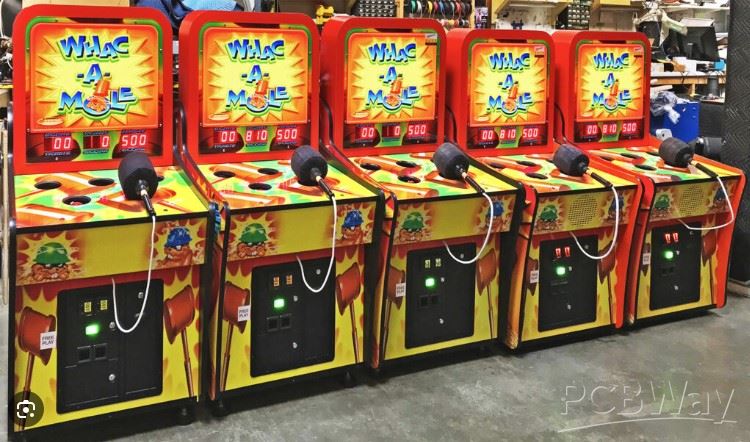
The goal is to hit the moles as they appear, to score points while avoiding hitting any other targets. It’s typically timed and the game ends after a certain period, with the player's score displayed. This time I will present you a simple way to make a Whack a mole portable game using an Arduino microcontroller
In this case, the "moles" will be small buttons with built-in LEDs in different colors. A randomly selected button lights up for a certain time when we have to press it to get a point.
This project is sponsored by PCBWay. They has all the services you need to create your project at the best price, whether is a scool project, or complex professional project. On PCBWay you can share your experiences, or get inspiration for your next project. They also provide completed Surface mount SMT PCB assemblY service at a best price, and ISO9001 quality control. Visit pcbway.com for more services.

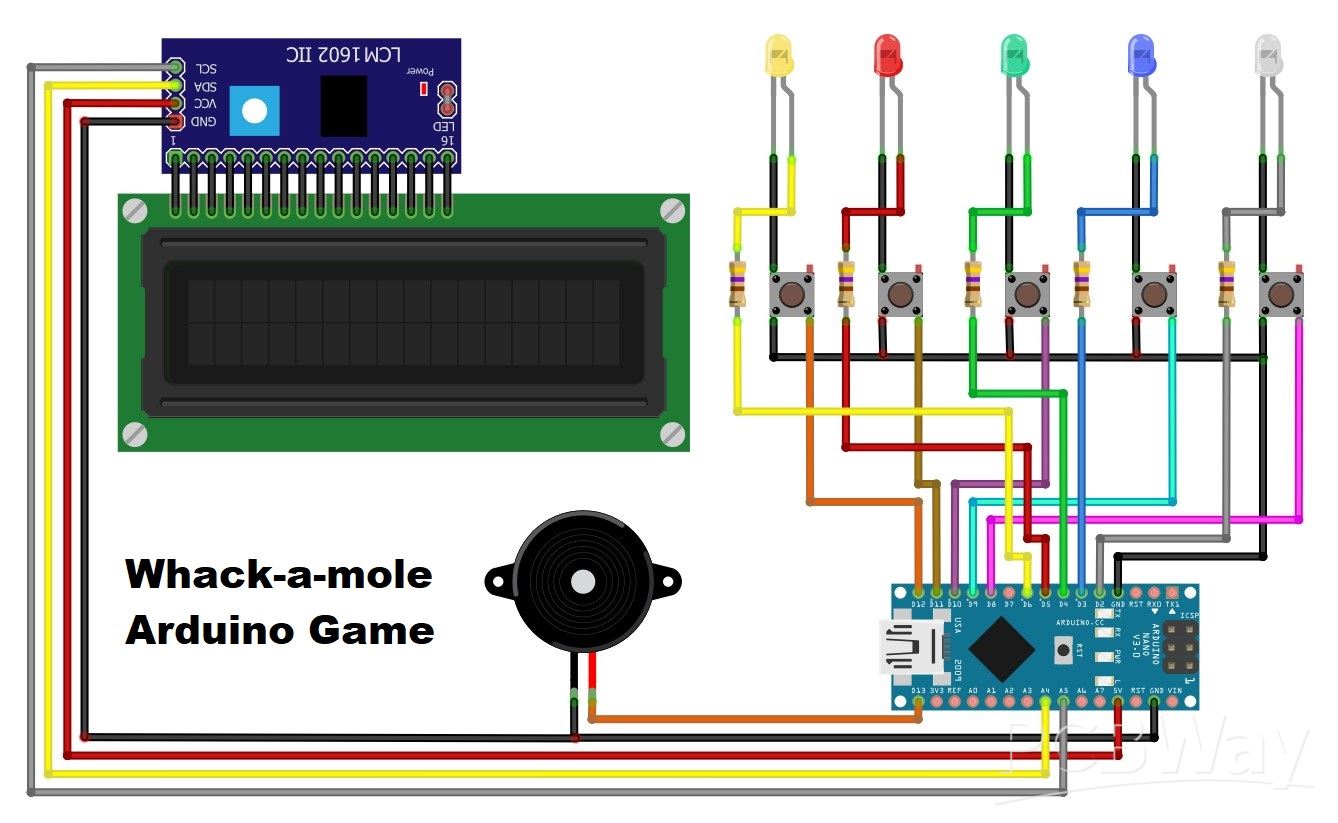
The device is very simple to make and consists of a few components:
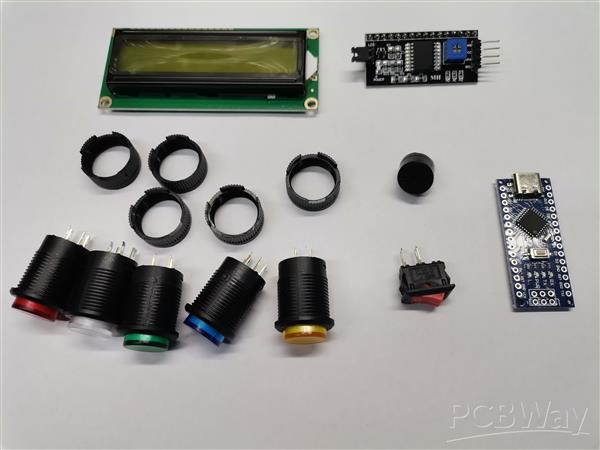
- Arduino Nano microcontroller module
- 5 Buttons with built-in Leds with different colours
- LCD display with 16x2 characters and I2C communication protocol
- 5 resistors 470 Ohms
- and Buzzer
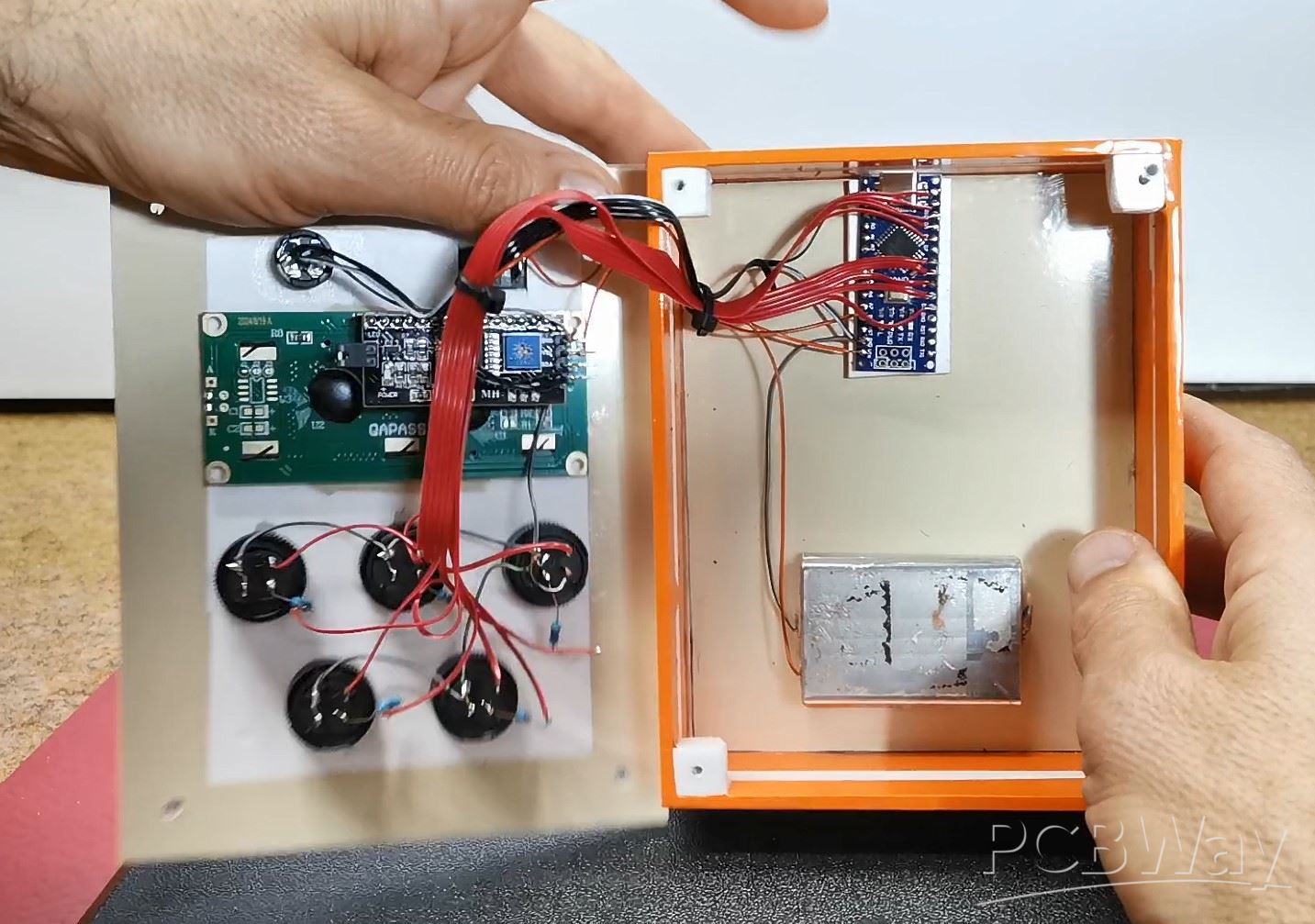
The start of the game is indicated on the LCD display and then the buttons start to light up in random order. With each successful press of a button while it is lit, we get a point. If we press the wrong button, we get a negative point and the score is reduced by 1.
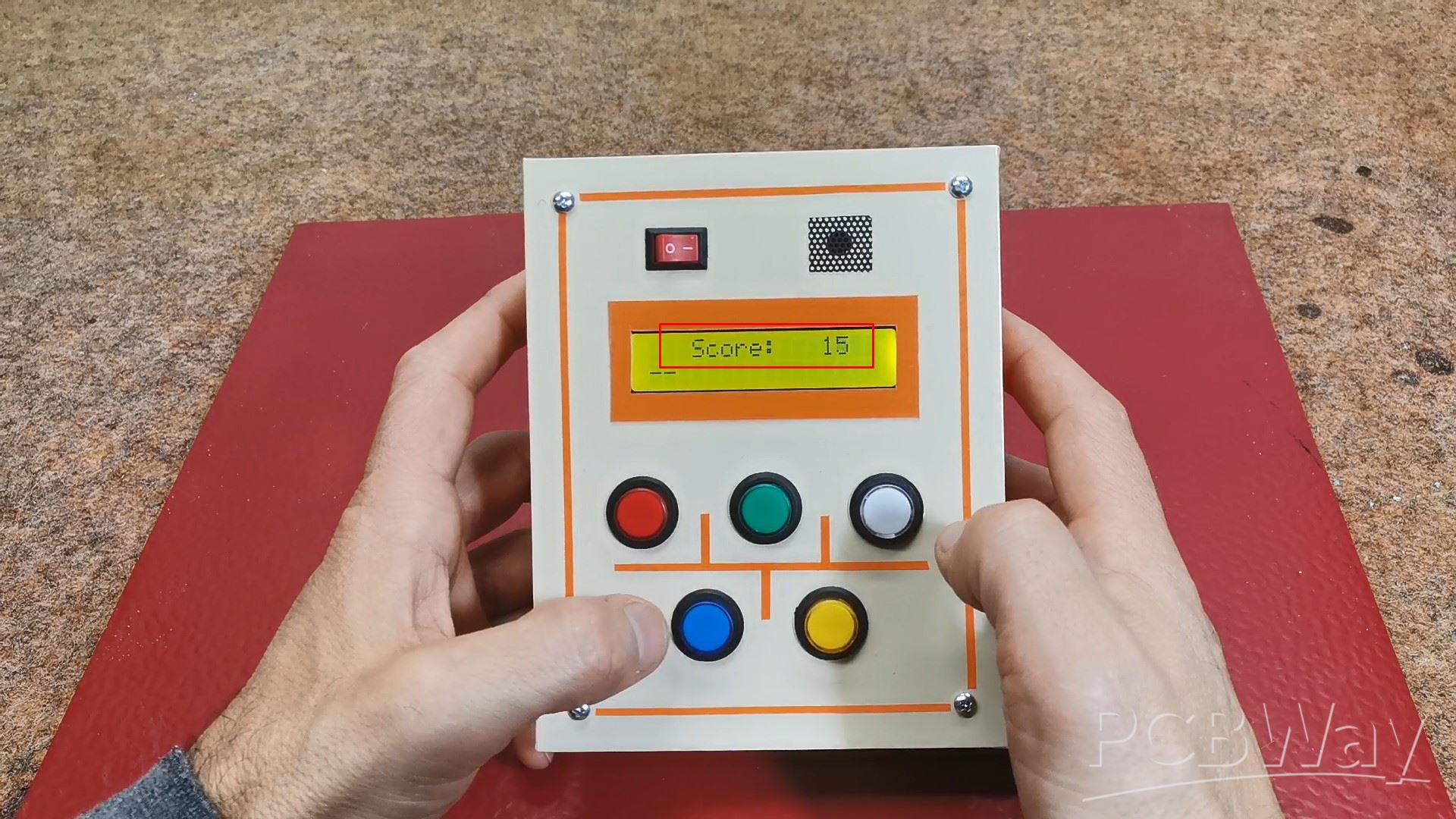
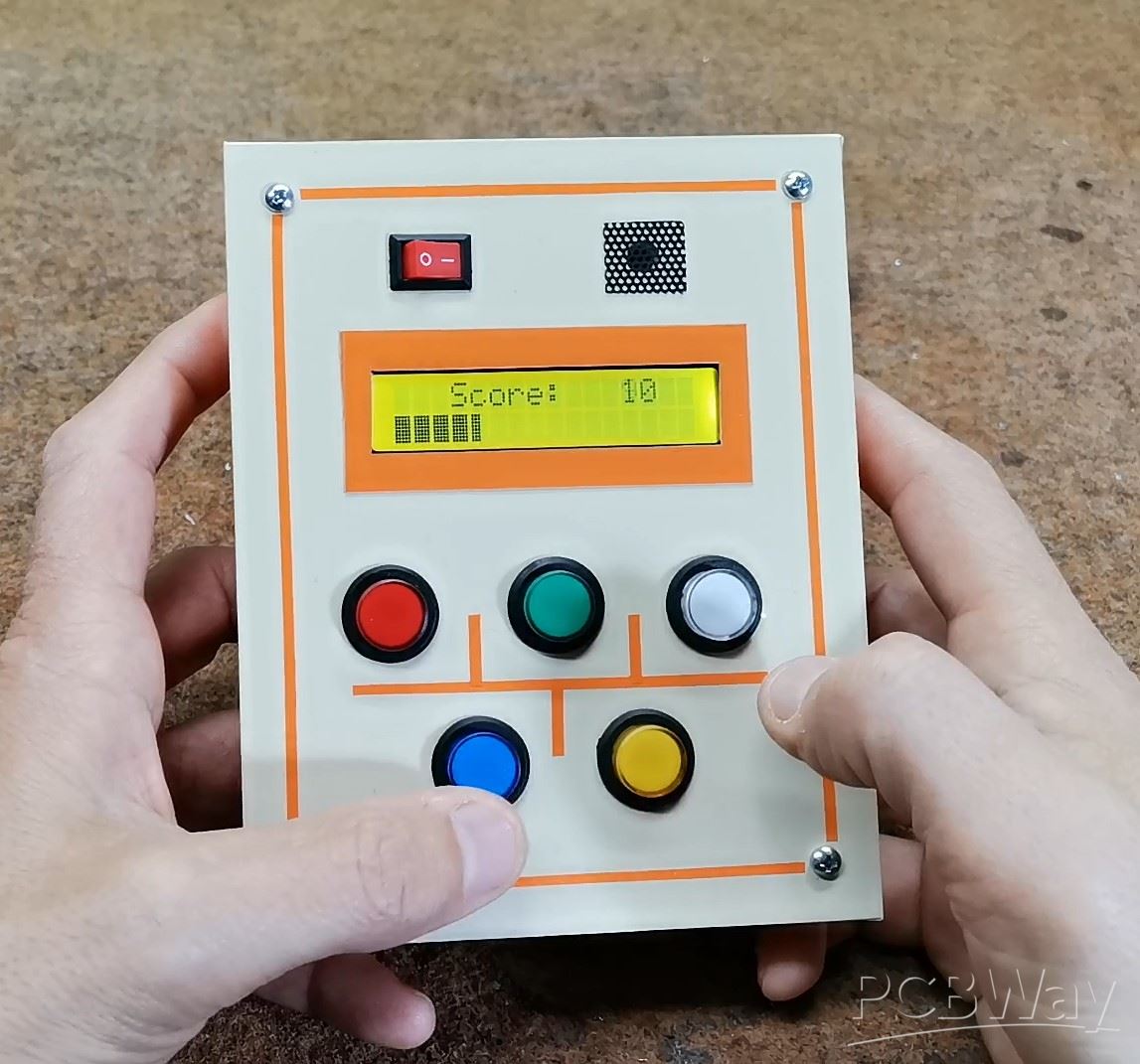
Successful or unsuccessful activation of the button (actually catching the mole), as well as other states of the game are signaled by an appropriate sound generated by the buzzer. When the game starts, the first line shows the current score, while the second line shows a bar graph that gradually decreases over time and disappears after exactly thirty seconds, the same time the game lasts. This way we have a visual representation of the remaining time in the game.
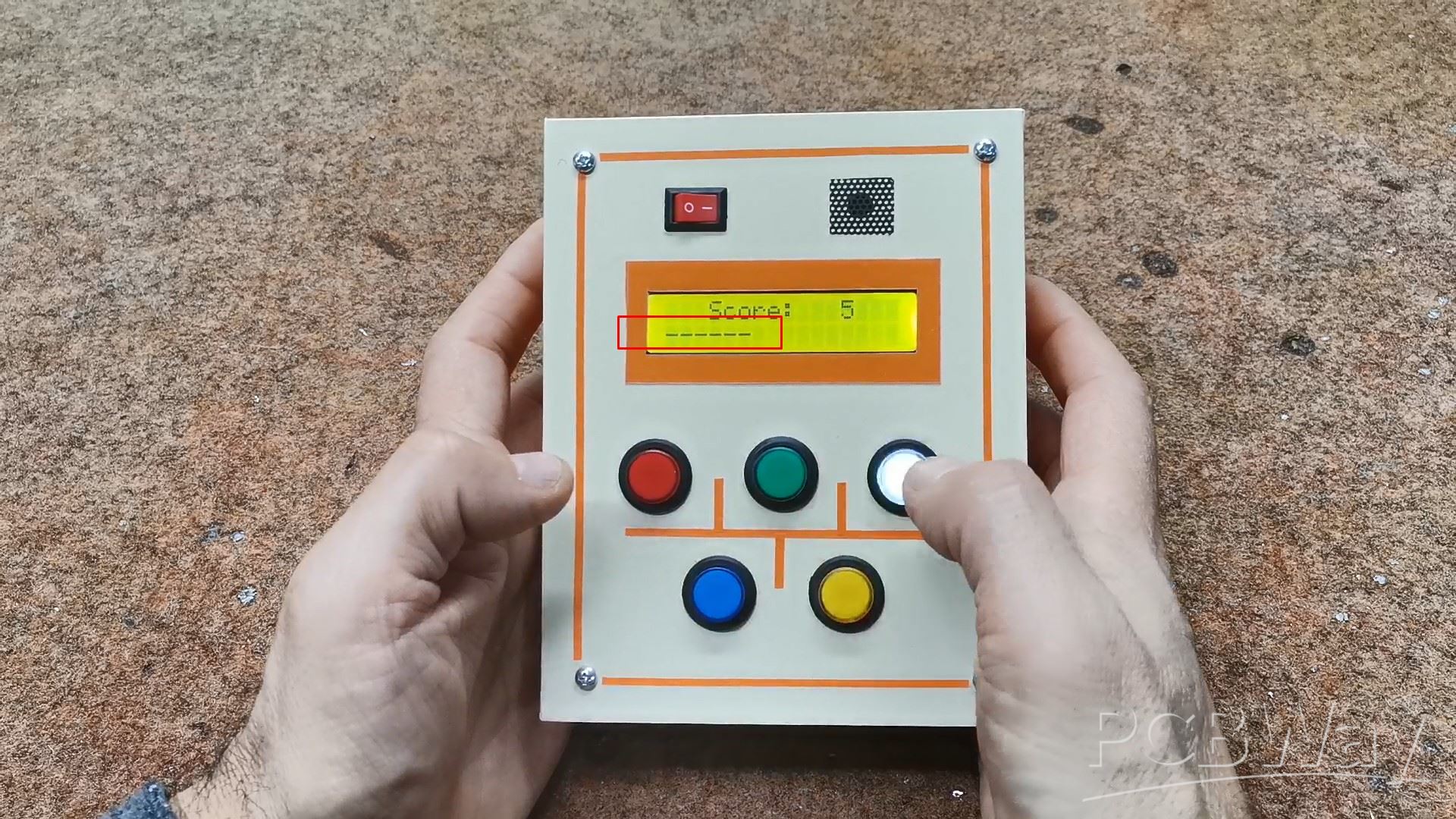
To make the game more fun and addictive, over time the duration of the lighting of the corresponding button is reduced, in fact the game is accelerated. At the end of the game, all the buttons flash several times and this is accompanied by appropriate sounds. Then the final score appears on the screen.
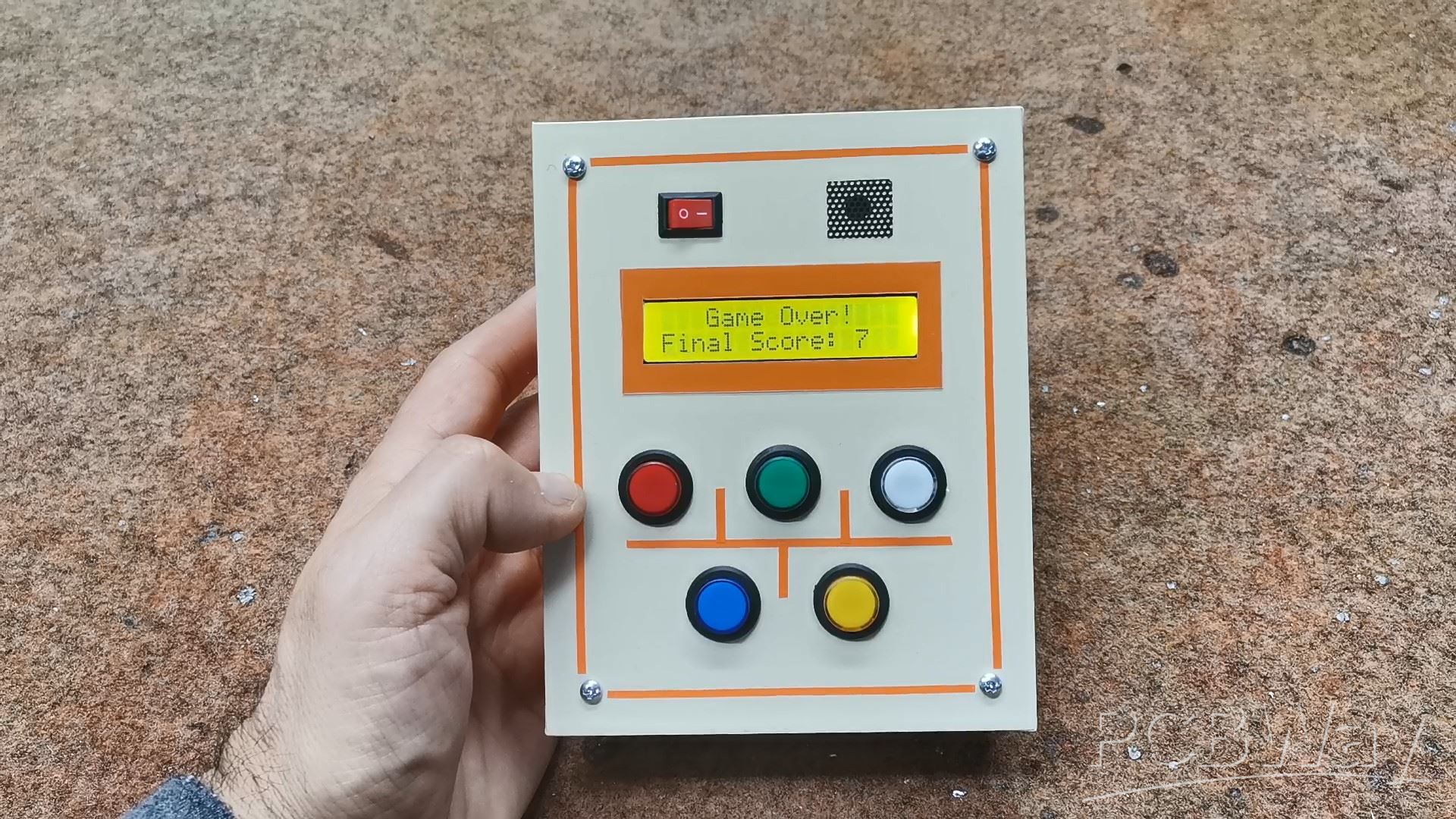
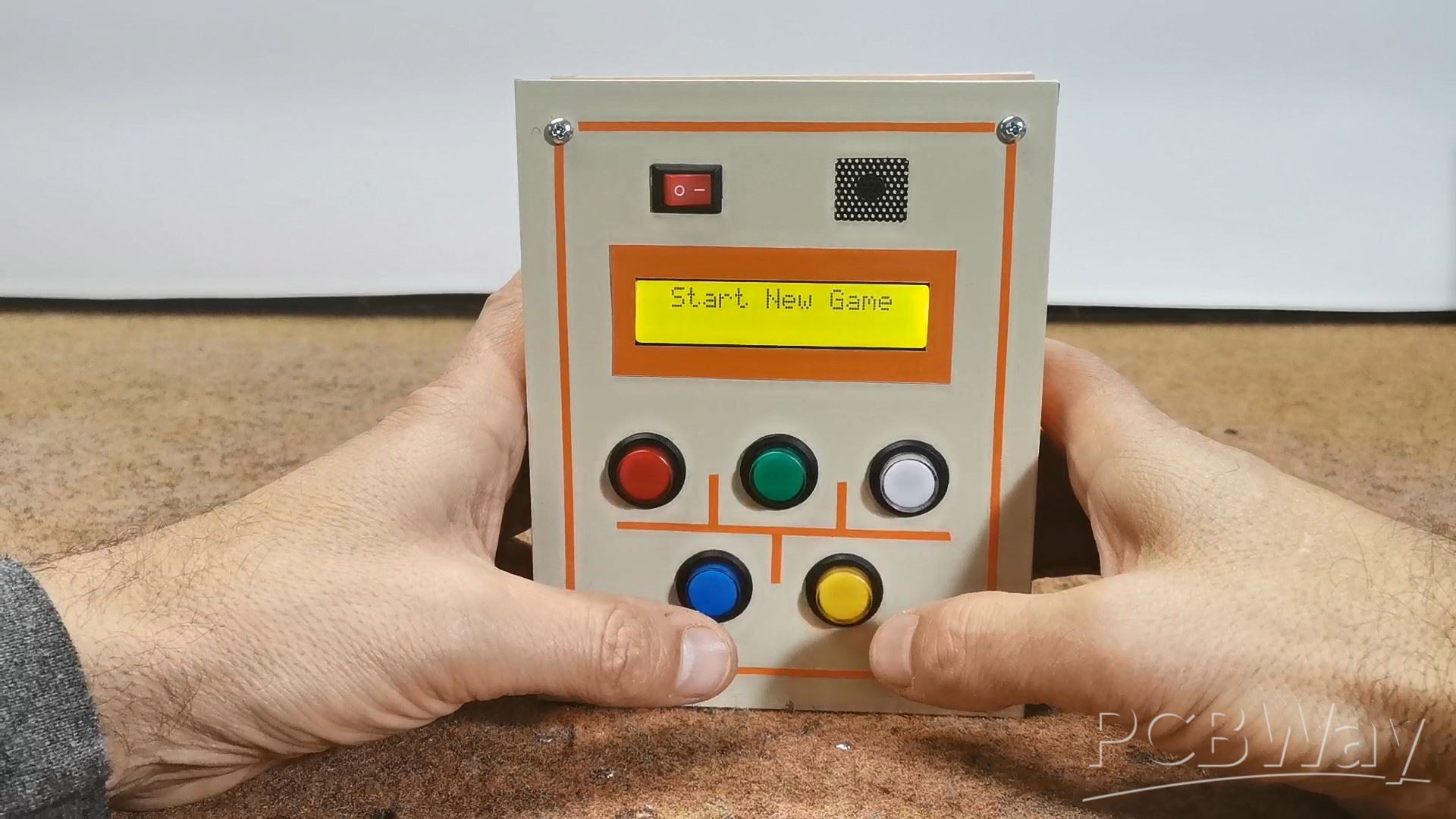
After a 5-second break, a new game starts.
I updated the code so that the player has a better overview of the game duration and now the bar instead of 16 horizontal, consists of 80 vertical bars.
And finally, a quick conclusion. This is a really simple Arduino version of the Whack-a-Mole arcade game made with just a few components, but endlessly fun and addictive, great for testing and practicing reflexes. I installed the device in a suitable box made of PVC board with a thickness of 3 and 5mm and covered with self-adhesive colored wallpaper. Also, for compactness and mobility, the game is powered by 2 lithium batteries (7.4V).
/*Arduino Whack-A-Mole Game
by mircemk, June 2025
*/

#include <Wire.h>
#include <LiquidCrystal_I2C.h>

LiquidCrystal_I2C lcd(0x27, 16, 2);

// Pin Definitions
const int buttonPins[] = {8, 9, 10, 11, 12}; // Button pins
const int ledPins[] = {2, 3, 4, 5, 6};      // LED pins
const int buzzerPin = 13;                   // Buzzer pin (digital 13)
const int numMoles = 5;                     // Number of moles/buttons/LEDs

// Game variables
int currentMole = -1;         // Current mole (LED) to be lit
int score = 0;                // Player's score
unsigned long reactionTime = 1000;  // Initial reaction time (milliseconds)
unsigned long lastMoleTime = 0;     // Time when the last mole was lit
unsigned long gameStartTime = 0;    // Start time of the game
unsigned long gameDuration = 30000; // Total game duration (30 seconds)

// Reaction time adjustment
const unsigned long reactionTimeDecrement = 100; // Time to reduce reaction by (milliseconds)
const unsigned long minReactionTime = 300;       // Minimum reaction time (milliseconds)

void setup() {
  lcd.backlight();
  lcd.begin(16, 2);
  lcd.clear();
  lcd.setCursor(2, 0);
  lcd.print("Whack-a-Mole");
  lcd.setCursor(3, 1);
  lcd.print("by mircemk");
  delay(2000);
  lcd.clear();

  // Initialize button pins and LED pins
  for (int i = 0; i < numMoles; i++) {
    pinMode(buttonPins[i], INPUT_PULLUP);  // Set button pins as input with pull-up resistors
    pinMode(ledPins[i], OUTPUT);           // Set LED pins as output
    digitalWrite(ledPins[i], LOW);         // Turn off all LEDs initially
  }

  pinMode(buzzerPin, OUTPUT); // Set buzzer pin as output

  Serial.begin(9600); // For debugging and displaying the score
  randomSeed(analogRead(0)); // Initialize random seed from an unused analog pin
  Serial.println("Whack-a-Mole Game Started!");

  lcd.setCursor(2, 0);
  lcd.print("GAME STARTED!");
  delay(500);
  lcd.clear();

  gameStartTime = millis(); // Record game start time
}

void loop() {
  unsigned long currentMillis = millis();  // Get the current time

  // Update the progress bar
  unsigned long elapsedTime = currentMillis - gameStartTime;
  if (elapsedTime <= gameDuration) {
    int barLength = map(gameDuration - elapsedTime, 0, gameDuration, 0, 16);
    lcd.setCursor(0, 1);
    for (int i = 0; i < 16; i++) {
      lcd.print(i < barLength ? '-' : ' '); // Print '-' for remaining time, ' ' for elapsed
    }
  }

  // Light up a mole after a certain amount of time (based on reactionTime)
  if (currentMillis - lastMoleTime >= reactionTime) {
    if (currentMole != -1) {
      digitalWrite(ledPins[currentMole], LOW);  // Turn off the previous mole
    }
    currentMole = random(0, numMoles);  // Randomly pick a mole (LED)
    digitalWrite(ledPins[currentMole], HIGH); // Light up the chosen LED

    lastMoleTime = currentMillis;  // Update the time when the mole was lit
  }

  // Check if the player pressed the correct button for the lit mole
  for (int i = 0; i < numMoles; i++) {
    if (digitalRead(buttonPins[i]) == LOW) {  // Button pressed (LOW due to INPUT_PULLUP)
      if (i == currentMole) {
        score++;  // Correct mole hit
 lcd.setCursor(2, 0);
lcd.print(" Score:      "); // Clear the score field with extra spaces
lcd.setCursor(12, 0);
lcd.print(score); // Update the score

        tone(buzzerPin, 1000, 200);  // High-pitched sound (1000Hz) for 200ms

        if (reactionTime > minReactionTime) {
          reactionTime -= reactionTimeDecrement;
        }
      } else {
        score--;  // Wrong mole hit
 lcd.setCursor(2, 0);
lcd.print(" Score:      "); // Clear the score field with extra spaces
lcd.setCursor(12, 0);
lcd.print(score); // Update the score

        tone(buzzerPin, 400, 200);  // Low-pitched sound (400Hz) for 200ms
      }

      digitalWrite(ledPins[currentMole], LOW);  // Turn off the current mole
      currentMole = -1;  // Reset the mole to indicate no active mole
      delay(500);  // Short delay to debounce button press
    }
  }

  // End the game after the set duration
  if (elapsedTime >= gameDuration) {
lcd.setCursor(3, 0);
lcd.print("Game Over!   ");
lcd.setCursor(0, 1);
lcd.print("Final Score: ");
lcd.setCursor(13, 1);
lcd.print("   ");           // Clear any leftover characters
lcd.setCursor(13, 1);
lcd.print(score);           // Print the final score

// Flash all LEDs and play a sound three times
for (int i = 0; i < 3; i++) {
  for (int j = 0; j < numMoles; j++) {
    digitalWrite(ledPins[j], HIGH);
  }
  tone(buzzerPin, 1000, 300);  // Play sound
  delay(300);                  // Keep LEDs on
  for (int j = 0; j < numMoles; j++) {
    digitalWrite(ledPins[j], LOW);
  }
  delay(300);                  // Keep LEDs off
}

delay(2000);                   // Pause before resetting the game
lcd.clear();
score = 0;
currentMole = -1;
for (int i = 0; i < numMoles; i++) {
  digitalWrite(ledPins[i], LOW);
}
lcd.setCursor(0, 0);
lcd.print(" Start New Game");
delay(5000);
lcd.clear();
gameStartTime = millis();
reactionTime = 1000;
  }
}
DIY Simple Arduino Whack-a-Mole Game









Raspberry Pi 5 7 Inch Touch Screen IPS 1024x600 HD LCD HDMI-compatible Display for RPI 4B 3B+ OPI 5 AIDA64 PC Secondary Screen(Without Speaker)
BUY NOW


- Comments(0)
- Likes(0)
More by Mirko Pavleski
-
 Arduino 3D Printed self Balancing Cube
Self-balancing devices are electronic devices that use sensors and motors to keep themselves balanc...
Arduino 3D Printed self Balancing Cube
Self-balancing devices are electronic devices that use sensors and motors to keep themselves balanc...
-
 Building a Mini Fostex Horn Speaker with a 2-Inch Full-Range Driver
A back-loaded horn speaker is a loudspeaker design that channels the rear sound wave of a driver th...
Building a Mini Fostex Horn Speaker with a 2-Inch Full-Range Driver
A back-loaded horn speaker is a loudspeaker design that channels the rear sound wave of a driver th...
-
 ESP32 Moon Lamp That Shows the Real Moon Phase on Crowpanel Round Dispaly
Recently on the Hackaday portal I came across a very interesting project called Moon Display by aut...
ESP32 Moon Lamp That Shows the Real Moon Phase on Crowpanel Round Dispaly
Recently on the Hackaday portal I came across a very interesting project called Moon Display by aut...
-
 40-Year-Old DIY Power Amplifiers – Do They Still Work - 500W MOSFET & Transistor Amps
This time I want to describe my two DIY super powerful audio amplifiers that I made about 40 years ...
40-Year-Old DIY Power Amplifiers – Do They Still Work - 500W MOSFET & Transistor Amps
This time I want to describe my two DIY super powerful audio amplifiers that I made about 40 years ...
-
 Wi-Fi HaLow Explained! Long-Range Camera Test up to 300m (ESP32 + ThinkNode G4 from ELECROW)
I recently needed to install a security camera at a relatively large distance from my home, more pre...
Wi-Fi HaLow Explained! Long-Range Camera Test up to 300m (ESP32 + ThinkNode G4 from ELECROW)
I recently needed to install a security camera at a relatively large distance from my home, more pre...
-
 Simple Object Recognition with the UNIHIKER K10 – No TensorFlow, No Internet, No Cloud AI
Object recognition has become one of the most popular applications of artificial intelligence and em...
Simple Object Recognition with the UNIHIKER K10 – No TensorFlow, No Internet, No Cloud AI
Object recognition has become one of the most popular applications of artificial intelligence and em...
-
 DIY PCL82 Tube Amplifier, Single-Ended Amp with Amazing Sound
The idea for this project came from a local electronics magazine called EMITER, issue 12/13 from 20...
DIY PCL82 Tube Amplifier, Single-Ended Amp with Amazing Sound
The idea for this project came from a local electronics magazine called EMITER, issue 12/13 from 20...
-
 Simple MCP2036 SDR Radio - The Most Unusual Software Defined Radio
SDR (Software Defined Radio) is a radio communication system where many of the key electronic compo...
Simple MCP2036 SDR Radio - The Most Unusual Software Defined Radio
SDR (Software Defined Radio) is a radio communication system where many of the key electronic compo...
-
 Elecrow All-in-One Arduino Starter Kit Review - 20 Projects & 16 Modules
This time I will describe a simple and practical way to enter the world of microcontrollers, specif...
Elecrow All-in-One Arduino Starter Kit Review - 20 Projects & 16 Modules
This time I will describe a simple and practical way to enter the world of microcontrollers, specif...
-
 ESP32-C3 Color Detector with TCS34725, Real-Time RGB Detection & Web Interface
Color detection is a fundamental task in many embedded systems – from industrial sorting machines t...
ESP32-C3 Color Detector with TCS34725, Real-Time RGB Detection & Web Interface
Color detection is a fundamental task in many embedded systems – from industrial sorting machines t...
-
 DIY ESP32 Telegram Flood Protection System - Smart Home Automation
Recently I had an unpleasant experience in my home, specifically my ground floor was flooded as a r...
DIY ESP32 Telegram Flood Protection System - Smart Home Automation
Recently I had an unpleasant experience in my home, specifically my ground floor was flooded as a r...
-
 Real-Time Air Traffic Radar using ESP32 + ADS-B Data
ADS-B, which stands for Automatic Dependent Surveillance-Broadcast, is the modern standard for trac...
Real-Time Air Traffic Radar using ESP32 + ADS-B Data
ADS-B, which stands for Automatic Dependent Surveillance-Broadcast, is the modern standard for trac...
-
 DIY Green Laser Night Sky Object Finder - Find Stars & Galaxies Instantly with great accuracy
As an amateur astronomer, especially at the beginning, the most difficult part of observing the nig...
DIY Green Laser Night Sky Object Finder - Find Stars & Galaxies Instantly with great accuracy
As an amateur astronomer, especially at the beginning, the most difficult part of observing the nig...
-
 DIY Avionics Simulator with ESP32 - Artificial Horizon, Compass & Altimeter
The inspiration for this project comes from classical aircraft cockpit instruments used for navigat...
DIY Avionics Simulator with ESP32 - Artificial Horizon, Compass & Altimeter
The inspiration for this project comes from classical aircraft cockpit instruments used for navigat...
-
 DIY Miniature X-Ray Machine using a TV Vacuum Tube DY86
An X-ray machine (or radiograph) is a quick, painless medical test that produces images of the struc...
DIY Miniature X-Ray Machine using a TV Vacuum Tube DY86
An X-ray machine (or radiograph) is a quick, painless medical test that produces images of the struc...
-
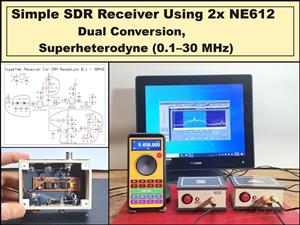 Simple SDR Receiver Using 2x NE612 - Dual Conversion, Superheterodyne (0.1–30 MHz)
SDR (Software Defined Radio) is a radio system in which most of the functions of a classic radio (f...
Simple SDR Receiver Using 2x NE612 - Dual Conversion, Superheterodyne (0.1–30 MHz)
SDR (Software Defined Radio) is a radio system in which most of the functions of a classic radio (f...
-
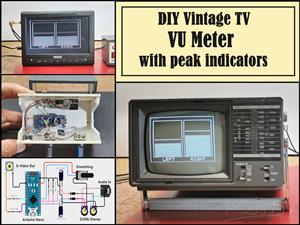 DIY Vintage TV VU Meter with peak indicators
Some time ago in one of my projects I presented you a way to turn a black and white old mini TV int...
DIY Vintage TV VU Meter with peak indicators
Some time ago in one of my projects I presented you a way to turn a black and white old mini TV int...
-
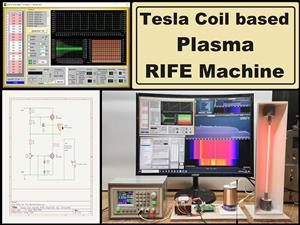 DIY Tesla Coil based Plasma Rife Machine
In several of my previous videos, I presented you with different ways to make a Rife Machine, from ...
DIY Tesla Coil based Plasma Rife Machine
In several of my previous videos, I presented you with different ways to make a Rife Machine, from ...
-
Programmable Mist Maker - XIAO / QT PY Extension
2118 2 2 -
RadioHAT - Raspberry Pi radio development platform
1800 0 4 -
-
-
-
ARPS-2 – Arduino-Compatible Robot Project Shield for Arduino UNO
4012 0 6 -
A Compact Charging Breakout Board For Waveshare ESP32-C3
4749 3 8 -
AI-driven LoRa & LLM-enabled Kiosk & Food Delivery System
5562 2 2 -





















