


|
|
XHDATA D-109WB Radio |
x 1 |
|
|
Screwdriver |
XHDATA D-109WB Radio Short Review with complete disassembly
Recently I received a shipment of a radio from the brand XHDATA model: D-109WB, so I immediately decided to test it and make a short review. My shipment arrived relatively quickly in less than two weeks, well packed and without any consequences of transportation. Inside is the original box containing the radio receiver, a USB type C cable for charging the battery, and English manuals.

Recently I received a shipment of a radio from the brand XHDATA model: D-109WB, so I immediately decided to test it and make a short review. My shipment arrived relatively quickly in less than two weeks, well packed and without any consequences of transportation. Inside is the original box containing the radio receiver, a USB type C cable for charging the battery, and English manuals.

Then, on the front side, a large readable display with backlight and ergonomic buttons, including an intuitive circular part for easy controll the MP3 player and bluetooth speaker function, as well as a search function for the radio. The antenna is massive and relatively long about 50cm, which is a basic requirement for good reception. On the left side there are connectors for headphones and an external antenna, and on the right side there is a large button for searching stations. Below it is a discreetly placed mechanical potentiometer for volume regulation. I emphasize this as a positive detail because the digital volume control is very slow and impractical. Below is C-Type charging port. And, on the bottom side there is a reset button and a TF card slot.
First I would like to explain the functions of all the buttons:

The Power button is red in color because it is used the most, so it is easily visible. Also, the SOS button is a different color than the others for the same reason. In the top row there are three buttons for setting the clock and alarms. Display/lock button, SW bandwidth/backlight button. With a long press on this button, the backlight remains permanently on, then voice/music control, DX/local reception mode, and view memories/view frequencies button. Next comes the Weatherband/Weatheralert button, the SW+, SW- band buttons, medium wave/long wave area and FM area button. This is a numeric keypad through which we can directly enter the requested frequency. And, The round part of the keyboard primarily serves to control the Bluetooth speaker mode, and the .mp3 and other audio files player.
Now let's see how the radio works: First I will test the FM band with the built in antenna. I work in a basement and specifically here the signal is very weak, but still I receive my favorite radio programs very well. On a well-received station, the sound is exceptionally clear and voluminous, and low frequencies are reproduced surprisingly well for a speaker of this size. The sound intensity is quite sufficient both for listening in a room and outside in an open space. The receiver is capable of memorizing 100 stations on the FM band. A big surprise for me was variable-speed tuning, which also works on shortwave bands. The slow tuning rate is 0.01 MHz, and it jumps to 0.1 MHz when the knob is turned quickly. I had not experienced variable-speed tuning in other radios before, so I think this is a "must have" feature in any digital portable radio.

Now, let me briefly test the reception of the SW band. For this purpose I will use my external LOG (loop over ground) antenna and antenna splitter through which I will bring an identical signal to the portable radio and to this SDR radio which I will use for some kind of comparison. The reception on the medium wave range with the built-in ferrite antenna is also quite solid.

The radio supports bluetooth and can be used to play audio from an external device through its bluetooth connection.
It also have a TF card slot for a micro SD card, which can be loaded with music and played through the radio's audio system.

Unfortunately, there are no NOAA weather reports in my region, so I have no conditions to test this feature.
As for the battery life, I can simply say that it is impressive. I've been running it using the speaker for several hours per day for nearly a week, and the battery still shows a full charge.
And now, I can say for me the most interesting part, to look inside the radio. The rubber tabs on the bottom of the cabinet must be partially removed to disassemble the radio. In order to fully disassemble the radio it is necessary to push in the locking claws from inside while pulling on the knob from the outside.

Obviously everything is well organized. А relatively large speaker in own box which is the reason for the good sound. I was very pleasantly surprised by the SI-4734 radio chip used. Namely, so far I have built several radios with chips from this family from the Skyworks brand which is controlled by a microcontroller, and I can tell you that they have excellent characteristics. You can check out these DIY radios on my channel. А ferrite antenna is large enough for good reception in the medium wave area.

Behind the metal armor is the display together with the control electronics. The metal serves to block the digital noise generated by the display on the radio reception. On the other side are placed the control buttons, the display, and a small buzzer and microphone. Now let's move on to the other half. It have a small lithium battery for saving the stored stations as well as the clock and alarms and other settings in the absence of the main battery.

The audio section is located on second board and contains the D2668 chip capable of delivering 3W stereo output power. Other small chip is D4800 wich is a stereo headphones amplifier.
And finally a short conclusion: The XHDATA D-109WB is a solid little radio of an overall good build. It feels more robust than some of its competitors of the same size. The radio has excellent sensitivity and selectivity on all bands thanks to the use of the advanced SI47xx family radio chip from Skyworks. It supports bluetooth and micro SD card, which can be loaded with music and played through the radio's audio system. In short I think that XHDATA D109WB currently represents a best value for money.
XHDATA D-109WB Radio Short Review with complete disassembly









Raspberry Pi 5 7 Inch Touch Screen IPS 1024x600 HD LCD HDMI-compatible Display for RPI 4B 3B+ OPI 5 AIDA64 PC Secondary Screen(Without Speaker)
BUY NOW


- Comments(0)
- Likes(0)
More by Mirko Pavleski
-
 Arduino 3D Printed self Balancing Cube
Self-balancing devices are electronic devices that use sensors and motors to keep themselves balanc...
Arduino 3D Printed self Balancing Cube
Self-balancing devices are electronic devices that use sensors and motors to keep themselves balanc...
-
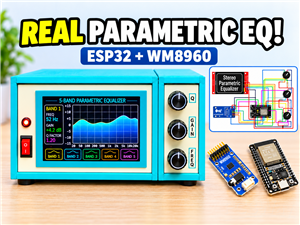 Build a Real 5-Band Parametric EQ with ESP32 + WM8960 - Stereo DSP Audio Processor
Audio equalizer (EQ) is an electronic device that allows control over the strength of different fre...
Build a Real 5-Band Parametric EQ with ESP32 + WM8960 - Stereo DSP Audio Processor
Audio equalizer (EQ) is an electronic device that allows control over the strength of different fre...
-
 Bass Reflex vs Sealed vs Horn – Same 2 inch Speaker Test
In one of the previous videos I presented the making of a miniature Horn type speaker box with a 2 ...
Bass Reflex vs Sealed vs Horn – Same 2 inch Speaker Test
In one of the previous videos I presented the making of a miniature Horn type speaker box with a 2 ...
-
 Building a Mini Fostex Horn Speaker with a 2-Inch Full-Range Driver
A back-loaded horn speaker is a loudspeaker design that channels the rear sound wave of a driver th...
Building a Mini Fostex Horn Speaker with a 2-Inch Full-Range Driver
A back-loaded horn speaker is a loudspeaker design that channels the rear sound wave of a driver th...
-
 ESP32 Moon Lamp That Shows the Real Moon Phase on Crowpanel Round Dispaly
Recently on the Hackaday portal I came across a very interesting project called Moon Display by aut...
ESP32 Moon Lamp That Shows the Real Moon Phase on Crowpanel Round Dispaly
Recently on the Hackaday portal I came across a very interesting project called Moon Display by aut...
-
 40-Year-Old DIY Power Amplifiers – Do They Still Work - 500W MOSFET & Transistor Amps
This time I want to describe my two DIY super powerful audio amplifiers that I made about 40 years ...
40-Year-Old DIY Power Amplifiers – Do They Still Work - 500W MOSFET & Transistor Amps
This time I want to describe my two DIY super powerful audio amplifiers that I made about 40 years ...
-
 Wi-Fi HaLow Explained! Long-Range Camera Test up to 300m (ESP32 + ThinkNode G4 from ELECROW)
I recently needed to install a security camera at a relatively large distance from my home, more pre...
Wi-Fi HaLow Explained! Long-Range Camera Test up to 300m (ESP32 + ThinkNode G4 from ELECROW)
I recently needed to install a security camera at a relatively large distance from my home, more pre...
-
 Simple Object Recognition with the UNIHIKER K10 – No TensorFlow, No Internet, No Cloud AI
Object recognition has become one of the most popular applications of artificial intelligence and em...
Simple Object Recognition with the UNIHIKER K10 – No TensorFlow, No Internet, No Cloud AI
Object recognition has become one of the most popular applications of artificial intelligence and em...
-
 DIY PCL82 Tube Amplifier, Single-Ended Amp with Amazing Sound
The idea for this project came from a local electronics magazine called EMITER, issue 12/13 from 20...
DIY PCL82 Tube Amplifier, Single-Ended Amp with Amazing Sound
The idea for this project came from a local electronics magazine called EMITER, issue 12/13 from 20...
-
 Simple MCP2036 SDR Radio - The Most Unusual Software Defined Radio
SDR (Software Defined Radio) is a radio communication system where many of the key electronic compo...
Simple MCP2036 SDR Radio - The Most Unusual Software Defined Radio
SDR (Software Defined Radio) is a radio communication system where many of the key electronic compo...
-
 Elecrow All-in-One Arduino Starter Kit Review - 20 Projects & 16 Modules
This time I will describe a simple and practical way to enter the world of microcontrollers, specif...
Elecrow All-in-One Arduino Starter Kit Review - 20 Projects & 16 Modules
This time I will describe a simple and practical way to enter the world of microcontrollers, specif...
-
 ESP32-C3 Color Detector with TCS34725, Real-Time RGB Detection & Web Interface
Color detection is a fundamental task in many embedded systems – from industrial sorting machines t...
ESP32-C3 Color Detector with TCS34725, Real-Time RGB Detection & Web Interface
Color detection is a fundamental task in many embedded systems – from industrial sorting machines t...
-
 DIY ESP32 Telegram Flood Protection System - Smart Home Automation
Recently I had an unpleasant experience in my home, specifically my ground floor was flooded as a r...
DIY ESP32 Telegram Flood Protection System - Smart Home Automation
Recently I had an unpleasant experience in my home, specifically my ground floor was flooded as a r...
-
 Real-Time Air Traffic Radar using ESP32 + ADS-B Data
ADS-B, which stands for Automatic Dependent Surveillance-Broadcast, is the modern standard for trac...
Real-Time Air Traffic Radar using ESP32 + ADS-B Data
ADS-B, which stands for Automatic Dependent Surveillance-Broadcast, is the modern standard for trac...
-
 DIY Green Laser Night Sky Object Finder - Find Stars & Galaxies Instantly with great accuracy
As an amateur astronomer, especially at the beginning, the most difficult part of observing the nig...
DIY Green Laser Night Sky Object Finder - Find Stars & Galaxies Instantly with great accuracy
As an amateur astronomer, especially at the beginning, the most difficult part of observing the nig...
-
 DIY Avionics Simulator with ESP32 - Artificial Horizon, Compass & Altimeter
The inspiration for this project comes from classical aircraft cockpit instruments used for navigat...
DIY Avionics Simulator with ESP32 - Artificial Horizon, Compass & Altimeter
The inspiration for this project comes from classical aircraft cockpit instruments used for navigat...
-
 DIY Miniature X-Ray Machine using a TV Vacuum Tube DY86
An X-ray machine (or radiograph) is a quick, painless medical test that produces images of the struc...
DIY Miniature X-Ray Machine using a TV Vacuum Tube DY86
An X-ray machine (or radiograph) is a quick, painless medical test that produces images of the struc...
-
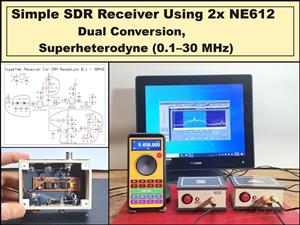 Simple SDR Receiver Using 2x NE612 - Dual Conversion, Superheterodyne (0.1–30 MHz)
SDR (Software Defined Radio) is a radio system in which most of the functions of a classic radio (f...
Simple SDR Receiver Using 2x NE612 - Dual Conversion, Superheterodyne (0.1–30 MHz)
SDR (Software Defined Radio) is a radio system in which most of the functions of a classic radio (f...
-
SmallOLED - Live PC Stats, Animated Clocks & Audio Visualizer
854 0 3 -
"Talking Multimeter": Arduino-Based Speech Add-on for Multimeters with SCPI Protocol
500 0 1 -
Programmable Mist Maker - XIAO / QT PY Extension
2969 2 3 -
RadioHAT - Raspberry Pi radio development platform
2514 0 4 -
-
-
-
ARPS-2 – Arduino-Compatible Robot Project Shield for Arduino UNO
4589 0 6


















