


|
arduino IDEArduino
|
|

|
Soldering Iron Kit |
Universal Arduino Staccato controller for SSTC and VTCC Tesla Coils
The VTTC Staccato Controller was developed in the attempt to create longer sparks from VTTCs while at the same time reducing the input power. The Staccato Controller achieves this by operating the VTTC for a full AC half cycle, then disabling the VTTC for a selectable number of AC half cycles. Basically the controller consists of an oscillator with adjustable parameters and a triac or thyristor at the output of the oscillator, which is connected between the cathode of the vacuum tube and ground.
In the device that I will present to you in this video, an Arduino Nano board is used to build the oscillator, so the device is very simple to build, and yet has many control options. The presented code is very simple and understandable, so if we have some experience in programming, we can expand these possibilities. The original project was taken from teslamuuntaja's blog and I added a two-transistor part so now Mosfet SSTC can also be controlled.

. The device is composed of several parts:
- Arduino Nano MCU board
- Three control potentiometers
- Mains transformer with 12V output
- Gretz junction with filter capacitor and voltage stabilizer
- Triac through which VTTC is controlled
- Two transistors for control of SSTC
- and some diodes and resistors
This project is sponsored by PCBWay. They has all the services you need to create your project at the best price, whether is a scool project, or complex professional project. On PCBWay you can share your experiences, or get inspiration for your next project. They also provide completed Surface mount SMT PCB assemblY service at a best price, and ISO9001 quality control. Visit www.pcbway.com for more services

Now let's briefly explain the working principle. There is a full-wave rectifier on the secondary of the mains transformer, in the continuation of which there is a filter electrolytic capacitor and a voltage stabilizer for 12V. This voltage is used to power the Arduino board. Between the transformer and the rectifier bridge, a half-wave rectified current is taken via a diode to a voltage divider, consisting of two 1 kΩ resistors. After the voltage divider, there is a 100 nF capacitor for filtering, followed by a 4.7-volt Zener diode to limit the voltage to Arduino's maximum of 5 volts. The resulting half-wave rectified and 4.7-volt limited voltage is fed into Arduino's analog input A1. Using this signal, Arduino controls the triac and two tyransistor circuit part, which is triggered from Arduino's output D12 through a 220 Ω resistor.
To Arduino analog inputs A2, A3, and A4 are connected three potentiometers that regulate the interval, length and intensity of the generated signal. A button is connected to the D2 pin with pull up resistor. By using the push button, a single trigger can be given. If potentiometer R2 is adjusted to a point where the device does not provide pulses, the push button can be used to give one pulse at a time. LED diode flashes in sync with the triac trigger pulses.

On the back of the device there are two terminals to which the appropriate type of Tesla transformer should be connected, previously selected with the switch. The negative pole in both cases need to be connected to the ground, and the positive pole on VTTC is connected to the cathode of the vacuum tube, while in the SSTC to the Gate of the Mosfet or to the input of the Mosfet driver.
We can best capture the way the device works with the help of an oscilloscope. For this purpose, we connect one channel of the oscilloscope to pin A1, which is the input, and the other channel to the output pin D12. The oscilloscope provides a clear visual demonstration of how all adjustment works. In the oscilloscope image, you can see the half-waves of the mains current in yellow and the triggering pulses of the triac in blue.

- "INTERVAL" Potentiometer is used to adjust how often the triac is triggered. When the potentiometer is turned towards one end, the triac is triggered on every half-wave. Near the other end, it's triggered every 50 half-waves, which corresponds to once per second on a 50 Hz power grid.

- "LENGHT" Potentiometer is used to adjust how many consecutive half-waves the triac is triggered. The values range from 1 to 25. The oscilloscope images provide a visual representation of this.

- "INTENSITY" Potentiometer is used to adjust the timing of the trigger. This allows for adjusting the intensity of the spark discharge. The most intense discharge occurs when the trigger is given right at the beginning of the half-wave. By adjusting the potentiometer, the trigger timing can be delayed.

And finally, a short conclusion. There are several circuit diagrams for making a staccato controller, but this is probably the simplest way thanks to the use of a microcontroller. Despite its simplicity, the device is incredibly customizable, and with small changes to the code we can achieve a variety of effects.

At the begining of the video you can see this device in operation both at VTTC and at SSTC. The entire assembly is mounted in a suitable case made of PVC board with a thickness of 5 mm and covered with colored self-adhesive wallpaper.

// Staccato controller for Vacuum Tube Tesla Coil (VTTC)
// Ver 1
// 1.9.2023 - Kaj Luukko

const int pinAC = A1;         // 50 Hz half wave input pin A1
const int potInterval = A2;   // Potentiometer for intervall pin A2
const int potLenght = A3;     // Potentiometer for lenght pin A3
const int potDelay = A4;      // Potentiometer for delay pin A4
const int outPinTriac = 12;   // Digital out pin 12 for triac
const int outPinLED = 13;     // Digital out pin 13 for LED
const int inButton = 2;       // Push button input digital pin 2
int i = 0;

void setup() {
  pinMode(pinAC, INPUT);
  pinMode(potInterval, INPUT);
  pinMode(outPinTriac, OUTPUT);
  pinMode(outPinLED, OUTPUT);
  pinMode(inButton, INPUT);
  digitalWrite(outPinTriac, LOW);
  digitalWrite(outPinLED, LOW);
}

void loop() {
  while (analogRead(pinAC) < 15){}
    if (digitalRead(inButton) == HIGH) {
    fire();
    while (digitalRead(inButton) == HIGH) {}
  }
  i = i + 1;
  if ((i >= map(analogRead(potInterval),0,1020,50,0)) && (analogRead(potInterval) > 10)){
    fire();
    i = 0;
  }
  if (i > 0){
    while (analogRead(pinAC)>15){}
  }
}

void fire() {
  for (int ii=0; ii<map(analogRead(potLenght),0,1020,25,1); ii++) {
      delayMicroseconds(map(analogRead(potDelay),0,1020,0,9000));
      digitalWrite(outPinTriac, HIGH);
      digitalWrite(outPinLED, HIGH);
      delay(1);
      digitalWrite(outPinTriac, LOW);
      while (analogRead(pinAC) > 15){}
      digitalWrite(outPinLED, LOW);
      while (analogRead(pinAC) < 15){}

  }
}

Universal Arduino Staccato controller for SSTC and VTCC Tesla Coils









Raspberry Pi 5 7 Inch Touch Screen IPS 1024x600 HD LCD HDMI-compatible Display for RPI 4B 3B+ OPI 5 AIDA64 PC Secondary Screen(Without Speaker)
BUY NOW


- Comments(0)
- Likes(2)
More by Mirko Pavleski
-
 Arduino 3D Printed self Balancing Cube
Self-balancing devices are electronic devices that use sensors and motors to keep themselves balanc...
Arduino 3D Printed self Balancing Cube
Self-balancing devices are electronic devices that use sensors and motors to keep themselves balanc...
-
 Building a Mini Fostex Horn Speaker with a 2-Inch Full-Range Driver
A back-loaded horn speaker is a loudspeaker design that channels the rear sound wave of a driver th...
Building a Mini Fostex Horn Speaker with a 2-Inch Full-Range Driver
A back-loaded horn speaker is a loudspeaker design that channels the rear sound wave of a driver th...
-
 ESP32 Moon Lamp That Shows the Real Moon Phase on Crowpanel Round Dispaly
Recently on the Hackaday portal I came across a very interesting project called Moon Display by aut...
ESP32 Moon Lamp That Shows the Real Moon Phase on Crowpanel Round Dispaly
Recently on the Hackaday portal I came across a very interesting project called Moon Display by aut...
-
 40-Year-Old DIY Power Amplifiers – Do They Still Work - 500W MOSFET & Transistor Amps
This time I want to describe my two DIY super powerful audio amplifiers that I made about 40 years ...
40-Year-Old DIY Power Amplifiers – Do They Still Work - 500W MOSFET & Transistor Amps
This time I want to describe my two DIY super powerful audio amplifiers that I made about 40 years ...
-
 Wi-Fi HaLow Explained! Long-Range Camera Test up to 300m (ESP32 + ThinkNode G4 from ELECROW)
I recently needed to install a security camera at a relatively large distance from my home, more pre...
Wi-Fi HaLow Explained! Long-Range Camera Test up to 300m (ESP32 + ThinkNode G4 from ELECROW)
I recently needed to install a security camera at a relatively large distance from my home, more pre...
-
 Simple Object Recognition with the UNIHIKER K10 – No TensorFlow, No Internet, No Cloud AI
Object recognition has become one of the most popular applications of artificial intelligence and em...
Simple Object Recognition with the UNIHIKER K10 – No TensorFlow, No Internet, No Cloud AI
Object recognition has become one of the most popular applications of artificial intelligence and em...
-
 DIY PCL82 Tube Amplifier, Single-Ended Amp with Amazing Sound
The idea for this project came from a local electronics magazine called EMITER, issue 12/13 from 20...
DIY PCL82 Tube Amplifier, Single-Ended Amp with Amazing Sound
The idea for this project came from a local electronics magazine called EMITER, issue 12/13 from 20...
-
 Simple MCP2036 SDR Radio - The Most Unusual Software Defined Radio
SDR (Software Defined Radio) is a radio communication system where many of the key electronic compo...
Simple MCP2036 SDR Radio - The Most Unusual Software Defined Radio
SDR (Software Defined Radio) is a radio communication system where many of the key electronic compo...
-
 Elecrow All-in-One Arduino Starter Kit Review - 20 Projects & 16 Modules
This time I will describe a simple and practical way to enter the world of microcontrollers, specif...
Elecrow All-in-One Arduino Starter Kit Review - 20 Projects & 16 Modules
This time I will describe a simple and practical way to enter the world of microcontrollers, specif...
-
 ESP32-C3 Color Detector with TCS34725, Real-Time RGB Detection & Web Interface
Color detection is a fundamental task in many embedded systems – from industrial sorting machines t...
ESP32-C3 Color Detector with TCS34725, Real-Time RGB Detection & Web Interface
Color detection is a fundamental task in many embedded systems – from industrial sorting machines t...
-
 DIY ESP32 Telegram Flood Protection System - Smart Home Automation
Recently I had an unpleasant experience in my home, specifically my ground floor was flooded as a r...
DIY ESP32 Telegram Flood Protection System - Smart Home Automation
Recently I had an unpleasant experience in my home, specifically my ground floor was flooded as a r...
-
 Real-Time Air Traffic Radar using ESP32 + ADS-B Data
ADS-B, which stands for Automatic Dependent Surveillance-Broadcast, is the modern standard for trac...
Real-Time Air Traffic Radar using ESP32 + ADS-B Data
ADS-B, which stands for Automatic Dependent Surveillance-Broadcast, is the modern standard for trac...
-
 DIY Green Laser Night Sky Object Finder - Find Stars & Galaxies Instantly with great accuracy
As an amateur astronomer, especially at the beginning, the most difficult part of observing the nig...
DIY Green Laser Night Sky Object Finder - Find Stars & Galaxies Instantly with great accuracy
As an amateur astronomer, especially at the beginning, the most difficult part of observing the nig...
-
 DIY Avionics Simulator with ESP32 - Artificial Horizon, Compass & Altimeter
The inspiration for this project comes from classical aircraft cockpit instruments used for navigat...
DIY Avionics Simulator with ESP32 - Artificial Horizon, Compass & Altimeter
The inspiration for this project comes from classical aircraft cockpit instruments used for navigat...
-
 DIY Miniature X-Ray Machine using a TV Vacuum Tube DY86
An X-ray machine (or radiograph) is a quick, painless medical test that produces images of the struc...
DIY Miniature X-Ray Machine using a TV Vacuum Tube DY86
An X-ray machine (or radiograph) is a quick, painless medical test that produces images of the struc...
-
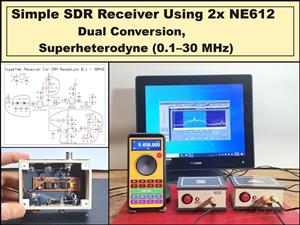 Simple SDR Receiver Using 2x NE612 - Dual Conversion, Superheterodyne (0.1–30 MHz)
SDR (Software Defined Radio) is a radio system in which most of the functions of a classic radio (f...
Simple SDR Receiver Using 2x NE612 - Dual Conversion, Superheterodyne (0.1–30 MHz)
SDR (Software Defined Radio) is a radio system in which most of the functions of a classic radio (f...
-
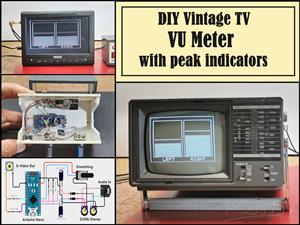 DIY Vintage TV VU Meter with peak indicators
Some time ago in one of my projects I presented you a way to turn a black and white old mini TV int...
DIY Vintage TV VU Meter with peak indicators
Some time ago in one of my projects I presented you a way to turn a black and white old mini TV int...
-
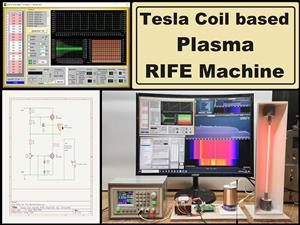 DIY Tesla Coil based Plasma Rife Machine
In several of my previous videos, I presented you with different ways to make a Rife Machine, from ...
DIY Tesla Coil based Plasma Rife Machine
In several of my previous videos, I presented you with different ways to make a Rife Machine, from ...
-
Programmable Mist Maker - XIAO / QT PY Extension
2221 2 2 -
RadioHAT - Raspberry Pi radio development platform
1910 0 4 -
-
-
-
ARPS-2 – Arduino-Compatible Robot Project Shield for Arduino UNO
4089 0 6 -
A Compact Charging Breakout Board For Waveshare ESP32-C3
4850 3 8 -
AI-driven LoRa & LLM-enabled Kiosk & Food Delivery System
5644 2 2 -





















