|
|
VFD Fluorescent Display 6.1 Inches VFD256x50 GP1287 |
x 1 | |
|
|
Espressif ESP8266 ESP-12E |
x 1 |

|
arduino IDEArduino
|
|

|
Soldering Iron Kit |
Simple ESP8266 NTP Clock on VFD Display VFD256x50 GP1287
A VFD (Vacuum Fluorescent Display) is an electronic display device that is commonly used for displaying numeric or alphanumeric characters. It is similar to an LCD (Liquid Crystal Display) but uses a different technology to display information. VFD displays are known for their high brightness, high contrast, and wide viewing angle, making them suitable for use in a variety of applications, including digital clocks. Exactly such a clock is described in this video.
I recently acquired a VFD display with a resolution of 256 x 50 dots for a relatively affordable price.

Unfortunately, I could not get a datasheet or any more detailed information from the supplier, except that it is compatible with an STM32 microcontroller, which for me meant that it can be easily connected to other microcontrollers such as Arduino. On the back of the PCB, the display model is marked as GP1287, so based on this information I found a document that shows the pinout of the display and some basic data. However, to create code without the support of libraries is relatively complex.

For that reason, I looked in more detail at the libraries for graphic support of displays, when I discovered that the latest versions of the U8G2 library support exactly this type of VFD display. Now with this kind of support it is quite easy to create code that will use this display. To demonstrate these claims, as the simplest example, I decided to create an NTP clock that retrieves the correct time over the Internet.
Making such a clock is extremely simple and consists of only two components:
- ESP8266 microcontroller board
- and GP1287 VFD display
First I will test the device with a short demo sketch that is an integral part of the library, which demonstrates some of the graphical capabilities

In the code, we only need to enter the credentials of the local Wi-Fi network, and then upload it to the microcontroller. As for this procedure, this time we will not hold back, because it has been described several times in my previous projects, and there are also excellent tutorials on the Internet.
After turning on the device, we need to wait for a certain time while the microcontroller connects to the Wi-Fi network and NTP servers. As seen on the screen, the correct time appears with the largest digits, the date is displayed below it, in the upper right part of the screen there is numerical information about the day of the week, and below it the day of the week.

As I mentioned before, the information on the display is clearly visible from all angles thanks to the specific way of radiating light, both in daylight and at night.
This is the simplest example that basically shows how to connect the display to an ESP8266 microcontroller, but it can be connected to an Arduino in a similar way by changing the number of pins when defining it in the U82G library.
Finally, the device is installed in a suitable box made of PVC material with a thickness of 5 mm and covered with colored self-adhesive wallpaper.

Update:
Due to the relatively high consumption of the display, it is preferable to power it through the power connector of the display itself, which is shown in the picture.

/*
  This is an example file for using the time function in ESP8266 or ESP32 tu get NTP time
  It offers two functions:

  - getNTPtime(struct tm * info, uint32_t ms) where info is a structure which contains time
  information and ms is the time the service waits till it gets a response from NTP.
  Each time you cann this function it calls NTP over the net.

  If you do not want to call an NTP service every second, you can use
  - getTimeReducedTraffic(int ms) where ms is the the time between two physical NTP server calls. Betwwn these calls,
  the time structure is updated with the (inaccurate) timer. If you call NTP every few minutes you should be ok

  The time structure is called tm and has teh following values:

  Definition of struct tm:
  Member  Type  Meaning Range
  tm_sec  int seconds after the minute  0-61*
  tm_min  int minutes after the hour  0-59
  tm_hour int hours since midnight  0-23
  tm_mday int day of the month  1-31
  tm_mon  int months since January  0-11
  tm_year int years since 1900
  tm_wday int days since Sunday 0-6
  tm_yday int days since January 1  0-365
  tm_isdst  int Daylight Saving Time flag

  because the values are somhow akwardly defined, I introduce a function makeHumanreadable() where all values are adjusted according normal numbering.
  e.g. January is month 1 and not 0 And Sunday or monday is weekday 1 not 0 (according definition of MONDAYFIRST)

  Showtime is an example on how you can use the time in your sketch

  The functions are inspired by work of G6EJD ( https://www.youtube.com/channel/UCgtlqH_lkMdIa4jZLItcsTg )
*/

#ifdef ESP8266
#include <ESP8266WiFi.h>
#else
#include <WiFi.h>
#endif
#include <time.h>
#include <U8x8lib.h>

#define mySSID "TEST"
#define myPASSWORD "TEST"

const char* ssid = mySSID;              //from credentials.h file
const char* password = myPASSWORD;      //from credentials.h file

const char* NTP_SERVER = "ch.pool.ntp.org";
const char* TZ_INFO    = "GMT+0BST-1,M3.5.0/01:00:00,M10.5.0/02:00:00";  // enter your time zone (https://remotemonitoringsystems.ca/time-zone-abbreviations.php)

tm timeinfo;
time_t now;
long unsigned lastNTPtime;
unsigned long lastEntryTime;

//U8X8_SSD1306_128X64_NONAME_SW_I2C u8x8(/* clock=*/ SCL, /* data=*/ SDA, /* reset=*/ U8X8_PIN_NONE);   // OLEDs without Reset of the Display
//U8G2_GP1287AI_256X50_1_4W_SW_SPI u8g2(U8G2_R0, /* clock=*/ 0, /* data=*/ 2, /* cs=*/ 14, /* dc=*/ 4, /* reset=*/ 16);  // Za ESP8266 Node mcu {CLK-D3, CS-D5, DATA-D4, RESET-D0}
U8X8_GP1287AI_256X50_4W_SW_SPI u8x8(/* clock=*/ 0, /* data=*/ 2, /* cs=*/ 14, /* dc=*/ 4, /* reset=*/16);
void setup()
{
  u8x8.begin();

  Serial.begin(115200);
  Serial.println("\n\nNTP Time Test\n");
  WiFi.begin(ssid, password);

  Serial.print("Connecting to network");
  int counter = 0;
  while (WiFi.status() != WL_CONNECTED)
  {
    delay(200);
    if (++counter > 100)
      ESP.restart();
    Serial.print( "." );
  }
  Serial.println("\nWiFi connected\n\n");

  configTime(0, 0, NTP_SERVER);
  // See https://github.com/nayarsystems/posix_tz_db/blob/master/zones.csv for Timezone codes for your region
  setenv("TZ", TZ_INFO, 1);

  if (getNTPtime(10))
  {
    // wait up to 10sec to sync
  }
  else
  {
    Serial.println("Time not set");
    ESP.restart();
  }
  showTime(&timeinfo);
  lastNTPtime = time(&now);
  lastEntryTime = millis();
}

void loop()
{
  getNTPtime(10);
  showTime(&timeinfo);
  delay(1000);
}

bool getNTPtime(int sec)
{
  {
    uint32_t start = millis();
    do
    {
      time(&now);
      localtime_r(&now, &timeinfo);
      delay(10);
    } while (((millis() - start) <= (1000 * sec)) && (timeinfo.tm_year < (2016 - 1900)));

    if (timeinfo.tm_year <= (2016 - 1900))
        return false;  // the NTP call was not successful

    Serial.print("Time Now: ");
    Serial.println(now);
  }
  return true;
}

void showTime(tm *localTime)
{
  //print to serial terminal
  Serial.print(localTime->tm_mday);
  Serial.print('/');
  Serial.print(localTime->tm_mon + 1);
  Serial.print('/');
  Serial.print(localTime->tm_year - 100);
  Serial.print('-');
  Serial.print(localTime->tm_hour);
  Serial.print(':');
  Serial.print(localTime->tm_min);
  Serial.print(':');
  Serial.print(localTime->tm_sec);
  Serial.print(" Day of Week ");
  Serial.println(localTime->tm_wday);
  Serial.println();

  //display on OLED
  char time_output[30];

  u8x8.setFont(u8x8_font_inb21_2x4_f);
  u8x8.setCursor(1,0);
  sprintf(time_output, "%02d:%02d:%02d", localTime->tm_hour, localTime->tm_min, localTime->tm_sec);
  u8x8.print(time_output);

  u8x8.setFont(u8x8_font_8x13B_1x2_f);
  u8x8.setCursor(5,4);
  sprintf(time_output, "%02d/%02d/%02d", localTime->tm_mday, localTime->tm_mon + 1, localTime->tm_year - 100);
  u8x8.print(time_output);

  u8x8.setCursor(18,4);
  u8x8.print("Day of Week:");

  u8x8.setCursor(30,4);
  u8x8.print(localTime->tm_wday);

  u8x8.setCursor(22,1);  //(x,Y)
  u8x8.print(getDOW(localTime->tm_wday));
}

char * getDOW(uint8_t tm_wday)
{
  switch(tm_wday)
  {
    case 1:
      return "Monday";
      break;

    case 2:
      return "Tuesday";
      break;

    case 3:
      return "Wednesday";
      break;

    case 4:
      return "Thursday";
      break;

    case 5:
      return "Friday";
      break;

    case 6:
      return "Saturday";
      break;

    case 7:
      return "Sunday";
      break;

    default:
      return "Error";
      break;
  }
}

Simple ESP8266 NTP Clock on VFD Display VFD256x50 GP1287


Raspberry Pi 5 7 Inch Touch Screen IPS 1024x600 HD LCD HDMI-compatible Display for RPI 4B 3B+ OPI 5 AIDA64 PC Secondary Screen(Without Speaker)
BUY NOW


- Comments(0)
- Likes(2)
More by Mirko Pavleski
-
 Arduino 3D Printed self Balancing Cube
Self-balancing devices are electronic devices that use sensors and motors to keep themselves balanc...
Arduino 3D Printed self Balancing Cube
Self-balancing devices are electronic devices that use sensors and motors to keep themselves balanc...
-
 DIY ESP32 Universal Timer with Touchscreen & Rotary Encoder
In several of my previous videos, I presented different projects based on the CrowPanel 2.1-inch HM...
DIY ESP32 Universal Timer with Touchscreen & Rotary Encoder
In several of my previous videos, I presented different projects based on the CrowPanel 2.1-inch HM...
-
 Build a Real 5-Band Parametric EQ with ESP32 + WM8960 - Stereo DSP Audio Processor
Audio equalizer (EQ) is an electronic device that allows control over the strength of different fre...
Build a Real 5-Band Parametric EQ with ESP32 + WM8960 - Stereo DSP Audio Processor
Audio equalizer (EQ) is an electronic device that allows control over the strength of different fre...
-
 Bass Reflex vs Sealed vs Horn – Same 2 inch Speaker Test
In one of the previous videos I presented the making of a miniature Horn type speaker box with a 2 ...
Bass Reflex vs Sealed vs Horn – Same 2 inch Speaker Test
In one of the previous videos I presented the making of a miniature Horn type speaker box with a 2 ...
-
 Building a Mini Fostex Horn Speaker with a 2-Inch Full-Range Driver
A back-loaded horn speaker is a loudspeaker design that channels the rear sound wave of a driver th...
Building a Mini Fostex Horn Speaker with a 2-Inch Full-Range Driver
A back-loaded horn speaker is a loudspeaker design that channels the rear sound wave of a driver th...
-
 ESP32 Moon Lamp That Shows the Real Moon Phase on Crowpanel Round Dispaly
Recently on the Hackaday portal I came across a very interesting project called Moon Display by aut...
ESP32 Moon Lamp That Shows the Real Moon Phase on Crowpanel Round Dispaly
Recently on the Hackaday portal I came across a very interesting project called Moon Display by aut...
-
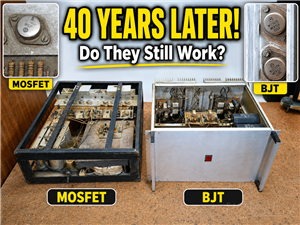 40-Year-Old DIY Power Amplifiers – Do They Still Work - 500W MOSFET & Transistor Amps
This time I want to describe my two DIY super powerful audio amplifiers that I made about 40 years ...
40-Year-Old DIY Power Amplifiers – Do They Still Work - 500W MOSFET & Transistor Amps
This time I want to describe my two DIY super powerful audio amplifiers that I made about 40 years ...
-
 Wi-Fi HaLow Explained! Long-Range Camera Test up to 300m (ESP32 + ThinkNode G4 from ELECROW)
I recently needed to install a security camera at a relatively large distance from my home, more pre...
Wi-Fi HaLow Explained! Long-Range Camera Test up to 300m (ESP32 + ThinkNode G4 from ELECROW)
I recently needed to install a security camera at a relatively large distance from my home, more pre...
-
 Simple Object Recognition with the UNIHIKER K10 – No TensorFlow, No Internet, No Cloud AI
Object recognition has become one of the most popular applications of artificial intelligence and em...
Simple Object Recognition with the UNIHIKER K10 – No TensorFlow, No Internet, No Cloud AI
Object recognition has become one of the most popular applications of artificial intelligence and em...
-
 DIY PCL82 Tube Amplifier, Single-Ended Amp with Amazing Sound
The idea for this project came from a local electronics magazine called EMITER, issue 12/13 from 20...
DIY PCL82 Tube Amplifier, Single-Ended Amp with Amazing Sound
The idea for this project came from a local electronics magazine called EMITER, issue 12/13 from 20...
-
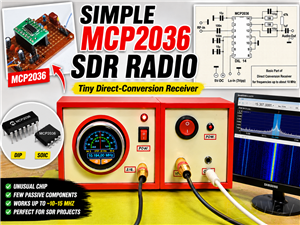 Simple MCP2036 SDR Radio - The Most Unusual Software Defined Radio
SDR (Software Defined Radio) is a radio communication system where many of the key electronic compo...
Simple MCP2036 SDR Radio - The Most Unusual Software Defined Radio
SDR (Software Defined Radio) is a radio communication system where many of the key electronic compo...
-
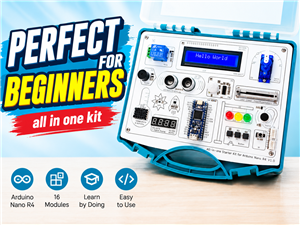 Elecrow All-in-One Arduino Starter Kit Review - 20 Projects & 16 Modules
This time I will describe a simple and practical way to enter the world of microcontrollers, specif...
Elecrow All-in-One Arduino Starter Kit Review - 20 Projects & 16 Modules
This time I will describe a simple and practical way to enter the world of microcontrollers, specif...
-
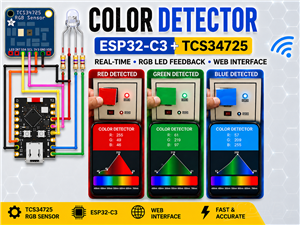 ESP32-C3 Color Detector with TCS34725, Real-Time RGB Detection & Web Interface
Color detection is a fundamental task in many embedded systems – from industrial sorting machines t...
ESP32-C3 Color Detector with TCS34725, Real-Time RGB Detection & Web Interface
Color detection is a fundamental task in many embedded systems – from industrial sorting machines t...
-
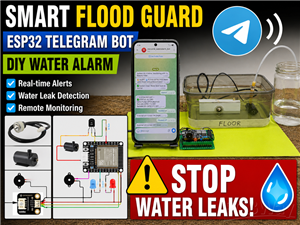 DIY ESP32 Telegram Flood Protection System - Smart Home Automation
Recently I had an unpleasant experience in my home, specifically my ground floor was flooded as a r...
DIY ESP32 Telegram Flood Protection System - Smart Home Automation
Recently I had an unpleasant experience in my home, specifically my ground floor was flooded as a r...
-
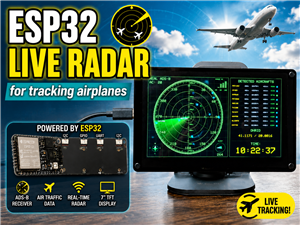 Real-Time Air Traffic Radar using ESP32 + ADS-B Data
ADS-B, which stands for Automatic Dependent Surveillance-Broadcast, is the modern standard for trac...
Real-Time Air Traffic Radar using ESP32 + ADS-B Data
ADS-B, which stands for Automatic Dependent Surveillance-Broadcast, is the modern standard for trac...
-
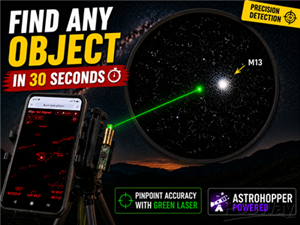 DIY Green Laser Night Sky Object Finder - Find Stars & Galaxies Instantly with great accuracy
As an amateur astronomer, especially at the beginning, the most difficult part of observing the nig...
DIY Green Laser Night Sky Object Finder - Find Stars & Galaxies Instantly with great accuracy
As an amateur astronomer, especially at the beginning, the most difficult part of observing the nig...
-
 DIY Avionics Simulator with ESP32 - Artificial Horizon, Compass & Altimeter
The inspiration for this project comes from classical aircraft cockpit instruments used for navigat...
DIY Avionics Simulator with ESP32 - Artificial Horizon, Compass & Altimeter
The inspiration for this project comes from classical aircraft cockpit instruments used for navigat...
-
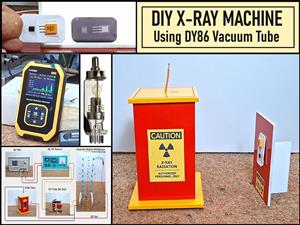 DIY Miniature X-Ray Machine using a TV Vacuum Tube DY86
An X-ray machine (or radiograph) is a quick, painless medical test that produces images of the struc...
DIY Miniature X-Ray Machine using a TV Vacuum Tube DY86
An X-ray machine (or radiograph) is a quick, painless medical test that produces images of the struc...
-
Émetteur Récepteur Optique Expérimental (communication UART ATtiny + fibre optique)
174 0 1 -
SmallOLED - Live PC Stats, Animated Clocks & Audio Visualizer
1047 0 3 -
"Talking Multimeter": Arduino-Based Speech Add-on for Multimeters with SCPI Protocol
595 0 1 -
Programmable Mist Maker - XIAO / QT PY Extension
3064 2 3 -
RadioHAT - Raspberry Pi radio development platform
2613 0 4 -
-