



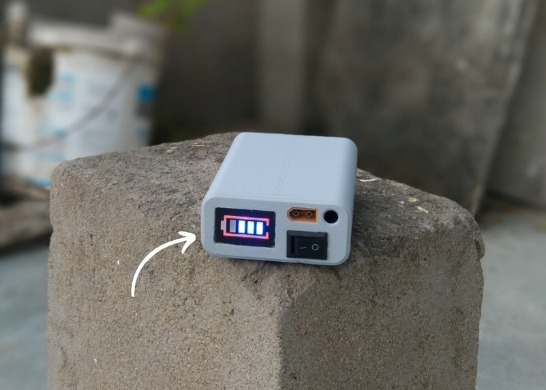
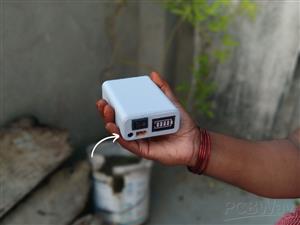
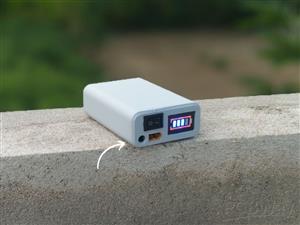
|
|
3s Battery Holder |
x 1 | |
|
|
3s Battery Capacity Indicator |
x 1 | |
|
|
3s BMS 20A |
x 1 | |
|
|
DC Female Jack |
x 1 | |
|
|
XT60 Male Connecter |
x 1 | |
|
|
SPDT Switch |
x 1 | |
|
|
XT60 Female Connecter |
x 1 | |
|
|
DC Male Jack With Screw |
x 1 | |
|
|
18650 Rechargeable Battery |
x 3 |

|
fusion360 |
|

|
Smart Soldering Iron TS101-BC2 |
|
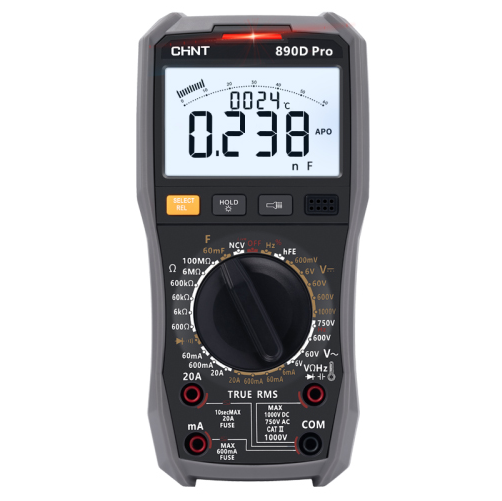
|
Digital High-precision Automatic Multimeter ZTW890DProCHINT
|
|

|
Solder Wire, Lead Free |
DIY Compact UPS for Wifi Router (Easy To Build)
In villages and towns where electricity cut-offs are a daily challenge, one of the first things to go down is the Wi-Fi router. This means no internet for online classes, no work calls, no streaming, and no communication with the outside world. For students like me, it was more than an inconvenience—it was a barrier.
That’s why I designed a Mini UPS as a tool for routers. It’s not just another electronic build—it’s a problem-solving tool, compact and efficient, that ensures your router keeps running during power failures. While big inverters power everything in a home, this tool is built with one focused purpose: keeping the internet alive.
Using Autodesk Fusion 360, I created a professional-grade enclosure that neatly fits all the electronics while keeping the build compact and durable. The design is practical, easy to assemble, and affordable—making it accessible to students, makers, and anyone who depends on uninterrupted connectivity.
It solves a real-world problem with simplicity and reliability. It proves that sometimes the best tools are not the biggest or most complex—they’re the ones that quietly save the day when you need them most.
Supplies

Step 1: CAD & 3D Printing
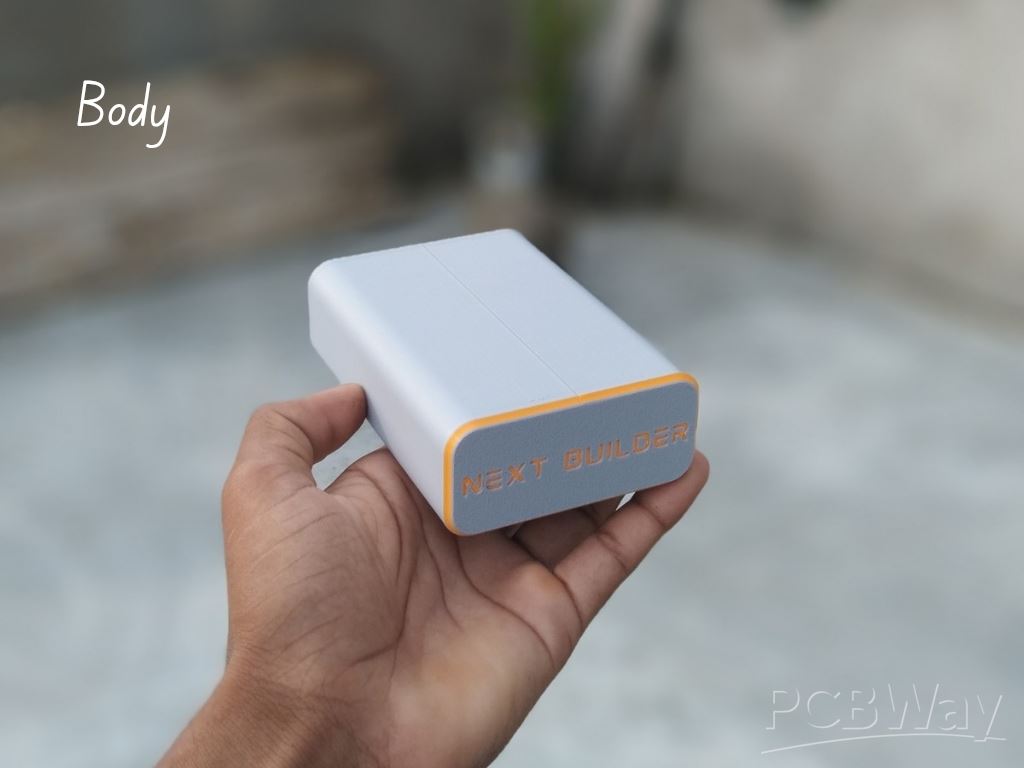
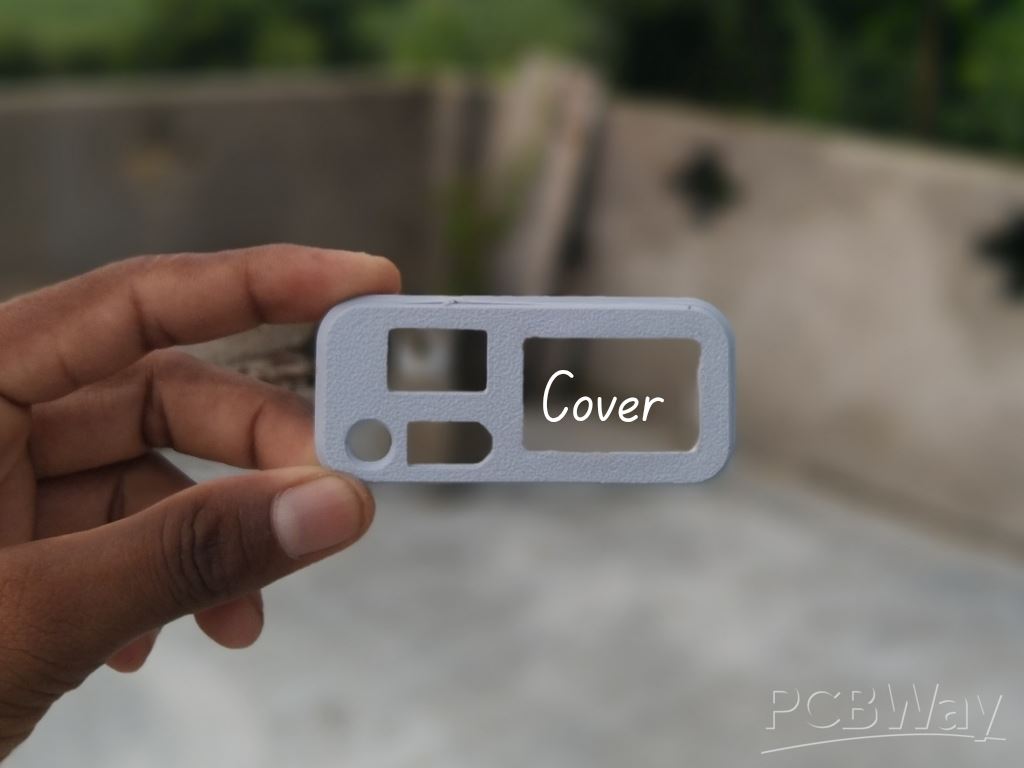
To start this project, I designed this diy mini WiFi UPS CAD using Fusion 360. It’s a simple and compact design that’s easy to print and assemble. For 3D Printing, You can directly download the required STL files below:
- Body.stl
- Cover.stl
For 3D printing, I Recommend PCBWay, a professional 3D printing service known for its high precision, affordable pricing, and wide range of material choices. They support advanced technologies like SLA, SLS, MJF, and FDM, delivering smooth and durable parts that are ideal for both prototypes and final builds.
One of the best things about PCBWay 3D printing is their fast turnaround time and reliable worldwide shipping, making it super convenient for hobbyists, students, and professionals alike. Whether you’re just getting started or working on a serious engineering project, PCBWay is a great choice.
👉 Use the link to get an exclusive discount on your first 3D printing order from PCBWay
Step 2: DC Jack Assembly

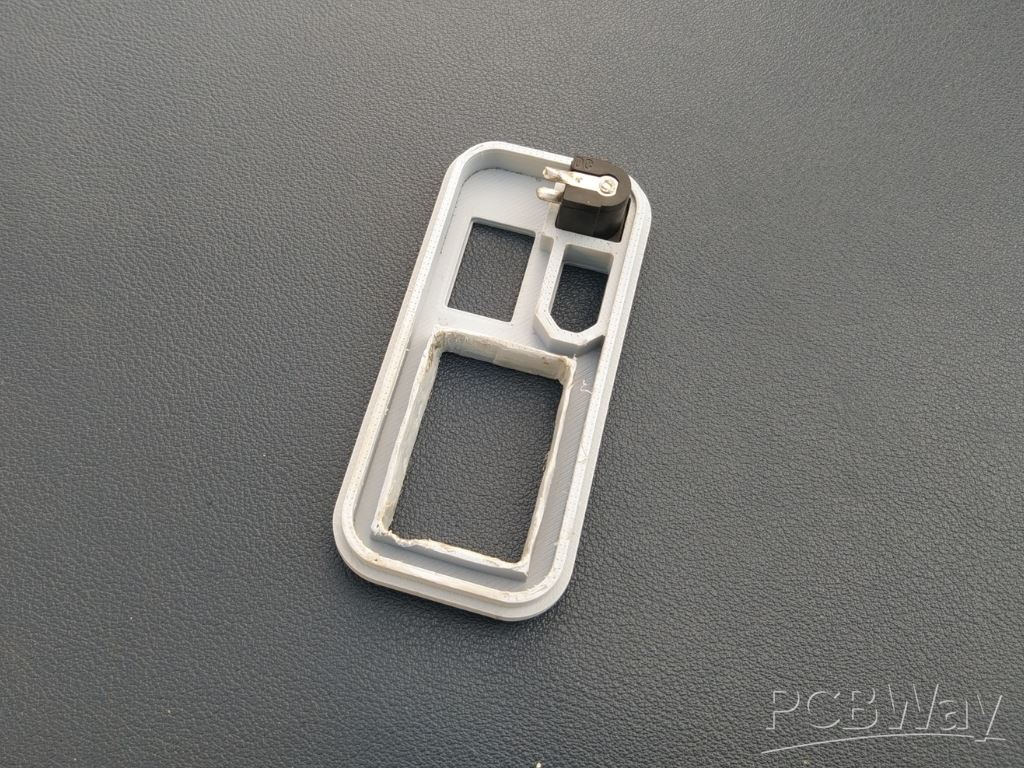
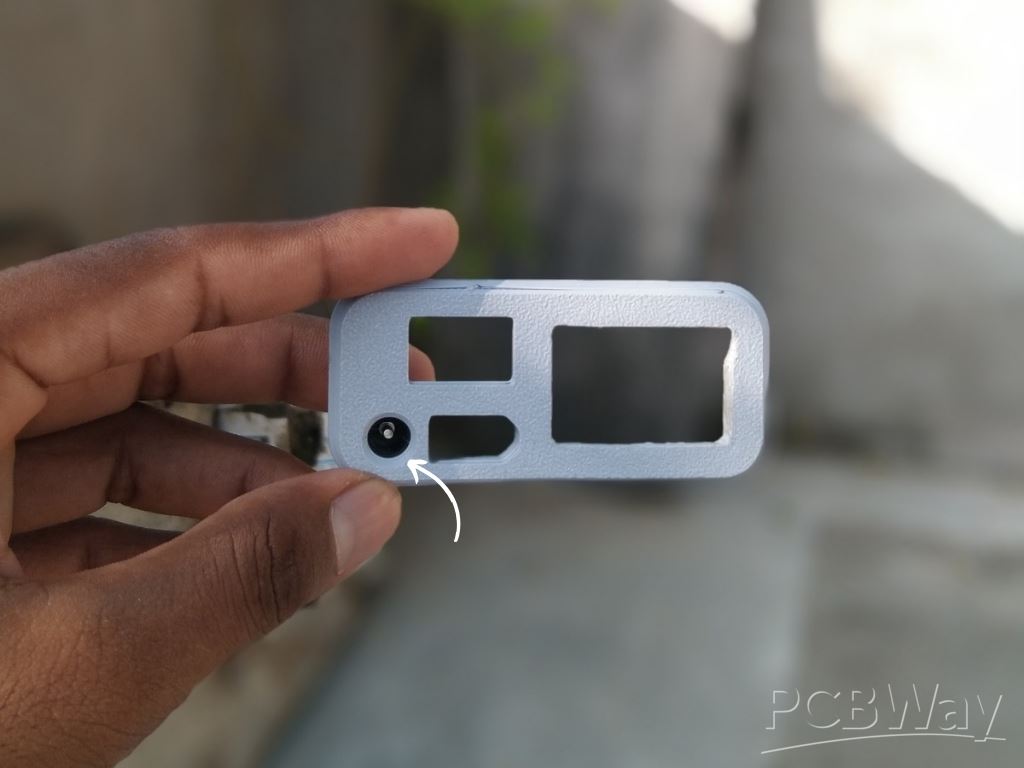 Insert the DC 5525 female jack into its dedicated slot on the cover and secure it with a small amount of super glue, making sure the orientation is correct.
Step 3: Capacity Indicator Assembly

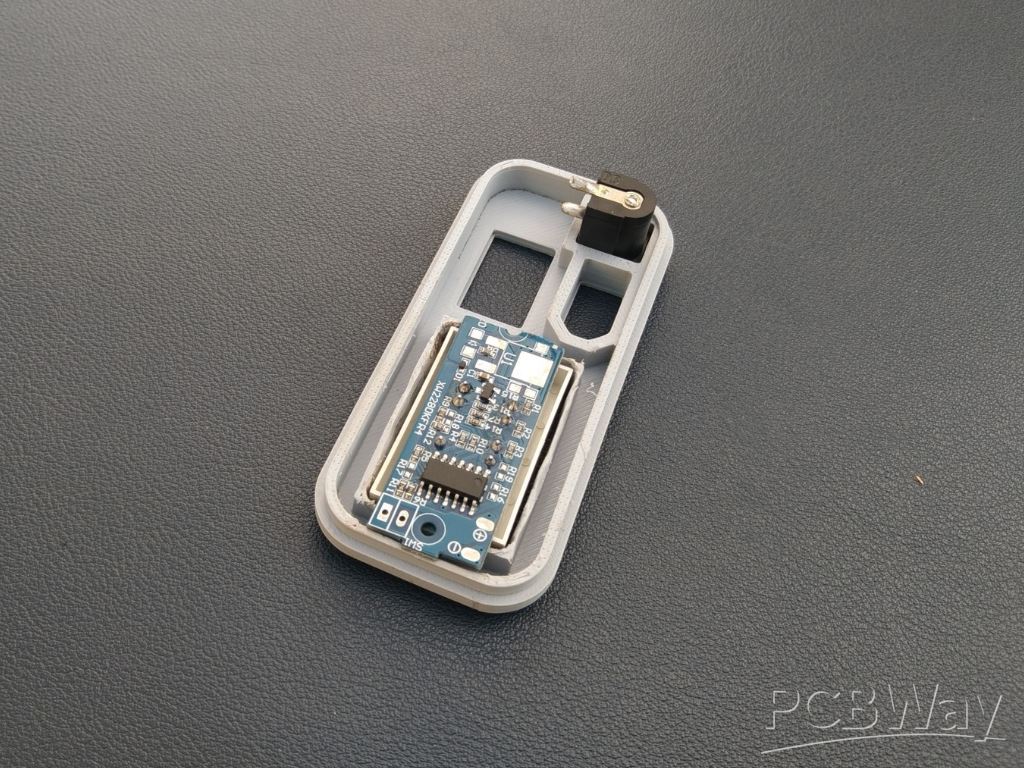
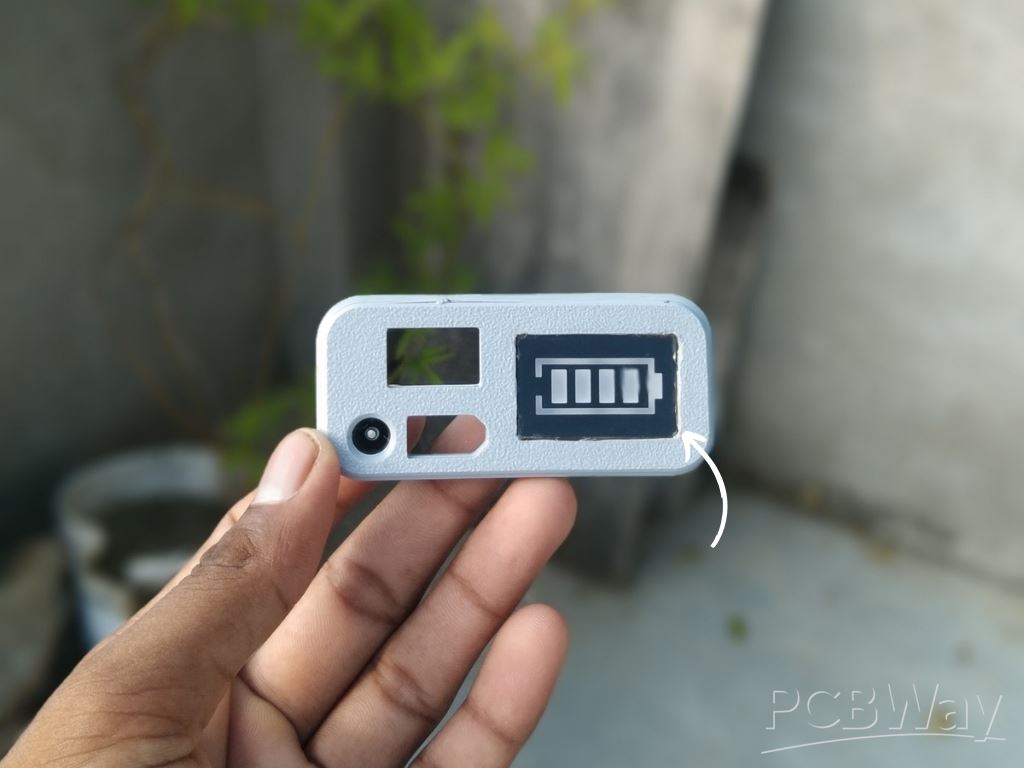 Place the battery capacity indicator module into its slot on the cover and fix it with a small amount of super glue, ensuring it sits flush and aligned.
Step 4: XT60 Connector Assembly

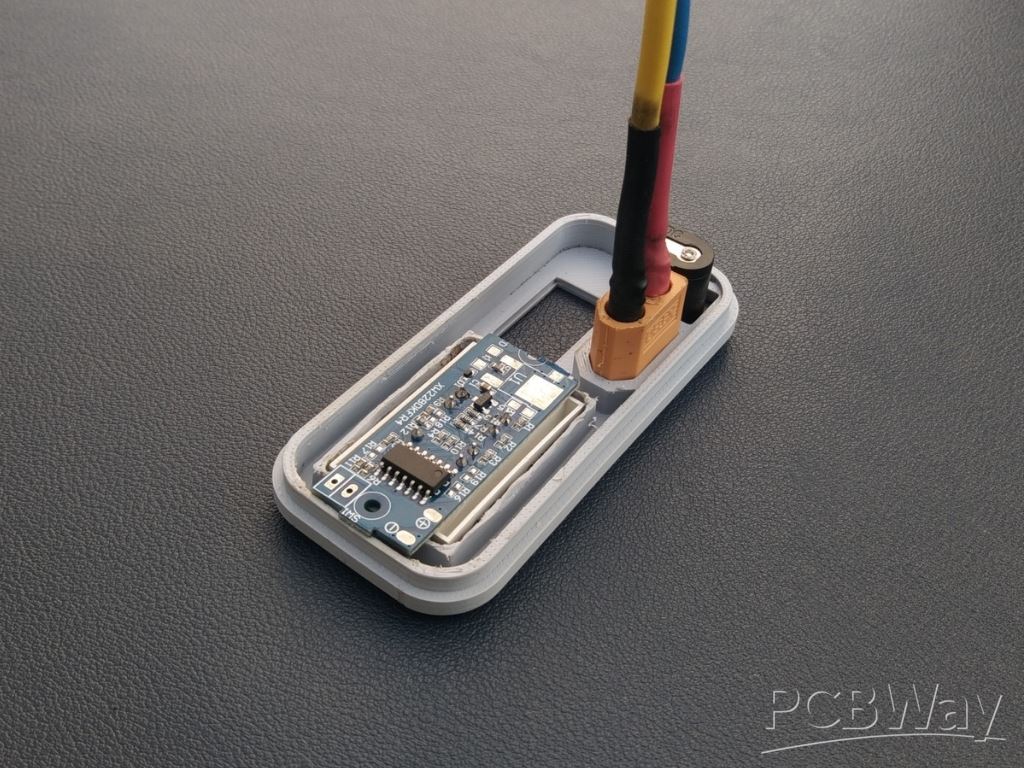
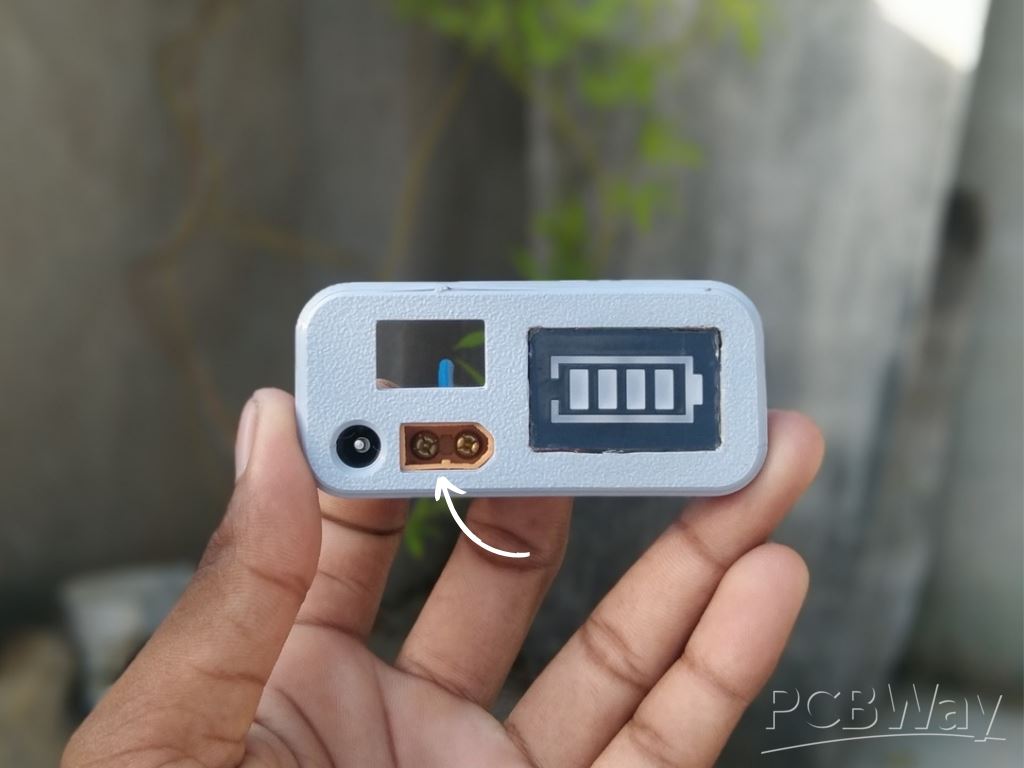 Insert the XT60 connector into its slot on the cover and secure it firmly with a small amount of super glue, keeping the orientation correct for easy connection later.
Step 5: Switch Assembly
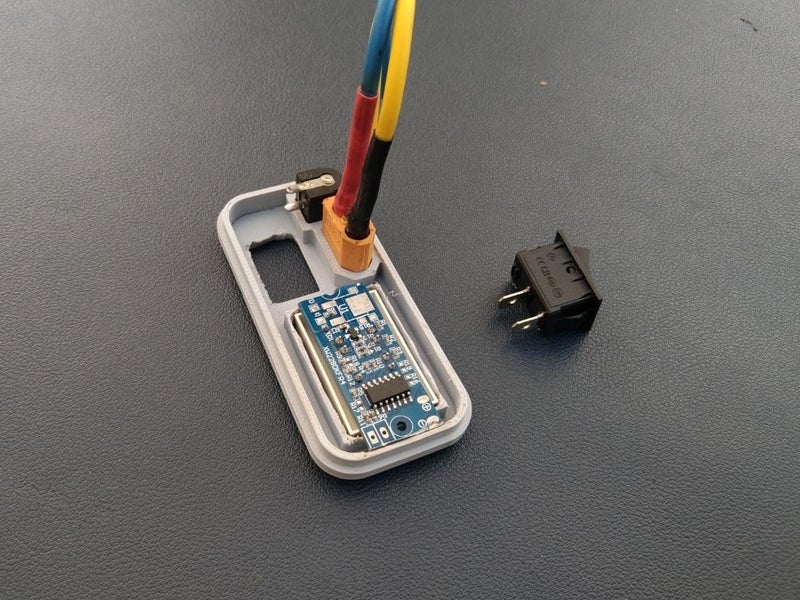
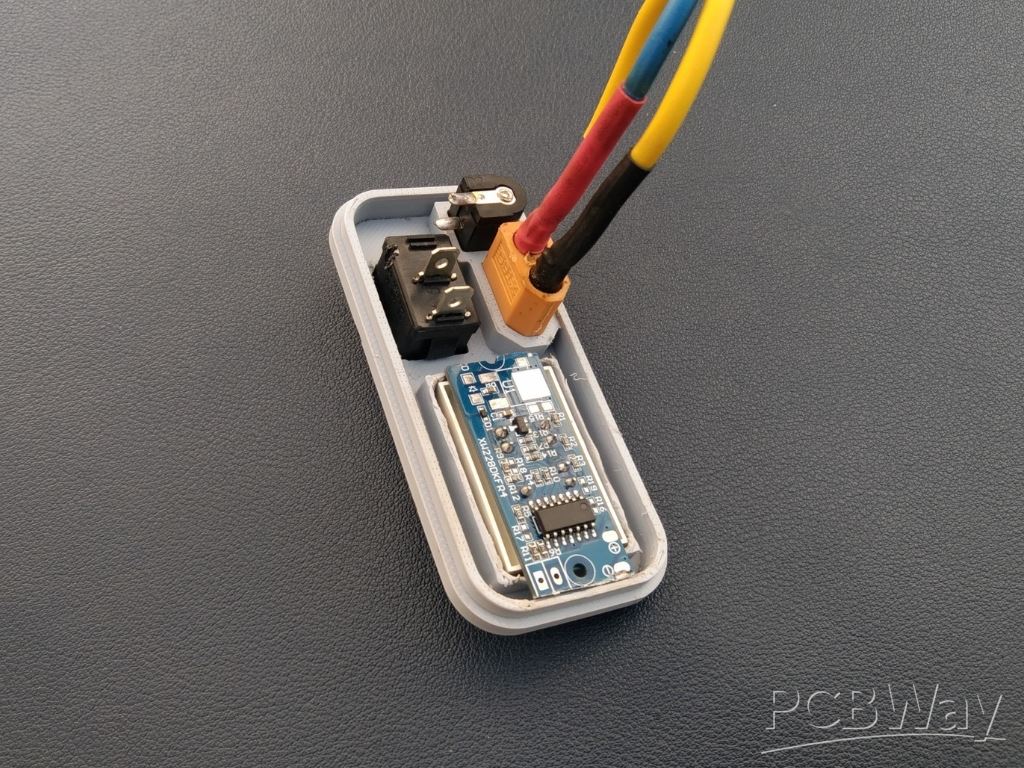
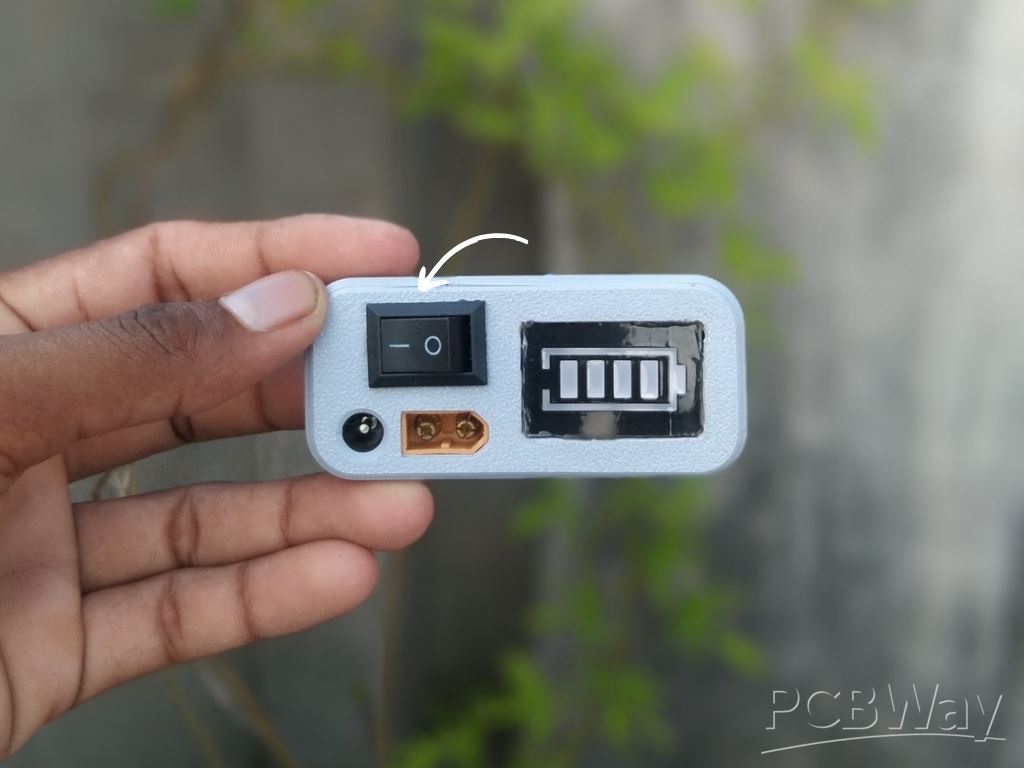
Place the switch into its slot on the cover and fix it securely with a small amount of super glue, making sure it is properly aligned for smooth operation.
Step 6: Charging Battery
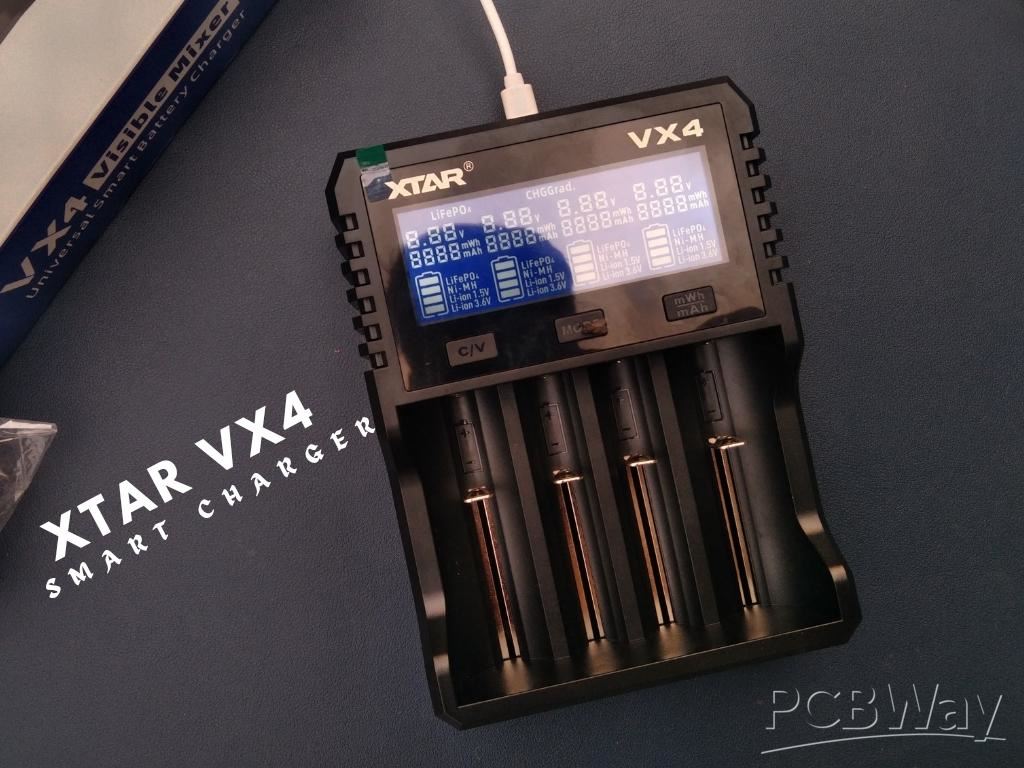
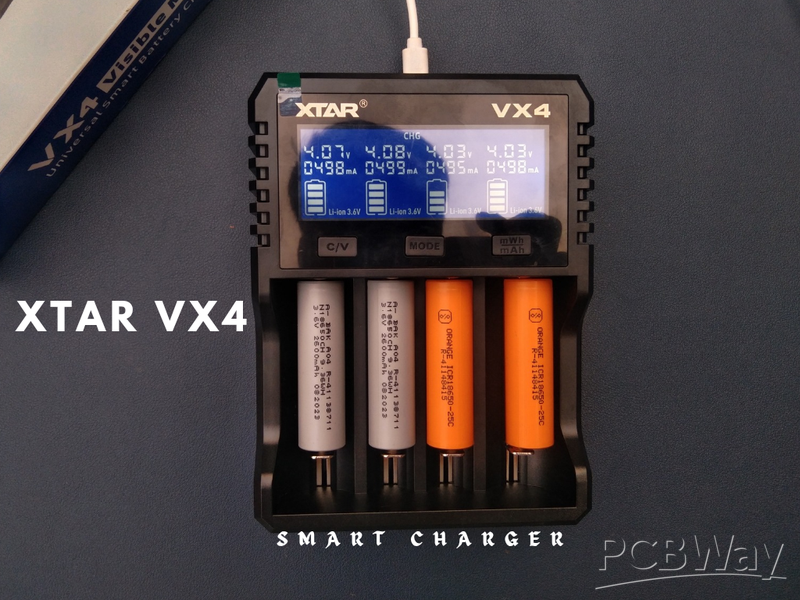
Before assembling the 3S pack, it’s important to fully charge each 18650 cell. This ensures all the batteries start at the same voltage, which is critical for safety and long-term performance. I used my XTAR VX4 smart charger to charge the cells individually before wiring them into the pack.
Step 7: 3S Battery Pack
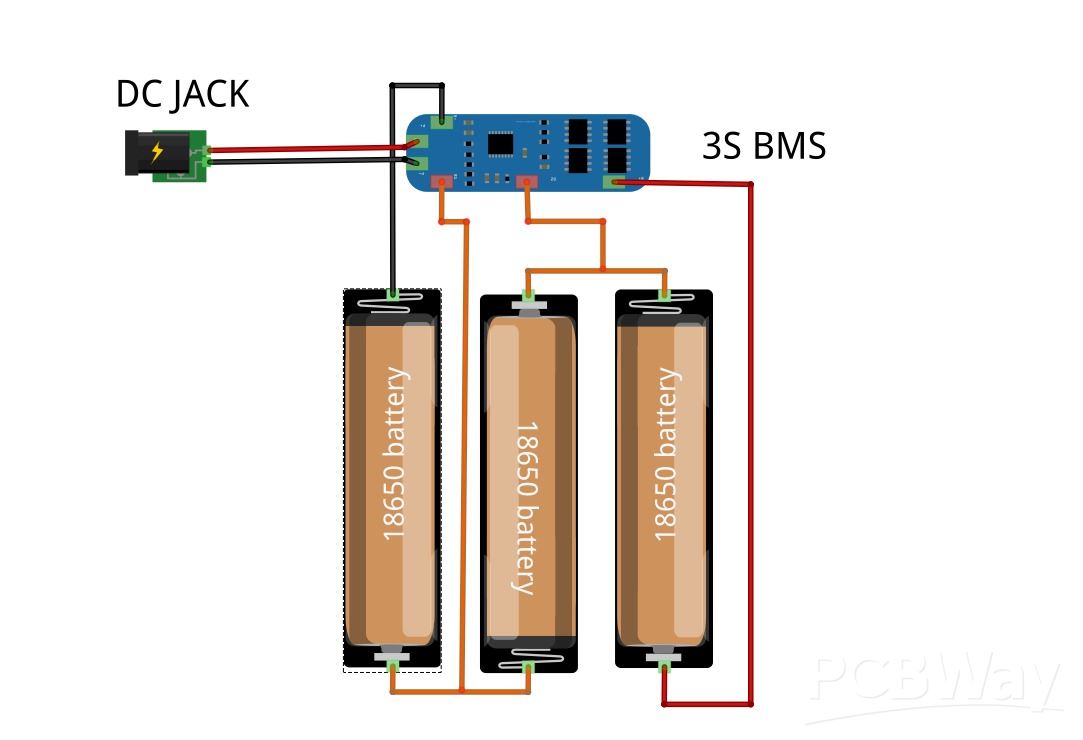
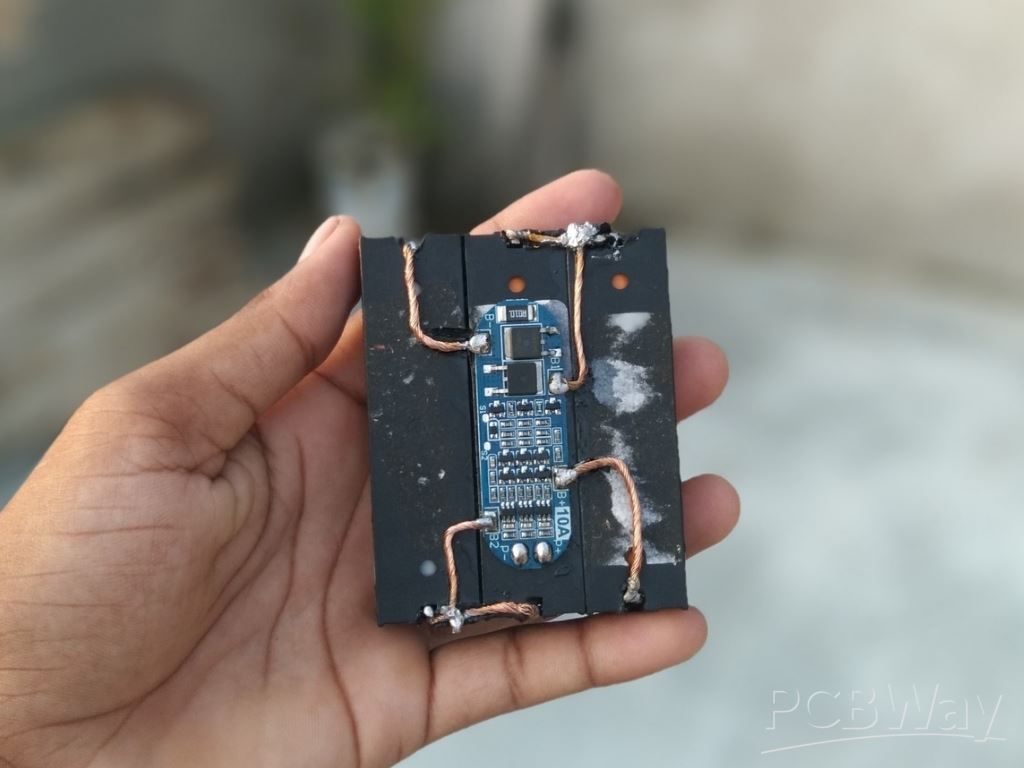
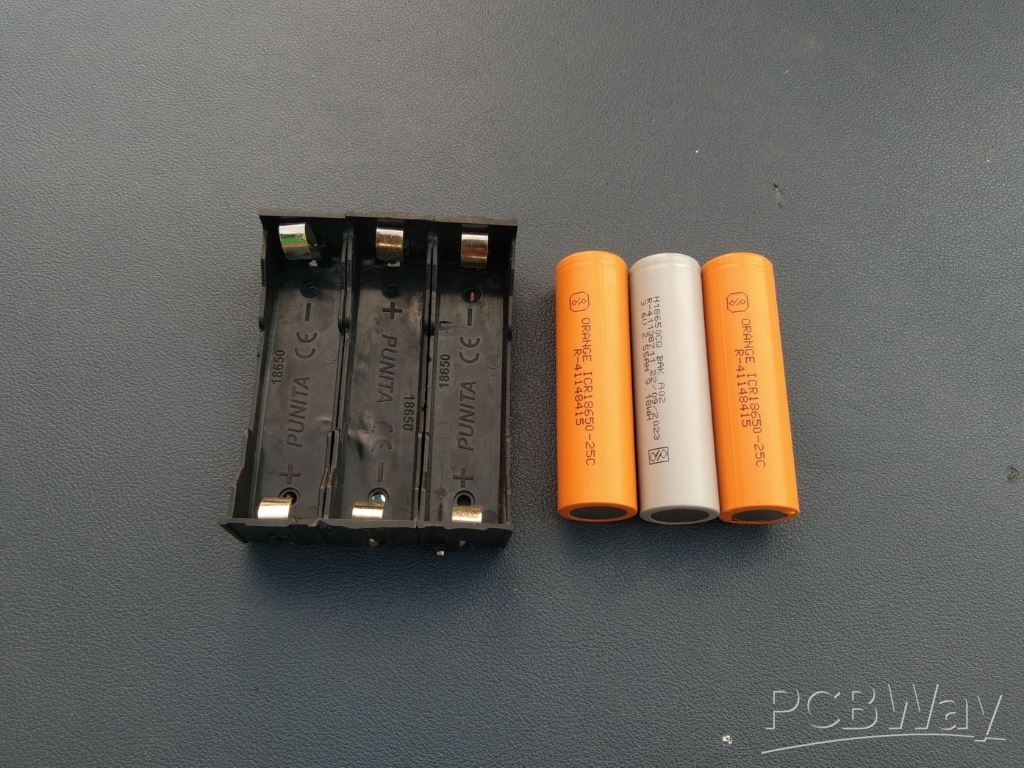
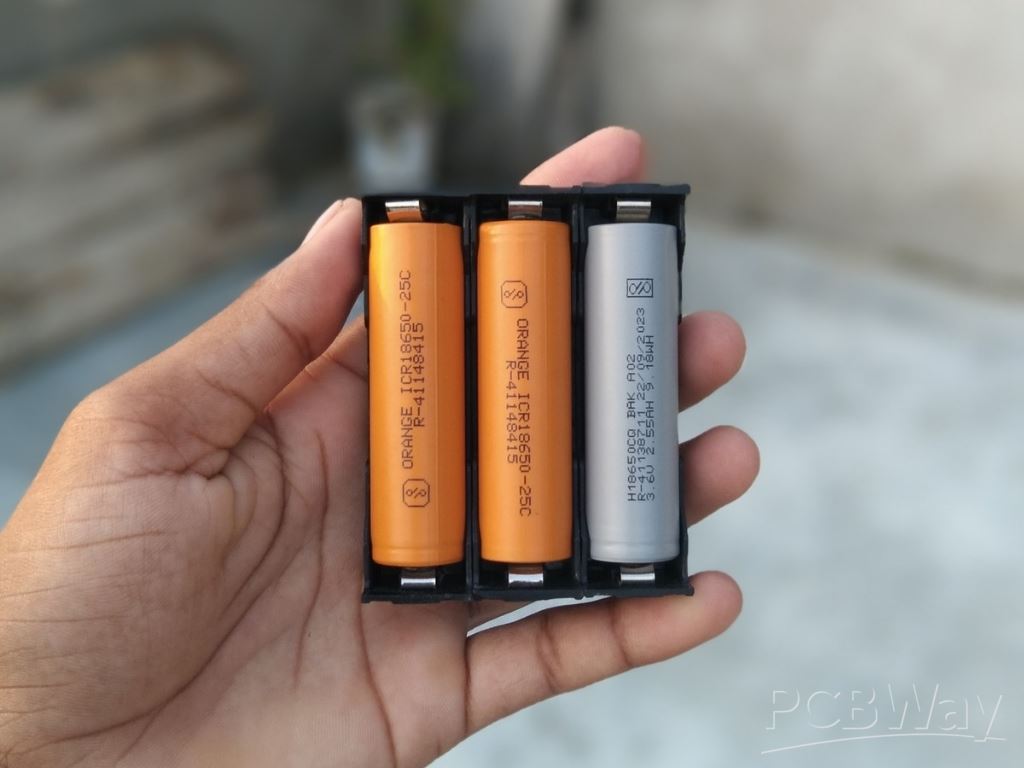
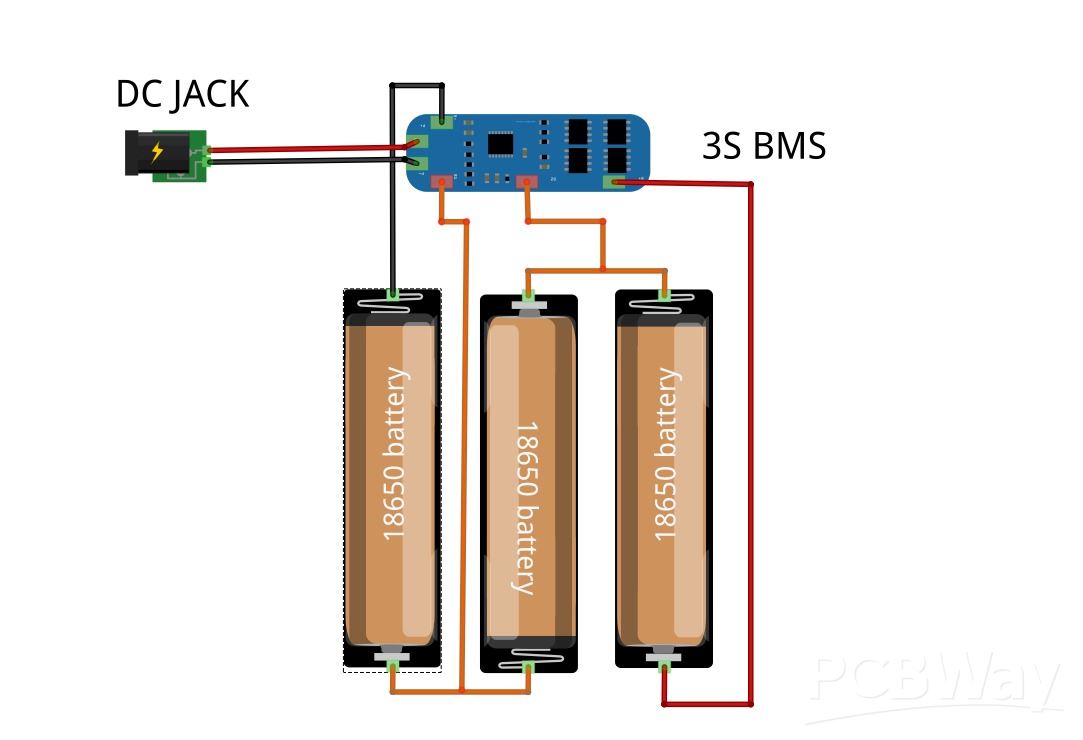
Connect the three 18650 cells in series to form a 3S battery pack (11.1V nominal). Follow the wiring exactly as shown in the diagram:
- Cell 1 (-) → B– of BMS
- Cell 1 (+) → Cell 2 (–)
- Cell 2 (+) → Cell 3 (–)
- Cell 3 (+) → B+ of BMS
- Junction between Cell 1 (+) & Cell 2 (–) → B1 of BMS
- Junction between Cell 2 (+) & Cell 3 (–) → B2 of BMS
Use the P+ (red wire) as the positive input/output and the P– (black wire) as the negative input/output.
⚠️ Safety Note: Always verify polarity twice before soldering, and keep connections insulated to avoid shorts or overheating.
Step 8: Connection

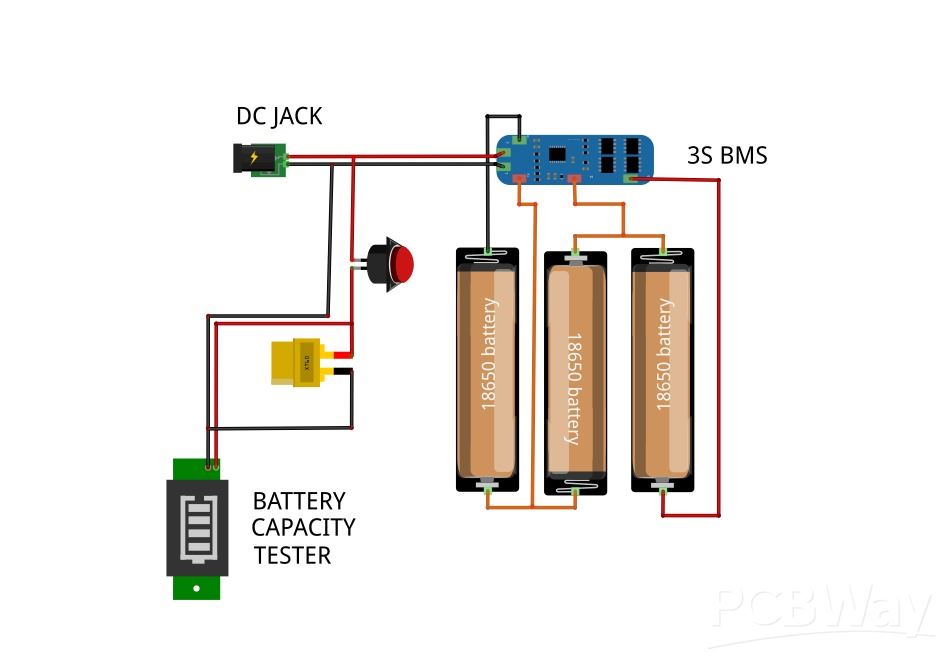
Once the battery pack is complete, Now it’s time to wire everything together carefully. Follow the sequence to avoid mistakes, you can also check the provide circuit Diagram for clear understanding.
- DC Jack positive (+) → Switch → XT60 connector + Battery Capacity Indicator
- DC Jack negative (–) → Direct to BMS negative (P–)
- BMS output (P+ / P–) → Goes to XT60 connector and Battery Capacity Indicator
This ensures proper charging through the DC jack, balanced protection via the BMS, and safe output through the XT60.
Step 9: Battery Assembly in Case

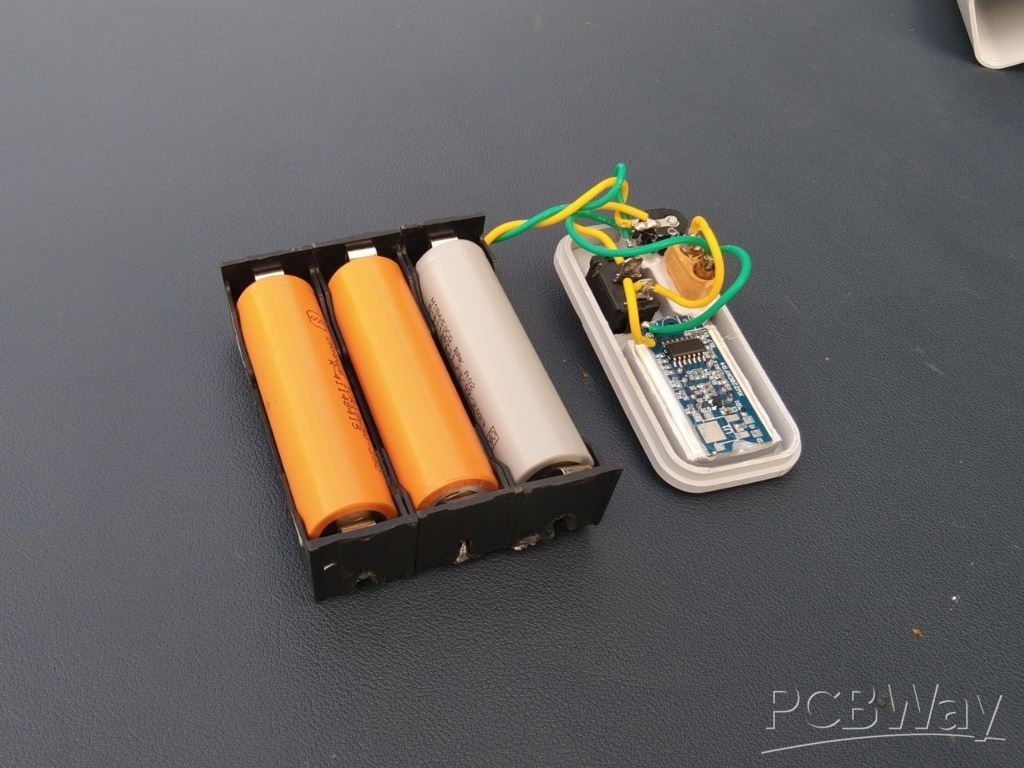
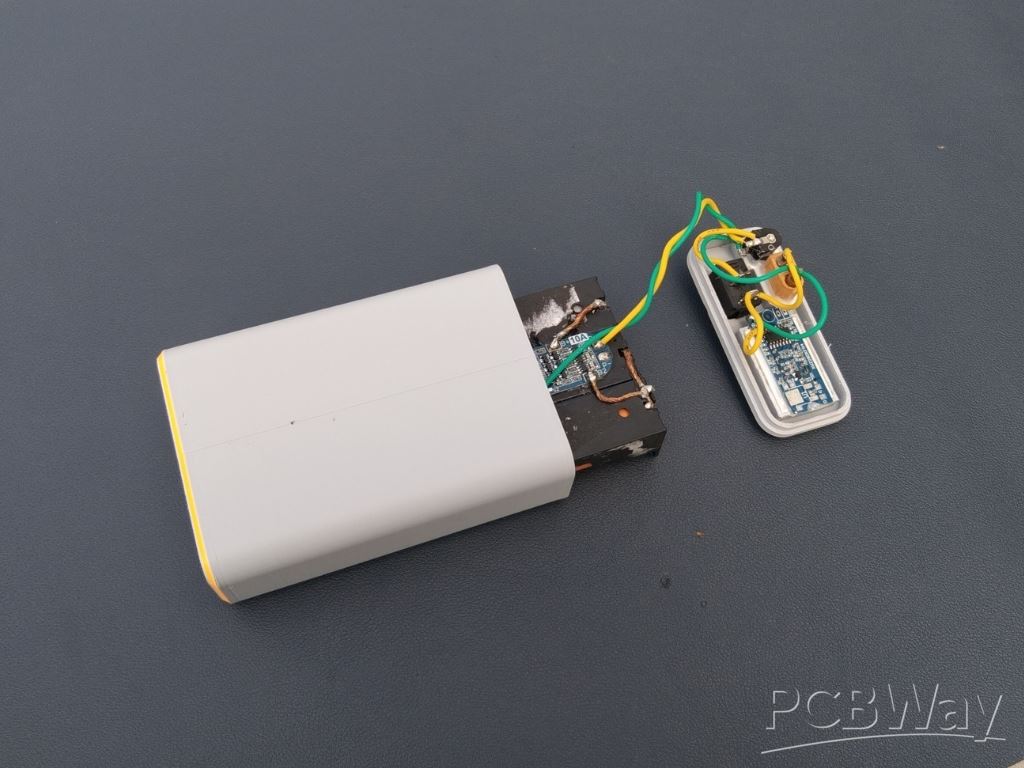 Insert the 3S battery pack into the 3D-printed case carefully, making sure it fits in the correct orientation. Once positioned, apply hot glue around the edges to secure the pack firmly in place and prevent movement inside the case.
Step 10: Final Assembly
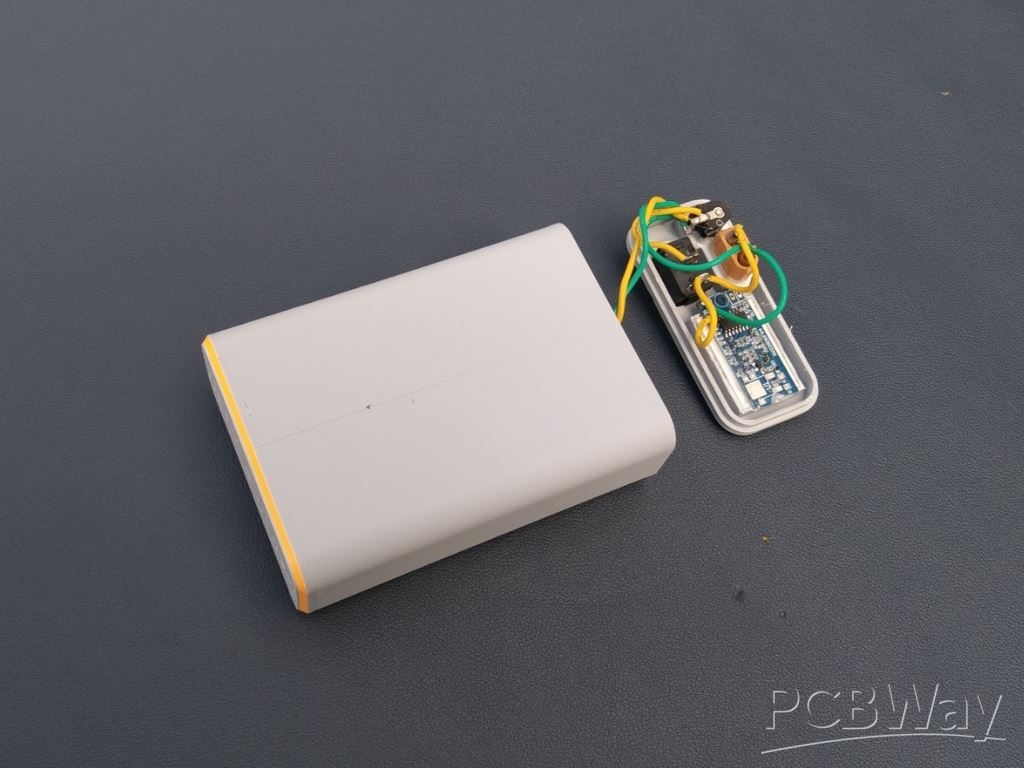

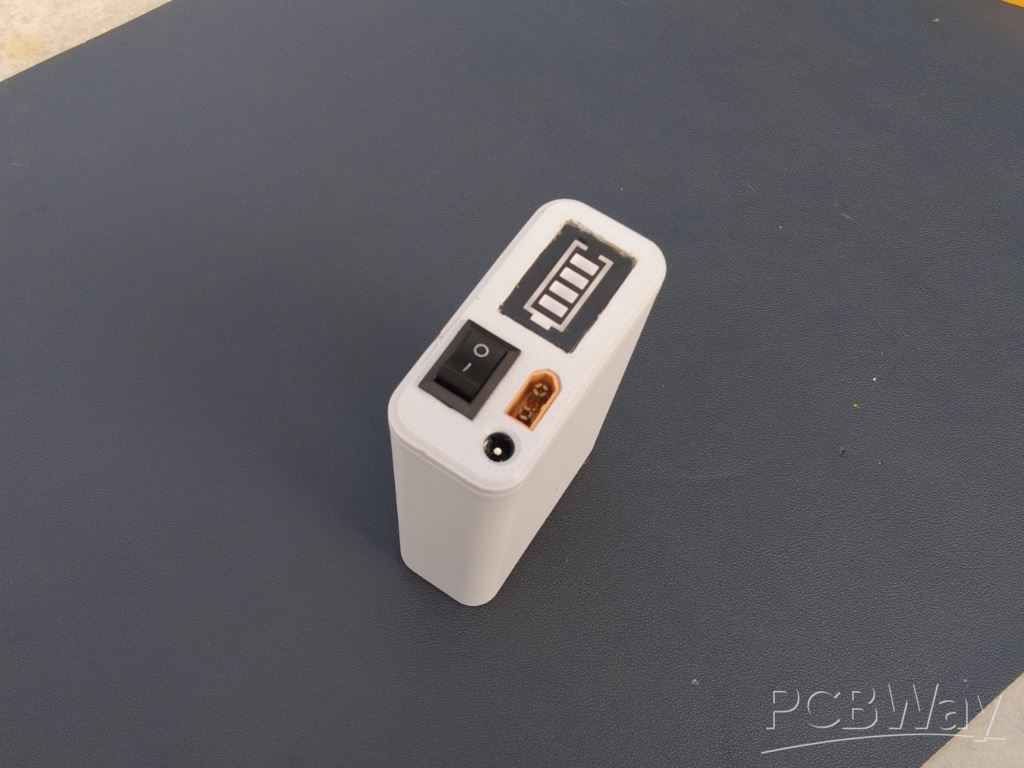 Place the cover onto the case and secure it with super glue. Before sealing, carefully double-check all wiring connections to ensure everything is correct and secure. Once confirmed, close the case firmly for a clean and durable finish.
Step 11: Prepare Connecter

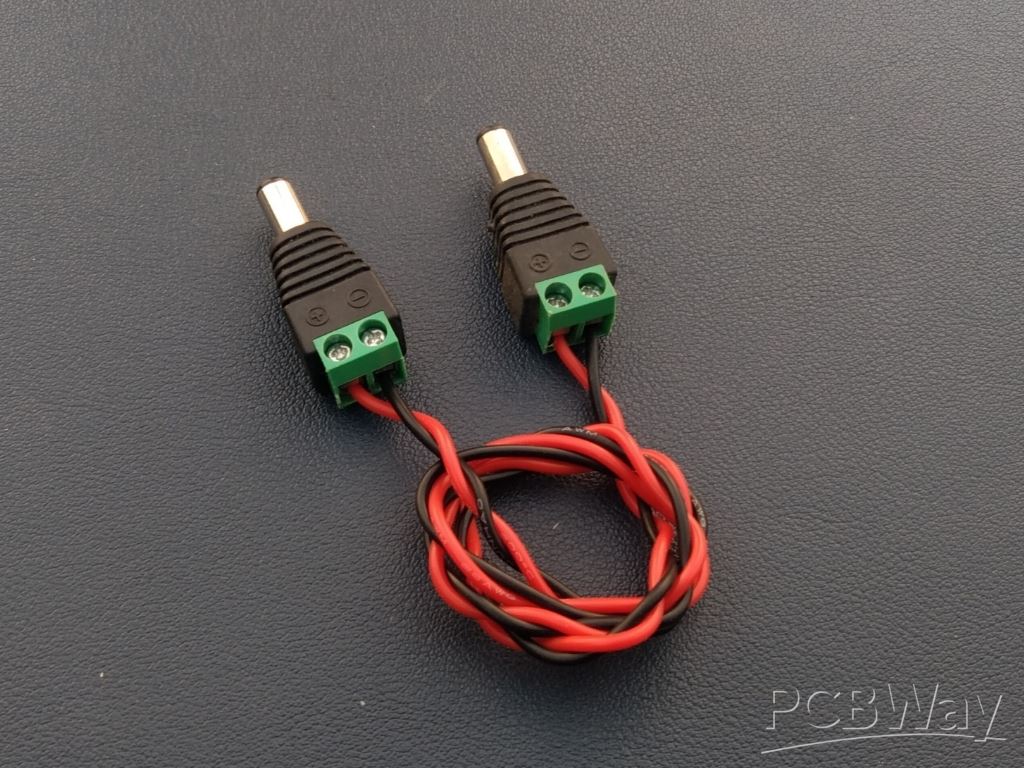
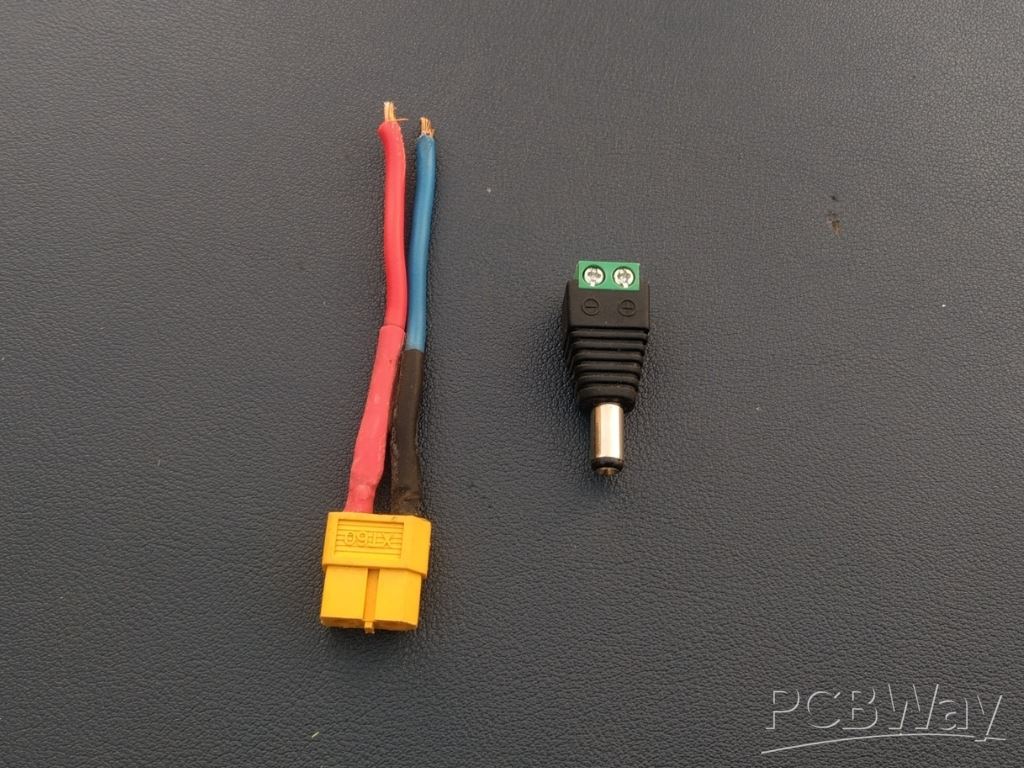
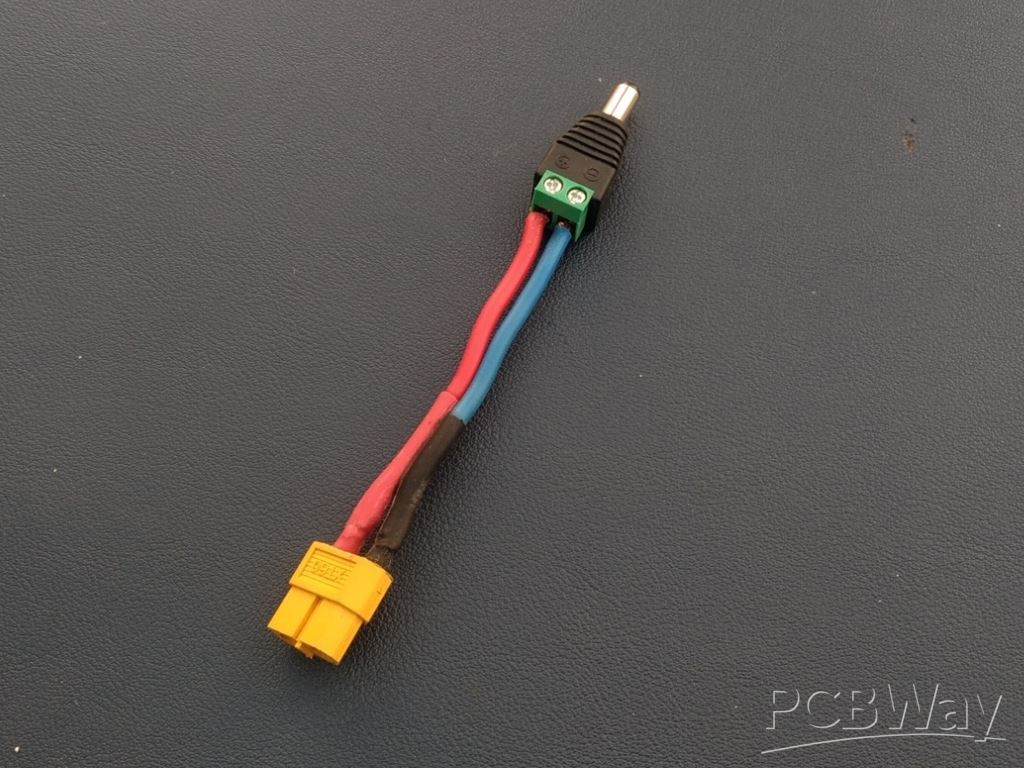 To make the UPS more versatile, I prepared two connectors: one DC-to-DC connector for direct input/output use, and another XT60-to-DC connector for connecting the battery pack or powering external devices. I used 26 AWG wire, which is flexible and suitable for the current requirements.
- DC-to-DC connector → Direct input/output
- XT60-to-DC connector → Battery pack or external device
These connectors make it easy to switch between charging and power delivery, adding more flexibility to the UPS.
Step 12: Testing

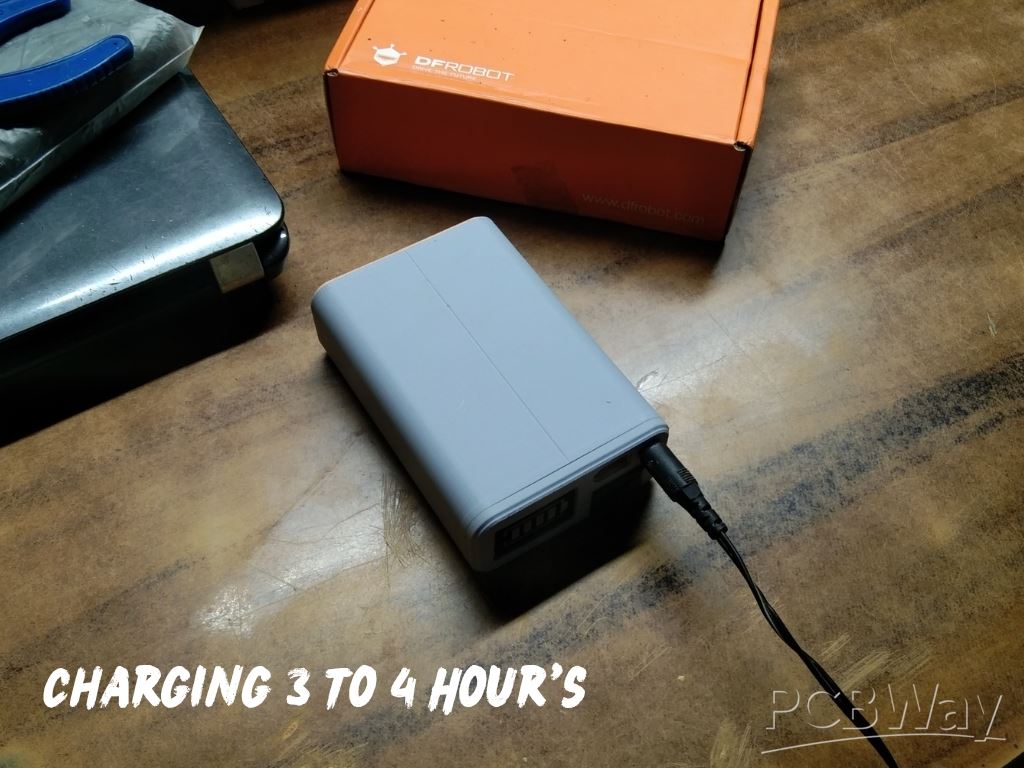
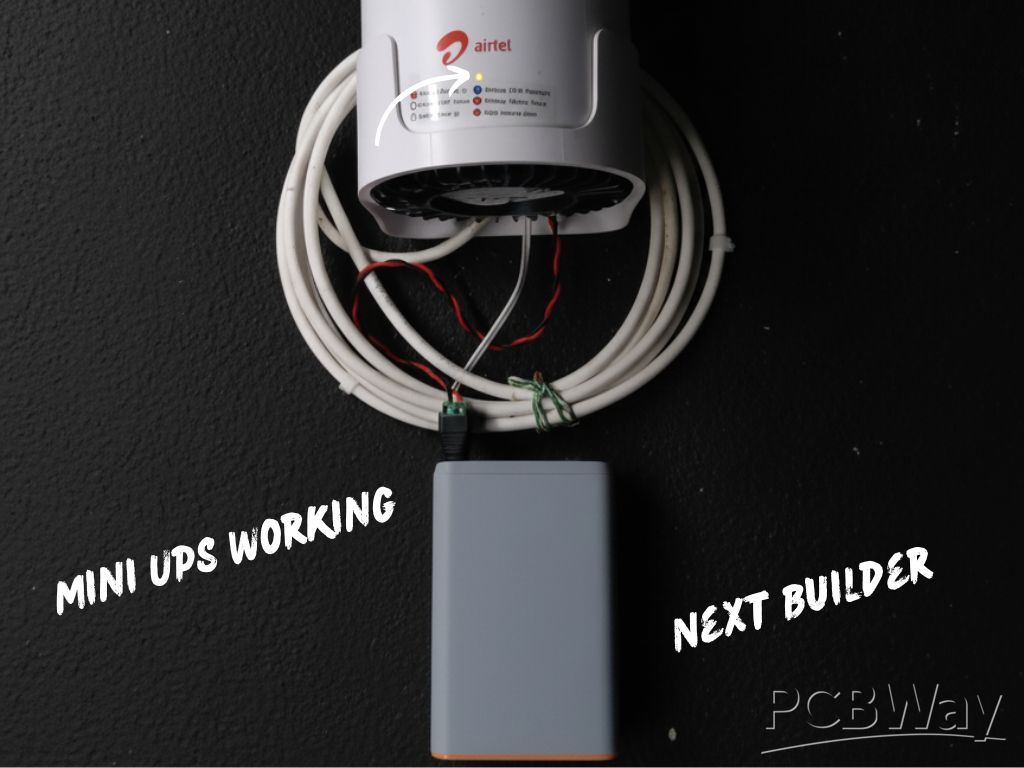 After assembly, make sure to fully charge the Mini UPS with a 12V adapter for optimal performance. Once charged, Connect it to your WiFi router to ensure it runs smoothly during power cuts. The system can also be used as a 12V power supply, or as a 12V battery pack for powering external devices.
- UPS Mode → Powers router during outage
- Power Supply Mode → Works like a 12V adapter
- Battery Pack Mode → Acts as a portable 12V source
This makes the mini UPS not only a backup solution but also a multi-purpose power tool for different applications.
Conclusion

The Mini UPS for WiFi routers is not just another backup device—it is a versatile power tool designed to keep you connected without interruption. Its compact size, multi-functionality, and highly polished Fusion 360 design make it superior to bulky and costly commercial alternatives. By blending reliability with elegance, it delivers both performance and practicality in a single, refined package.
This project proves how innovation and craftsmanship can turn a simple idea into an indispensable everyday tool—one that not only meets expectations but has the potential to outperform and redefine traditional solutions.
Happy Making 🤞🏻
DIY Compact UPS for Wifi Router (Easy To Build)
Project images are for reference only. Actual production is based on the manufacturing files on the project page.
Please review the designer's notes (e.g., PCB thickness) and select the appropriate options.
PCBWay is not responsible
for issues caused by unsuitable parameter selections.
For more important ordering information, please refer to
Read More









Raspberry Pi 5 7 Inch Touch Screen IPS 1024x600 HD LCD HDMI-compatible Display for RPI 4B 3B+ OPI 5 AIDA64 PC Secondary Screen(Without Speaker)
BUY NOW


- Comments(2)
- Likes(2)
More by Kishan Pratap Singh
-
 A Compact Charging Breakout Board For Waveshare ESP32-C3
The Waveshare ESP32-C3 Mini development board is a powerful and compact solution for modern IoT and ...
A Compact Charging Breakout Board For Waveshare ESP32-C3
The Waveshare ESP32-C3 Mini development board is a powerful and compact solution for modern IoT and ...
-
 World's Smallest 1S Battery Charger
This is a very small 1S lithium battery charger board designed for projects where space is extremely...
World's Smallest 1S Battery Charger
This is a very small 1S lithium battery charger board designed for projects where space is extremely...
-
 DIY Smart Battery Charger
In today's world, batteries are an integral part of our lives, powering everything from our smartpho...
DIY Smart Battery Charger
In today's world, batteries are an integral part of our lives, powering everything from our smartpho...
-
 DIY 3D Printed Keychain Light
Hello Friends, welcome back in my new Instructables. Today I'm going to build my own smallest & ...
DIY 3D Printed Keychain Light
Hello Friends, welcome back in my new Instructables. Today I'm going to build my own smallest & ...
-
 200w Mini Smart Inverter PCB
Introducing our Mini Inverter PCB, a compact and efficient solution for portable power needs. This c...
200w Mini Smart Inverter PCB
Introducing our Mini Inverter PCB, a compact and efficient solution for portable power needs. This c...
-
 A Compact Charging Breakout Board For Waveshare ESP32-C3 (V2 – Improved Manufacturability)
The Waveshare ESP32-C3 Mini is an excellent choice for compact IoT projects. However, one limitation...
A Compact Charging Breakout Board For Waveshare ESP32-C3 (V2 – Improved Manufacturability)
The Waveshare ESP32-C3 Mini is an excellent choice for compact IoT projects. However, one limitation...
-
 Custom Coupler for BO Motor to Robot Wheel
Standard robot wheels are widely used in educational and DIY robotic platforms, but they are not alw...
Custom Coupler for BO Motor to Robot Wheel
Standard robot wheels are widely used in educational and DIY robotic platforms, but they are not alw...
-
 Custom Coupler for N20 Gear Motor to Robot Wheel
These rubber wheels are commonly used in small robotic mobile platforms such as 2WD and 4WD robots. ...
Custom Coupler for N20 Gear Motor to Robot Wheel
These rubber wheels are commonly used in small robotic mobile platforms such as 2WD and 4WD robots. ...
-
 Ultra-Compact RGB Button LED PCB (NeoPixel Compatible)
I designed this tiny RGB button LED PCB to make adding colorful, addressable lighting to projects si...
Ultra-Compact RGB Button LED PCB (NeoPixel Compatible)
I designed this tiny RGB button LED PCB to make adding colorful, addressable lighting to projects si...
-
 Ultra Compact Boost Converter Module
This project features an ultra-compact, high-efficiency boost converter module designed using the TP...
Ultra Compact Boost Converter Module
This project features an ultra-compact, high-efficiency boost converter module designed using the TP...
-
 PCBWay 11th Anniversary LED Badge – Services Edition 🎉
This project is a custom-designed PCB badge created to celebrate PCBWay’s 11th anniversary and highl...
PCBWay 11th Anniversary LED Badge – Services Edition 🎉
This project is a custom-designed PCB badge created to celebrate PCBWay’s 11th anniversary and highl...
-
 OrbitClock – a Tiny Space-Inspired IoT Environment Clock
Time and space are deeply connected — satellites orbit Earth to keep our clocks synchronized with in...
OrbitClock – a Tiny Space-Inspired IoT Environment Clock
Time and space are deeply connected — satellites orbit Earth to keep our clocks synchronized with in...
-
 DIY Compact UPS for Wifi Router (Easy To Build)
In villages and towns where electricity cut-offs are a daily challenge, one of the first things to g...
DIY Compact UPS for Wifi Router (Easy To Build)
In villages and towns where electricity cut-offs are a daily challenge, one of the first things to g...
-
 Pocket Glow: a perfect camping light
The call of the wild is always exciting, but it also comes with challenges – like needing the right ...
Pocket Glow: a perfect camping light
The call of the wild is always exciting, but it also comes with challenges – like needing the right ...
-
 Face Recognition Door Lock with Smartphone Notification
Have you ever wished your home security system felt as futuristic and intelligent as JARVIS from Iro...
Face Recognition Door Lock with Smartphone Notification
Have you ever wished your home security system felt as futuristic and intelligent as JARVIS from Iro...
-
 DIY String Shooter
This is my DIY 3D Printed String Shooter—a fun little project I made using two micro dc toy motor. I...
DIY String Shooter
This is my DIY 3D Printed String Shooter—a fun little project I made using two micro dc toy motor. I...
-
 PCBWay 11th Anniversary LED Badge 🎉
This project is a custom-designed PCBWay 11th Anniversary Badge, created to celebrate 11 years of PC...
PCBWay 11th Anniversary LED Badge 🎉
This project is a custom-designed PCBWay 11th Anniversary Badge, created to celebrate 11 years of PC...
-
 3d Printed Wireless Earphone
These days, most new smartphones don’t come with a headphone jack. And if you're like me, you probab...
3d Printed Wireless Earphone
These days, most new smartphones don’t come with a headphone jack. And if you're like me, you probab...
-
Émetteur Récepteur Optique Expérimental (communication UART ATtiny + fibre optique)
142 0 1 -
SmallOLED - Live PC Stats, Animated Clocks & Audio Visualizer
991 0 3 -
"Talking Multimeter": Arduino-Based Speech Add-on for Multimeters with SCPI Protocol
569 0 1 -
Programmable Mist Maker - XIAO / QT PY Extension
3041 2 3 -
RadioHAT - Raspberry Pi radio development platform
2585 0 4 -
-
-



















