


|
|
Arduino Nano R3 |
x 1 | |
|
|
LCD 128x64 with ST7565 driver |
x 1 | |
|
|
1N4148WQ-7-FDiodes inc.
|
x 1 | |
|
|
Resistor 10k ohm |
x 1 | |
|
|
Pushbutton |
x 1 | |
|
|
Capacitor 470 µF |
x 1 | |
|
|
capacitor 470 nF |
x 1 |

|
arduino IDEArduino
|
|

|
Soldering Iron Kit |
DIY Arduino Morse code Decoder and Trainer
The Morse Code is a language that people use to communicate with each other through telegraph, radio, satellite, or with light. The language is a series of short and long bursts that are heard or seen. The short bursts of sound or light are called “dit”, and the long bursts are called “dah”. Visually, they are written as dots and dashes.

HAM Operators typically use a telegraph key or paddle to manually input Morse code, which is then transmitted via radio waves. The Morse code is received and decoded on the other end by another operator. Learning to read Morse code is quite tedious - and thanks to this device, it is not even necessary. The signal from the receiver converts dots and dashes of Morse code into letters and characters, which are then displayed on LCD display. Presented device can receives characters at a speed of up to 60 w/m.
Although the decoder is basically designed to work with a ham radio receiver, it can also be used to learn how to type Morse code signs.

The device can be easily made and consists of only a few components:
- Arduino Nano microcontroller board
- LCD Dispaly 128x64 dots with ST7565 driver chip
- two capacitors
- 10k resistor
- and 1N4148 small signal diode

The components are mounted on a small universal PCB for compactness and better functionality of the device. The signal from the receiver is brought to the input of the device, and it should have a level greater than 1Vpp. If we use this device as a morse code trainer, we need to connect a telegraph key, or an ordinary switch to (these) inputs for functionality testing.

This project is sponsored by PCBWay. They has all the services you need to create your project at the best price, whether is a scool project, or complex professional project. On PCBWay you can share your experiences, or get inspiration for your next project. They also provide completed Surface mount SMT PCB assemblY service at a best price, and ISO9001 quality control. Visit pcbway.com for more services.

And now let's see how the device works in real conditions: First of all let me tell you that I have no experience at all in this area, so I made audio files on an online text to morse code converter with which I will simulate CW reception. Text "Morse" appears on the display when the device is turned on and when it is ready. Next, we need to bring an audio signal to the input, noting that the voltage of this signal should be greater than 1Vpp to function normally. On te upper right part of the screen is displayed the typing speed expressed in words per second, and in the middle of the screen, the decoded text.

From the examples it can be seen that the decoding is 100 percent performed without error, which in real communication also depends on the experience of the radio operator who transmits the signal.
This device can also be successfully used as a trainer for learning Morse code. For this purpose, we need to connect a telegraph key to the SW inputs. I am using an arcade button that I made for a previous project of mine. And of course I'll try to type a simple message, like SOS, which consists of three dots, three dashes, and three dots again. Or the letter M, T, H, etc...

And finally a short conclusion. Morse code remains an essential skill among amateur radio operators. It facilitates global communication, enabling enthusiasts to connect with others worldwide. Despite the availability of modern digital modes, many HAM operators continue to use Morse code as a reliable and efficient means of communication.The device presented in this video is especially useful for HAM radio beginners, and also for so-called SW listeners who can monitor CW communications without knowing Morse code.
In one of the following videos I will describe a device with a reverse function, which will convert any text typed on a PC keyboard into a Morse code signal, and this signal will be able to be sent to the transmitter through a 5V relay whose contacts will be connected in place on telegraph key.
The device is embedded in a suitable box made of PVC board and lined with colored self-adhesive wallpaper.

/*
 *  Morse code receiver
 */

#include <U8g2lib.h>
#include <TimerOne.h>

U8G2_ST7565_ERC12864_1_4W_SW_SPI u8g2 ( U8G2_R0, /* scl=*/  13 , /* si=*/  11 , /* cs=*/  10 , /* rs=*/  9 , /* rse=*/  8 ) ;

byte inPin1 = 0;                  //analog input to telegraph key or radio output
byte P1, P2;                      //button states
int readPin1;                     //telegraph key or radio output variableradia
int k, i;                         //iloop index
int kropka;                       //dot length
int z, s;                         //character pulses
int p, r;                         //break pulses
int wpm;                          //word per minute
String znak_M;
String litera_M;
char S_str[6];
char P_str[6];
char wpm_str[2];
char* znak;
char* wiersz[12];                                 //char workline*
char* wiersz1[12];                                //top line char*


const byte index_key = 48;                        //number of characters in the array 48
const char* Z_char[index_key] = {
"a","b","c","d","e","f","g","h","i","j","k","l","m",
"n","o","p","q","r","s","t","u","v","w","x","y","z",
"0","1","2","3","4","5","6","7","8","9",
"!","(",")","+",",","-",".","/","=","?","_"};

const String Morse[index_key] = {                 //Morse code
".-","-...","-.-.","-..",".","..-.","--.","....","..",".---","-.-",".-..","--",
"-.","---",".--.","--.-",".-.","...","-","..-","...-",".--","-..-","-.--","--..",
"-----",".----","..---","...--","....-",".....","-....","--...","---..","----.",
"-.-.--","-.--.","-.--.-",".-.-.","--..--","-....-",".-.-.-","-..-.","-...-","..--..","..--.-"};
/*
' (single apostrophe) • — — — — •
" (quote) • — • • — •
: (colon) — — — • • •
; (semicolon) — • — • — •
@ (monkey or at)  • — — • — •
*/

void setup() {

  Serial.begin(9600);
  u8g2.begin();
  u8g2.setContrast(210);
  Timer1.initialize(1000);
  Timer1.attachInterrupt(Zliczaj);
}

void loop() {
  //Serial.println(s);
  //delay(100);
  Display();
}

void Display() {
  //sprintf(S_str,"%d", s);
  //sprintf(P_str,"%d", r);
  u8g2.setFontMode(1);
  u8g2.setFont(u8g2_font_10x20_tr);
  u8g2.firstPage();
  do {
     u8g2.drawStr(0, 15, "Morse");
     u8g2.drawStr(75, 15, wpm_str);
     u8g2.drawStr(98, 15, "w/m");
     //u8g2.drawStr(75, 30, S_str);
     //u8g2.drawStr(105, 30, P_str);
     for (k = 0; k < 12; k++){
       u8g2.drawStr(k*10, 40, wiersz1[k] );   //top line
       u8g2.drawStr(k*10, 60, wiersz[k] );    //workline
     }
  } while ( u8g2.nextPage() );
  delay(10);
}

void Zliczaj(){
  readPin1 = analogRead(inPin1);
  if (readPin1 > 10 ) {             //key is pressed
    z++;
    if (z == 1){
      r = p;
      //Display();                    //Displays the length of the last pause
      //delay(5);
      p = 0;
    }
  }
  if (readPin1 <= 10) {             //key released
    p++;
    if (p == 1) {
      s = z;
      if ( kropka == 0){
         kropka = s ;
         //wpm = 1200/s;
         //sprintf(wpm_str,"%d", wpm);
      }
      if ( z > 5 && z < 1.5 * kropka){ znak_M = "."; kropka = z ;}
      if ( z > 2 * kropka ){ znak_M = "-";}
      if ( r < 2 * kropka){ litera_M += znak_M;}
      if ( litera_M.length() == 0 ) {litera_M = znak_M;}
      z = 0;
    }
    if (p == 2 * kropka) {
      wpm = 1200/kropka;
      if (wpm > 90) {wpm = 0 ; z = 0;}
      sprintf(wpm_str,"%d", wpm);
      if ( litera_M.length() > 0 ) {
        ZnajdzZnak();
        i++;
        wiersz[i-1] = znak;
        if (i > 11) {
          for (int k = 0; k < 12; k++) {
            wiersz1[k] = " ";                        //delete the top line
            wiersz1[k] = wiersz[k];                  //rewriting characters from the working line to the top line
            wiersz[k] = " ";                         //delete work line
          }
          i = 0;
        }
      }
      Display();                                   //displays the read characters
   }
    if (p == 100 * kropka && i > 0) {
       for (int k = 0; k < 12; k++) {
          wiersz1[k] = " ";                        //rewriting characters from the working line to the top line
          wiersz1[k] = wiersz[k];                  //rewriting characters from the working line to the top line
          wiersz[k] = " ";                         //delete work line
        }
        i = 0;
        Display();                                //Displays the characters read
    }
  }
}

void ZnajdzZnak(){
  znak = "";
  for (k = 0; k <= index_key; k++){
     if (Morse[k] == litera_M) {
        znak = Z_char[k];            //converting the key code to a letter
        break;
     }
  }
  k = 0;
  litera_M = "";
}

DIY Arduino Morse code Decoder and Trainer









Raspberry Pi 5 7 Inch Touch Screen IPS 1024x600 HD LCD HDMI-compatible Display for RPI 4B 3B+ OPI 5 AIDA64 PC Secondary Screen(Without Speaker)
BUY NOW


- Comments(0)
- Likes(1)
More by Mirko Pavleski
-
 Arduino 3D Printed self Balancing Cube
Self-balancing devices are electronic devices that use sensors and motors to keep themselves balanc...
Arduino 3D Printed self Balancing Cube
Self-balancing devices are electronic devices that use sensors and motors to keep themselves balanc...
-
 Building a Mini Fostex Horn Speaker with a 2-Inch Full-Range Driver
A back-loaded horn speaker is a loudspeaker design that channels the rear sound wave of a driver th...
Building a Mini Fostex Horn Speaker with a 2-Inch Full-Range Driver
A back-loaded horn speaker is a loudspeaker design that channels the rear sound wave of a driver th...
-
 ESP32 Moon Lamp That Shows the Real Moon Phase on Crowpanel Round Dispaly
Recently on the Hackaday portal I came across a very interesting project called Moon Display by aut...
ESP32 Moon Lamp That Shows the Real Moon Phase on Crowpanel Round Dispaly
Recently on the Hackaday portal I came across a very interesting project called Moon Display by aut...
-
 40-Year-Old DIY Power Amplifiers – Do They Still Work - 500W MOSFET & Transistor Amps
This time I want to describe my two DIY super powerful audio amplifiers that I made about 40 years ...
40-Year-Old DIY Power Amplifiers – Do They Still Work - 500W MOSFET & Transistor Amps
This time I want to describe my two DIY super powerful audio amplifiers that I made about 40 years ...
-
 Wi-Fi HaLow Explained! Long-Range Camera Test up to 300m (ESP32 + ThinkNode G4 from ELECROW)
I recently needed to install a security camera at a relatively large distance from my home, more pre...
Wi-Fi HaLow Explained! Long-Range Camera Test up to 300m (ESP32 + ThinkNode G4 from ELECROW)
I recently needed to install a security camera at a relatively large distance from my home, more pre...
-
 Simple Object Recognition with the UNIHIKER K10 – No TensorFlow, No Internet, No Cloud AI
Object recognition has become one of the most popular applications of artificial intelligence and em...
Simple Object Recognition with the UNIHIKER K10 – No TensorFlow, No Internet, No Cloud AI
Object recognition has become one of the most popular applications of artificial intelligence and em...
-
 DIY PCL82 Tube Amplifier, Single-Ended Amp with Amazing Sound
The idea for this project came from a local electronics magazine called EMITER, issue 12/13 from 20...
DIY PCL82 Tube Amplifier, Single-Ended Amp with Amazing Sound
The idea for this project came from a local electronics magazine called EMITER, issue 12/13 from 20...
-
 Simple MCP2036 SDR Radio - The Most Unusual Software Defined Radio
SDR (Software Defined Radio) is a radio communication system where many of the key electronic compo...
Simple MCP2036 SDR Radio - The Most Unusual Software Defined Radio
SDR (Software Defined Radio) is a radio communication system where many of the key electronic compo...
-
 Elecrow All-in-One Arduino Starter Kit Review - 20 Projects & 16 Modules
This time I will describe a simple and practical way to enter the world of microcontrollers, specif...
Elecrow All-in-One Arduino Starter Kit Review - 20 Projects & 16 Modules
This time I will describe a simple and practical way to enter the world of microcontrollers, specif...
-
 ESP32-C3 Color Detector with TCS34725, Real-Time RGB Detection & Web Interface
Color detection is a fundamental task in many embedded systems – from industrial sorting machines t...
ESP32-C3 Color Detector with TCS34725, Real-Time RGB Detection & Web Interface
Color detection is a fundamental task in many embedded systems – from industrial sorting machines t...
-
 DIY ESP32 Telegram Flood Protection System - Smart Home Automation
Recently I had an unpleasant experience in my home, specifically my ground floor was flooded as a r...
DIY ESP32 Telegram Flood Protection System - Smart Home Automation
Recently I had an unpleasant experience in my home, specifically my ground floor was flooded as a r...
-
 Real-Time Air Traffic Radar using ESP32 + ADS-B Data
ADS-B, which stands for Automatic Dependent Surveillance-Broadcast, is the modern standard for trac...
Real-Time Air Traffic Radar using ESP32 + ADS-B Data
ADS-B, which stands for Automatic Dependent Surveillance-Broadcast, is the modern standard for trac...
-
 DIY Green Laser Night Sky Object Finder - Find Stars & Galaxies Instantly with great accuracy
As an amateur astronomer, especially at the beginning, the most difficult part of observing the nig...
DIY Green Laser Night Sky Object Finder - Find Stars & Galaxies Instantly with great accuracy
As an amateur astronomer, especially at the beginning, the most difficult part of observing the nig...
-
 DIY Avionics Simulator with ESP32 - Artificial Horizon, Compass & Altimeter
The inspiration for this project comes from classical aircraft cockpit instruments used for navigat...
DIY Avionics Simulator with ESP32 - Artificial Horizon, Compass & Altimeter
The inspiration for this project comes from classical aircraft cockpit instruments used for navigat...
-
 DIY Miniature X-Ray Machine using a TV Vacuum Tube DY86
An X-ray machine (or radiograph) is a quick, painless medical test that produces images of the struc...
DIY Miniature X-Ray Machine using a TV Vacuum Tube DY86
An X-ray machine (or radiograph) is a quick, painless medical test that produces images of the struc...
-
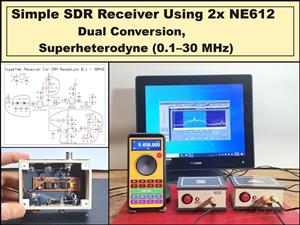 Simple SDR Receiver Using 2x NE612 - Dual Conversion, Superheterodyne (0.1–30 MHz)
SDR (Software Defined Radio) is a radio system in which most of the functions of a classic radio (f...
Simple SDR Receiver Using 2x NE612 - Dual Conversion, Superheterodyne (0.1–30 MHz)
SDR (Software Defined Radio) is a radio system in which most of the functions of a classic radio (f...
-
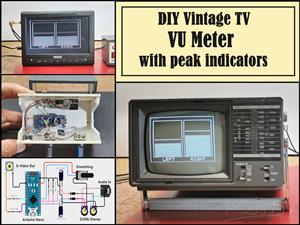 DIY Vintage TV VU Meter with peak indicators
Some time ago in one of my projects I presented you a way to turn a black and white old mini TV int...
DIY Vintage TV VU Meter with peak indicators
Some time ago in one of my projects I presented you a way to turn a black and white old mini TV int...
-
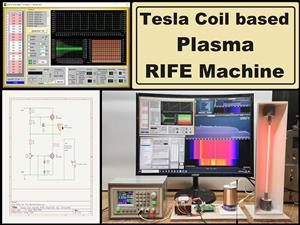 DIY Tesla Coil based Plasma Rife Machine
In several of my previous videos, I presented you with different ways to make a Rife Machine, from ...
DIY Tesla Coil based Plasma Rife Machine
In several of my previous videos, I presented you with different ways to make a Rife Machine, from ...
-
Programmable Mist Maker - XIAO / QT PY Extension
2197 2 2 -
RadioHAT - Raspberry Pi radio development platform
1891 0 4 -
-
-
-
ARPS-2 – Arduino-Compatible Robot Project Shield for Arduino UNO
4080 0 6 -
A Compact Charging Breakout Board For Waveshare ESP32-C3
4839 3 8 -
AI-driven LoRa & LLM-enabled Kiosk & Food Delivery System
5632 2 2 -





















