|
Soldering iron |
|

|
Soldering Iron Wire Welding Lead Roll |
DIY Arduino Due TEA5767 FM Radio
This time I will show you how to make a small FM Radio with oled display which all functions are controlled by a single rotary encoder. So far I have made several FM radios, but this is my first project with an Arduino Due board.
The Arduino Due is a microcontroller board based on the Atmel ARM Cortex-M3 CPU. It is the first Arduino board based on a 32-bit ARM core microcontroller.
It has 54 digital input/output pins of which 12 can be used as PWM outputs, 12 analog inputs, 4 UARTs , a 84 MHz clock, an USB OTG capable connection, 2 (digital to analog), 2 TWI, a power jack, an SPI header, a reset button and an erase button.

The Due is compatible with all Arduino shields that work at 3.3V. The project is taken from https://www.changpuak.ch/ where it is named "Wacharamod" in honor of Khwankeo Vajarodaya, and where you can find the original schematic diagrams and code. In the hardware section I have omitted some resistors and filter capacitors for simplicity.

Otherwise, the device is relatively simple to build and contains the following components:
- TEA5767 small Radio board which is the basis of the whole project
- Arduino Due microcontroller board
- SH1106 Oled display
- LM4811 Headphone Amplifier with Digital Volume Control
- PAM8403 small audio D-class amplifier board
- Speaker
- and Rotary encoder
The radio module and other parts are mounted on a separate PCB compatible with Arduino Due pins, in my case it's experimental, but you can make a professional PCB, the cheapest, fastest, and highest quality at PCBWay. How to order is very easy and you will get 10 Pcs PCB for $5 with very great PCB quality TG150-160. Also You can design your own Gerber files for this circuit and upload it on their site (www.pcbway.com) Generally, shipping of the orders takes only 3 to 5 days.

Since this is my first project with Arduino Due, let me briefly explain how to upload a sketch to this board. First, we go to the Tools tab, then the board manager and in the search field we write Due. Now we need to install Arduino SAM Boards, which in my case are installed. Exit the board manager, and go to Tools > Board > Arduino Arduino ARM (32-bits) Boards. The Arduino Due has two USB ports available. We choose Programming port wich is the default for uploading sketches and communicating with the Arduino. After that we select the appropriate com port and we can upload the given sketch.

And now let's see how the radio works in real conditions. Immediately after switching on, the start screen appears on the screen with a logo and information about the software version. After that, the frequency of the radio station that was previously set in the code appears. In my case it is 94.8 megahertz where we can hear the local radio station. Short presses of the encoder change the focus under the frequency numbers, and rotating changes the value of the digit. After a few clicks, the focus moves to the volume bar, and now we can change the sound intensity by rotating it. With a long press on the rotary encoder, the radio switches to SEEK mode and starts automatic station search.

Finally, the device is installed in a suitable box made of PVC plastic with thicknesses of 3mm and 5mm and coated with a colored self-adhesive tape.
/* /////////////////////////////////////////////////////////////////////
ARDUINO/Genuino DUE Sketch for "Wachara 1"
https://www.changpuak.ch/electronics/Arduino-Shield-WACHARA1.php
As Wachara 1 passed away already, we use a white display
"Wachara 1" was the callsign of H.E. Khwankeo Vajarodaya,
*03.09.1928 †28.01.2017, my teacher for Siamese Culture and Art
Software Version 3.9,
03.09.2019, Alexander Sse Frank,
//////////////////////////////////////////////////////////////////////*/


// /////////////////////////////////////////////////////
// Includes
// /////////////////////////////////////////////////////


#include <Adafruit_GFX.h>
#include <Adafruit_SH1106.h>

// OLED 128x64 with SH1106 Controller
// from https://www.displaymodule.com/
// E.G. DM-OLED13-625
#define OLED_MOSI  10
#define OLED_CLK   9
#define OLED_DC    12
#define OLED_CS    13
#define OLED_RESET 11
Adafruit_SH1106 display(OLED_MOSI, OLED_CLK, OLED_DC, OLED_RESET, OLED_CS);

#if (SH1106_LCDHEIGHT != 64)
#error("Height incorrect, please fix Adafruit_SH1106.h!");
#endif


int CURSOR = 2 ;

float RX_FREQ = 107.6 ;    // Radio Basilisk <3
// float freq = 102.50 ;   // Surf 102.5 FM Hua Hin
float freq = 94.8 ;       // KCS Radio Hua Hin
long int pll ;

int MAX_BAR_LENGTH = 45 ;
int MIN_BAR_LENGTH = 1 ;
float MULTI = 2.9 ;

// /////////////////////////////////////////////////////
// LM4811
// /////////////////////////////////////////////////////
int VolUpDownPin = A0 ;
int VolClkPin = A2 ;
int VolShutDownPin = A1 ;

int VOLUME = 0 ;
int SETVOL = 4 ;
int VOLMIN = 0 ;
int VOLMAX = 15 ;     // 16 STEPS

// /////////////////////////////////////////////////////
// TEA 5767
// /////////////////////////////////////////////////////
const int BusMode = A5 ;
const int WriteRead = A4 ;
const int CursorX = 115 ;
const byte TEA5767_ADR = 0x60 ;
byte RAM[] = {0x00,0x00,0x00,0x00,0x00,0x00,0x00,0x00,0x00,0x00} ;
float BandStart = 87.5 ;
float BandStop = 108.0 ;
int RX_CLK_PIN = 21 ;
int RX_DAT_PIN = 20 ;
// /////////////////////////////////////////////////////
// WRITE
// /////////////////////////////////////////////////////
int HLSI  = 1 ;   // High Side Injection
int MUTE = 0 ;    // L+R UNMUTED
int SM = 0 ;      // NOT IN SEARCH MODE
int SUD = 1 ;     // SEARCH UP
int SSL = 1 ;     // SEARCH STOP LEVEL = LOW ADC output = 5
int MS = 0 ;      // STEREO
int MR = 0 ;      // RIGHT CHANNEL UNMUTED
int ML = 0 ;      // LEFT CHANNEL UNMUTED
int BL = 0 ;      // BAND LIMITS EUROPE
int XTAL = 1 ;    // 32.768 kHz
int SMUTE = 1 ;   // SOFT MUTE IS ON
int HCC = 0 ;     // HIGH CUT CONTROL IS OFF
int SNC = 1 ;     // STEREO NOISE CANCELLING IS ON
int DTC = 0 ;     //  de-emphasis time constant is 50 µs
// /////////////////////////////////////////////////////
// READ
// /////////////////////////////////////////////////////
int RF = 0 ;
int BLF = 0 ;
int Stereo = 0 ;
int RSSI = 0 ;
int IFCounts = 0 ;


volatile boolean SearchMode = false ;


// ////////////////////////////////////////////////////////////////////
// ROTARY ENCODER
// ////////////////////////////////////////////////////////////////////

const int KEY1 = 6 ;
const int KEY2 = 7 ;
const int KEY3 = 5 ;    // PRESSED

volatile boolean action = false ;
volatile boolean pressed = false ;
volatile boolean clockwise = false ;
volatile boolean rotation = false ;

unsigned int ShortLongPressTime = 600 ; // MILLISECONDS
// IF THE KNOB WAS PRESSED SHORTER, IT IS CONSIDERED "SHORT"
// IF THE KNOB WAS PRESSED LONGER, IT IS CONSIDERED "LONG"
boolean LongPress = false ;

void ISR_K1 (void)
{
  byte autre = digitalRead(KEY2) ;
  if (autre == 1) clockwise = true ;
  else clockwise = false ;
  action = true ;
  pressed = false ;
  rotation = true ;
}

void ISR_K2 (void)
{
  byte autre = digitalRead(KEY1) ;
  if (autre == 1) clockwise = true ;
  else clockwise = false ;
  action = true ;
  pressed = false ;
  rotation = true ;
}

void ISR_K3 (void)
{
  pressed = true ;
  action = true ;
  rotation = false ;
}


// ////////////////////////////////////////////////////////////////////

byte HIBYTE(unsigned int data)
{
  return ((data & 0xFF00) >> 8) ;
}

// ////////////////////////////////////////////////////////////////////

byte LOBYTE(unsigned int data)
{
  return (data & 0x00FF) ;
}

// ////////////////////////////////////////////////////////////////////

void VolumeUp(int HowMuch)
{
  digitalWrite(VolUpDownPin, HIGH);
  for(int i=0; i < HowMuch; i++)
  {
    VOLUME += 1 ;
    digitalWrite(VolClkPin, HIGH);
    delay(100) ;
    digitalWrite(VolClkPin, LOW);
    delay(100) ;
    UpdateOLED() ;
  }
}

// ////////////////////////////////////////////////////////////////////

void VolumeDown(int HowMuch)
{
  digitalWrite(VolUpDownPin, LOW);
  for(int i=0; i < HowMuch; i++)
  {
    digitalWrite(VolClkPin, HIGH);
    digitalWrite(VolClkPin, LOW);
  }
  VOLUME = 0 ;
  UpdateOLED() ;
}
// ////////////////////////////////////////////////////////////////////

void SET_VOLUME()
{
  digitalWrite(VolUpDownPin, LOW);
  for(int i=0; i < 18; i++)
  {
    digitalWrite(VolClkPin, HIGH);
    digitalWrite(VolClkPin, LOW);
  }
  digitalWrite(VolUpDownPin, HIGH);
  for(int i=0; i < VOLUME; i++)
  {
    digitalWrite(VolClkPin, HIGH);
    digitalWrite(VolClkPin, LOW);
  }
  UpdateOLED() ;
}

// ////////////////////////////////////////////////////////////////////

void VolumeMute()
{
  digitalWrite(VolShutDownPin, HIGH);
}

// ////////////////////////////////////////////////////////////////////

void VolumeUnMute()
{
  digitalWrite(VolShutDownPin, LOW);
}

// ////////////////////////////////////////////////////////////////////

void setup()
{
  // TEA5767
  pinMode(BusMode, OUTPUT);
  digitalWrite(BusMode, HIGH);
  pinMode(RX_DAT_PIN, OUTPUT);
  digitalWrite(RX_DAT_PIN, LOW);
  pinMode(RX_CLK_PIN, OUTPUT);
  digitalWrite(RX_CLK_PIN, LOW);
  pinMode(WriteRead, OUTPUT);
  digitalWrite(WriteRead, HIGH);

  // LMX4811
  pinMode(VolUpDownPin, OUTPUT);
  digitalWrite(VolUpDownPin, LOW); // JUST TO HAVE A DEFINED LEVEL
  pinMode(VolClkPin, OUTPUT);
  digitalWrite(VolClkPin, LOW);
  pinMode(VolShutDownPin, OUTPUT);
  digitalWrite(VolShutDownPin, LOW); // SWITCH THAT THING ON
  // This shutdown function is activated by applying a logic high
  // to the SHUTDOWN pin.

  Serial.begin(9600);    // SERIAL

  // INIT OLED
  display.begin(SH1106_SWITCHCAPVCC);

  // SHOW STARTUP SCREEN
  display.clearDisplay();
  display.drawLine(0, 14, 128, 14, WHITE);
  display.setTextSize(1);
  display.setTextColor(WHITE);
  display.setCursor(0,0); display.print("*****") ;
  display.setCursor(33,0); display.print(" MIRCEMK") ;
  display.setCursor(90,0); display.print("******") ;
  display.setTextSize(1);
  display.setCursor(0,21);
  display.println("A MULTIBAND RECEIVER");
  display.setCursor(0,33);
  display.println("WITH NXP's TEA5767");
  display.setCursor(0,45);
  display.println("IN MEMORIAM WACHARA 1");
  display.setCursor(0,57);
  display.println("BUILT 03.09.2019");
  display.display();
  delay(4999) ;

  VolumeDown(18) ; // YES, WE USE THE COMMODORE 1541 APPROACH HERE

  // FREQ_TEA5767(freq) ;
  HiLoOptimiser() ;

  delay(100) ;

  // FREQ_TEA5767(freq) ;
  HiLoOptimiser() ;


  Serial.println("TEA5767 RADIO, TYPE WACHARA 1");
  Serial.println("-----------------------------");
  READ_TEA5767() ;
  Serial.println(RAM[0],HEX) ;
  Serial.println(RAM[1],HEX) ;
  Serial.println(RAM[2],HEX) ;
  Serial.println(RAM[3],HEX) ;
  Serial.println(RAM[4],HEX) ;
  Serial.println("-----------------------------");

  VOLUME = SETVOL ;
  SET_VOLUME() ;

  UpdateOLED() ;

  // ROTARY ENCODER
  pinMode(KEY1, INPUT_PULLUP) ;
  pinMode(KEY2, INPUT_PULLUP) ;
  pinMode(KEY3, INPUT_PULLUP) ;

  // INTERRUPTS ROTARY ENCODER
  attachInterrupt(digitalPinToInterrupt(KEY1), ISR_K1, RISING);   // ROT
  attachInterrupt(digitalPinToInterrupt(KEY2), ISR_K2, FALLING);  // ROT
  attachInterrupt(digitalPinToInterrupt(KEY3), ISR_K3, FALLING);  // PRESS

  delay(3999);

  action = false ;
  pressed = false ;
  clockwise = false ;
  rotation = false ;

  // SCAN() ;
  freq = 94.80                                                                                                                                                                                               ;
  HiLoOptimiser() ;


}

// ////////////////////////////////////////////////////////////////////

void BAR(int x, int y, int value)
{
  if (value > MAX_BAR_LENGTH) value = MAX_BAR_LENGTH ;
  if (value < MIN_BAR_LENGTH) value = MIN_BAR_LENGTH ;
  display.drawRect(x, y, MAX_BAR_LENGTH, 7, WHITE);
  display.fillRect(x, y, value, 7, WHITE);
}


// ////////////////////////////////////////////////////////////////////


void UpdateOLED()
{
  display.clearDisplay();
  display.drawLine(0, 11, 128, 11, WHITE);
  display.drawLine(0, 32, 128, 32, WHITE);
  display.setTextSize(1);
  display.setTextColor(WHITE);
  display.setCursor(0,0); display.print("*****") ;
  display.setCursor(33,0); display.print(" MIRCEMK") ;
  display.setCursor(90,0); display.print("******") ;
  display.setTextSize(2);
  display.setCursor(0,15);
  if(!SearchMode)
  {
  if (freq < 100.0) display.print(" ");
  if (freq < 10.0) display.print(" ");
  display.print(freq,3);
  // display.print("0");
  // CURSOR
  if (CURSOR == 0) { display.setCursor( 0,19); display.print("_") ; }
  if (CURSOR == 1) { display.setCursor(12,19); display.print("_") ; }
  if (CURSOR == 2) { display.setCursor(24,19); display.print("_") ; }
  if (CURSOR == 3) { display.setCursor(48,19); display.print("_") ; }
  if (CURSOR == 4) { display.setCursor(60,19); display.print("_") ; }
  display.setCursor(92,15);
  display.print("MHz");
  }
  if(SearchMode)
  {
  display.setCursor(10,15);
  display.print("SEARCHING");
  }
  display.setTextSize(1);
  display.setCursor(0,37);
  display.print("RSSI ");
  if(HLSI == 1) display.print("+");
  if(HLSI == 0) display.print("-");
  BAR(40, 37, (RSSI*3) ) ;
  display.setCursor(91,37);
  if (Stereo == 1) display.print("STEREO");
  if (Stereo == 0) display.print("  MONO");
  display.setCursor(0,47);
  display.print("VOLUME "); BAR(40, 47, (VOLUME*3) ) ;
  if (CURSOR == 5) { display.setCursor(91,47); display.print("<<<") ; }
  display.setCursor(0,57);
  display.print("PRESS LONG TO SEARCH");

  display.display();
}


void ButtonPressed()
{
  // //////////////////////////////////////////////////
  // WAS IT PRESSED LONG >>> START SEARCH UP
  // //////////////////////////////////////////////////
  LongPress = false ;
  delay(ShortLongPressTime) ;
  if(digitalRead(KEY3) == 0) LongPress = true ;

  if(LongPress)
  {
  // //////////////////////////////////////////////////
  // SEARCH UPWARDS
  // //////////////////////////////////////////////////
  Serial.println("PRESSED LONG") ;
  SearchUP() ;
  pressed = false ;


  }
  // //////////////////////////////////////////////////
  // WAS IT PRESSED SHORT >>> MOVE CURSOR RIGHT
  // //////////////////////////////////////////////////
  if(!LongPress)
  {
  Serial.println("PRESSED SHORT") ;
  CURSOR += 1 ;
  if(CURSOR > 5) CURSOR = 2 ;
  }
  pressed = false ;
}


void ButtonRotated()
{
  // //////////////////////////////////////////////////
  // WAS IT ROTATED RIGHT >>> INCREASE
  // //////////////////////////////////////////////////
  if(clockwise)
  {
  // Serial.println("CW") ;
  switch(CURSOR)
  {
    case 2:
      freq = freq - 1.0 ;
      if(freq < BandStart) freq = BandStart ;
      HiLoOptimiser() ;
      delay(10) ;
      READ_TEA5767() ;  // RSSI
       break ;
    case 3:
      freq = freq - 0.1 ;
      if(freq < BandStart) freq = BandStart ;
      HiLoOptimiser() ;
      delay(10) ;
      READ_TEA5767() ;  // RSSI
      break ;
    case 4:
      freq = freq - 0.01 ;
      if(freq < BandStart) freq = BandStart ;
      HiLoOptimiser() ;
      delay(10) ;
      READ_TEA5767() ;  // RSSI
      break ;
    case 5:
      VOLUME = VOLUME - 1 ;
      if(VOLUME < VOLMIN ) VOLUME = VOLMIN ;
      SET_VOLUME() ;
      break ;
  }
  rotation = false ;
  UpdateOLED() ;
  }


  // //////////////////////////////////////////////////
  // WAS IT ROTATED LEFT >>> DECREASE
  // //////////////////////////////////////////////////
  if(!clockwise)
  {
  // Serial.println("CCW") ;
  switch(CURSOR)
  {
    case 2:
      freq = freq + 1.0 ;
      if(freq > BandStop) freq = BandStop ;
      HiLoOptimiser() ;
      delay(10) ;
      READ_TEA5767() ;  // RSSI
      break ;
    case 3:
      freq = freq + 0.1 ;
      if(freq > BandStop) freq = BandStop ;
      HiLoOptimiser() ;
      delay(10) ;
      READ_TEA5767() ;  // RSSI
      break ;
    case 4:
      freq = freq + 0.01 ;
      if(freq > BandStop) freq = BandStop ;
      HiLoOptimiser() ;
      delay(10) ;
      READ_TEA5767() ;  // RSSI
      break ;
    case 5:
      VOLUME = VOLUME + 1 ;
      if(VOLUME > VOLMAX ) VOLUME = VOLMAX ;
      SET_VOLUME() ;
      break ;
  }
  rotation = false ;
  UpdateOLED() ;
  }
}


void READ_TEA5767()
{
  pinMode(RX_DAT_PIN, INPUT);
  digitalWrite(RX_CLK_PIN, HIGH);
  delay(1) ;
  digitalWrite(WriteRead, HIGH);
  delay(1) ;
  digitalWrite(WriteRead, LOW);
  delay(1) ;
  RAM[0] = shiftIn(RX_DAT_PIN, RX_CLK_PIN, MSBFIRST) ;
  RAM[1] = shiftIn(RX_DAT_PIN, RX_CLK_PIN, MSBFIRST) ;
  RAM[2] = shiftIn(RX_DAT_PIN, RX_CLK_PIN, MSBFIRST) ;
  RAM[3] = shiftIn(RX_DAT_PIN, RX_CLK_PIN, MSBFIRST) ;
  RAM[4] = shiftIn(RX_DAT_PIN, RX_CLK_PIN, MSBFIRST) ;
  Stereo = (RAM[2] & 0x80) >> 7 ;
  RSSI = (RAM[3] & 0xF0) >> 4 ;
  RF = (RAM[0] & 0x80) >> 7 ;
  BLF = (RAM[0] & 0x40) >> 6 ;
  IFCounts = RAM[2] & 0x7F ;
}


void WRITE_TEA5767()
{
  pinMode(RX_DAT_PIN, OUTPUT);
  digitalWrite(RX_CLK_PIN, LOW); delay(1) ;
  digitalWrite(WriteRead, LOW); delay(1) ;
  digitalWrite(WriteRead, HIGH); delay(1) ;
  if(HLSI == 1) pll=(int)(((freq+0.225)*122.0703125)+0.5);
  if(HLSI == 0) pll=(int)(((freq-0.225)*122.0703125)+0.5);
  RAM[5] = HIBYTE(pll) | (MUTE<<7) | (SM<<6) ;
  RAM[6] = LOBYTE(pll) ;
  RAM[7] = (SUD<<7)|(SSL<<5)|(HLSI<<4)|(MS<<3)|(MR<<2)|(ML<<1) ;
  RAM[8] = (BL<<5)|(XTAL<<4)|(SMUTE<<3)|(HCC<<2)|(SNC<<1);
  RAM[9] = DTC<<6 ;
  shiftOut(RX_DAT_PIN, RX_CLK_PIN, MSBFIRST, RAM[5]);
  shiftOut(RX_DAT_PIN, RX_CLK_PIN, MSBFIRST, RAM[6]);
  shiftOut(RX_DAT_PIN, RX_CLK_PIN, MSBFIRST, RAM[7]);
  shiftOut(RX_DAT_PIN, RX_CLK_PIN, MSBFIRST, RAM[8]);
  shiftOut(RX_DAT_PIN, RX_CLK_PIN, MSBFIRST, RAM[9]);
}


void HiLoOptimiser()
{
  int RSSIHigh = 0 ;
  int RSSILow = 0 ;
  float Frequency = freq ;
  SM = 0 ;    // NOT IN SEARCH MODE
  VolumeMute() ;
  if (Frequency > BandStop) Frequency = BandStop ;
  if (Frequency < BandStart) Frequency = BandStart ;
  // //////////////////////////////////////////////////
  // RSSIHigh is at freq + 450 kHz
  // //////////////////////////////////////////////////
  freq = Frequency + 0.225 ;
  HLSI = 1 ;
  WRITE_TEA5767() ;
  delay(10) ;
  READ_TEA5767() ;
  RSSIHigh = RSSI ;
  // //////////////////////////////////////////////////
  // RSSILow is at freq - 450 kHz
  // //////////////////////////////////////////////////
  HLSI = 0 ;
  freq = Frequency - 0.225 ;
  WRITE_TEA5767() ;
  delay(10) ;
  READ_TEA5767() ;
  RSSILow = RSSI ;
  // //////////////////////////////////////////////////
  // EVALUATION SEE APPLICATION NOTE PAGE 27
  // //////////////////////////////////////////////////
  if(RSSIHigh < RSSILow)
  {
    // OPTIMUM SETTING IS HIGH SIDE INJECTION
    HLSI = 1 ;
    freq = Frequency ;
    WRITE_TEA5767() ;
  }
  else
  {
    // OPTIMUM SETTING IS LOW SIDE INJECTION
    HLSI = 0 ;
    freq = Frequency ;
    WRITE_TEA5767() ;
  }
  delay(27);
  READ_TEA5767() ;
  VolumeUnMute() ;
  UpdateOLED() ;
}


void SCAN()
{
  freq = BandStart ;
  while(freq <= BandStop)
  {
    HiLoOptimiser() ;
    if(RSSI >=4)
    {
    if(freq <100.0) Serial.print(" ");
    Serial.print(freq,3); Serial.print(" RSSI: ");
    Serial.print(RSSI,DEC);
    Serial.print(" IFC: ");
    Serial.println(IFCounts,DEC);
    }
    freq += 0.098304 ;
    delay(30);
  }
}

void SearchUP()
{
  Serial.println("SEARCHING ...");
  SearchMode = true ;
  UpdateOLED() ;
  int RSSILAST = 0 ;
  int RSSICURR = 0 ;
  int RSSINEXT = 0 ;
  boolean STOPSEARCH = false ;
  float Frequency = freq ;
  while(!STOPSEARCH)
  {
    freq += 0.098304 ;
    HiLoOptimiser() ;
    if(RSSI >=4)
    {
    if(freq <100.0) Serial.print(" ");
    Serial.print(freq,3);
    Serial.print(" RSSI: ");
    if(RSSI < 10) Serial.print(" ");
    Serial.print(RSSI,DEC);
    Serial.print(" IFC: ");
    Serial.println(IFCounts,DEC);
    if((IFCounts > 56) && (IFCounts < 71))
      {
        STOPSEARCH = true ;
        SearchMode = false ;
        Serial.println("FOUND.");
      }
    } // END RSSI-IF
    if(freq >= BandStop)
    {
      freq = BandStart ;
      STOPSEARCH = true ;
      SearchMode = false ;
    } // END BANDSTOP
    delay(100);
    } // END WHILE
  SearchMode = false ;
  UpdateOLED() ;
}


// /////////////////////////////////////////////////////////////
// UNUSED FUNCTIONS
// /////////////////////////////////////////////////////////////

void FREQ_TEA5767(float FRQ)
{
  int aux ;
  if (FRQ > BandStop) FRQ = BandStop ;
  if (FRQ < BandStart) FRQ = BandStart ;
  pll = (int)((( FRQ + 0.225 ) * 122.0703125 ) + 0.5 );
  RAM[5] = HIBYTE(pll) ;
  RAM[6] = LOBYTE(pll) ;
  // Search Up, Low Volume, High Side Injection, Stereo, No Mute
  RAM[7] = 0xC0;
  // EU Band, Clock 32768, Stero Noise Cancelling On
  RAM[8] = 0x12 ;
  RAM[9] = 0x00 ; // De-Emphasis Time Constant is 50 µs
  pinMode(RX_DAT_PIN, OUTPUT);
  delay(1) ;
  digitalWrite(WriteRead, LOW);
  delay(1) ;
  digitalWrite(WriteRead, HIGH);
  delay(1) ;
  shiftOut(RX_DAT_PIN, RX_CLK_PIN, MSBFIRST, RAM[5]);
  shiftOut(RX_DAT_PIN, RX_CLK_PIN, MSBFIRST, RAM[6]);
  shiftOut(RX_DAT_PIN, RX_CLK_PIN, MSBFIRST, RAM[7]);
  shiftOut(RX_DAT_PIN, RX_CLK_PIN, MSBFIRST, RAM[8]);
  shiftOut(RX_DAT_PIN, RX_CLK_PIN, MSBFIRST, RAM[9]);
}


// /////////////////////////////////////////////////////////////

void loop()
{
  if (action)
  {
    if(pressed) ButtonPressed() ;
    if(rotation) ButtonRotated() ;
    action = false ;
    UpdateOLED() ;
  }
  delay(9) ;
}

// /////////////////////////////////////////////////////////////
// END OF FILE
// /////////////////////////////////////////////////////////////


DIY Arduino Due TEA5767 FM Radio
Project images are for reference only. Actual production is based on the manufacturing files on the project page.
Please review the designer's notes (e.g., PCB thickness) and select the appropriate options.
PCBWay is not responsible
for issues caused by unsuitable parameter selections.
For more important ordering information, please refer to
Read More


Raspberry Pi 5 7 Inch Touch Screen IPS 1024x600 HD LCD HDMI-compatible Display for RPI 4B 3B+ OPI 5 AIDA64 PC Secondary Screen(Without Speaker)
BUY NOW


- Comments(0)
- Likes(0)
More by Mirko Pavleski
-
 Arduino 3D Printed self Balancing Cube
Self-balancing devices are electronic devices that use sensors and motors to keep themselves balanc...
Arduino 3D Printed self Balancing Cube
Self-balancing devices are electronic devices that use sensors and motors to keep themselves balanc...
-
 DIY ESP32 Universal Timer with Touchscreen & Rotary Encoder
In several of my previous videos, I presented different projects based on the CrowPanel 2.1-inch HM...
DIY ESP32 Universal Timer with Touchscreen & Rotary Encoder
In several of my previous videos, I presented different projects based on the CrowPanel 2.1-inch HM...
-
 Build a Real 5-Band Parametric EQ with ESP32 + WM8960 - Stereo DSP Audio Processor
Audio equalizer (EQ) is an electronic device that allows control over the strength of different fre...
Build a Real 5-Band Parametric EQ with ESP32 + WM8960 - Stereo DSP Audio Processor
Audio equalizer (EQ) is an electronic device that allows control over the strength of different fre...
-
 Bass Reflex vs Sealed vs Horn – Same 2 inch Speaker Test
In one of the previous videos I presented the making of a miniature Horn type speaker box with a 2 ...
Bass Reflex vs Sealed vs Horn – Same 2 inch Speaker Test
In one of the previous videos I presented the making of a miniature Horn type speaker box with a 2 ...
-
 Building a Mini Fostex Horn Speaker with a 2-Inch Full-Range Driver
A back-loaded horn speaker is a loudspeaker design that channels the rear sound wave of a driver th...
Building a Mini Fostex Horn Speaker with a 2-Inch Full-Range Driver
A back-loaded horn speaker is a loudspeaker design that channels the rear sound wave of a driver th...
-
 ESP32 Moon Lamp That Shows the Real Moon Phase on Crowpanel Round Dispaly
Recently on the Hackaday portal I came across a very interesting project called Moon Display by aut...
ESP32 Moon Lamp That Shows the Real Moon Phase on Crowpanel Round Dispaly
Recently on the Hackaday portal I came across a very interesting project called Moon Display by aut...
-
 40-Year-Old DIY Power Amplifiers – Do They Still Work - 500W MOSFET & Transistor Amps
This time I want to describe my two DIY super powerful audio amplifiers that I made about 40 years ...
40-Year-Old DIY Power Amplifiers – Do They Still Work - 500W MOSFET & Transistor Amps
This time I want to describe my two DIY super powerful audio amplifiers that I made about 40 years ...
-
 Wi-Fi HaLow Explained! Long-Range Camera Test up to 300m (ESP32 + ThinkNode G4 from ELECROW)
I recently needed to install a security camera at a relatively large distance from my home, more pre...
Wi-Fi HaLow Explained! Long-Range Camera Test up to 300m (ESP32 + ThinkNode G4 from ELECROW)
I recently needed to install a security camera at a relatively large distance from my home, more pre...
-
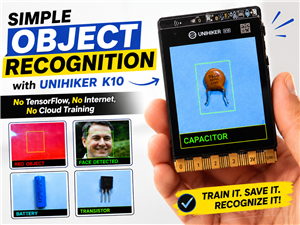 Simple Object Recognition with the UNIHIKER K10 – No TensorFlow, No Internet, No Cloud AI
Object recognition has become one of the most popular applications of artificial intelligence and em...
Simple Object Recognition with the UNIHIKER K10 – No TensorFlow, No Internet, No Cloud AI
Object recognition has become one of the most popular applications of artificial intelligence and em...
-
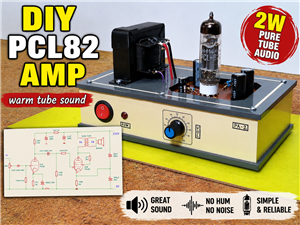 DIY PCL82 Tube Amplifier, Single-Ended Amp with Amazing Sound
The idea for this project came from a local electronics magazine called EMITER, issue 12/13 from 20...
DIY PCL82 Tube Amplifier, Single-Ended Amp with Amazing Sound
The idea for this project came from a local electronics magazine called EMITER, issue 12/13 from 20...
-
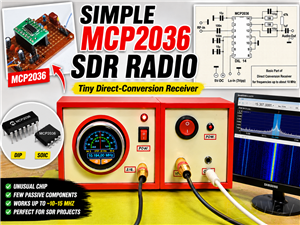 Simple MCP2036 SDR Radio - The Most Unusual Software Defined Radio
SDR (Software Defined Radio) is a radio communication system where many of the key electronic compo...
Simple MCP2036 SDR Radio - The Most Unusual Software Defined Radio
SDR (Software Defined Radio) is a radio communication system where many of the key electronic compo...
-
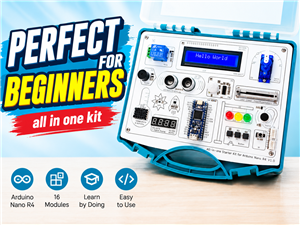 Elecrow All-in-One Arduino Starter Kit Review - 20 Projects & 16 Modules
This time I will describe a simple and practical way to enter the world of microcontrollers, specif...
Elecrow All-in-One Arduino Starter Kit Review - 20 Projects & 16 Modules
This time I will describe a simple and practical way to enter the world of microcontrollers, specif...
-
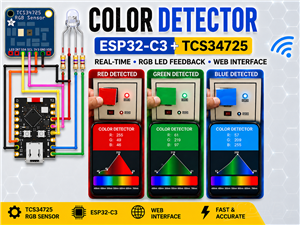 ESP32-C3 Color Detector with TCS34725, Real-Time RGB Detection & Web Interface
Color detection is a fundamental task in many embedded systems – from industrial sorting machines t...
ESP32-C3 Color Detector with TCS34725, Real-Time RGB Detection & Web Interface
Color detection is a fundamental task in many embedded systems – from industrial sorting machines t...
-
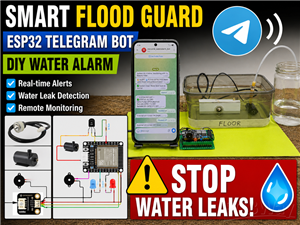 DIY ESP32 Telegram Flood Protection System - Smart Home Automation
Recently I had an unpleasant experience in my home, specifically my ground floor was flooded as a r...
DIY ESP32 Telegram Flood Protection System - Smart Home Automation
Recently I had an unpleasant experience in my home, specifically my ground floor was flooded as a r...
-
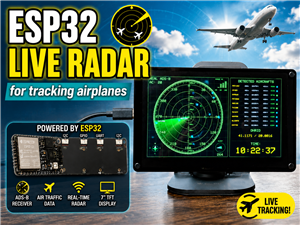 Real-Time Air Traffic Radar using ESP32 + ADS-B Data
ADS-B, which stands for Automatic Dependent Surveillance-Broadcast, is the modern standard for trac...
Real-Time Air Traffic Radar using ESP32 + ADS-B Data
ADS-B, which stands for Automatic Dependent Surveillance-Broadcast, is the modern standard for trac...
-
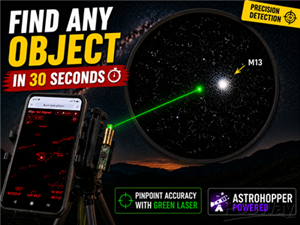 DIY Green Laser Night Sky Object Finder - Find Stars & Galaxies Instantly with great accuracy
As an amateur astronomer, especially at the beginning, the most difficult part of observing the nig...
DIY Green Laser Night Sky Object Finder - Find Stars & Galaxies Instantly with great accuracy
As an amateur astronomer, especially at the beginning, the most difficult part of observing the nig...
-
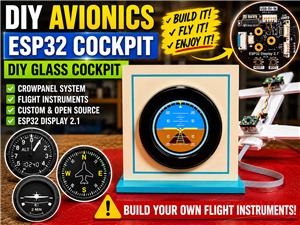 DIY Avionics Simulator with ESP32 - Artificial Horizon, Compass & Altimeter
The inspiration for this project comes from classical aircraft cockpit instruments used for navigat...
DIY Avionics Simulator with ESP32 - Artificial Horizon, Compass & Altimeter
The inspiration for this project comes from classical aircraft cockpit instruments used for navigat...
-
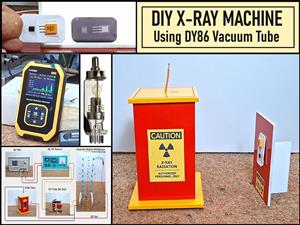 DIY Miniature X-Ray Machine using a TV Vacuum Tube DY86
An X-ray machine (or radiograph) is a quick, painless medical test that produces images of the struc...
DIY Miniature X-Ray Machine using a TV Vacuum Tube DY86
An X-ray machine (or radiograph) is a quick, painless medical test that produces images of the struc...
-
Émetteur Récepteur Optique Expérimental (communication UART ATtiny + fibre optique)
174 0 1 -
SmallOLED - Live PC Stats, Animated Clocks & Audio Visualizer
1041 0 3 -
"Talking Multimeter": Arduino-Based Speech Add-on for Multimeters with SCPI Protocol
594 0 1 -
Programmable Mist Maker - XIAO / QT PY Extension
3062 2 3 -
RadioHAT - Raspberry Pi radio development platform
2610 0 4 -
-