


|
|
GP1287 VFD display 256x50 |
x 1 | |
|
|
Arduino Nano R3 |
x 1 | |
|
|
2x10k Potentiometer |
x 1 | |
|
|
1N4007 – High Voltage, High Current Rated Diode |
x 2 | |
|
|
Capacitor 10 µF |
x 2 | |
|
|
Resistor 4.7k ohm |
x 2 | |
|
|
Resistor 47k ohm |
x 2 |

|
arduino IDEArduino
|
|

|
Soldering Iron Kit |
Arduino Bar graph Stereo VU meter on VFD display GP1287
A VU meter, also known as a Volume Unit meter, is a device used to display the audio signal level in decibels (dB) in real-time. It is commonly found on audio equipment to help users monitor and control audio levels. Some time ago, in one of my previous videos , I presented to you Analog style retro look VU meter on VFD display.

This time, I will also describe a way to make a VU meter on the VFD Display, but this time in the form of a Bar Graph. A bar graph VU (Volume Unit) meter is a type of audio level meter that represents the intensity of an audio signal using a series of bars. These bars visually indicate the amplitude or volume of the audio signal across a range.
In this meter, each bar corresponds to a particular volume level or decibel level. In this case, unlike the previous project, the response of the Vu meter in relation to the input signal is instantaneous (instantejnius). The display is again of the GP1287 type with a resolution of 256 by 50 points, and it can be obtained at a relatively cheap price.

The device is extremely simple to build and contains only a few components
- Arduino Nano Microcontroller
- GP1287 VFD Display
- 10K stereo potentiometer,
- Four resistors,
- and two capacitors and diodes

On the occasion of the upcoming Christmas and New Year holiydays visit the PCBWay Christmas Big Sales where you will found discounts of up to 50%, as well as many other prizes and benefits. PCBway is one of the most experienced PCB manufacturing company in China in field of PCB prototype and fabrication. They provide completed PCB assembly service with worldwide free shipping , and ISO9001 quality control system. Also, on their site there is an online gerber viewer where you can upload your gerber and drill files to render your board.
The signal from both audio channels (left and right) is brought to the analog inputs of the Arduino microcontroller. After that comes a circuit called "Enveope Follower" with a filter.

As for the code, I took the idea from a similar OLED VU meter project, but it used the Adafruit_GFX library, which is not compatible with VFD displays, so I created a new code with the U8G2 library, which has support for this type of display. The sensitivity of the VU meter can be controlled with the potentiometer mounted on the back of the device.

Due to the relatively high consumption of the display, it is preferable to power it through the power connector of the display itself, which is shown in the picture.

The device is installed in a suitable box made of PVC material with a thickness of 5 mm and covered with colored self-adhesive wallpaper.

#include <U8g2lib.h>
#include <SPI.h>

U8G2_GP1287AI_256X50_1_4W_SW_SPI u8g2(U8G2_R0, /* clock=*/ 13, /* data=*/ 11, /* cs=*/ 10, /* dc=*/ 9, /* reset=*/ 8);

 int  an_izm_r , an_izm_l ;
 int  ur_l , urr_l , ur_r , urr_r ;


 void setup(void) {
  u8g2.begin();
  u8g2.setContrast(15);
  u8g2.enableUTF8Print();
  u8g2.setFont(u8g2_font_7x14B_tf);
  analogReference(INTERNAL);
  pinMode(A0,INPUT);
  pinMode(A2,INPUT);
 }

void  loop ( )  {
  an_izm_r  =  analogRead ( A0 ) ;
  an_izm_l  =  analogRead ( A2 ) ;
   urr_l  =  an_izm_l ;
   urr_r  =  an_izm_r ;
  if ( urr_l < ur_l ) { ur_l = ur_l - 15 ; } else { ur_l  =  an_izm_l ; }
  if ( urr_r < ur_r ) { ur_r = ur_r - 15 ; } else { ur_r  =  an_izm_r ; }
 testfillrect ( ) ;
 }

 void  testfillrect ( void )  {
   u8g2.firstPage();
  do {
  u8g2.drawFrame(0,0,256,50);
  u8g2.drawRFrame(2,2,252,46,3);
  u8g2.drawFrame(5,18,170,14);
  u8g2.setCursor(16, 30); u8g2.print(F("-20"));
  u8g2.setCursor(77, 30); u8g2.print(F("-10"));
  u8g2.setCursor(140, 30); u8g2.print(F("-3"));
  u8g2.setCursor(8, 16); u8g2.print(F("R"));
  //u8g2.drawFrame(5,4,10,14);
  u8g2.setCursor(8, 44); u8g2.print(F("L"));
  //u8g2.drawFrame(5,32,10,14);
  u8g2.drawBox(18,5,4,11);
  u8g2.drawBox(18,34,4,11);
  u8g2.setFontMode(1);
  u8g2.drawBox(175,18,76,14);
  u8g2.setDrawColor(2);
  u8g2.drawStr(182, 30, "0");
  u8g2.drawStr(210, 30, "+3 db");

   u8g2.setColorIndex(1);
   for ( int  i = 20 ; i <= ur_r ; i += 4 ) {
   u8g2.drawBox ( i ,  5 ,  2 ,  11 ) ;
 }
    for ( int  i = 20 ; i <= ur_l ; i += 4 ) {
  u8g2.drawBox (  i ,  34 ,  2 ,  11  ) ;

   }
    }
    while ( u8g2.nextPage() );
 }

Arduino Bar graph Stereo VU meter on VFD display GP1287









Raspberry Pi 5 7 Inch Touch Screen IPS 1024x600 HD LCD HDMI-compatible Display for RPI 4B 3B+ OPI 5 AIDA64 PC Secondary Screen(Without Speaker)
BUY NOW


- Comments(0)
- Likes(0)
More by Mirko Pavleski
-
 Arduino 3D Printed self Balancing Cube
Self-balancing devices are electronic devices that use sensors and motors to keep themselves balanc...
Arduino 3D Printed self Balancing Cube
Self-balancing devices are electronic devices that use sensors and motors to keep themselves balanc...
-
 Building a Mini Fostex Horn Speaker with a 2-Inch Full-Range Driver
A back-loaded horn speaker is a loudspeaker design that channels the rear sound wave of a driver th...
Building a Mini Fostex Horn Speaker with a 2-Inch Full-Range Driver
A back-loaded horn speaker is a loudspeaker design that channels the rear sound wave of a driver th...
-
 ESP32 Moon Lamp That Shows the Real Moon Phase on Crowpanel Round Dispaly
Recently on the Hackaday portal I came across a very interesting project called Moon Display by aut...
ESP32 Moon Lamp That Shows the Real Moon Phase on Crowpanel Round Dispaly
Recently on the Hackaday portal I came across a very interesting project called Moon Display by aut...
-
 40-Year-Old DIY Power Amplifiers – Do They Still Work - 500W MOSFET & Transistor Amps
This time I want to describe my two DIY super powerful audio amplifiers that I made about 40 years ...
40-Year-Old DIY Power Amplifiers – Do They Still Work - 500W MOSFET & Transistor Amps
This time I want to describe my two DIY super powerful audio amplifiers that I made about 40 years ...
-
 Wi-Fi HaLow Explained! Long-Range Camera Test up to 300m (ESP32 + ThinkNode G4 from ELECROW)
I recently needed to install a security camera at a relatively large distance from my home, more pre...
Wi-Fi HaLow Explained! Long-Range Camera Test up to 300m (ESP32 + ThinkNode G4 from ELECROW)
I recently needed to install a security camera at a relatively large distance from my home, more pre...
-
 Simple Object Recognition with the UNIHIKER K10 – No TensorFlow, No Internet, No Cloud AI
Object recognition has become one of the most popular applications of artificial intelligence and em...
Simple Object Recognition with the UNIHIKER K10 – No TensorFlow, No Internet, No Cloud AI
Object recognition has become one of the most popular applications of artificial intelligence and em...
-
 DIY PCL82 Tube Amplifier, Single-Ended Amp with Amazing Sound
The idea for this project came from a local electronics magazine called EMITER, issue 12/13 from 20...
DIY PCL82 Tube Amplifier, Single-Ended Amp with Amazing Sound
The idea for this project came from a local electronics magazine called EMITER, issue 12/13 from 20...
-
 Simple MCP2036 SDR Radio - The Most Unusual Software Defined Radio
SDR (Software Defined Radio) is a radio communication system where many of the key electronic compo...
Simple MCP2036 SDR Radio - The Most Unusual Software Defined Radio
SDR (Software Defined Radio) is a radio communication system where many of the key electronic compo...
-
 Elecrow All-in-One Arduino Starter Kit Review - 20 Projects & 16 Modules
This time I will describe a simple and practical way to enter the world of microcontrollers, specif...
Elecrow All-in-One Arduino Starter Kit Review - 20 Projects & 16 Modules
This time I will describe a simple and practical way to enter the world of microcontrollers, specif...
-
 ESP32-C3 Color Detector with TCS34725, Real-Time RGB Detection & Web Interface
Color detection is a fundamental task in many embedded systems – from industrial sorting machines t...
ESP32-C3 Color Detector with TCS34725, Real-Time RGB Detection & Web Interface
Color detection is a fundamental task in many embedded systems – from industrial sorting machines t...
-
 DIY ESP32 Telegram Flood Protection System - Smart Home Automation
Recently I had an unpleasant experience in my home, specifically my ground floor was flooded as a r...
DIY ESP32 Telegram Flood Protection System - Smart Home Automation
Recently I had an unpleasant experience in my home, specifically my ground floor was flooded as a r...
-
 Real-Time Air Traffic Radar using ESP32 + ADS-B Data
ADS-B, which stands for Automatic Dependent Surveillance-Broadcast, is the modern standard for trac...
Real-Time Air Traffic Radar using ESP32 + ADS-B Data
ADS-B, which stands for Automatic Dependent Surveillance-Broadcast, is the modern standard for trac...
-
 DIY Green Laser Night Sky Object Finder - Find Stars & Galaxies Instantly with great accuracy
As an amateur astronomer, especially at the beginning, the most difficult part of observing the nig...
DIY Green Laser Night Sky Object Finder - Find Stars & Galaxies Instantly with great accuracy
As an amateur astronomer, especially at the beginning, the most difficult part of observing the nig...
-
 DIY Avionics Simulator with ESP32 - Artificial Horizon, Compass & Altimeter
The inspiration for this project comes from classical aircraft cockpit instruments used for navigat...
DIY Avionics Simulator with ESP32 - Artificial Horizon, Compass & Altimeter
The inspiration for this project comes from classical aircraft cockpit instruments used for navigat...
-
 DIY Miniature X-Ray Machine using a TV Vacuum Tube DY86
An X-ray machine (or radiograph) is a quick, painless medical test that produces images of the struc...
DIY Miniature X-Ray Machine using a TV Vacuum Tube DY86
An X-ray machine (or radiograph) is a quick, painless medical test that produces images of the struc...
-
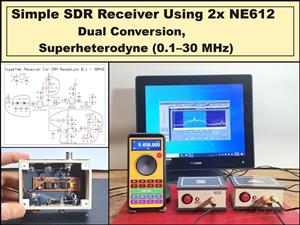 Simple SDR Receiver Using 2x NE612 - Dual Conversion, Superheterodyne (0.1–30 MHz)
SDR (Software Defined Radio) is a radio system in which most of the functions of a classic radio (f...
Simple SDR Receiver Using 2x NE612 - Dual Conversion, Superheterodyne (0.1–30 MHz)
SDR (Software Defined Radio) is a radio system in which most of the functions of a classic radio (f...
-
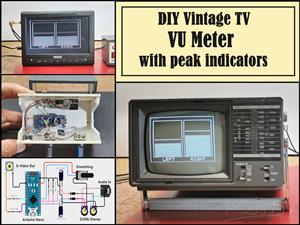 DIY Vintage TV VU Meter with peak indicators
Some time ago in one of my projects I presented you a way to turn a black and white old mini TV int...
DIY Vintage TV VU Meter with peak indicators
Some time ago in one of my projects I presented you a way to turn a black and white old mini TV int...
-
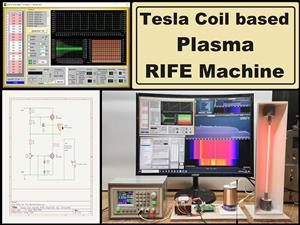 DIY Tesla Coil based Plasma Rife Machine
In several of my previous videos, I presented you with different ways to make a Rife Machine, from ...
DIY Tesla Coil based Plasma Rife Machine
In several of my previous videos, I presented you with different ways to make a Rife Machine, from ...
-
Programmable Mist Maker - XIAO / QT PY Extension
2117 2 2 -
RadioHAT - Raspberry Pi radio development platform
1798 0 4 -
-
-
-
ARPS-2 – Arduino-Compatible Robot Project Shield for Arduino UNO
4012 0 6 -
A Compact Charging Breakout Board For Waveshare ESP32-C3
4749 3 8 -
AI-driven LoRa & LLM-enabled Kiosk & Food Delivery System
5562 2 2 -





















