
|
|
Arduino Nano R3 |
x 1 | |
|
|
8x8 Matrix with WS2812B Leds |
x 1 | |
|
|
Pushbutton Switch |
x 3 | |
|
|
BUZZER |
x 1 |

|
Soldering Iron Kit |
|

|
arduino IDEArduino
|
Colorful Arduino Tetris Game - WS2812B LED Matrix Tutorial
Tetris is a puzzle video game created in 1985 by Alexey Pajitnov. Players manipulate falling geometric shapes called "tetrominoes." The goal is to create horizontal lines without gaps. Completed lines disappear, granting the player points, and all other blocks move down the corresponding number of lines.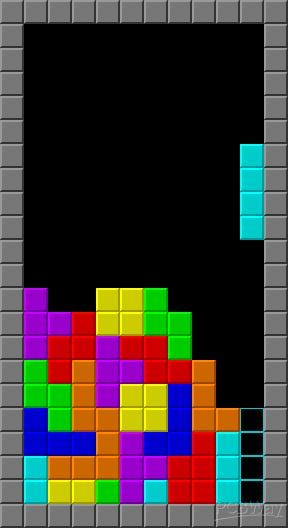
The game speeds up as you progress. Many different versions of Tetris have been released for PC, consoles and mobile platforms.
In this project I will present you a way to make a colorful version of Tetris with probably the lowest possible display resolution of only 64 pixels.
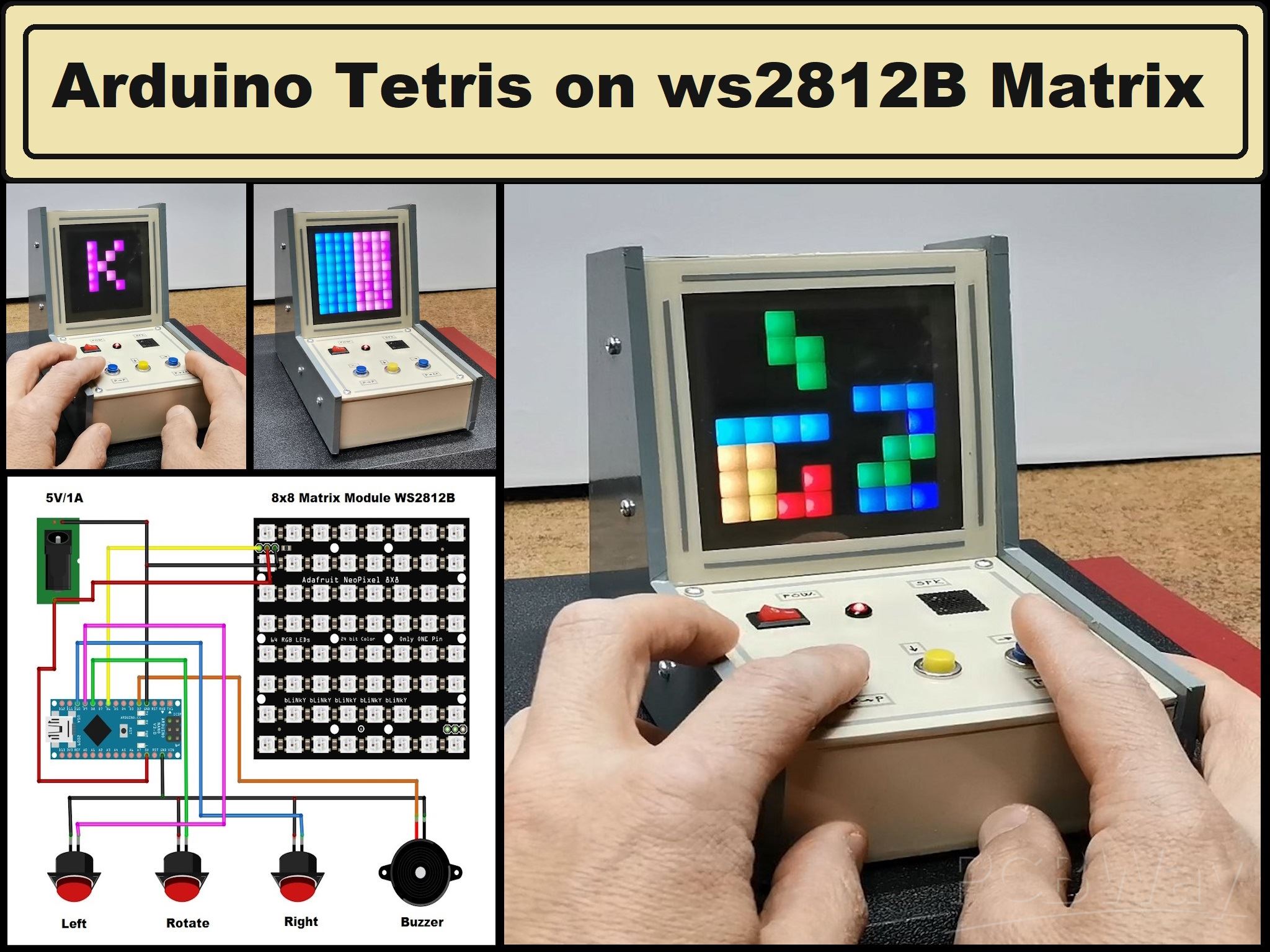
In fact, the display is a cheap 8x8 LED matrix consisting of 64 RGB diodes with a built-in WS2812 chip. This allows us to control the entire matrix with just one pin from the microcontroller. This project is extremely simple to make, and is suitable even for absolute beginners in this field. However, despite its simplicity, as you will see later, the game is endlessly addictive and is intended for players of all ages.
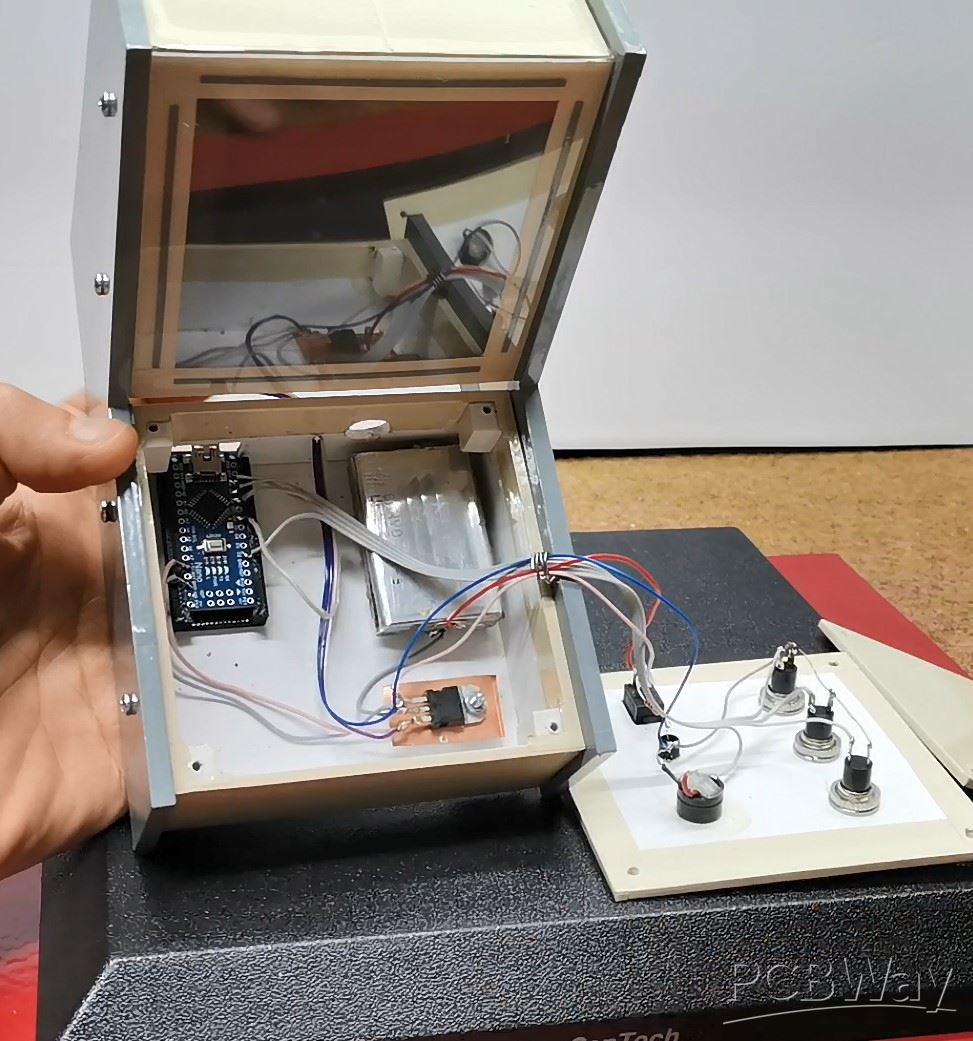
Now let's see what elements the device contains:
- Arduino Nano microcontroller board
- 8x8 Led matrix with WS2812b chips.
- 3 Buttons
- Buzzer
- and optional battery
I should mention that if the device is powered by an external 5VDC source, it should be capable of delivering a current of at least 1Ampere.
This project is sponsored by PCBWAY. This year, PCBWay is organizing the 11th badge design contest from March 3rd to April 31st. Follow the design requirements and Submit your designs in one of the given ways, and become the winner of one of the valuable prizes in cash and cupons. This contest is more than a competition—it’s a celebration of 11 years of innovation and a chance to dream about the boundless possibilities ahead with PCBWay.
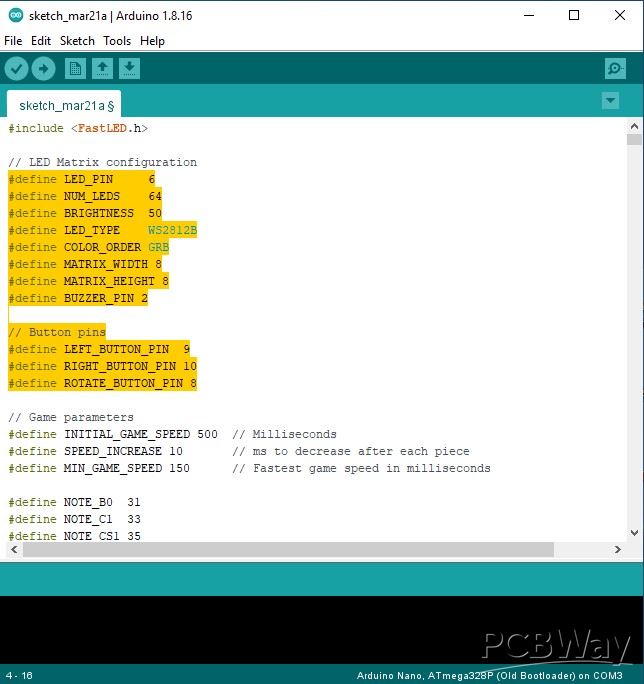
All components used are standard except the LED matrix which can be found on the market in several versions. They all differ in the way and order of connecting the LEDs in them (zigzag horizontally, then vertically, snake connection, etc.). It is obvious that we cannot make hardware changes, so for this purpose I created a part of the code where any version of these matrices can be selected.
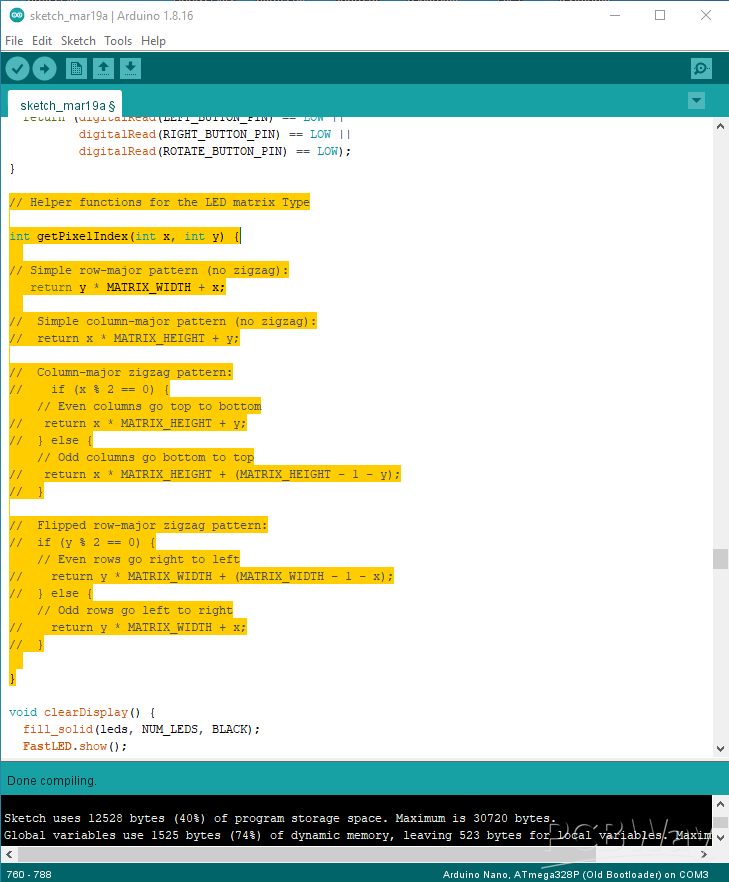
We need to select one by one of these 4 connection methods until we get the correct image on the matrix display.
First, let me introduce you to the options and how the device functions in real-world conditions. Immediately upon switching on, a characteristic sound sequence is activated and the scrolling text Mini Tetris appears on the display. Then the display is divided into two halves, one blue and the other magenta. The blue side is the normal game mode, and the magenta side is the KIDS (easy) game mode.
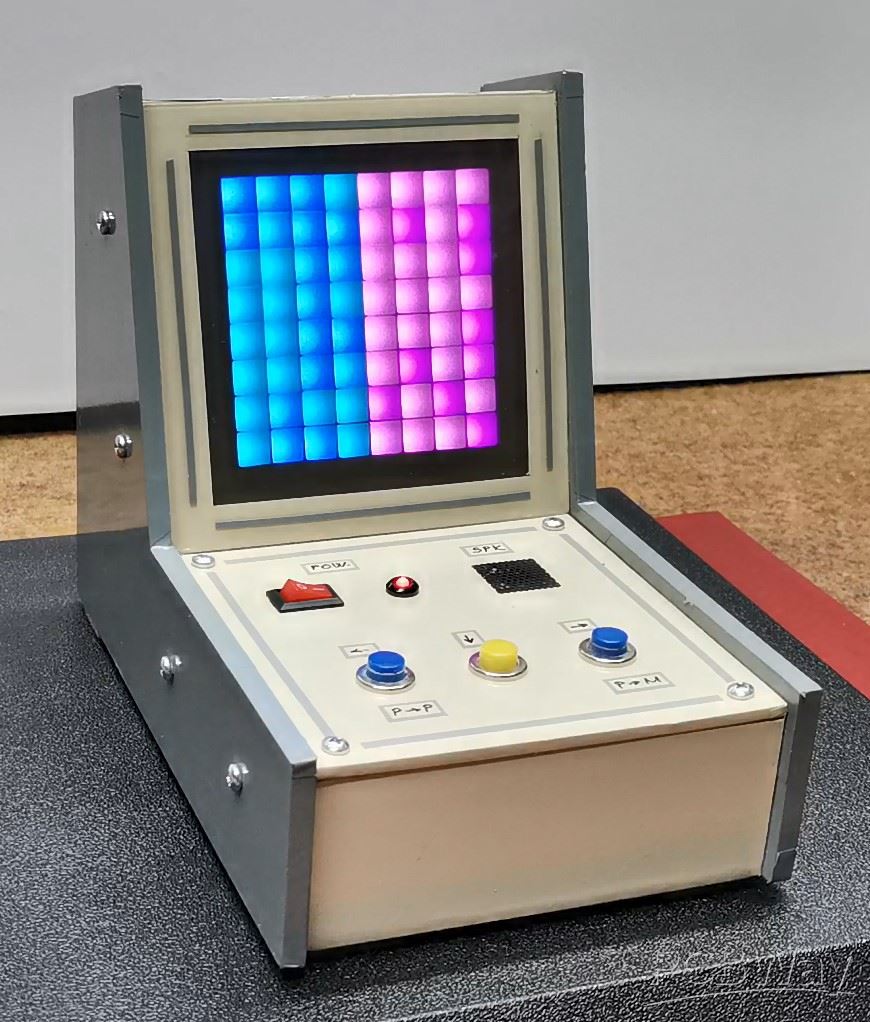
In normal mode, the Tetrominoes are of standard size, shape and number as in the original and a faster reaction is required, especially considering the small distance between the top and bottom rows of the display. The outer buttons move the tetromino left and right, and the middle button is for rotation. The speed of movement of the tetromino increases with time. With each cleared row, 100 points are obtained. If two rows are cleared at the same time, the reward is 400 points. The final score is displayed at the end in the form of scrolling text, followed by a smiley figure.
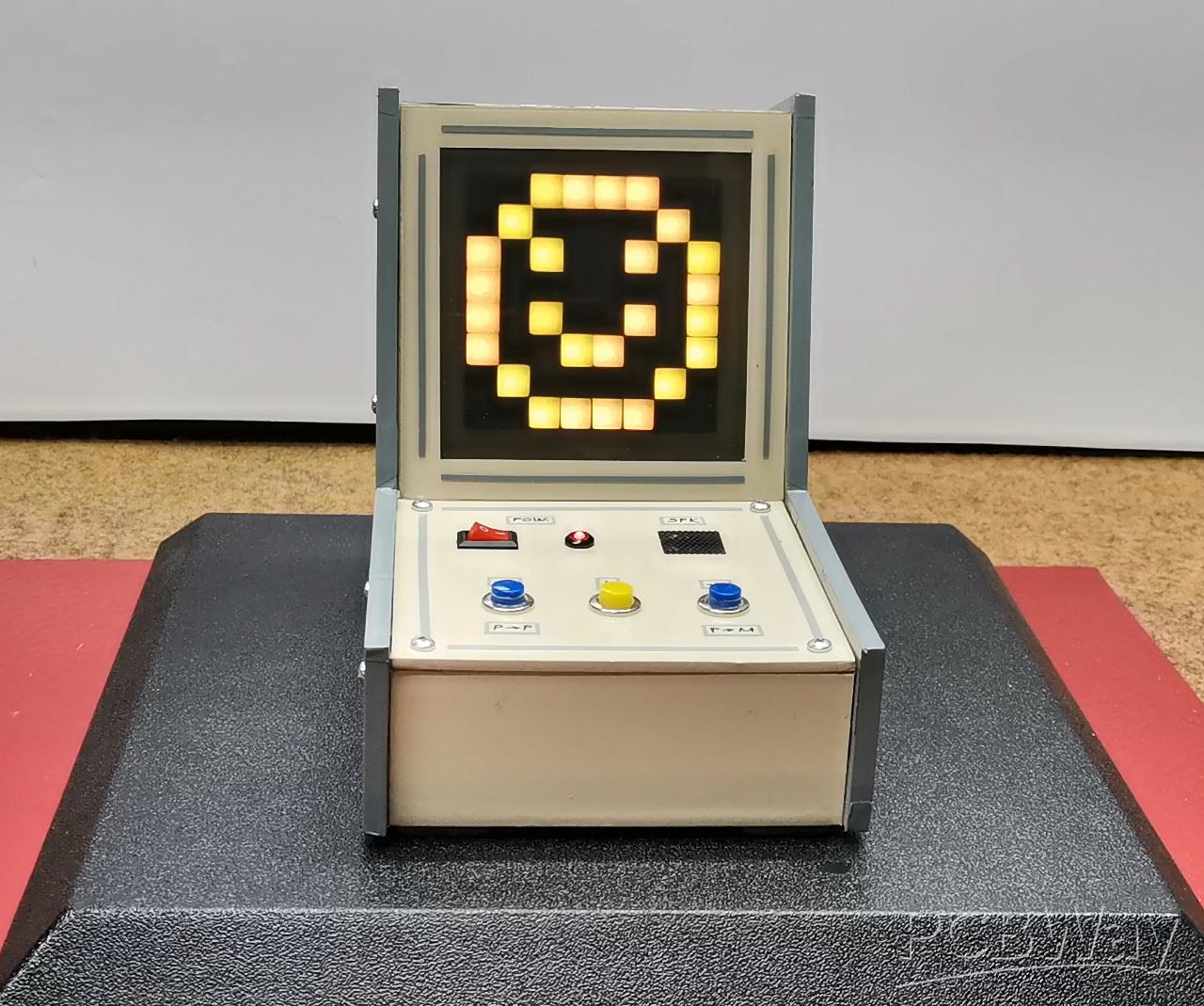
From this moment if we press any of the buttons, a new game begins, signaled by the display filling with green. The entire gameplay is accompanied by appropriate sound effects.
Now to select kids mode, we have to restart the device. Otherwise, the kids mode option is very useful because it is much easier and simpler to play and so children can play it. In this mode, the tetrominos are much smaller, there is no rotation option, and they are much easier to arrange. The other functions are identical to the normal mode.
A few words about the code, as you can see, it is designed in a way that allows you to easily change almost all the parameters of the game, starting from the intensity of the LEDs, changing the colors, the sounds, and probably the most important parameter, which is the initial speed of the tetromino, the degree of acceleration during the game, and the maximum speed limit.
Below you can see several gameplays in normal and kids modes.
And finally a short conclusion: This extremely simple project is actually the minimum possible version of the Tetris game made on a 64 pixel display, but still with all the standard options and sound effects, and even a Kids mode intended for the youngest.
As for the case, it is from one of my previous projects and is made of 5mm thick PVC material and has the shape of a classic arcade game console where this game was most often played many years ago. It is covered with self-adhesive wallpaper.
/*Arduino TETRIS on 8x8 Matrix WS2812b
by mircemk, April 2025
*/

#include <FastLED.h>

// LED Matrix configuration
#define LED_PIN     6
#define NUM_LEDS    64
#define BRIGHTNESS  50
#define LED_TYPE    WS2812B
#define COLOR_ORDER GRB
#define MATRIX_WIDTH 8
#define MATRIX_HEIGHT 8
#define BUZZER_PIN 2

// Button pins
#define LEFT_BUTTON_PIN  9
#define RIGHT_BUTTON_PIN 10
#define ROTATE_BUTTON_PIN 8

// Game parameters
#define INITIAL_GAME_SPEED 500  // Milliseconds
#define SPEED_INCREASE 10       // ms to decrease after each piece
#define MIN_GAME_SPEED 150      // Fastest game speed in milliseconds

#define NOTE_B0  31
#define NOTE_C1  33
#define NOTE_CS1 35
#define NOTE_D1  37
#define NOTE_DS1 39
#define NOTE_E1  41
#define NOTE_F1  44
#define NOTE_FS1 46
#define NOTE_G1  49
#define NOTE_GS1 52
#define NOTE_A1  55
#define NOTE_AS1 58
#define NOTE_B1  62
#define NOTE_C2  65
#define NOTE_CS2 69
#define NOTE_D2  73
#define NOTE_DS2 78
#define NOTE_E2  82
#define NOTE_F2  87
#define NOTE_FS2 93
#define NOTE_G2  98
#define NOTE_GS2 104
#define NOTE_A2  110
#define NOTE_AS2 117
#define NOTE_B2  123
#define NOTE_C3  131
#define NOTE_CS3 139
#define NOTE_D3  147
#define NOTE_DS3 156
#define NOTE_E3  165
#define NOTE_F3  175
#define NOTE_FS3 185
#define NOTE_G3  196
#define NOTE_GS3 208
#define NOTE_A3  220
#define NOTE_AS3 233
#define NOTE_B3  247
#define NOTE_C4  262

#define MODE_NORMAL 0
#define MODE_KIDS 1
byte gameMode = MODE_NORMAL;

bool gameOverScreenShown = false;

// Colors
CRGB leds[NUM_LEDS];
#define BLACK     CRGB(0, 0, 0)
#define RED       CRGB(255, 0, 0)
#define GREEN     CRGB(0, 255, 0)
#define BLUE      CRGB(0, 0, 255)
#define YELLOW    CRGB(255, 255, 0)
#define CYAN      CRGB(0, 255, 255)
#define MAGENTA   CRGB(255, 0, 255)
#define ORANGE    CRGB(255, 165, 0)

// Tetromino shapes
// Each tetromino is defined as 4 cells, each cell having x and y coordinates
typedef struct {
  byte shapes[4][4][2];  // [rotation][cell][x,y]
  CRGB color;
} Tetromino;

// Tetromino types (I, O, T, S, Z, J, L)
Tetromino tetrominos[7] = {
  // I-piece
  {
    {{{0,0}, {1,0}, {2,0}, {3,0}},
     {{0,0}, {0,1}, {0,2}, {0,3}},
     {{0,0}, {1,0}, {2,0}, {3,0}},
     {{0,0}, {0,1}, {0,2}, {0,3}}},
    CYAN
  },
  // O-piece
  {
    {{{0,0}, {1,0}, {0,1}, {1,1}},
     {{0,0}, {1,0}, {0,1}, {1,1}},
     {{0,0}, {1,0}, {0,1}, {1,1}},
     {{0,0}, {1,0}, {0,1}, {1,1}}},
    YELLOW
  },
  // T-piece
  {
    {{{0,0}, {1,0}, {2,0}, {1,1}},
     {{1,0}, {0,1}, {1,1}, {1,2}},
     {{1,0}, {0,1}, {1,1}, {2,1}},
     {{0,0}, {0,1}, {0,2}, {1,1}}},
    MAGENTA
  },
  // S-piece
  {
    {{{1,0}, {2,0}, {0,1}, {1,1}},
     {{0,0}, {0,1}, {1,1}, {1,2}},
     {{1,0}, {2,0}, {0,1}, {1,1}},
     {{0,0}, {0,1}, {1,1}, {1,2}}},
    GREEN
  },
  // Z-piece
  {
    {{{0,0}, {1,0}, {1,1}, {2,1}},
     {{1,0}, {0,1}, {1,1}, {0,2}},
     {{0,0}, {1,0}, {1,1}, {2,1}},
     {{1,0}, {0,1}, {1,1}, {0,2}}},
    RED
  },
  // J-piece
  {
    {{{0,0}, {0,1}, {1,1}, {2,1}},
     {{1,0}, {2,0}, {1,1}, {1,2}},
     {{0,0}, {1,0}, {2,0}, {2,1}},
     {{0,0}, {0,1}, {0,2}, {1,0}}},
    BLUE
  },
  // L-piece
  {
    {{{2,0}, {0,1}, {1,1}, {2,1}},
     {{0,0}, {1,0}, {1,1}, {1,2}},
     {{0,0}, {1,0}, {2,0}, {0,1}},
     {{0,0}, {0,1}, {0,2}, {1,2}}},
    ORANGE
  }
};

// simple tetrominos
Tetromino kidstetrominos[7] = {
  // Single pixel (red)
  {
    {{{0,0}, {0,0}, {0,0}, {0,0}},
     {{0,0}, {0,0}, {0,0}, {0,0}},
     {{0,0}, {0,0}, {0,0}, {0,0}},
     {{0,0}, {0,0}, {0,0}, {0,0}}},
    RED
  },
  // Two horizontal pixels (yellow)
  {
    {{{0,0}, {1,0}, {0,0}, {0,0}},
     {{0,0}, {1,0}, {0,0}, {0,0}},
     {{0,0}, {1,0}, {0,0}, {0,0}},
     {{0,0}, {1,0}, {0,0}, {0,0}}},
    YELLOW
  },
  // Two vertical pixels (blue)
  {
    {{{0,0}, {0,1}, {0,0}, {0,0}},
     {{0,0}, {0,1}, {0,0}, {0,0}},
     {{0,0}, {0,1}, {0,0}, {0,0}},
     {{0,0}, {0,1}, {0,0}, {0,0}}},
    BLUE
  },
  // Small L shape (green)
  {
    {{{0,0}, {0,1}, {1,1}, {0,0}},
     {{0,0}, {0,1}, {1,1}, {0,0}},
     {{0,0}, {0,1}, {1,1}, {0,0}},
     {{0,0}, {0,1}, {1,1}, {0,0}}},
    GREEN
  },
  // Small square (magenta)
  {
    {{{0,0}, {1,0}, {0,1}, {1,1}},
     {{0,0}, {1,0}, {0,1}, {1,1}},
     {{0,0}, {1,0}, {0,1}, {1,1}},
     {{0,0}, {1,0}, {0,1}, {1,1}}},
    MAGENTA
  },
  // Three horizontal pixels (cyan)
  {
    {{{0,0}, {1,0}, {2,0}, {0,0}},
     {{0,0}, {1,0}, {2,0}, {0,0}},
     {{0,0}, {1,0}, {2,0}, {0,0}},
     {{0,0}, {1,0}, {2,0}, {0,0}}},
    CYAN
  },
  // Diagonal two pixels (orange)
  {
    {{{0,0}, {1,1}, {0,0}, {0,0}},
     {{0,0}, {1,1}, {0,0}, {0,0}},
     {{0,0}, {1,1}, {0,0}, {0,0}},
     {{0,0}, {1,1}, {0,0}, {0,0}}},
    ORANGE
  }
};

const byte letters[][8] = {
  // M
  {B11011,
   B11011,
   B10101,
   B10001,
   B10001,
   B10001,
   B10001,
   B00000},
  // I
  {B11111,
   B00100,
   B00100,
   B00100,
   B00100,
   B00100,
   B11111,
   B00000},
  // N
  {B10001,
   B11001,
   B11101,
   B10111,
   B10011,
   B10001,
   B10001,
   B00000},
  // T
  {B11111,
   B00100,
   B00100,
   B00100,
   B00100,
   B00100,
   B00100,
   B00000},
  // E
  {B11111,
   B10000,
   B10000,
   B11110,
   B10000,
   B10000,
   B11111,
   B00000},
  // R
  {B11110,
   B10001,
   B10001,
   B11110,
   B10100,
   B10010,
   B10001,
   B00000},
  // S
  {B01111,
   B10000,
   B10000,
   B01110,
   B00001,
   B00001,
   B11110,
   B00000}
};

const byte digits[10][8] = {
  // 0
  {B00000000,
   B00111000,
   B01000100,
   B01000100,
   B01000100,
   B01000100,
   B00111000,
   B00000000},
  // 1
  {B00000000,
   B00010000,
   B00110000,
   B00010000,
   B00010000,
   B00010000,
   B00111000,
   B00000000},
  // 2
  {B00000000,
   B00111000,
   B01000100,
   B00001000,
   B00010000,
   B00100000,
   B01111100,
   B00000000},
  // 3
  {B00000000,
   B00111000,
   B01000100,
   B00001000,
   B00001100,
   B01000100,
   B00111000,
   B00000000},
  // 4
  {B00000000,
   B00001000,
   B00011000,
   B00101000,
   B01001000,
   B01111100,
   B00001000,
   B00000000},
  // 5
  {B00000000,
   B01111100,
   B01000000,
   B01111000,
   B00000100,
   B01000100,
   B00111000,
   B00000000},
  // 6
  {B00000000,
   B00111000,
   B01000000,
   B01111000,
   B01000100,
   B01000100,
   B00111000,
   B00000000},
  // 7
  {B00000000,
   B01111100,
   B00000100,
   B00001000,
   B00010000,
   B00100000,
   B00100000,
   B00000000},
  // 8
  {B00000000,
   B00111000,
   B01000100,
   B00111000,
   B01000100,
   B01000100,
   B00111000,
   B00000000},
  // 9
  {B00000000,
   B00111000,
   B01000100,
   B01000100,
   B00111100,
   B00000100,
   B00111000,
   B00000000}
};

const byte SMILEY[8] = {
  B00111100,
  B01000010,
  B10100101,
  B10000001,
  B10100101,
  B10011001,
  B01000010,
  B00111100
};


const Tetromino* currentTetrominoSet;

void displayEndAnimation() {
  // Display static smiley once
  clearDisplay();
  for (int row = 0; row < 8; row++) {
    for (int col = 0; col < 8; col++) {
      if (SMILEY[row] & (1 << (7 - col))) {
        leds[getPixelIndex(col, row)] = CRGB::Yellow;
      }
    }
  }
  FastLED.show();

  // Just wait for button press without redrawing
  while (true) {
    if (digitalRead(LEFT_BUTTON_PIN) == LOW || digitalRead(RIGHT_BUTTON_PIN) == LOW) {
      break;
    }
    delay(100);  // Small delay to check buttons
  }
}

void displayScrollingScore(long score) {
  // Convert score to string
  char scoreStr[7];
  sprintf(scoreStr, "%ld", score);
  int scoreLen = strlen(scoreStr);

  // Display each digit scrolling from right to left
  for (int pos = 8; pos >= -scoreLen * 6; pos--) {
    clearDisplay();

    // Display each digit in its current position
    for (int i = 0; i < scoreLen; i++) {
      int digitPos = pos + (i * 6);  // 6 pixels spacing between digits
      if (digitPos < 8 && digitPos > -6) {  // Only display if digit is visible
        int digit = scoreStr[i] - '0';
        displayLetter(digits[digit], digitPos, CRGB(255, 255, 0));  // Orange color
      }
    }

    FastLED.show();
    delay(100);  // Scroll speed
  }

  // Pause at the end
  delay(500);
}

void playMoveSound() {
  // Quick, high-pitched blip (1200 Hz)
  tone(BUZZER_PIN, 1200, 30);  // Short duration for quick response
}

void playRotateSound() {
  // Two-tone ascending sound
  tone(BUZZER_PIN, 1000, 25);
  delay(25);
  tone(BUZZER_PIN, 1500, 25);  // Higher pitch for rotation
}

void playLandSound() {
  // Descending "bounce" effect
  tone(BUZZER_PIN, 800, 100);
  delay(50);
  tone(BUZZER_PIN, 1200, 80);
  delay(30);
  tone(BUZZER_PIN, 1500, 100);
}

void playClearLineSound() {
  // Cheerful ascending arpeggio
  tone(BUZZER_PIN, 800, 50);
  delay(50);
  tone(BUZZER_PIN, 1000, 50);
  delay(50);
  tone(BUZZER_PIN, 1200, 50);
  delay(50);
  tone(BUZZER_PIN, 1500, 100);
}

void playClearLineSound(int linesCleared) {
  switch(linesCleared) {
    case 1:
      // Simple two-tone
      tone(BUZZER_PIN, 1000, 50);
      delay(50);
      tone(BUZZER_PIN, 1500, 100);
      break;

    case 2:
      // Triple ascending
      tone(BUZZER_PIN, 1000, 50);
      delay(50);
      tone(BUZZER_PIN, 1200, 50);
      delay(50);
      tone(BUZZER_PIN, 1500, 100);
      break;

    case 3:
      // Four-note ascending
      tone(BUZZER_PIN, 1000, 50);
      delay(50);
      tone(BUZZER_PIN, 1200, 50);
      delay(50);
      tone(BUZZER_PIN, 1500, 50);
      delay(50);
      tone(BUZZER_PIN, 1800, 100);
      break;

    case 4:
      // Special Tetris fanfare
      tone(BUZZER_PIN, 1500, 80);
      delay(80);
      tone(BUZZER_PIN, 1800, 80);
      delay(80);
      tone(BUZZER_PIN, 2000, 80);
      delay(80);
      tone(BUZZER_PIN, 2500, 300);  // Final triumphant note
      break;
  }
}

void playGameOverSound() {
  // Playful "game over" tune
  tone(BUZZER_PIN, 1500, 100);
  delay(100);
  tone(BUZZER_PIN, 1200, 100);
  delay(100);
  tone(BUZZER_PIN, 1000, 100);
  delay(100);
  tone(BUZZER_PIN, 800, 300);
}

void playStartSound() {
  // Cheerful startup fanfare
  tone(BUZZER_PIN, 1000, 80);
  delay(80);
  tone(BUZZER_PIN, 1200, 80);
  delay(80);
  tone(BUZZER_PIN, 1500, 80);
 // delay(80);
 // tone(BUZZER_PIN, 2000, 200);  // Final triumphant note
}

void playModeSelectorSound() {
  // Quick two-tone acknowledgment
  tone(BUZZER_PIN, 1200, 50);
  delay(50);
  tone(BUZZER_PIN, 1500, 100);
}
// Add this function to select game mode
void selectGameMode() {
  playStartSound();
  bool modeSelected = false;

  while (!modeSelected) {
    // Split screen in two colors
    for (int y = 0; y < 8; y++) {
      for (int x = 0; x < 8; x++) {
        if (x < 4) {
          // Left half - Normal mode
          leds[getPixelIndex(x, y)] = CRGB(0, 150, 255);  // Sky blue
        } else {
          // Right half - Kids mode
          leds[getPixelIndex(x, y)] = CRGB(255, 0, 255);  // Magenta
        }
      }
    }
    FastLED.show();

    // Check buttons
    if (digitalRead(LEFT_BUTTON_PIN) == LOW) {
      playModeSelectorSound();
      gameMode = MODE_NORMAL;
      modeSelected = true;
      currentTetrominoSet = tetrominos;  // Set normal tetrominos

      // Clear screen first
      clearDisplay();
      FastLED.show();
      delay(300);

      // Smaller 5x6 "N" letter centered on the display
      const byte letterN[8] = {
        B00000000,
        B01001000,
        B01101000,
        B01011000,
        B01001000,
        B01001000,
        B00000000,
        B00000000
      };

      // Display N in the middle (starting at x=1)
      for (int i = 0; i < 3; i++) {
        clearDisplay();
        displayLetter(letterN, 1, CRGB(0, 150, 255));  // Sky blue
        FastLED.show();
        delay(200);
        clearDisplay();
        FastLED.show();
        delay(200);
      }
    }
    else if (digitalRead(RIGHT_BUTTON_PIN) == LOW) {
      playModeSelectorSound();
      gameMode = MODE_KIDS;
      modeSelected = true;
      currentTetrominoSet = kidstetrominos;  // Set kids tetrominos

      // Clear screen first
      clearDisplay();
      FastLED.show();
      delay(300);

      // Smaller 5x6 "K" letter centered on the display
      const byte letterK[8] = {
        B00000000,
        B01001000,
        B01010000,
        B01100000,
        B01010000,
        B01001000,
        B00000000,
        B00000000
      };

      // Display K in the middle (starting at x=1)
      for (int i = 0; i < 3; i++) {
        clearDisplay();
        displayLetter(letterK, 1, CRGB(255, 0, 255));  // Magenta
        FastLED.show();
        delay(200);
        clearDisplay();
        FastLED.show();
        delay(200);
      }
    }
  }

  // Clear screen and add delay before starting game
  clearDisplay();
  FastLED.show();
  delay(500);
}

void displayLetter(const byte* letter, int xOffset, CRGB color) {
  for (int y = 0; y < 8; y++) {
    for (int x = 0; x < 8; x++) {
      if (xOffset + x >= 0 && xOffset + x < 8) {  // Only draw if within display bounds
        if (letter[y] & (1 << (7-x))) {
          leds[getPixelIndex(xOffset + x, y)] = color;
        }
      }
    }
  }
}


// Game state
bool gameBoard[MATRIX_WIDTH][MATRIX_HEIGHT] = {0};  // True if a cell is occupied
CRGB boardColors[MATRIX_WIDTH][MATRIX_HEIGHT];      // Color of each cell

// Current tetromino state
byte currentPiece = 0;      // Index of current tetromino
byte currentRotation = 0;   // Current rotation (0-3)
int currentX = 3;           // X position of top-left corner
int currentY = 0;           // Y position of top-left corner
unsigned long lastFallTime = 0;
unsigned long gameSpeed = INITIAL_GAME_SPEED;
boolean gameOver = false;
unsigned int score = 0;

// Button state variables
bool leftPressed = false;
bool rightPressed = false;
bool rotatePressed = false;
unsigned long lastButtonCheckTime = 0;
#define DEBOUNCE_TIME 200  // Debounce time in milliseconds

void setup() {

 randomSeed(analogRead(A0) * analogRead(A1));  // Using multiple readings for better randomness

 pinMode(BUZZER_PIN, OUTPUT);

  // Initialize LED strip
  FastLED.addLeds<LED_TYPE, LED_PIN, COLOR_ORDER>(leds, NUM_LEDS).setCorrection(TypicalLEDStrip);
  FastLED.setBrightness(BRIGHTNESS);
  clearDisplay();

  // Initialize button pins
  pinMode(LEFT_BUTTON_PIN, INPUT_PULLUP);
  pinMode(RIGHT_BUTTON_PIN, INPUT_PULLUP);
  pinMode(ROTATE_BUTTON_PIN, INPUT_PULLUP);

  Serial.begin(9600);
  Serial.println("Tetris initialized!");

  displaySplashScreen();
  selectGameMode();  // Add this line after splash screen
  spawnNewPiece();
}

void loop() {
   if (gameOver) {
    if (!gameOverScreenShown) {
      displayGameOver();
      gameOverScreenShown = true;
    } else if (checkAnyButtonPressed()) {
      // Wait for button release to prevent immediate restart
      delay(200);
      resetGame();
      gameOverScreenShown = false;
    }
    return;
  }

  checkButtons();

  // Move the piece down at regular intervals
  if (millis() - lastFallTime > gameSpeed) {
    if (!movePieceDown()) {
      // Piece has landed
      placePiece();
      clearLines();
      if (!spawnNewPiece()) {
        gameOver = true;
      }

      // Increase game speed
      if (gameSpeed > MIN_GAME_SPEED) {
        gameSpeed -= SPEED_INCREASE;
      }
    }
    lastFallTime = millis();
  }

  updateDisplay();
}

void checkButtons() {
  // Check buttons with debounce
  if (millis() - lastButtonCheckTime > DEBOUNCE_TIME) {
    // Check left button
    if (digitalRead(LEFT_BUTTON_PIN) == LOW && !leftPressed) {
      leftPressed = true;
      movePieceLeft();
      lastButtonCheckTime = millis();
    } else if (digitalRead(LEFT_BUTTON_PIN) == HIGH) {
      leftPressed = false;
    }

    // Check right button
    if (digitalRead(RIGHT_BUTTON_PIN) == LOW && !rightPressed) {
      rightPressed = true;
      movePieceRight();
      lastButtonCheckTime = millis();
    } else if (digitalRead(RIGHT_BUTTON_PIN) == HIGH) {
      rightPressed = false;
    }

    // Check rotate button
    if (digitalRead(ROTATE_BUTTON_PIN) == LOW && !rotatePressed) {
      rotatePressed = true;
      rotatePiece();
      lastButtonCheckTime = millis();
    } else if (digitalRead(ROTATE_BUTTON_PIN) == HIGH) {
      rotatePressed = false;
    }
  }
}

bool checkAnyButtonPressed() {
  return (digitalRead(LEFT_BUTTON_PIN) == LOW ||
          digitalRead(RIGHT_BUTTON_PIN) == LOW ||
          digitalRead(ROTATE_BUTTON_PIN) == LOW);
}

// Helper functions for the LED matrix Type

int getPixelIndex(int x, int y) {

// Simple row-major pattern (no zigzag):
   return y * MATRIX_WIDTH + x;

//  Simple column-major pattern (no zigzag):
//  return x * MATRIX_HEIGHT + y;

//  Column-major zigzag pattern:
//    if (x % 2 == 0) {
    // Even columns go top to bottom
//   return x * MATRIX_HEIGHT + y;
//  } else {
    // Odd columns go bottom to top
//   return x * MATRIX_HEIGHT + (MATRIX_HEIGHT - 1 - y);
//  }

//  Flipped row-major zigzag pattern:
//  if (y % 2 == 0) {
    // Even rows go right to left
//    return y * MATRIX_WIDTH + (MATRIX_WIDTH - 1 - x);
//  } else {
    // Odd rows go left to right
//    return y * MATRIX_WIDTH + x;
//  }
}

void clearDisplay() {
  fill_solid(leds, NUM_LEDS, BLACK);
  FastLED.show();
}

void updateDisplay() {
  fill_solid(leds, NUM_LEDS, BLACK);

  // Draw the fixed blocks
  for (int x = 0; x < MATRIX_WIDTH; x++) {
    for (int y = 0; y < MATRIX_HEIGHT; y++) {
      if (gameBoard[x][y]) {
        leds[getPixelIndex(x, y)] = boardColors[x][y];
      }
    }
  }

  // Draw the current piece
  for (int i = 0; i < 4; i++) {
    int x = currentX + currentTetrominoSet[currentPiece].shapes[currentRotation][i][0];
    int y = currentY + currentTetrominoSet[currentPiece].shapes[currentRotation][i][1];

    if (x >= 0 && x < MATRIX_WIDTH && y >= 0 && y < MATRIX_HEIGHT) {
      leds[getPixelIndex(x, y)] = currentTetrominoSet[currentPiece].color;
    }
  }

  FastLED.show();
}

// Game mechanics
bool isValidPosition(int pieceIndex, int rotation, int posX, int posY) {
  for (int i = 0; i < 4; i++) {
    int x = posX + currentTetrominoSet[pieceIndex].shapes[rotation][i][0];
    int y = posY + currentTetrominoSet[pieceIndex].shapes[rotation][i][1];

    if (x < 0 || x >= MATRIX_WIDTH || y < 0 || y >= MATRIX_HEIGHT) {
      return false;
    }

    if (y >= 0 && gameBoard[x][y]) {
      return false;
    }
  }
  return true;
}

bool movePieceLeft() {
  if (isValidPosition(currentPiece, currentRotation, currentX - 1, currentY)) {
    currentX--;
    playMoveSound();
    return true;
  }
  return false;
}

bool movePieceRight() {
  if (isValidPosition(currentPiece, currentRotation, currentX + 1, currentY)) {
    currentX++;
    playMoveSound();
    return true;
  }
  return false;
}

bool movePieceDown() {
  if (isValidPosition(currentPiece, currentRotation, currentX, currentY + 1)) {
    currentY++;
    return true;
  }
  return false;
}

bool rotatePiece() {
  byte nextRotation = (currentRotation + 1) % 4;
  if (isValidPosition(currentPiece, nextRotation, currentX, currentY)) {
    currentRotation = nextRotation;
    playRotateSound();
    return true;
  }
  // Try wall kick (adjust the position if rotation is blocked by a wall)
  // Try moving left
  if (isValidPosition(currentPiece, nextRotation, currentX - 1, currentY)) {
    currentX--;
    currentRotation = nextRotation;
    playRotateSound();
    return true;
  }
  // Try moving right
  if (isValidPosition(currentPiece, nextRotation, currentX + 1, currentY)) {
    currentX++;
    currentRotation = nextRotation;
    playRotateSound();
    return true;
  }
  return false;
}

void placePiece() {
  for (int i = 0; i < 4; i++) {
    int x = currentX + currentTetrominoSet[currentPiece].shapes[currentRotation][i][0];
    int y = currentY + currentTetrominoSet[currentPiece].shapes[currentRotation][i][1];

    if (x >= 0 && x < MATRIX_WIDTH && y >= 0 && y < MATRIX_HEIGHT) {
      gameBoard[x][y] = true;
      boardColors[x][y] = currentTetrominoSet[currentPiece].color;
      playLandSound();
    }
  }
}


bool spawnNewPiece() {
  static byte lastPiece = random(0, 7);
  byte newPiece;

  do {
    newPiece = random(0, 7);
  } while (newPiece == lastPiece && random(0, 100) < 70);

  lastPiece = newPiece;
  currentPiece = newPiece;

  // Use different rotation options based on game mode
  if (gameMode == MODE_KIDS) {
    currentRotation = 0;  // Kids mode pieces don't need rotation
  } else {
    currentRotation = random(0, 4);
  }

  currentX = (MATRIX_WIDTH / 2) - 1;
  currentY = 0;

  if (!isValidPosition(currentPiece, currentRotation, currentX, currentY)) {
    return false;
  }
  return true;
}

void clearLines() {
  int linesCleared = 0;

  for (int y = MATRIX_HEIGHT - 1; y >= 0; y--) {
    bool lineIsFull = true;

    // Check if the line is full
    for (int x = 0; x < MATRIX_WIDTH; x++) {
      if (!gameBoard[x][y]) {
        lineIsFull = false;
        break;
      }
    }

    if (lineIsFull) {
      linesCleared++;

      // Flash the line
      for (int i = 0; i < 3; i++) {
        // Flash white
        for (int x = 0; x < MATRIX_WIDTH; x++) {
          leds[getPixelIndex(x, y)] = CRGB::White;
        }
        FastLED.show();
        delay(50);

        // Flash black
        for (int x = 0; x < MATRIX_WIDTH; x++) {
          leds[getPixelIndex(x, y)] = CRGB::Black;
        }
        FastLED.show();
        delay(50);
      }

      // Move all lines above this one down
      for (int moveY = y; moveY > 0; moveY--) {
        for (int x = 0; x < MATRIX_WIDTH; x++) {
          gameBoard[x][moveY] = gameBoard[x][moveY - 1];
          boardColors[x][moveY] = boardColors[x][moveY - 1];
        }
      }

      // Clear the top line
      for (int x = 0; x < MATRIX_WIDTH; x++) {
        gameBoard[x][0] = false;
      }

      // Since the lines have moved down, we need to check this row again
      y++;
    }
  }

  // Update score
  if (linesCleared > 0) {

   playClearLineSound();
    // More points for clearing multiple lines at once
    score += (linesCleared * linesCleared) * 100;
  }
}

void resetGame() {
  playStartSound();
  // Set the appropriate tetromino set based on game mode
  currentTetrominoSet = (gameMode == MODE_KIDS) ? kidstetrominos : tetrominos;

  // Clear the display first
  clearDisplay();

  // Reset game board
  for (int x = 0; x < MATRIX_WIDTH; x++) {
    for (int y = 0; y < MATRIX_HEIGHT; y++) {
      gameBoard[x][y] = false;
    }
  }

  // Reset game parameters
  gameSpeed = INITIAL_GAME_SPEED;
  gameOver = false;
  score = 0;
  gameOverScreenShown = false;

  // Show a quick start animation
  for (int i = 0; i < NUM_LEDS; i++) {
    leds[i] = CRGB::Green;
    FastLED.show();
    delay(20);
  }
  clearDisplay();
  delay(500);

  // Spawn a new piece
  spawnNewPiece();
}

void displaySplashScreen() {
  playStartSound();
  const char text[] = "MINI TETRIS";
  const int textLength = strlen(text);
  const int totalWidth = textLength * 8;  // Each letter is 8 pixels wide
  const CRGB colors[] = {CRGB::Red, CRGB::Green, CRGB::Blue, CRGB::Yellow,
                        CRGB::Cyan, CRGB::Magenta, CRGB::Orange};
  const int numColors = sizeof(colors) / sizeof(colors[0]);

  // Scroll the entire text from right to left
  for (int scroll = 8; scroll >= -totalWidth; scroll--) {
    clearDisplay();

    int letterPos = 0;
    for (int i = 0; i < textLength; i++) {
      char c = text[i];
      int xPos = scroll + (i * 8);

      // Skip spaces
      if (c == ' ') {
        continue;
      }

      // Map characters to array indices
      int letterIndex;
      switch (c) {
        case 'M': letterIndex = 0; break;
        case 'I': letterIndex = 1; break;
        case 'N': letterIndex = 2; break;
        case 'T': letterIndex = 3; break;
        case 'E': letterIndex = 4; break;
        case 'R': letterIndex = 5; break;
        case 'S': letterIndex = 6; break;
        default: continue;
      }

      // Display letter with color cycling
      displayLetter(letters[letterIndex], xPos, colors[letterPos % numColors]);
      letterPos++;
    }

    FastLED.show();
    delay(60);  // Adjust speed of scrolling
  }

  // Final flash effect
  for (int i = 0; i < 3; i++) {
    fill_solid(leds, NUM_LEDS, CRGB::White);
    FastLED.show();
    delay(100);
    clearDisplay();
    delay(100);
  }
}


void displayGameOver() {
  playGameOverSound();

  // Flash "Game Over" effect
  for (int i = 0; i < 3; i++) {
    fill_solid(leds, NUM_LEDS, CRGB::Red);
    FastLED.show();
    delay(500);
    clearDisplay();
    FastLED.show();
    delay(500);
  }

  // Display final score
  delay(500);
  displayScrollingScore(score);

  // Show stable smiley and wait for restart
  displayEndAnimation();

  gameOverScreenShown = true;
}
Colorful Arduino Tetris Game - WS2812B LED Matrix Tutorial








Raspberry Pi 5 7 Inch Touch Screen IPS 1024x600 HD LCD HDMI-compatible Display for RPI 4B 3B+ OPI 5 AIDA64 PC Secondary Screen(Without Speaker)
BUY NOW


- Comments(0)
- Likes(0)
More by Mirko Pavleski
-
 Arduino 3D Printed self Balancing Cube
Self-balancing devices are electronic devices that use sensors and motors to keep themselves balanc...
Arduino 3D Printed self Balancing Cube
Self-balancing devices are electronic devices that use sensors and motors to keep themselves balanc...
-
 ESP32 Weather Dashboard with Satellite Maps and 16-day Weather Forecast
As you can see from my previous videos, besides Electronics, my fields of experimentation and proje...
ESP32 Weather Dashboard with Satellite Maps and 16-day Weather Forecast
As you can see from my previous videos, besides Electronics, my fields of experimentation and proje...
-
 Retro Analog VU Meter on Round dispalys (ESP32 and GC9A01)
Recently, in one of my previous videos I presented you a Retro VU Meter project on round displays ...
Retro Analog VU Meter on Round dispalys (ESP32 and GC9A01)
Recently, in one of my previous videos I presented you a Retro VU Meter project on round displays ...
-
 Ultimate 2-Player Reaction Timer with WS2812B LED Strips & Arduino
Arcade reaction game is a genre of play designed to test a player's physical response time and hand...
Ultimate 2-Player Reaction Timer with WS2812B LED Strips & Arduino
Arcade reaction game is a genre of play designed to test a player's physical response time and hand...
-
 Building a Vintage Tube-Style Internet Radio with Raspberry Pi & Rotary Encoder
Internet radio (also known as web radio or net radio) is a digital audio service transmitted via th...
Building a Vintage Tube-Style Internet Radio with Raspberry Pi & Rotary Encoder
Internet radio (also known as web radio or net radio) is a digital audio service transmitted via th...
-
 DIY Smart Code Lock with CrowPanel 1.28 ESP32 Rotary Display
A code lock is a keyless security device—either mechanical or electronic—that restricts access to d...
DIY Smart Code Lock with CrowPanel 1.28 ESP32 Rotary Display
A code lock is a keyless security device—either mechanical or electronic—that restricts access to d...
-
 SDR Panadapter for Vintage Tube Radios – Step-by-Step Tutorial
A radio panadapter (or panoramic adapter) is a device or software tool used in amateur radio and ot...
SDR Panadapter for Vintage Tube Radios – Step-by-Step Tutorial
A radio panadapter (or panoramic adapter) is a device or software tool used in amateur radio and ot...
-
 Oscilloscope Clock Simulation on a Round ESP32 Display
An oscilloscope clock is a circuit that turns an old analog oscilloscope into a stylish, retro-them...
Oscilloscope Clock Simulation on a Round ESP32 Display
An oscilloscope clock is a circuit that turns an old analog oscilloscope into a stylish, retro-them...
-
 DIY Simple GU32 Tube Stereo Amplifier (2x3W on 12VDC)
Vacuum tube amplifiers are often favored for their smooth harmonic distortion, especially in the low...
DIY Simple GU32 Tube Stereo Amplifier (2x3W on 12VDC)
Vacuum tube amplifiers are often favored for their smooth harmonic distortion, especially in the low...
-
 DIY 3-Display OLED Clock with Arduino and I2C Multiplexer
In this video I want to present you another unusual clock to add to my large collection of such DIY...
DIY 3-Display OLED Clock with Arduino and I2C Multiplexer
In this video I want to present you another unusual clock to add to my large collection of such DIY...
-
 Build a 5-Day forecast Raspberry Pi Weather Dashboard (Step-by-Step)
Recently in one of my previous videos,I introduced you to the 7 inch Elecrow Pi Terminal and how to...
Build a 5-Day forecast Raspberry Pi Weather Dashboard (Step-by-Step)
Recently in one of my previous videos,I introduced you to the 7 inch Elecrow Pi Terminal and how to...
-
 ESP32 Aneroid Barometer using Squareline Studio and LVGL on CrowPanel Round display
A barometer is a scientific instrument used to measure atmospheric pressure. Rising Pressure genera...
ESP32 Aneroid Barometer using Squareline Studio and LVGL on CrowPanel Round display
A barometer is a scientific instrument used to measure atmospheric pressure. Rising Pressure genera...
-
 LINAMP Project – Winamp-Style Audio Front Panel on Raspberry Pi 5
Winamp is one of the most iconic and historically significant digital media players ever created. I...
LINAMP Project – Winamp-Style Audio Front Panel on Raspberry Pi 5
Winamp is one of the most iconic and historically significant digital media players ever created. I...
-
 Retro Style radio with CrowPanel 2.1inch round Display (TEA5767)
Some time ago I presented you a clock project with CrowPanel 2.1inch-HMI ESP32 Rotary Display 480*4...
Retro Style radio with CrowPanel 2.1inch round Display (TEA5767)
Some time ago I presented you a clock project with CrowPanel 2.1inch-HMI ESP32 Rotary Display 480*4...
-
 Pi-Pico RX - SDR Radio with New Firmware and Features
A few months ago I presented you a wonderful SDR radio project by DawsonJon 101 Things. In short, i...
Pi-Pico RX - SDR Radio with New Firmware and Features
A few months ago I presented you a wonderful SDR radio project by DawsonJon 101 Things. In short, i...
-
 How to make simple Variable HIGH VOLTAGE Power Supply
High Voltage Power Supply is usually understood as a device that is capable of generating a voltage...
How to make simple Variable HIGH VOLTAGE Power Supply
High Voltage Power Supply is usually understood as a device that is capable of generating a voltage...
-
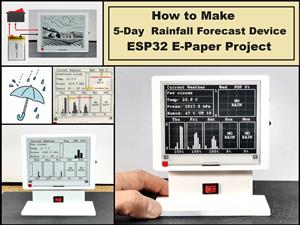 DIY 5-Day Rainfall Forecast Device - ESP32 E-Paper Project
In several of my previous projects I have presented ways to make weather stations, but this time I ...
DIY 5-Day Rainfall Forecast Device - ESP32 E-Paper Project
In several of my previous projects I have presented ways to make weather stations, but this time I ...
-
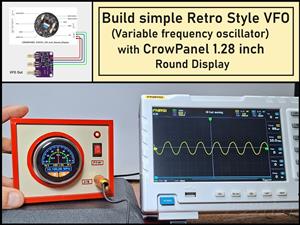 Build simple Retro Style VFO (Variable frequency oscillator) with Crowoanel 1.28 inch Round Display
Today I received a shipment with a Small round LCD display from Elecrow. The device is packed in tw...
Build simple Retro Style VFO (Variable frequency oscillator) with Crowoanel 1.28 inch Round Display
Today I received a shipment with a Small round LCD display from Elecrow. The device is packed in tw...
-
-
ARPS-2 – Arduino-Compatible Robot Project Shield for Arduino UNO
1532 0 5 -
A Compact Charging Breakout Board For Waveshare ESP32-C3
2042 3 7 -
AI-driven LoRa & LLM-enabled Kiosk & Food Delivery System
2078 2 0 -
-
-
-
ESP32-C3 BLE Keyboard - Battery Powered with USB-C Charging
2236 0 1 -