


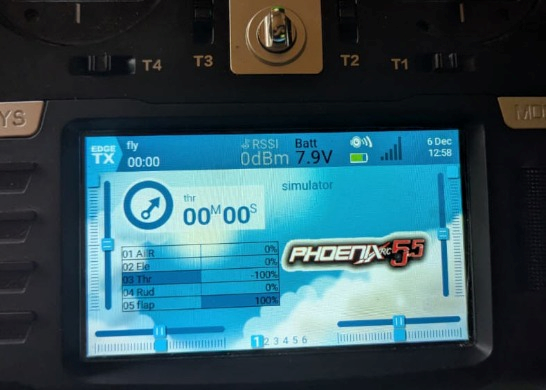

A bluetooth Joystick for TX16s radio (or others)
This project is kind of follow on of this one : Buddy Box for Radiomaster TX16s
I decided to write another project to clearly separate two functions implemented in the same board:
- master/trainer buddy box
- Bluetooth Low Energy joystick to play "flight simulators"
But as I said they will run on the same electronics and even with the same firmware !
So please read carefully the "buddy box project" as I will not cover the electronics side in details here, nor the configuration of the boards !
I will focus on "joystick" and "simulators" as there is quite a lot the say !
But let's start by a vodeo showing how it works
The boards
two options does exist :
TX16s "devoted" board
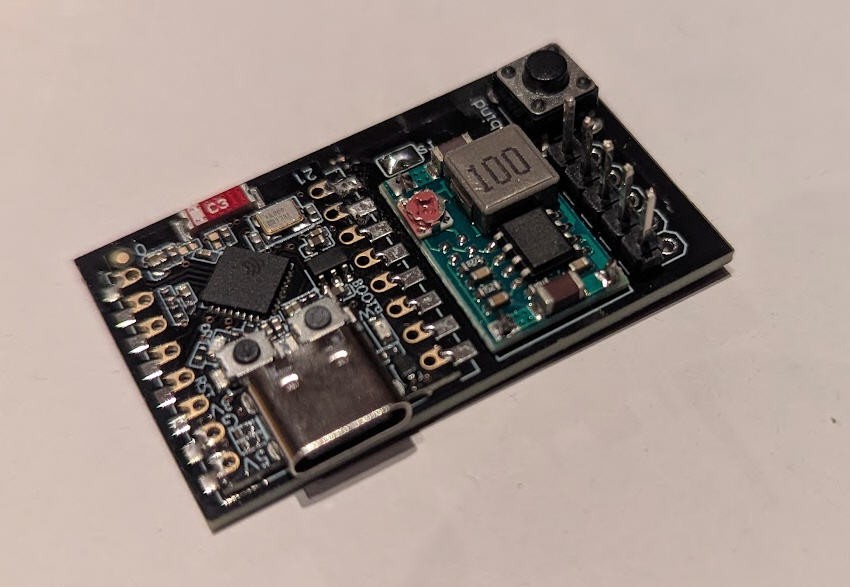
This board can be totally hidden into the TX16s radio into the "external module bay"
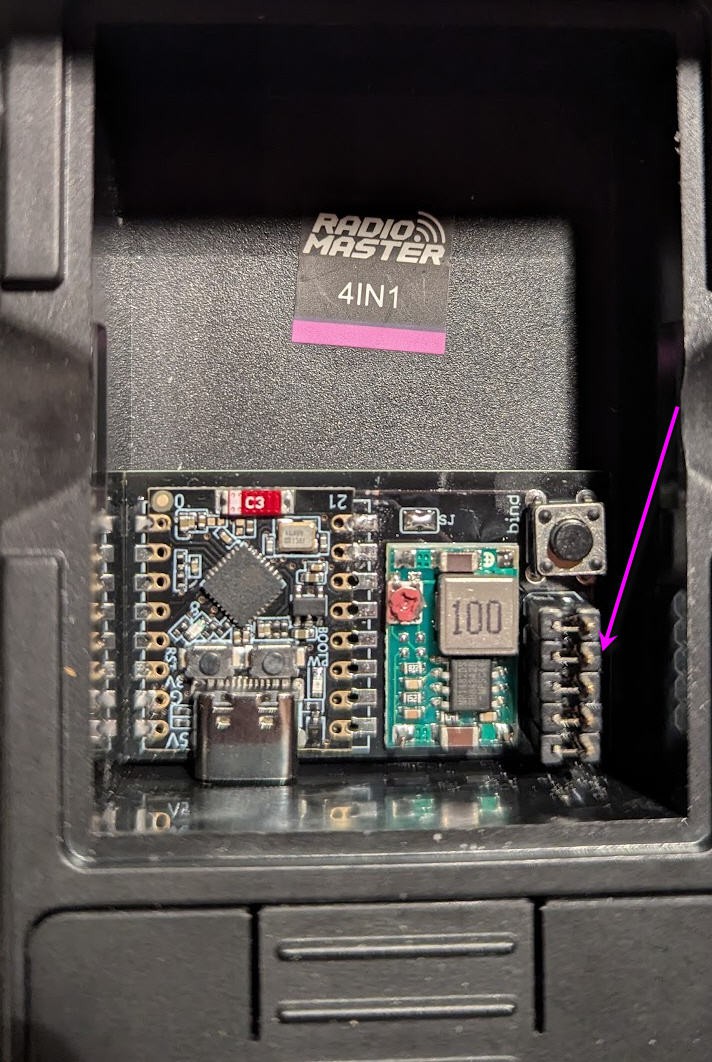
You can also use it to mod any existing old radio able to output PPM or SBUS
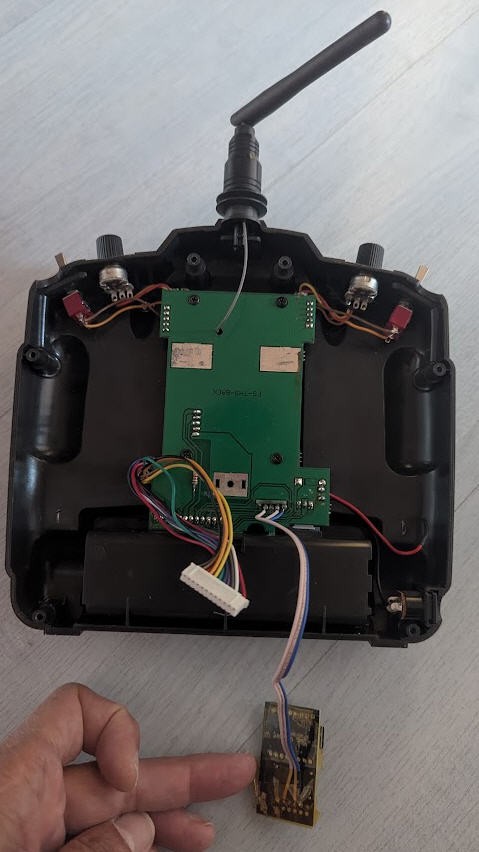
This board is fully described into the buddy box project. Follow this link if you want to buy the PCB.
Alternatively an "external solution" does exist.
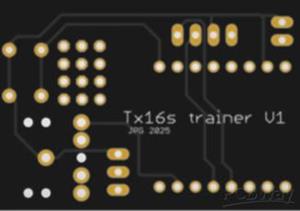
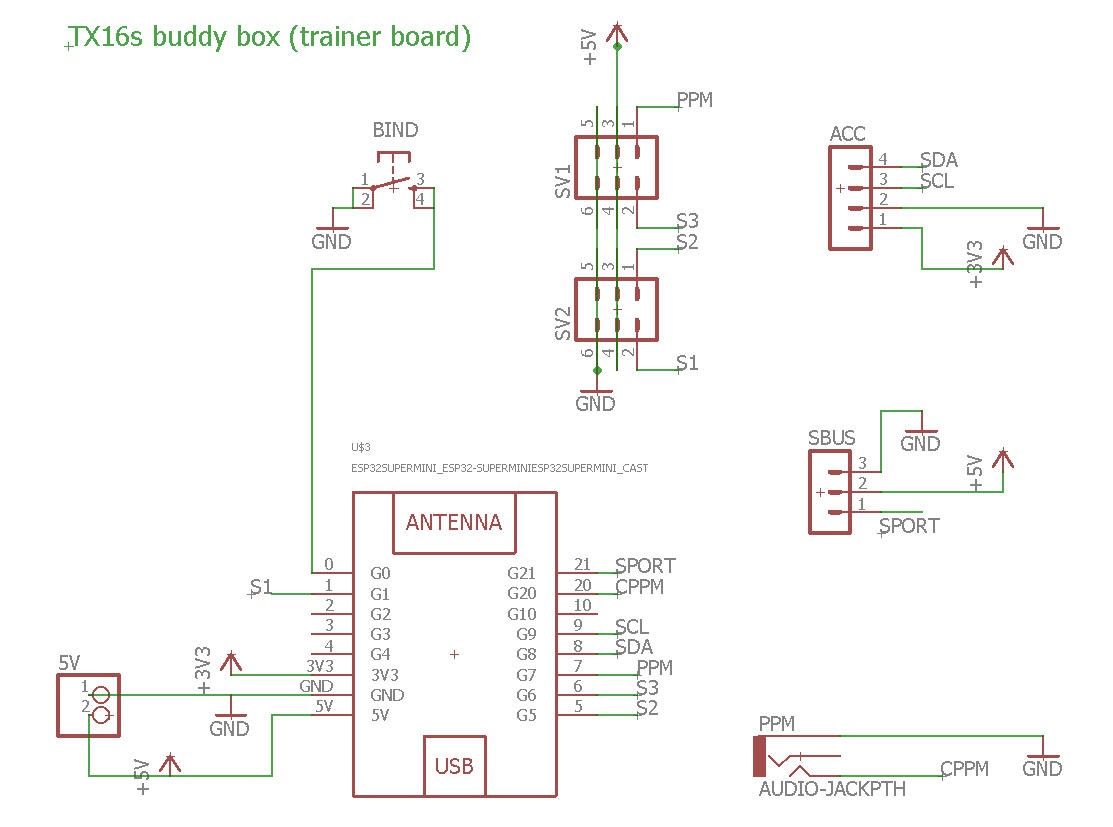
External board
Schematics is just a little different, main characteristics remain identical
- ESP32-C3 MCU is the brain
- A stereo jack allows input of PPM of SBUS signal
- the board is powered by the USB-C plug of the ESSP32-C3 super mini (or with an external 5V supply
The PCB can be bought at PCBWay directly from this project
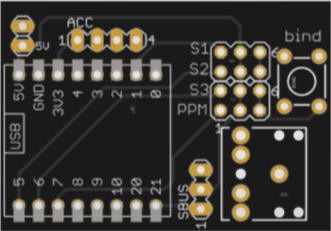
The PCB was kindly sponsored by PCBWay and is as usual of excellent quality.
Software and functionalities
The firmware for the buddy box and the firmware for the BLE joystick are strictly identical.
This means that, with the same board you can:
- be a master in a training session (two boards needed)
- be a student in a training session (with PPM or SBUS input to the board) (two boards needed)
- expose a wireless Joystick visible as a "genuine one" in Windows (tested W11) (only one board is enough)
And regarding the boards you can mix "TX16s" one and the one just above !
They do exactly the same things with the same firmware.
Bluetooth Joystick
This BLE joystick allows to use your radio wirelessly to play any simulator.
I have tested it with :
- Multiplex MultFlight
- ReflexXTR2
- SeligSim (although not yet fully configured)
- PhoenixRC6 + loader
The bluetooth joystick will "pop up" in your windows system when connected to the "Radiomaster TX16s" joystick device.
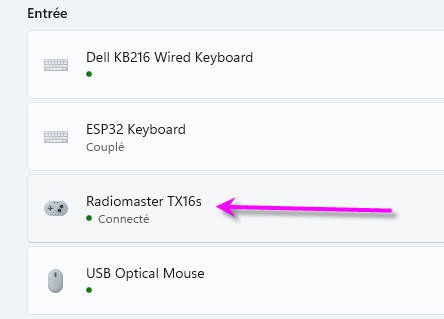
Then you can see it and test it under windows "game controlers"
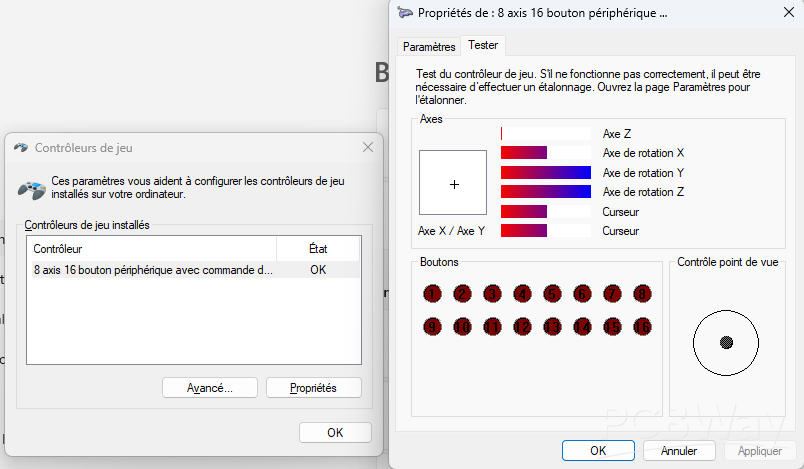
It will expose 8 "analog" channels and 16 buttons.
Current version of the firmware "only" populates the analog channels. 8 is more than enough for a RC flight simulator.
buttons are however "accessible" into the source code but I don't know yet what to put inside !
Joystick activation into a TX16s radio
to activate the joystick, your radio must output PPM or SBUS signal . So it must be a "student" radio (seen from the buddy box firmware).
Configuration is thus stricly the same as activating a "student radio".
Go in the "model settings" menu of your "simulator plane" and activate the "external module" to output SBUS.
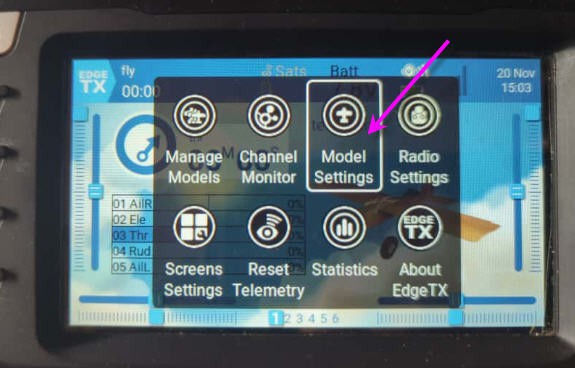
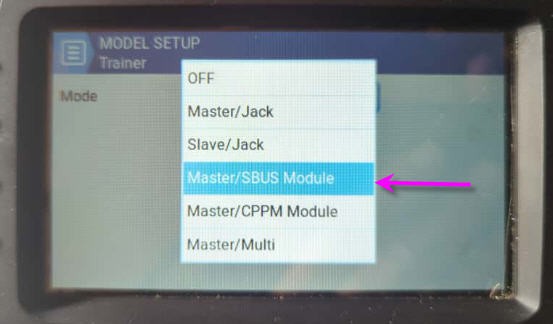
You can also desactivate the internal module (radio transmitter) as it is totally useless in our application. Desactivation will save battery !
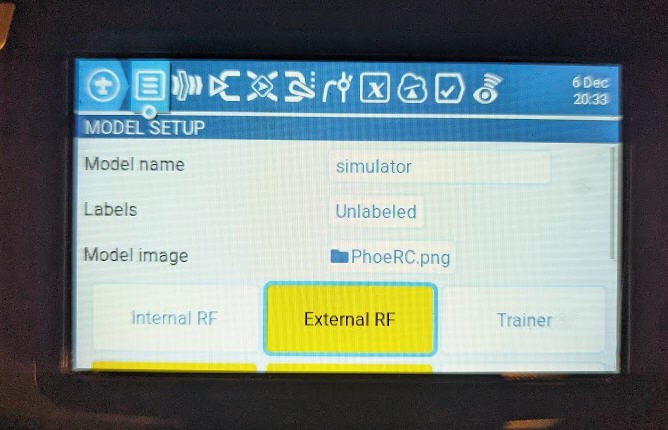
Then as soon as you will select this "simulator plane", SBUS will be generated and the board will decode it and translate it into a Joystick message.
You should create simple "direct" mixes to select the axes you want to be seen in the joystick. It would also be the right place to select the order of channels if your simulator is tricky for channels remapping !
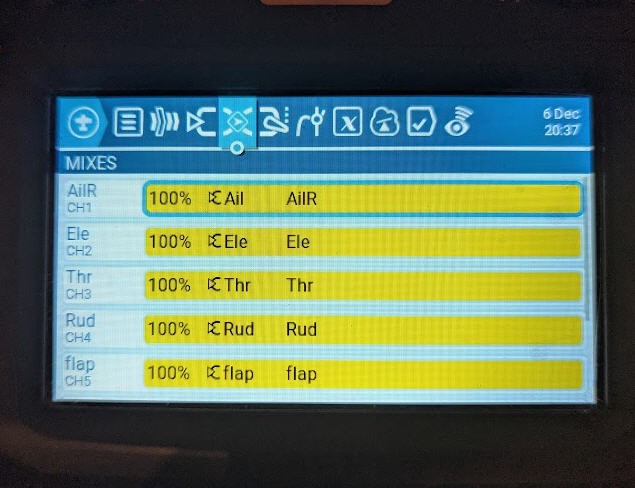
And that's it your joystick is activated and will output the selected channels in the right order.
The joystick will be switched off if the "External RF" is set to OFF, which will be the case for most of your real planes !
The External module can also be powered On (same procedure) if you want to use the board as a Trainer module. In this case the joystick will be activated together with the ESPnow transmisision of the SBUS signal to the Master. This is safe ! (and most of the time no PC will be there to connect to the joystick !)
Configuration for the simulators
Most of the time your simulator will recognize the joystick and will give the capability of reordering the channels.
Here is an example with Reflex XTR2 simulator
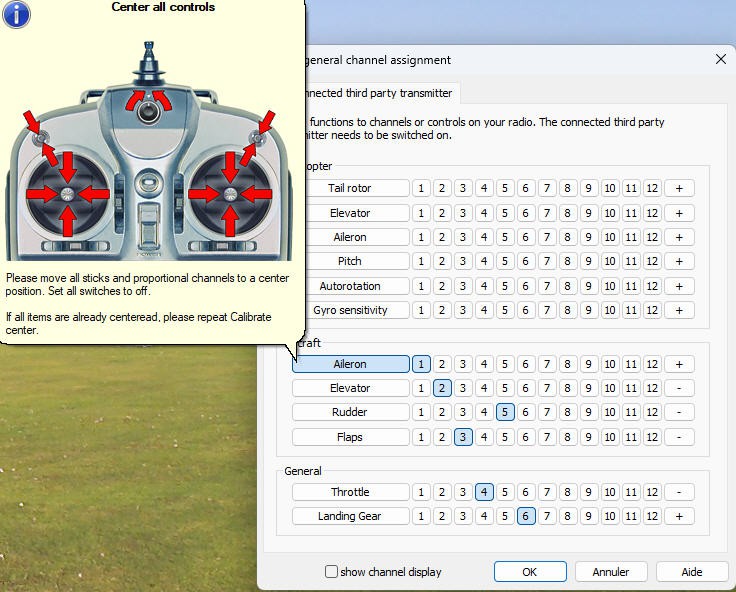
but one simulator, Phoenix RC, doesn't want to recognize anything else than "USB joysticks"
PhoenixRC configuration
When connecting to the BLE joystick,Phoenix RC displays this annoying message
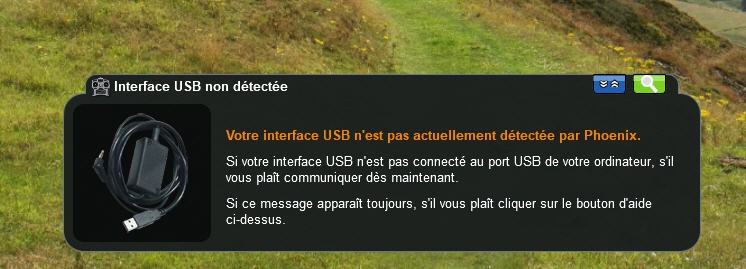
In french it means : USB interface not detected by Phoenix...
And this occurs even though I was using the "emulator" as explained into this site
But after searching 3 to 4 hours and with the help of Gemini I found a solution : use a virtual USB joystick !
I tried Vjoy unsucessfully, and finally tried the very new UCR Universal Control Remapper. And although this software is still in "alpha release" it did work very very well !
But before installing UCR you need first to install the ViGem driver for emulation of DS4 controllers
ViGemBus driver
ViGem Currently supports emulation of the following USB Gamepads:
- Microsoft Xbox 360 Controller
- Sony DualShock 4 Controller
It can be found on this site : ViGEmBus driver – Virtual Gamepad Emulation Framework (ViGEm)
Download it and install it
UCR configuration
Configuring UCR is finally not complex at all !
download it, Install it and run it. while your TX16s has activated the BLE joystick
Then create a new "profile"
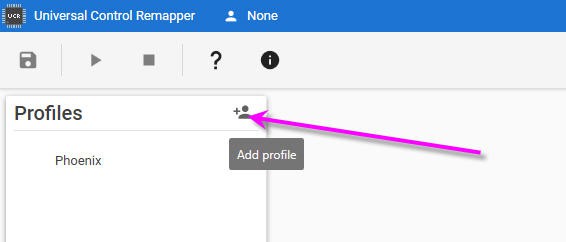
then you will name it as you want (Phoenix on my side !) and you will have to select the TX16s BLE joystick into the list of existing joysticks and remap it to a "virtual" USB joystick
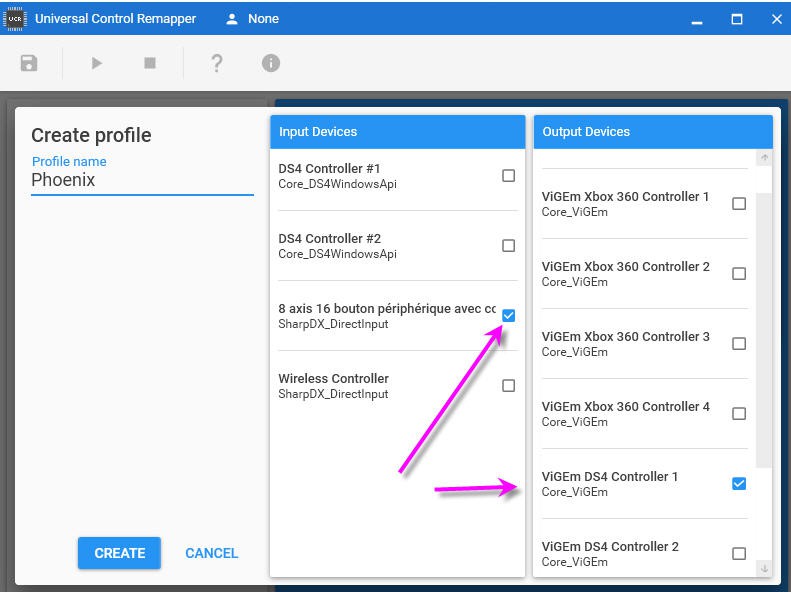
I chose a DS4 controller !
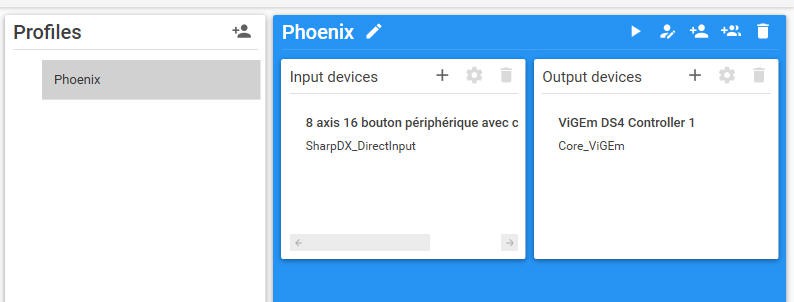
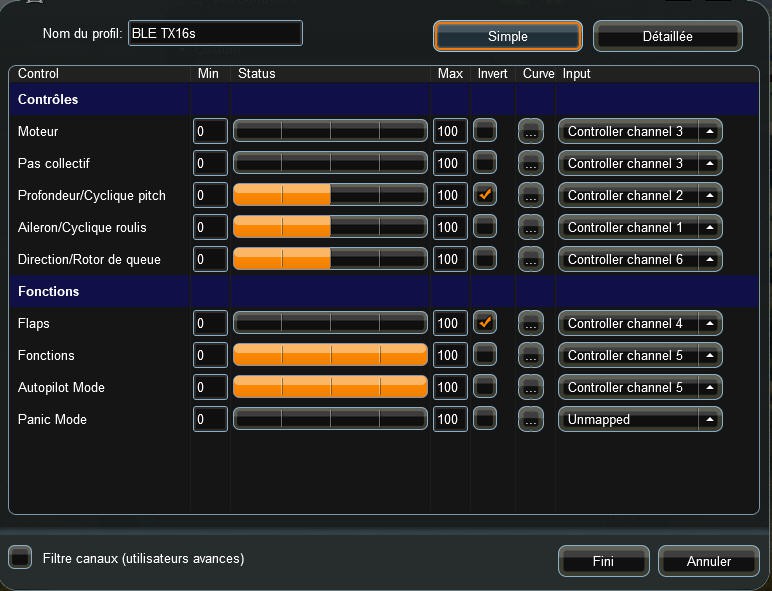
Now you will have to remap your BLE joystick axis and buttons to the virtual one.
Double click on the profile name (Phoenix) it will open a new window
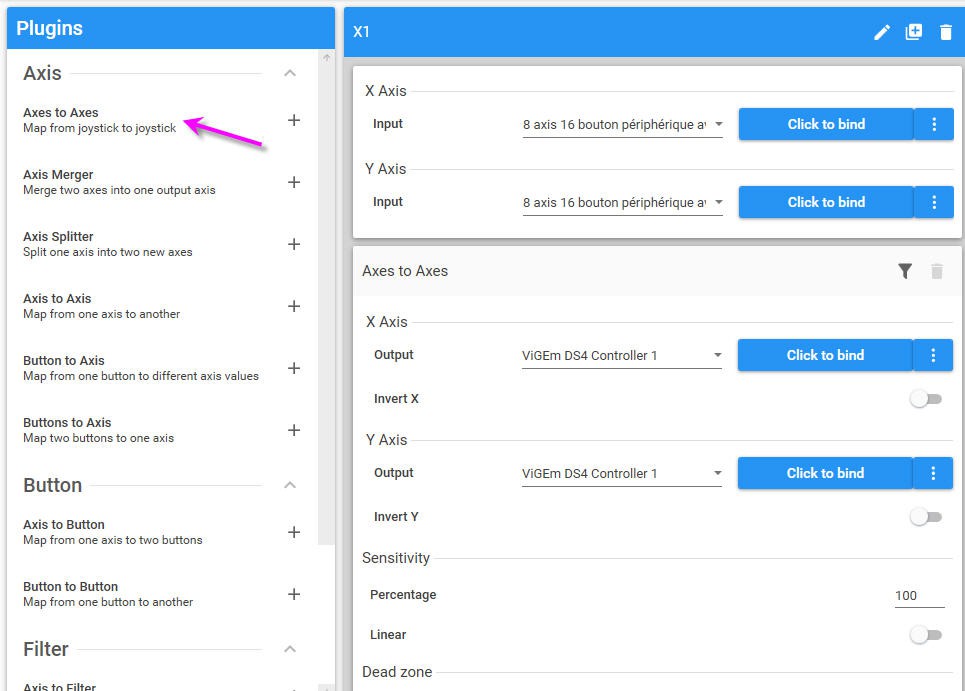
There you can click on "axes to axes" plugin toadd a new "mixer" that you will have to fill (use the 3 dots menu on the right to bind each axis of the BLE joystick to the one of the DS4 controller
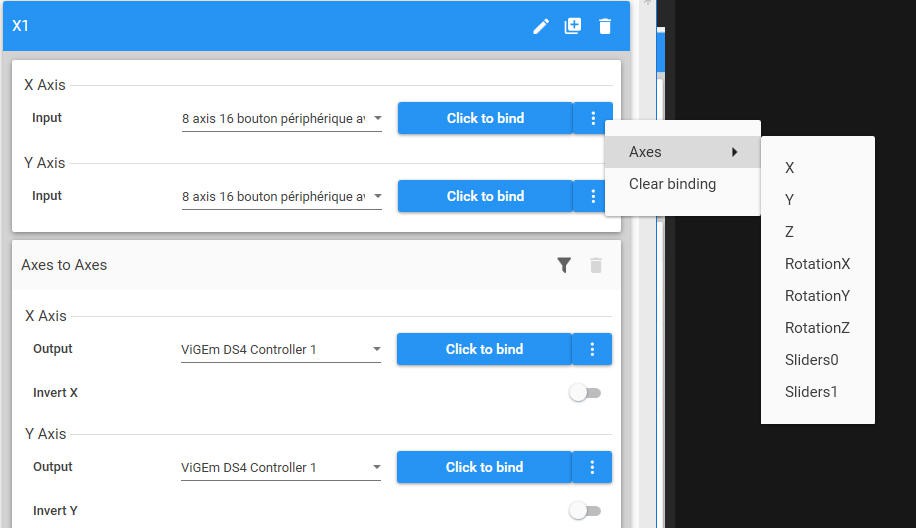
Here are the possible selections for my BLE joystick. They appear in the order of the TX16s mixer above (easy to recognize the right axis !)
And you can remap this to only 6 axis on the DS4 controller
here I remap X axis of my joystick to LX axis of the DS4 controller
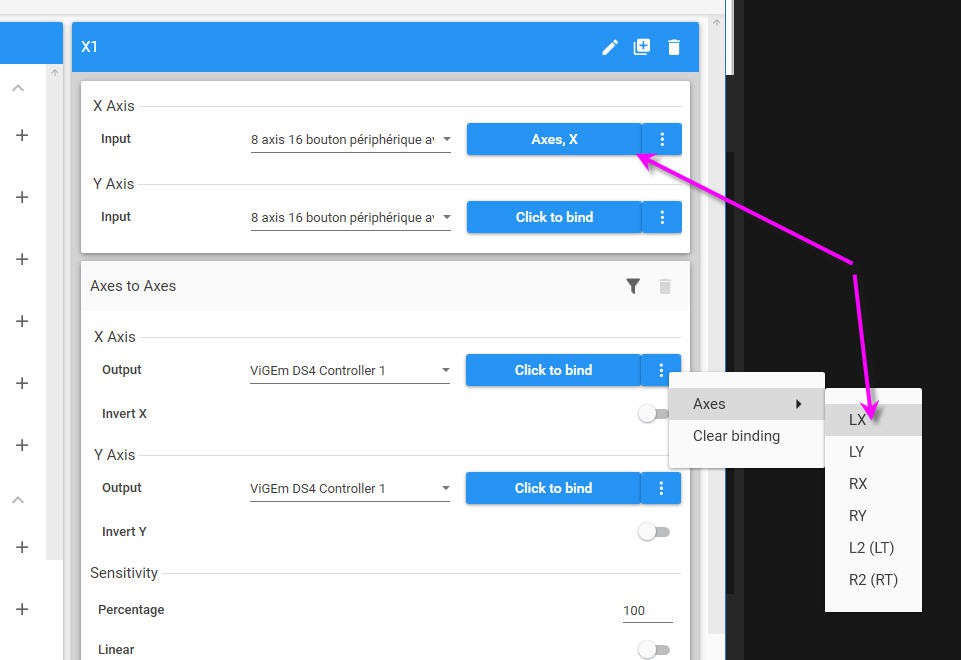
You will have to add new "axes to axes" plugins as they are limited to a pair of axis each...
Running the virtual joystick
Once remmaping is done, using UCR virtual joystick is fairly simple :
select the profile and click the "play" button !
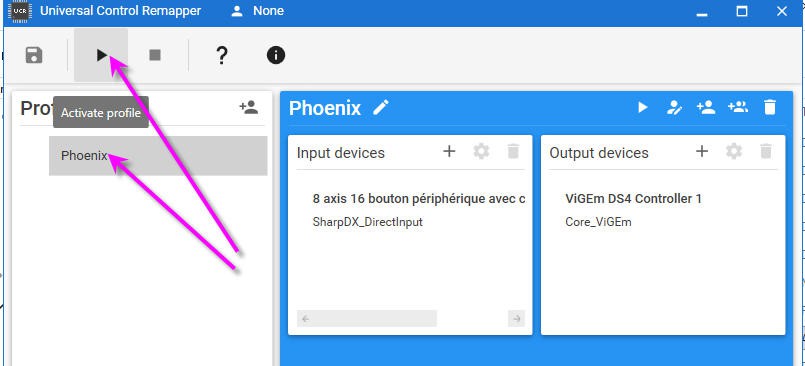
This must be done any time you will try to launch Phoenix !
Running Phoenix
- start your radio and select teh "simulator plane" this will activate the BLE joystick
- run UCR and select the "phoenix" profile and runit
- run the emulator (with admin rights) you will see two joysticks
to select the right one
- you can do it "at random" the one which works will be the right one
- you can have a look in the game controller of windows. The right one is the "wireless controller" and it will have the same position in Phoenix emulator
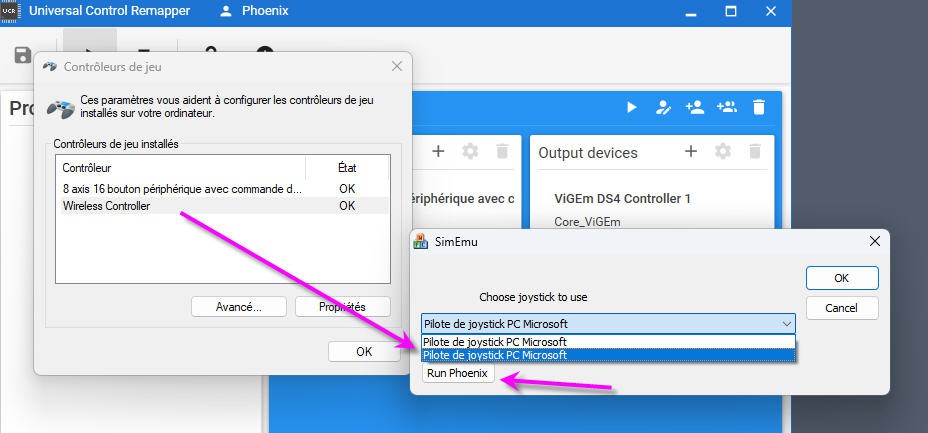
select it and click the "Run Phoenix" button
And Phoenix will be happy !
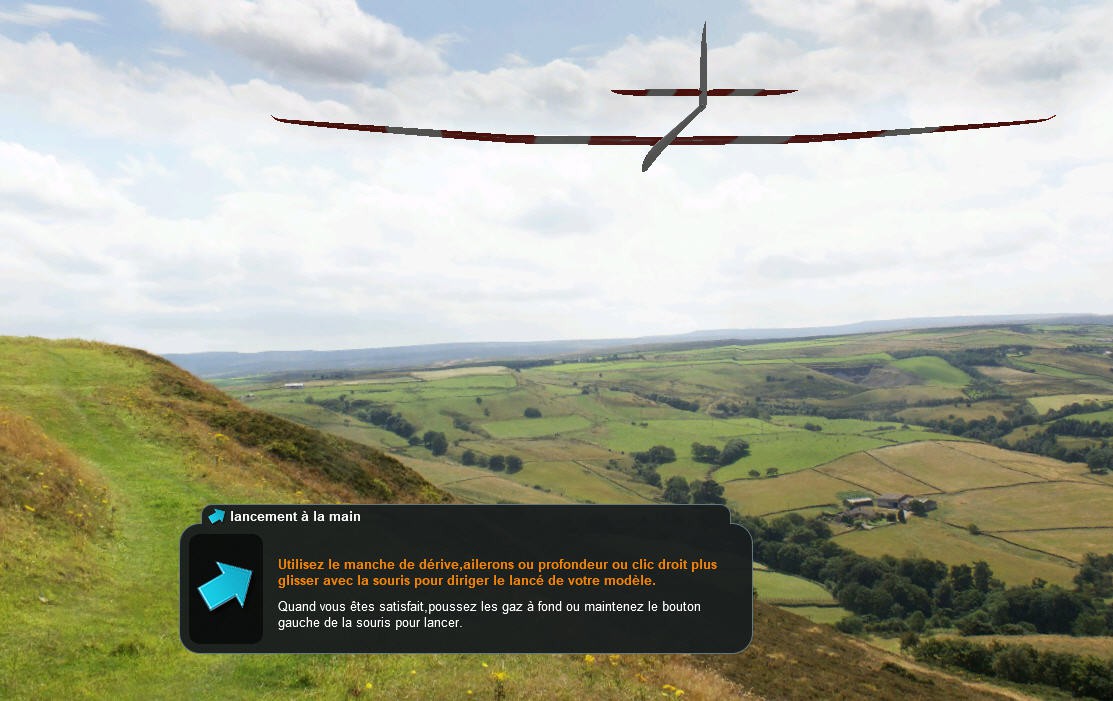
You can now remap your Phoenix controller as you would do with the USB joystick of your radio
Happy flight simulation !
A bluetooth Joystick for TX16s radio (or others)
Project images are for reference only. Actual production is based on the manufacturing files on the project page.
Please review the designer's notes (e.g., PCB thickness) and select the appropriate options.
PCBWay is not responsible
for issues caused by unsuitable parameter selections.
For more important ordering information, please refer to
Read More









Raspberry Pi 5 7 Inch Touch Screen IPS 1024x600 HD LCD HDMI-compatible Display for RPI 4B 3B+ OPI 5 AIDA64 PC Secondary Screen(Without Speaker)
BUY NOW


- Comments(0)
- Likes(0)
More by Jean-Pierre Gleyzes
-
 RC radial engine spark plug heater
BackgroundMy friend bought this wonderful engine from UMS_technologiesIt's a 7 cylinders star engine...
RC radial engine spark plug heater
BackgroundMy friend bought this wonderful engine from UMS_technologiesIt's a 7 cylinders star engine...
-
 Convert a DC motor into a stepper one
This project is a way to convert a DC motor into a stepper motor.Of course "conversion" will not be ...
Convert a DC motor into a stepper one
This project is a way to convert a DC motor into a stepper motor.Of course "conversion" will not be ...
-
 OpenxSensor variometer and telemetry for RC planes
Ever wanted a very cheap variometer on your RC glider ?battery voltage monitoring ?extra RC channels...
OpenxSensor variometer and telemetry for RC planes
Ever wanted a very cheap variometer on your RC glider ?battery voltage monitoring ?extra RC channels...
-
 A water based tide clock (3d model)
Full details are available on this project page : https://www.pcbway.com/project/shareproject/A_wate...
A water based tide clock (3d model)
Full details are available on this project page : https://www.pcbway.com/project/shareproject/A_wate...
-
 A water based tide clock
SpecificationsTide clocks are generally built from a quartz clock mechanism with an approximate peri...
A water based tide clock
SpecificationsTide clocks are generally built from a quartz clock mechanism with an approximate peri...
-
 ESP32-S3 3 x ADXL357 acquisition board
SpecificationMy son wanted a high accuracy accelerometer board to characterize a vibrating pot.Here ...
ESP32-S3 3 x ADXL357 acquisition board
SpecificationMy son wanted a high accuracy accelerometer board to characterize a vibrating pot.Here ...
-
 ESP32 Linky Teleinfo (TIC) to MQTT – Real-Time Home Assistant Integration
The teleinfo component allows you to retrieve data from a French electrical counter using Teleinform...
ESP32 Linky Teleinfo (TIC) to MQTT – Real-Time Home Assistant Integration
The teleinfo component allows you to retrieve data from a French electrical counter using Teleinform...
-
 Air Quality station (e-paper and Home Assistant)
OverviewThis DIY air quality monitoring system integrates precision sensors with a connected process...
Air Quality station (e-paper and Home Assistant)
OverviewThis DIY air quality monitoring system integrates precision sensors with a connected process...
-
 2S LiPo High-Current Power Box with two Sbus inputs
Project Overview: 2S LiPo High-Current Power Box with two Sbus inputsThis circuit is a high-performa...
2S LiPo High-Current Power Box with two Sbus inputs
Project Overview: 2S LiPo High-Current Power Box with two Sbus inputsThis circuit is a high-performa...
-
 Power box for big RC plane
Project Overview: 2S LiPo High-Current Power BoxThis circuit is a high-performance power distributio...
Power box for big RC plane
Project Overview: 2S LiPo High-Current Power BoxThis circuit is a high-performance power distributio...
-
 A bluetooth Joystick for TX16s radio (or others)
This project is kind of follow on of this one : Buddy Box for Radiomaster TX16sI decided to write an...
A bluetooth Joystick for TX16s radio (or others)
This project is kind of follow on of this one : Buddy Box for Radiomaster TX16sI decided to write an...
-
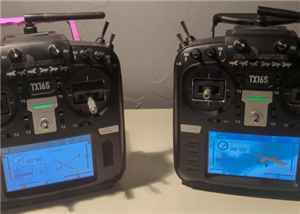 Radiomaster TX16s buddy box (master/trainer and more)
I wanted a wireless buddy box for my Radiomaster TX16sThis buddy box would allow to wireless link tw...
Radiomaster TX16s buddy box (master/trainer and more)
I wanted a wireless buddy box for my Radiomaster TX16sThis buddy box would allow to wireless link tw...
-
 "perpetual" motion ball
Browsing internet and youtube, I found this mind blowing "perpetual motion" device designed by Willi...
"perpetual" motion ball
Browsing internet and youtube, I found this mind blowing "perpetual motion" device designed by Willi...
-
 Freon: Freeze On Neck - 3d printed box top
Freon project is fully describbed on this project page
Freon: Freeze On Neck - 3d printed box top
Freon project is fully describbed on this project page
-
 Freon: Freeze On Neck - 3d printed box bottom
Freon project is fully described on this project page
Freon: Freeze On Neck - 3d printed box bottom
Freon project is fully described on this project page
-
 Freon: Freeze On Neck personal cooler
DescriptionAre you tired of sweltering through hot days, feeling uncomfortable and unproductive?Imag...
Freon: Freeze On Neck personal cooler
DescriptionAre you tired of sweltering through hot days, feeling uncomfortable and unproductive?Imag...
-
 ESP32_StarMotor_glow plugs heater _ V2
BackgroundMy friend bought this wonderful engine from UMS_technologiesIt's a 7 cylinders star engine...
ESP32_StarMotor_glow plugs heater _ V2
BackgroundMy friend bought this wonderful engine from UMS_technologiesIt's a 7 cylinders star engine...
-
 RC plane CoG finder
IntroductionAs an intro here is a video of the system runningand another using the LCD displayA litt...
RC plane CoG finder
IntroductionAs an intro here is a video of the system runningand another using the LCD displayA litt...
-
Émetteur Récepteur Optique Expérimental (communication UART ATtiny + fibre optique)
138 0 1 -
SmallOLED - Live PC Stats, Animated Clocks & Audio Visualizer
986 0 3 -
"Talking Multimeter": Arduino-Based Speech Add-on for Multimeters with SCPI Protocol
563 0 1 -
Programmable Mist Maker - XIAO / QT PY Extension
3033 2 3 -
RadioHAT - Raspberry Pi radio development platform
2582 0 4 -
-
-



















