|
|
KiCD 10,00KiCad
|
|

|
TinkerCad |
|

|
arduino IDEArduino
|
Arduino Tic Tac Toe Shied project
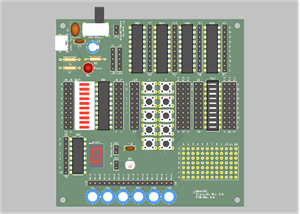
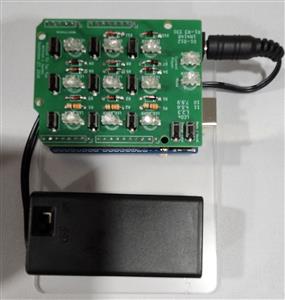
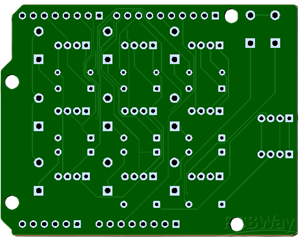
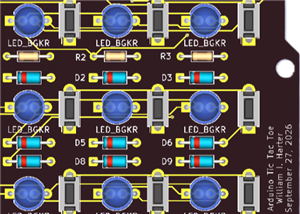
This Tic-Tac-Toe game connects to an Arduino UNO R3; I used an ELEGOO UNO R3. The ZIP file contains the game and a test script. Run the test first: all LEDs light green, turn off in sequence, then cycle blue, red, and green. Hold each button until its LED lights, then keep it lit for three seconds. The player can beat the Arduino, though you can modify the code so the best outcome is a draw, or CAT’s game. I previously coded Tic-Tac-Toe for an Apple computer, Microsoft Quick Basic 4.5, and a Java applet. The Quick Basic version still runs in DOSBox.
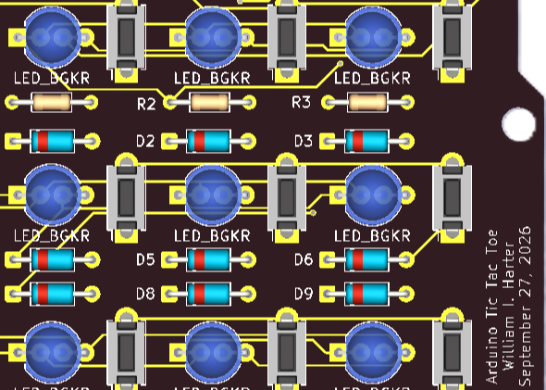
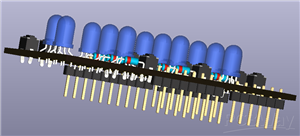
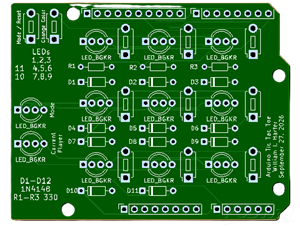
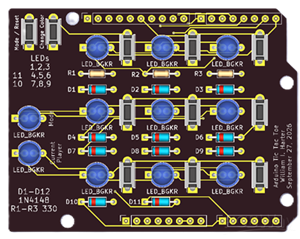
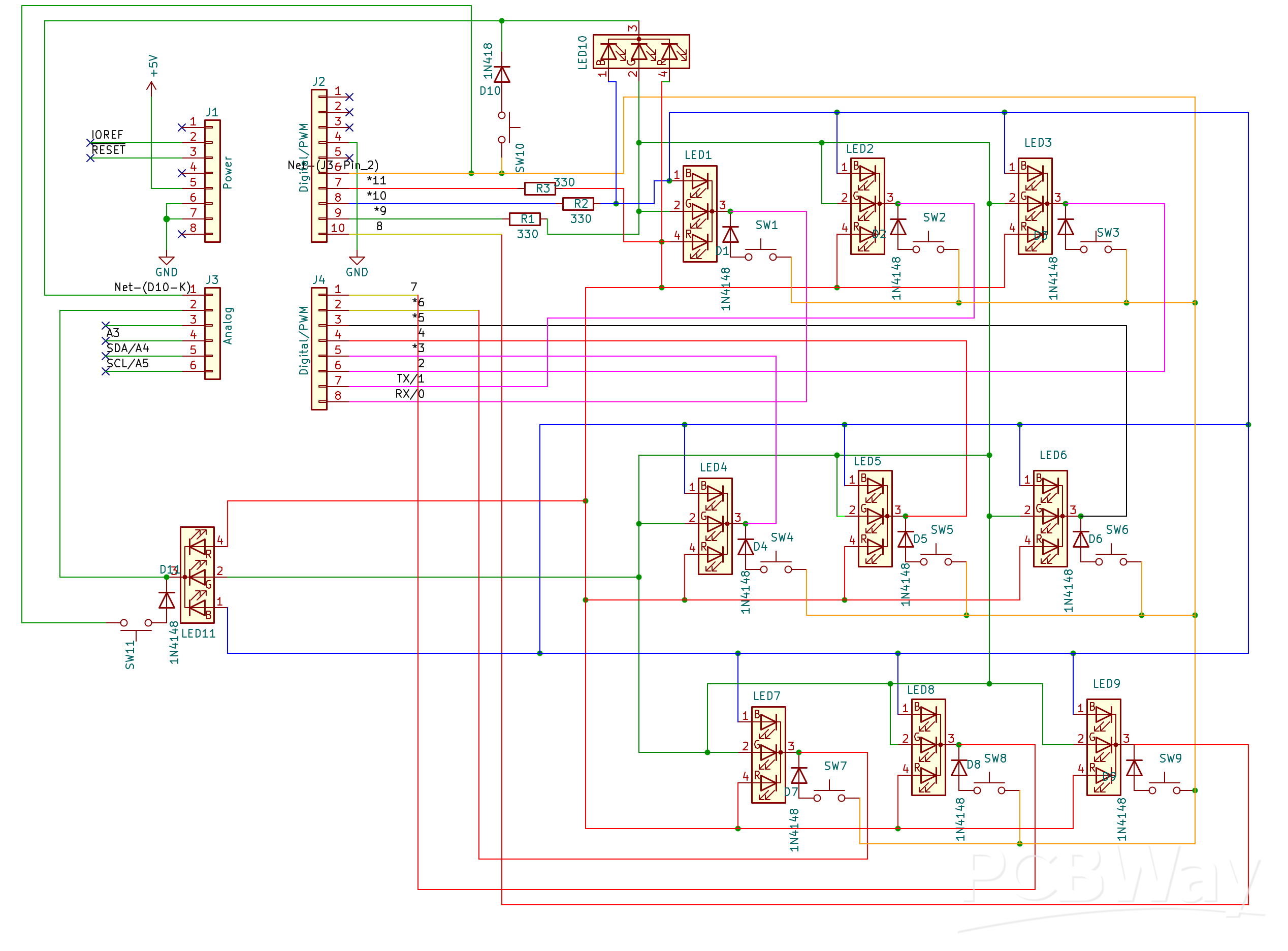
The board’s LED cathodes connect to Arduino pins 0–8. The two top LEDs indicate the current player and mode and connect to A0 and A1, respectively; the anodes connect to pins 9–11. During assembly, test the LEDs with a multimeter in diode mode: connect the positive lead to pin 9, 10, or 11 and the negative lead to any cathode pin.
At startup, Mode 1 pits one player against the Arduino. Press a keypad button to select a blue LED; after about two seconds, the Arduino selects a red LED. The program chooses almost instantly, but the interval constant adds the delay. After a win, the three winning LEDs blink in sequence while the others blink dimly; after a draw, all LEDs blink. Press the mode switch to cycle through Modes 1–4, or hold it for two seconds to reset. Variables and constants make the code easy to modify.
Modes: 1, Player vs. Arduino—player starts; 2, Player vs. Arduino—Arduino starts; 3, two players; 4, Arduino vs. itself.
The top LEDs show the current player (left) and mode (right). The mode LED is off for Mode 1, green for Mode 2, blue for Mode 3, and red for Mode 4.
How the Arduino chooses a square:
1. Detect Win: determine whether the player has already won.
2. Check for Win: complete a row in which the Arduino already occupies two squares.
3. Check for a Block: block a row in which the player already occupies two squares.
4. Pick a Random Square: because the same seed produces the same sequence, I used the millis() function, which returns the number of milliseconds since power-on, to seed the random generator when the user presses a button.
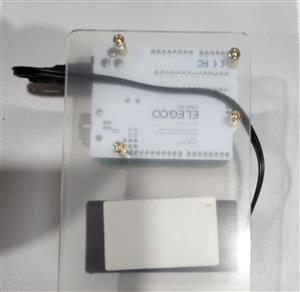
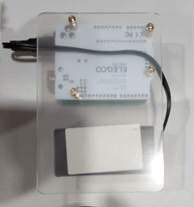
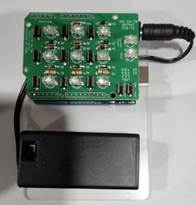
I used an acrylic mounting plate designed for the Arduino UNO R3, which includes mounting hardware and a small breadboard I didn't need for this project. For power, I attached a 9-volt battery holder with an Arduino barrel plug, an on/off switch, and double-sided foam tape. Because the switch is opposite the battery door, I mounted the holder with the door facing down and routed the power connector beneath the Arduino.
I developed the circuit and code in Tinkercad before designing the PCB: https://www.tinkercad.com/things/57Vc8MxJXxy-tic-tac-toe-with-tri-color-leds
Arduino Tic Tac Toe Shied project
Project images are for reference only. Actual production is based on the manufacturing files on the project page.
Please review the designer's notes (e.g., PCB thickness) and select the appropriate options.
PCBWay is not responsible
for issues caused by unsuitable parameter selections.
For more important ordering information, please refer to
Read More




Raspberry Pi 5 7 Inch Touch Screen IPS 1024x600 HD LCD HDMI-compatible Display for RPI 4B 3B+ OPI 5 AIDA64 PC Secondary Screen(Without Speaker)
BUY NOW


- Comments(0)
- Likes(0)
- 1 USER VOTES
- YOUR VOTE 0.00 0.00
-
10design
-
10usability
-
10creativity
-
10content
More by William Harter
-
 Slot Machine
This slot machine project uses 15 colored LEDs for three reels, operated by a single push-button tha...
Slot Machine
This slot machine project uses 15 colored LEDs for three reels, operated by a single push-button tha...
-
 Reaction Game
This game utilizes two tricolor LEDs. One LED randomly lights up in blue, green, or red. The second ...
Reaction Game
This game utilizes two tricolor LEDs. One LED randomly lights up in blue, green, or red. The second ...
-
 Arduino Tic Tac Toe Shied project
This Tic-Tac-Toe game connects to an Arduino UNO R3; I used an ELEGOO UNO R3. The ZIP file contains ...
Arduino Tic Tac Toe Shied project
This Tic-Tac-Toe game connects to an Arduino UNO R3; I used an ELEGOO UNO R3. The ZIP file contains ...
-
 LED Ring Clock 2
DisplayThe inner LED ring shows the hour: yellow on the hour and green on the half hour. At 12:00, t...
LED Ring Clock 2
DisplayThe inner LED ring shows the hour: yellow on the hour and green on the half hour. At 12:00, t...
-
 LED Ring Clock
Display OverviewThe inner LED ring shows the hour: yellow on the hour and green on the...
LED Ring Clock
LED Ring ClockDisplay OverviewThe inner LED ring shows the hour: yellow on the hour and green on the...
-
 Test USB C board
I needed to add a USB C connector as the power input for one of my current projects. This board was ...
Test USB C board
I needed to add a USB C connector as the power input for one of my current projects. This board was ...
-
 Pumpkin / Jack o'lantern light
This light for a pumpkin or Jack o'lantern operates on a single 9-volt battery and cycles through fi...
Pumpkin / Jack o'lantern light
This light for a pumpkin or Jack o'lantern operates on a single 9-volt battery and cycles through fi...
-
 Note Sequencer
This project utilizes two low power 555 timers (TS555CN) and a 4017 counter to produce...
Note Sequencer
Note SequencerThis project utilizes two low power 555 timers (TS555CN) and a 4017 counter to produce...
-
SmallOLED - Live PC Stats, Animated Clocks & Audio Visualizer
621 0 3 -
"Talking Multimeter": Arduino-Based Speech Add-on for Multimeters with SCPI Protocol
352 0 1 -
Programmable Mist Maker - XIAO / QT PY Extension
2793 2 3 -
RadioHAT - Raspberry Pi radio development platform
2395 0 4 -
-
-
-
ARPS-2 – Arduino-Compatible Robot Project Shield for Arduino UNO
4489 0 6