Since the ESP32 series entered the market, it has reshaped the landscape of embedded development and the Internet of Things. The ESP32 microcontroller became widely adopted thanks to its exceptional price-to-performance ratio, strong ecosystem, low power consumption, solid performance, and rich peripheral interfaces.
However, as IoT applications evolved and demand for AI, vision, and high-speed connectivity increased, the classic ESP32 began showing limitations in advanced scenarios. To address these new requirements, Espressif introduced the ESP32-S3, targeting AIoT and performance-oriented applications.
This article provides a detailed ESP32 vs ESP32-S3 performance comparison, highlights their functional differences, and outlines essential PCB design considerations for engineers. The goal is not to determine which MCU is universally better, but to help developers choose the right chip based on project requirements.
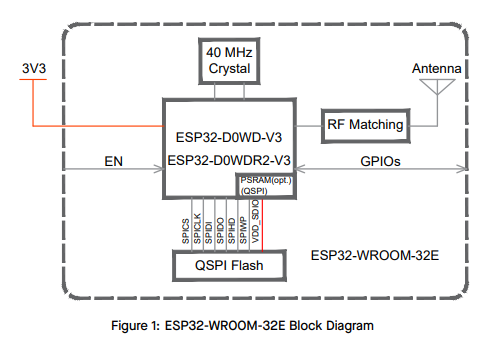
ESP32
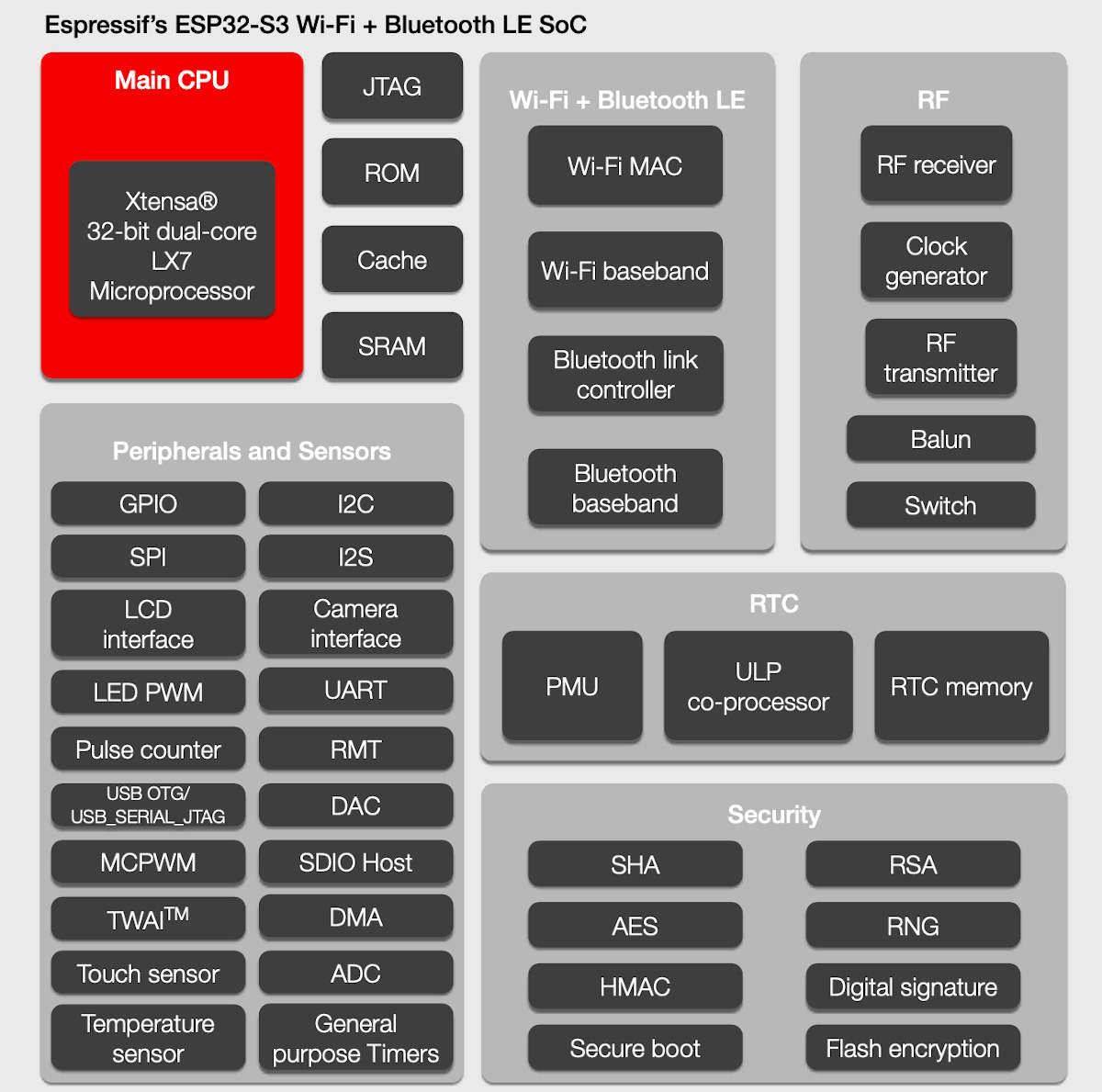
ESP32-S3
Real-World Performance Impact
Even at the same frequency, LX7 achieves higher instructions per cycle and improved energy efficiency. This means the ESP32-S3 completes tasks faster and consumes less energy per operation.
Multitasking Comparison
Both MCUs run FreeRTOS effectively, but the ESP32-S3 offers better responsiveness and lower latency under high workloads due to architectural improvements.
AI Vector Instruction Advantage of ESP32-S3
The ESP32-S3 Xtensa LX7 CPU core integrates a powerful vector instruction set, which is a key highlight in the ESP32 vs ESP32-S3 performance comparison. This instruction set can process multiple data in a single cycle, achieving single-instruction multiple-data (SIMD) parallel computation, and is a major ESP32-S3 performance advantage for AI tasks. Compared to the traditional ESP32 microcontroller that relies on general-purpose CPU software computation, these specialized instructions can perform matrix multiplications, convolutions, and other AI core operations several to tens of times faster while significantly reducing power consumption, demonstrating the ESP32-S3 microcontroller advantages for PCB engineers in AIoT projects.
AI Inference Performance
Application Impact
ESP32: Basic motion detection
ESP32-S3: Real-time face detection or recognition
ESP32: Basic connectivity and control
ESP32-S3: Vision-based behavior (e.g., fabric recognition in washing machines)
Internal RAM
PSRAM Support
Both support external PSRAM (commonly 8MB), but the ESP32-S3 more broadly supports Flash + PSRAM combo packages—beneficial for compact MCU PCB layout designs.
Flash Requirements
Both the ESP32 and ESP32-S3 support external SPI Flash up to 16MB, providing ample space for large programs and data. AI model files typically occupy several hundred KB to a few MB of Flash. When using the ESP32-S3, it is recommended to select a larger Flash capacity (above 4MB) to accommodate these models. The ESP32 microcontroller does not have strict Flash requirements
USB 2.0 OTG (S3 Only)
The ESP32-S3 features native USB OTG, enabling:
This eliminates extra components and simplifies PCB design.
LCD & Camera Interfaces (S3 Only)
These interfaces are crucial for vision and HMI applications—capabilities the classic ESP32 lacks.
Traditional Peripherals
Wireless Performance
Both the ESP32 and ESP32-S3 support 802.11 b/g/n Wi-Fi 4 operating at the 2.4GHz frequency band. However, the ESP32-S3 features enhanced RF circuitry, providing improved reception sensitivity, better interference immunity, and higher maximum throughput, resulting in more stable connections and faster data rates.
Both microcontrollers support BLE 5, but the ESP32-S3 offers superior stability.
Idle Power
The ESP32-S3 typically offers equal or slightly better energy efficiency under light workloads.
Deep Sleep
Both the ESP32 and ESP32-S3 have similarly low power consumption, around 10 μA, which is crucial for achieving long standby times in battery-powered devices. Compared to the ESP32, the ESP32-S3 offers greater flexibility in low-power operation.
High Load Power
Under prolonged high-load operation, the classic ESP32 consumes more power and generates more heat. The ESP32-S3, thanks to its higher execution efficiency with the LX7 architecture, can complete the same tasks faster and return to sleep mode sooner, resulting in lower average power consumption. While the peak power of both MCUs is similar, the S3 has a lower “energy per task” metric.
Implications for Battery-Powered Devices
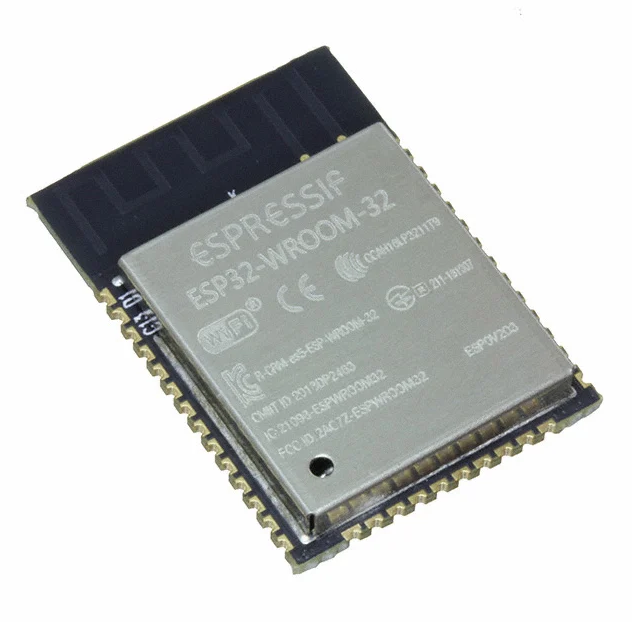
ESP32
Its metal shield design is simple and practical, but the RF interference immunity is relatively weak. It is compatible with many mature solutions and serves as the “default choice” for general IoT projects.
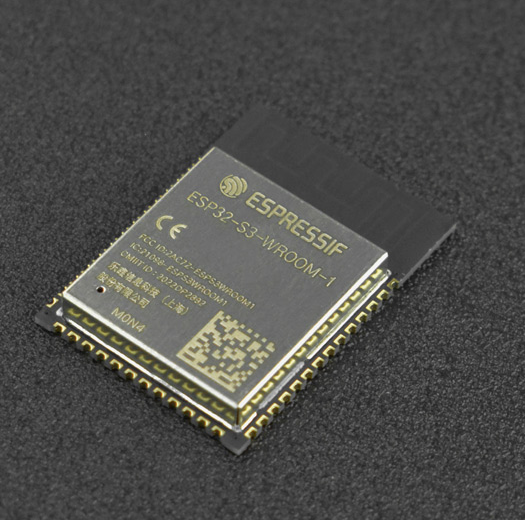
ESP32-S3 Modules
Its packaging and interfaces are better suited for high-performance and vision-based applications.
Package Size, Antenna Performance, and Shielding Differences
Supply Lead Time and Price Comparison
This section addresses how ESP32 vs ESP32-S3 differences affect PCB design.
Power Design
Both the ESP32 and ESP32-S3 require a clean and stable 3.3V power supply, using high-quality LDOs or DC-DC regulators.
RF Antenna Layout
The ESP32-S3 features optimized RF performance, which also makes it more sensitive to matching circuits. It is highly recommended to strictly follow the official module reference design.
USB PCB Routing (S3 Only)
Since the ESP32 itself does not have a native USB interface, only the USB routing requirements for the ESP32-S3 are discussed.
Camera/LCD High-Speed Routing (S3 Only)
SPI Flash & PSRAM Routing
Thermal Design
When to Choose ESP32
The classic ESP32 is a well-proven, cost-effective solution, ideal for applications with clear functionality, cost sensitivity, and no need for advanced AI capabilities. If the project goal is “low cost + stable connectivity,” ESP32 offers the best value, with abundant development resources, very low cost, and a stable supply chain. Suitable projects include:
When to Choose ESP32-S3
The ESP32-S3 is a future-oriented AIoT microcontroller, ideal for projects requiring stronger local processing power, dedicated peripherals, or edge intelligence. If the project goal is “high performance + AI/vision + high-speed peripherals,” the S3 is clearly superior. Suitable projects include:
Selection Strategy
By clearly understanding the differences between the ESP32 and ESP32-S3 and how these variations impact hardware design, engineers can make informed chipset selections that match their project requirements. Applying the correct PCB design practices ensures better performance, higher reliability, and a smoother development process for next-generation IoT devices.



