1. Blog>
  2. 3D Printing File Formats: STL vs OBJ– Differences, Pros & Cons

3D Printing File Formats: STL vs OBJ– Differences, Pros & Cons

by: Nov 19,2025 2190 Views 0 Comments Posted in 3D Printing

STL vs OBJ 3D printing file formats STL file 3D printing OBJ file 3D printing 3D printing file comparison

In the 3D printing workflow, 3D printing file formats act as the essential bridge between digital models and physical manufacturing. They form the starting point that transforms creativity into reality and play a crucial role throughout design, validation, and production. Choosing the right file format affects print precision, efficiency, cost, and even the economic value of the final product.

Among many formats—such as STL, OBJ, AMF, 3MF, and STEP—STL and OBJ remain the two most widely used. This article provides a clear and practical 3D printing file comparison, explaining the differences between STL and OBJ, as well as the pros and cons of STL and OBJ, helping you choose the best 3D printing file format for your needs.


What is an STL File?

STL File Definition and Background

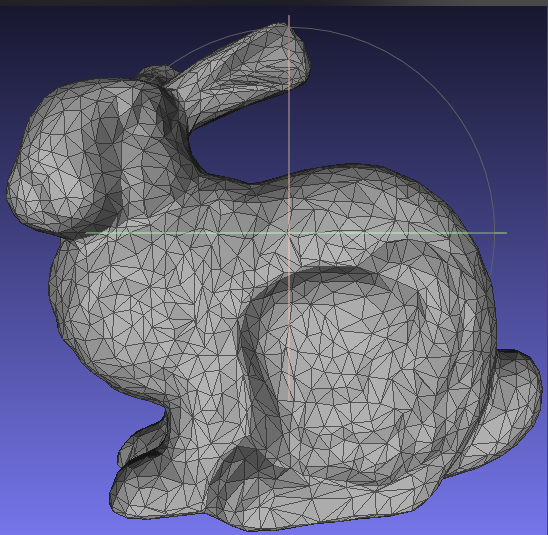
The STL file (STL file 3D printing) is one of the earliest and most widely used formats in 3D printing. Developed in 1987 by 3D Systems for stereolithography, STL represents a 3D surface by dividing it into numerous triangular facets—a method known as tessellation.

It stores only the 3D coordinates of triangle vertices (x, y, z) and optional normal vectors. It does not store color, texture, materials, or units.

Characteristics of STL
  • Triangle Mesh Geometry: This is the core defining trait of STL. It contains only geometric mesh data and does not support color, textures, materials, or advanced modeling features such as scale, rotation, or hollowing.
  • High Compatibility: STL has become a near-standard format in3D printing file formats. Almost all slicers—Cura, PrusaSlicer, Creality Slicer, etc.—and virtually all consumer and industrial printers support STL file 3D printing.
Common Uses of STL

STL is widely used for consumer-grade printing (figures, toys, educational models), simple mechanical prototypes, and any scene where color or textures are not needed.

It is also the easiest format for beginners and ideal for straightforward, single-material printing.

What is an OBJ File?

OBJ File Definition and Historical Background

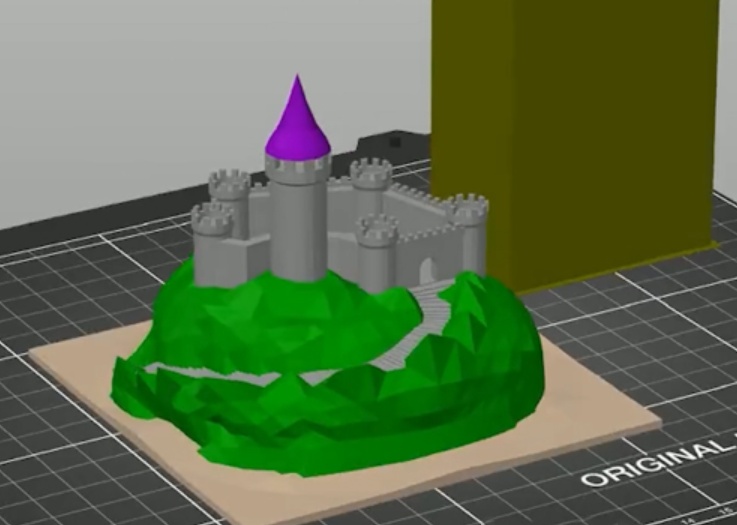
The OBJ file (OBJ file 3D printing) originated from Wavefront Technologies as a standard file type for 3D modeling and geometry exchange. Unlike STL, OBJ can store not only geometric surfaces but also color, texture mapping, and material properties.

Characteristics of OBJ

Supports Color: This is the most fundamental difference between STL and OBJ. OBJ can assign color information to each vertex, enabling models to carry built-in color without external processing.

Supports Texture Mapping: Another major advantage. OBJ can reference an external .mtl file and associated texture images (JPG/PNG), giving the model surface details such as patterns, gradients, and realistic materials.

Common Uses of OBJ

OBJ is widely used in Full-color 3D printing, Multi-material printing, 3D animation and rendering, Visual effects, games, VR/AR applications. It is the format of choice when visual appearance matters as much as geometry.

STL vs OBJ: Key Differences

STL describes what the object looks like in terms of shape. OBJ describes both the shape and the visual appearance.

File Structure and Information Storage
  • STL: Stores only triangular facets—geometry only.
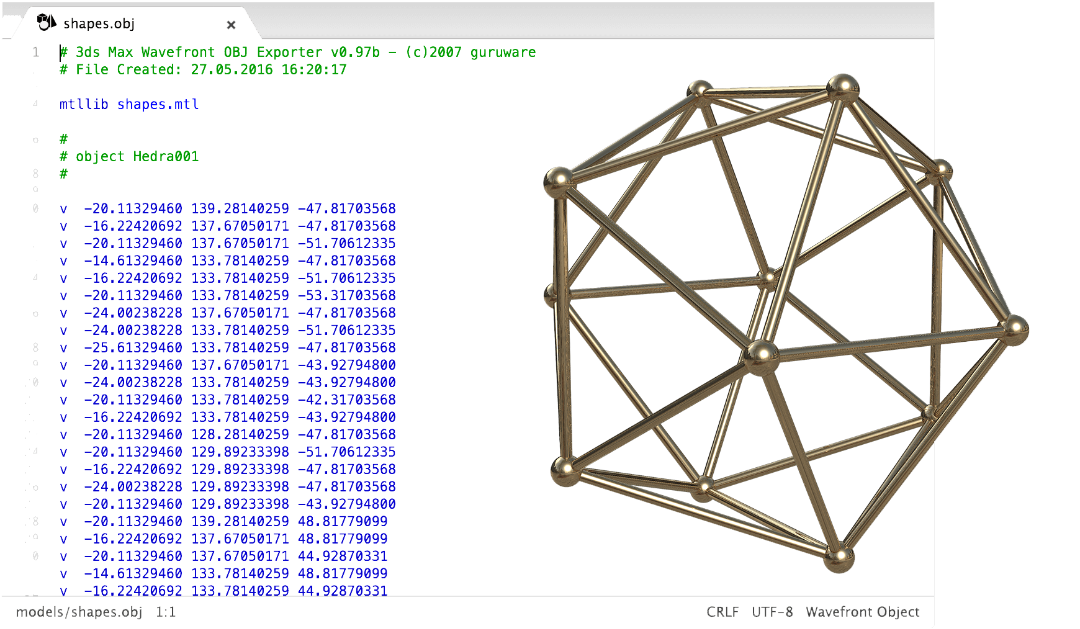
  • OBJ: Stores geometry using points, lines, and polygons and includes UV coordinates for texture mapping.
File Size and Compatibility
  • STL: Simple structure, smaller size, extremely high compatibility. It is the “hard currency” of 3D printing file formats.
  • OBJ: More complex structure and typically larger files. Usually consists of multiple files: OBJ + MTL + textures. Compatibility is very good in design/rendering tools but slightly lower than STL in consumer printers.
Print Accuracy and Color Support

Both formats achieve printing accuracy based on mesh density. However, because OBJ supports polygons beyond simple triangles, it can sometimes describe certain shapes more efficiently—an important point in the differences between STL and OBJ.
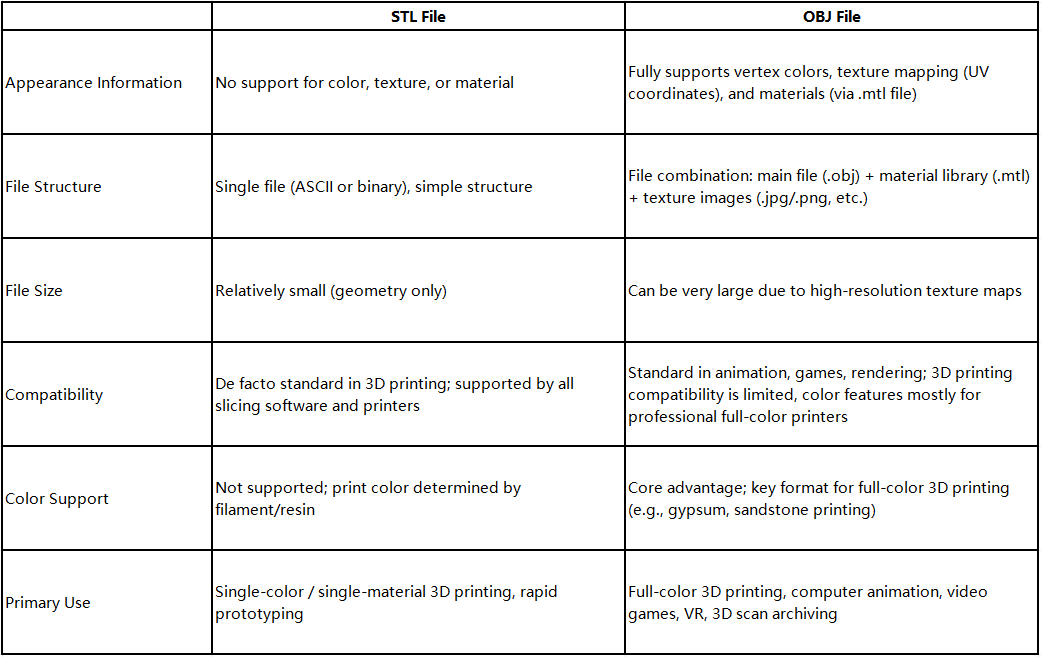
  • STL: Only supports single-color printing; a single STL file cannot specify different colors for different regions.
  • OBJ: Supports full-color and multi-material printing. This makes the OBJ format ideal for color-rich models, animation assets, VR/AR scenes, and high-quality rendering.


Pros and Cons of STL and OBJ

The earlier sections discussed characteristics in detail. Below is a summary of the pros and cons of STL and OBJ, commonly referenced in 3D printing file format guide comparisons.

STL Advantages and Disadvantages

Advantages:

  • Excellent compatibility: Supported by almost all 3D printing software, slicers, and modeling tools.
  • Simple and reliable workflow: The file structure is very straightforward, leading to fewer slicing errors and a stable process. Highly efficient for single-color printing.
  • Smaller File Size: Because it only contains geometric information.

Disadvantages:

  • Lack of information: The biggest drawback. It does not include any color, material, or texture data, making it unsuitable for advanced visualization or full-color printing.
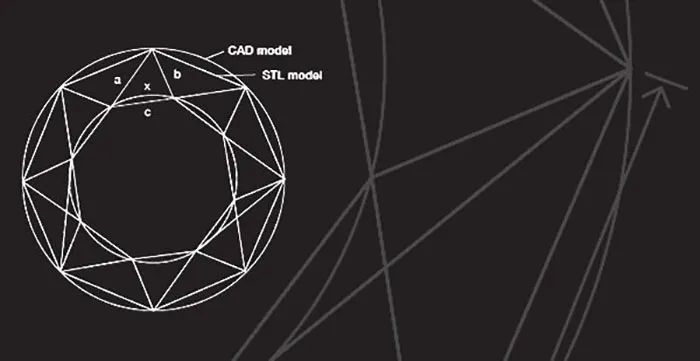
  • Precision–File Size Conflict: Higher accuracy requires more triangles. Fewer facets reduce precision; more facets increase file size.
  • Non-Parametric: It is a “dead mesh,” meaning it cannot be modified parametrically. To change dimensions or shapes, you must return to the original CAD model and regenerate the STL.

OBJ Advantages and Disadvantages

Advantages:

  • Rich and comprehensive information: The main strength. It can store geometry, color, texture maps, and material attributes.
  • Supports full-color printing: Suitable for color 3D printing methods such as gypsum or sandstone full-color printing, and inkjet-based color printers.
  • High flexibility: Supports polygons beyond triangles, which can represent certain shapes more efficiently.
  • Widely Used Across Industries: A standard format in animation, games, VFX, and VR/AR, making it easy to exchange data between visual software.

Disadvantages:

  • Large file size: High-resolution texture maps often make OBJ packages much larger than STL files.
  • More Complex to Slice: Slicers must process more information, such as texture mapping, which may slow down slicing or cause errors.
  • Lower compatibility: Not universally supported by low-end printers.


How to Choose the Right File Format for 3D Printing

Use STL When:
  • You print single-material, single-color parts
  • You want maximum compatibility and minimal complexity
  • You need rapid prototyping without textures
Use OBJ When:
  • You plan to do full-color 3D printing
  • Your model includes textures, complex materials, or scanned surfaces
  • The file will also be used in animation, rendering, or VR


Conclusion

A clear understanding of the core differences between STL and OBJ—including geometry definition, color support, and application scenarios—helps you choose the best 3D printing file format for your needs. By knowing when to use STL file 3D printing and when OBJ file 3D printing is more appropriate, you can produce models that truly meet your requirements and efficiently turn your ideas into reality.

Join us
Wanna be a dedicated PCBWay writer? We definately look forward to having you with us.
  • Comments(0)
Upload photo
You can only upload 5 files in total. Each file cannot exceed 2MB. Supports JPG, JPEG, GIF, PNG, BMP
0 / 10000
    Back to top