


Stepper motor control x bluetooth and app
In this tutorial we will see a circuit, which controls a stepper motor, with an application made in app inventor, using bluetooth, and the hc-05 module and arduino.
Electronic components
Arduino mini pro
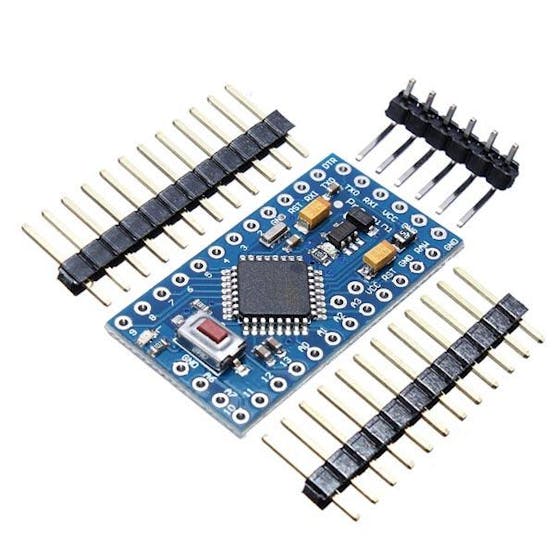
The Arduino Pro Mini is a microcontroller board based on the ATmega328 .
It has 14 digital input/output pins (of which 6 can be used as PWM outputs), 6 analog inputs, an integrated resonator, a reset button, and holes for mounting pin headers. A six-pin header can be connected to an FTDI cable or a Sparkfun breakout board to provide USB power and communication to the board.
The Arduino Pro Mini is designed for semi-permanent installation on objects or exhibits. The board comes without pre-mounted headers, allowing the use of various types of connectors or direct soldering of wires. The pin layout is compatible with the Arduino Mini.
There are two versions of the Pro Mini. One runs at 3.3V and 8 MHz, the other at 5V and 16 MHz.
hc-05 modules
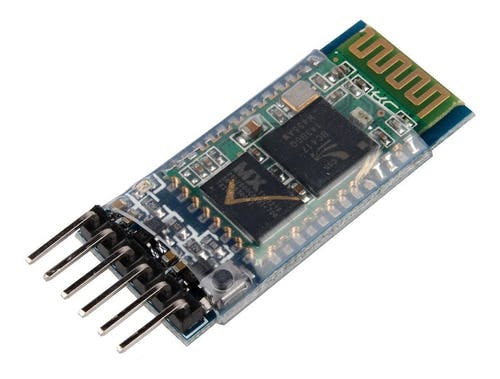
Works as a bluetooth master and slave device
Configurable via AT commands
Bluetooth V2.0+EDR
Operating frequency: 2.4 GHz ISM band
Modulation: GFSK (Gaussian Frequency Shift Keying)
Transmit power: <=4dBm, Class 2
Sensitivity: <=-84dBm @ 0.1% BER
Security: Authentication and encryption
Bluetooth profiles: Bluetooth serial port.
Distance of up to 10 meters in optimal conditions
Operating Voltage: 3.6 VDC to 6 VDC
Current Consumption: 30 mA to 50 mA
Chip: BC417143
Version or firmware: 3.0-20170609
Default Baud: 38400
Supported baud rates: 1200, 2400, 4800, 9600, 19200, 38400, 57600, 115200.
Interface: Serial TTL
Antenna: Integrated into the PCB
Security: Authentication and encryption (Default password: 0000 or 1234)
Working temperature (Max): 75°C
Working temperature (Min): -20°C
Dimensions: 4.4 x 1.6 x 0.7 cm
Stepper motor 28BYJ-48
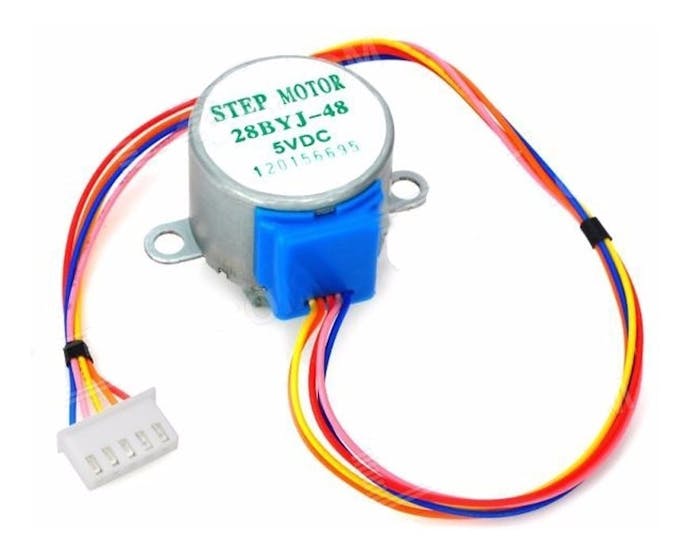
The parameters of this stepper motor are:
Model: 28BYJ-48 – 5V
Nominal voltage: 5V (or 12V, value indicated on the back).
Number of phases: 4.
Speed reducer: 1/64
Step angle: 5.625° / 64
Frequency: 100Hz
DC resistance: 50Ω ±7% (25°C)
Frequency with traction: > 600Hz
Non-traction frequency: > 1000Hz
Traction torque: >34.3mN.m (120Hz)
Self-positioning torque: >34.3mN.m
Torque with friction: 600-1200 gf.cm
Torque drag: 300 gf.cm
Insulation resistance > 10MΩ (500V)
Electrical insulation: 600VAC/1mA/1s
Insulation grade: A
Temperature rise: < 40K (120Hz)
Noise: < 35dB (120Hz, no load, 10cm)
ULN2003APG
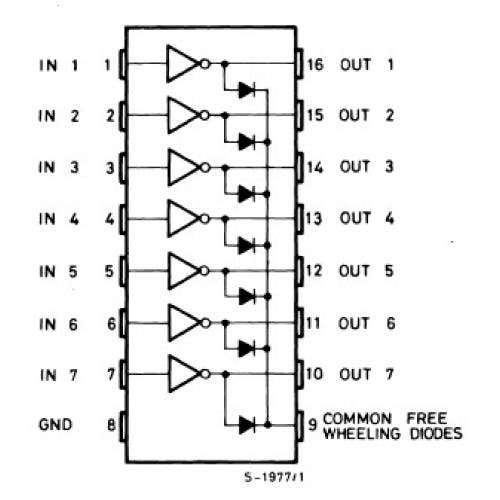
Main specifications:
500 mA nominal collector current (single output)
50V output (there is a version that supports 100V output)
Includes output flyback diodes
TTL and 5-V CMOS logic compatible inputs
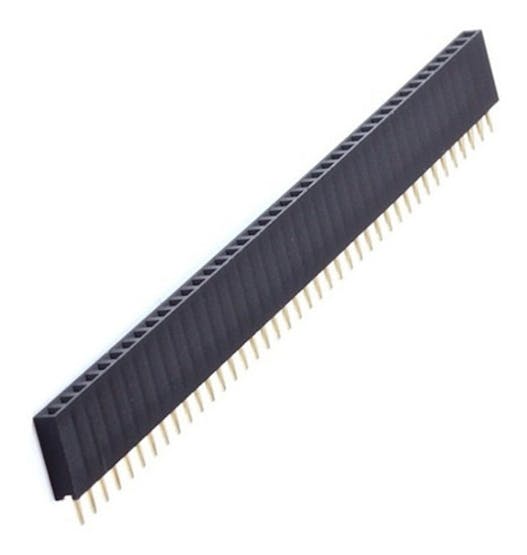
Female pins
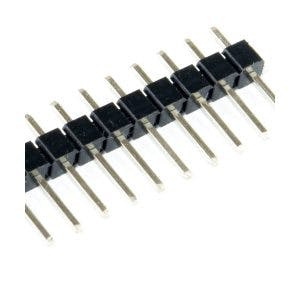
Male pins
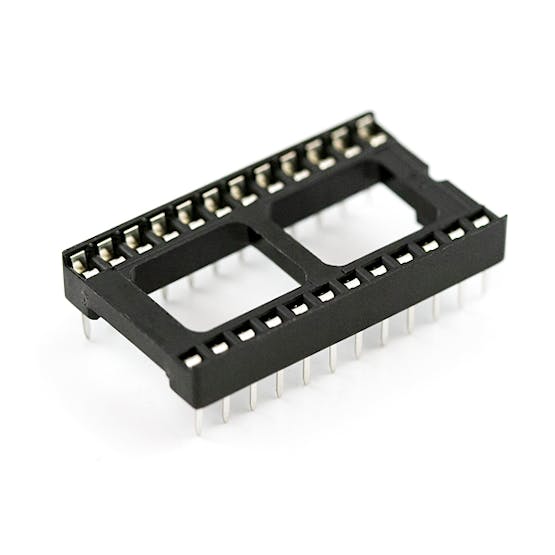
A socket for arduino mini pro
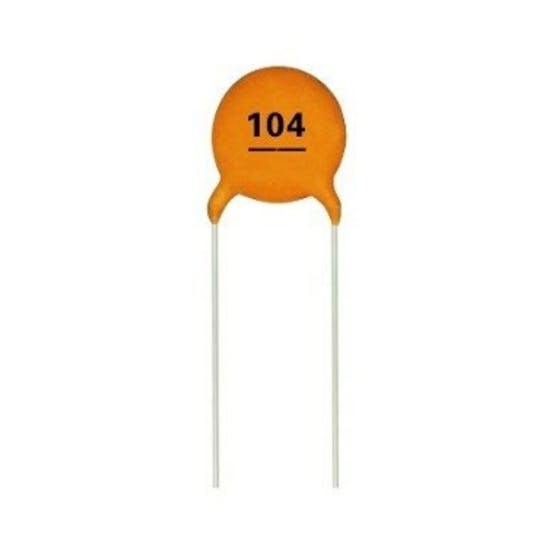
A 100 nF ceramic disc capacitor
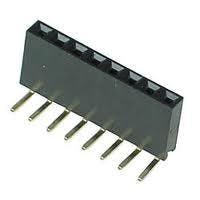
90 degree female pins
PCB
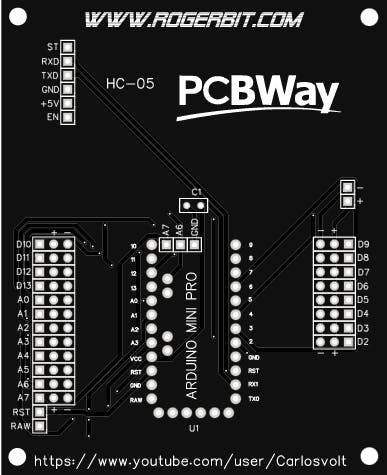
Download gerber file –> pcb stepper motor bluetooth
Application
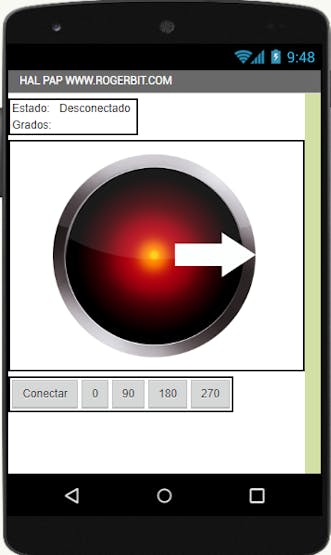
Download app and source file app inventor–> https://rogerbit.com/wprb/wp-content/uploads/2022/10/app-motor-paso-a-paso-bluetooth.zip
#define pin2  2
#define pin3  3
#define pin4  4
#define pin5  5
#define retardo 2

char caracter;
String cadena;
float pasos = 0;
int datos_serial = 0;

void setup() {
  pinMode(pin2, OUTPUT);
  pinMode(pin3, OUTPUT);
  pinMode(pin4, OUTPUT);
  pinMode(pin5, OUTPUT);
  Serial.begin(57600); //Velocidad del módulo bluetooth
}

void loop() {
  while (Serial.available()) {
    delay(3);
    char c = Serial.read();
    cadena += c;
  }

  if (cadena.length() >0) {

   Serial.println(cadena.toInt());
    datos_serial = cadena.toInt();

  }
  while(datos_serial>pasos){

         atras();
         delayMicroseconds(40);
         pasos = pasos + 1;

  }
 while(datos_serial<pasos){

          adelante();
          delayMicroseconds(40);
          pasos = pasos - 1;

  }

  if (cadena == "SET"){
    pasos = 0;
    datos_serial = 0;
    }

  cadena="";
}
void paso1(){
  digitalWrite(pin2, HIGH);
  digitalWrite(pin3, HIGH);
  digitalWrite(pin4, LOW);
  digitalWrite(pin5, LOW);
}
void paso2(){
  digitalWrite(pin2, LOW);
  digitalWrite(pin3, HIGH);
  digitalWrite(pin4, HIGH);
  digitalWrite(pin5, LOW);
}
void paso3(){
  digitalWrite(pin2, LOW);
  digitalWrite(pin3, LOW);
  digitalWrite(pin4, HIGH);
  digitalWrite(pin5, HIGH);
}
void paso4(){
  digitalWrite(pin2, HIGH);
  digitalWrite(pin3, LOW);
  digitalWrite(pin4, LOW);
  digitalWrite(pin5, HIGH);
}
void pasoApagado(){
  digitalWrite(pin2, LOW);
  digitalWrite(pin3, LOW);
  digitalWrite(pin4, LOW);
  digitalWrite(pin5, LOW);
}


void adelante(){
  paso1();
  delay(retardo);
  paso2();
  delay(retardo);
  paso3();
  delay(retardo);
  paso4();
  delay(retardo);
}

void atras(){
  paso3();
  delay(retardo);
  paso2();
  delay(retardo);
  paso1();
  delay(retardo);
  paso4();
  delay(retardo);
}
Stepper motor control x bluetooth and app
Project images are for reference only. Actual production is based on the manufacturing files on the project page.
Please review the designer's notes (e.g., PCB thickness) and select the appropriate options.
PCBWay is not responsible
for issues caused by unsuitable parameter selections.
For more important ordering information, please refer to
Read More









Raspberry Pi 5 7 Inch Touch Screen IPS 1024x600 HD LCD HDMI-compatible Display for RPI 4B 3B+ OPI 5 AIDA64 PC Secondary Screen(Without Speaker)
BUY NOW


- Comments(0)
- Likes(0)
More by CarlosVolt Tutoriales
-
 Infrared stepper motor control with speed control
More info and updates https://rogerbit.com/wprb/2024/09/motor-paso-a-paso-x-infrarrojo/In this proje...
Infrared stepper motor control with speed control
More info and updates https://rogerbit.com/wprb/2024/09/motor-paso-a-paso-x-infrarrojo/In this proje...
-
 Uploading BME280 Sensor Data to ThingSpeak Using ESP32
In this tutorial, we will show you how to connect a BME280 sensor to an ESP32 to read temperature, h...
Uploading BME280 Sensor Data to ThingSpeak Using ESP32
In this tutorial, we will show you how to connect a BME280 sensor to an ESP32 to read temperature, h...
-
 Water pump control for irrigation via telegram and esp32
Water Pump Control by Telegram and ESP32 is an automated system that allows you to remotely control ...
Water pump control for irrigation via telegram and esp32
Water Pump Control by Telegram and ESP32 is an automated system that allows you to remotely control ...
-
 Air conditioning on/off control via telegram and esp32
In this tutorial we will see how to control an air conditioner, with an esp32 and the telegram appli...
Air conditioning on/off control via telegram and esp32
In this tutorial we will see how to control an air conditioner, with an esp32 and the telegram appli...
-
 35 watt stereo amplifier
In this video we will see how to build an audio amplifier, with the TDA7377 integrated circuit, and ...
35 watt stereo amplifier
In this video we will see how to build an audio amplifier, with the TDA7377 integrated circuit, and ...
-
 Laser alarm with RFID module
More info and updates in https://rogerbit.com/wprb/2024/08/alarma-laser-rfid/In this project, we bui...
Laser alarm with RFID module
More info and updates in https://rogerbit.com/wprb/2024/08/alarma-laser-rfid/In this project, we bui...
-
 Control lights by voice commands and keys
In this tutorial we will see how to create a device to control lights by voice commands, with a modu...
Control lights by voice commands and keys
In this tutorial we will see how to create a device to control lights by voice commands, with a modu...
-
 Stepper motor control x bluetooth and app
In this tutorial we will see a circuit, which controls a stepper motor, with an application made in ...
Stepper motor control x bluetooth and app
In this tutorial we will see a circuit, which controls a stepper motor, with an application made in ...
-
 DFplayermini x bluetooth mp3 player control
More info and updates in https://rogerbit.com/wprb/2022/12/dfplayermini-x-bluetooth/In this tutorial...
DFplayermini x bluetooth mp3 player control
More info and updates in https://rogerbit.com/wprb/2022/12/dfplayermini-x-bluetooth/In this tutorial...
-
 Robot with WiFi control and servos driven by ESP32
More info and updates in https://rogerbit.com/wprb/2023/07/robot-wifi/A robot controlled by Wi-Fi, s...
Robot with WiFi control and servos driven by ESP32
More info and updates in https://rogerbit.com/wprb/2023/07/robot-wifi/A robot controlled by Wi-Fi, s...
-
 How to make a water level meter with uln2803
In this tutorial we will see how to make a water level meter circuit with the built-in uln2803.The p...
How to make a water level meter with uln2803
In this tutorial we will see how to make a water level meter circuit with the built-in uln2803.The p...
-
 Color Detector with Arduino and OLED display
In this tutorial we will show you how to build a color detector using the TCS3200 sensor and an SH11...
Color Detector with Arduino and OLED display
In this tutorial we will show you how to build a color detector using the TCS3200 sensor and an SH11...
-
 DTMF decoder for handy with arduino, control over several kilometers
In this tutorial we will see how to make a circuit to connect to our handy, in this case a Baofeng U...
DTMF decoder for handy with arduino, control over several kilometers
In this tutorial we will see how to make a circuit to connect to our handy, in this case a Baofeng U...
-
 Turn on light from thindspeak with esp32
In this tutorial, we will show you how to control lights over the Internet using an ESP32 and the Th...
Turn on light from thindspeak with esp32
In this tutorial, we will show you how to control lights over the Internet using an ESP32 and the Th...
-
 MP3 player control with webserver using ESP32 WIFI
In this tutorial, you will learn how to build a web server using the ESP32 to control the YX5300 mod...
MP3 player control with webserver using ESP32 WIFI
In this tutorial, you will learn how to build a web server using the ESP32 to control the YX5300 mod...
-
 Time clock with fingerprint IoT module, uploading data to thingspeak
More info in and updates in https://rogerbit.com/wprb/2022/07/reloj-de-control-fingerprint/In this t...
Time clock with fingerprint IoT module, uploading data to thingspeak
More info in and updates in https://rogerbit.com/wprb/2022/07/reloj-de-control-fingerprint/In this t...
-
 Make your own logic tip (includes printed circuit board)
In this video tutorial we will see how to make a logic tip, on a printed circuit, with the integrate...
Make your own logic tip (includes printed circuit board)
In this video tutorial we will see how to make a logic tip, on a printed circuit, with the integrate...
-
 Coil or inductor meter with Arduino and OLED display
More info and updates in https://rogerbit.com/wprb/2022/06/medidor-inductores/In this tutorial we wi...
Coil or inductor meter with Arduino and OLED display
More info and updates in https://rogerbit.com/wprb/2022/06/medidor-inductores/In this tutorial we wi...
-
Émetteur Récepteur Optique Expérimental (communication UART ATtiny + fibre optique)
150 0 1 -
SmallOLED - Live PC Stats, Animated Clocks & Audio Visualizer
1000 0 3 -
"Talking Multimeter": Arduino-Based Speech Add-on for Multimeters with SCPI Protocol
574 0 1 -
Programmable Mist Maker - XIAO / QT PY Extension
3044 2 3 -
RadioHAT - Raspberry Pi radio development platform
2590 0 4 -
-
-



















