|
|
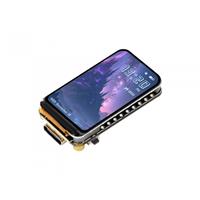
ELECROW CrowPanel 7-inch HMI display with Acrylic case |
x 1 |

|
arduino IDEArduino
|
Real-Time Air Traffic Radar using ESP32 + ADS-B Data
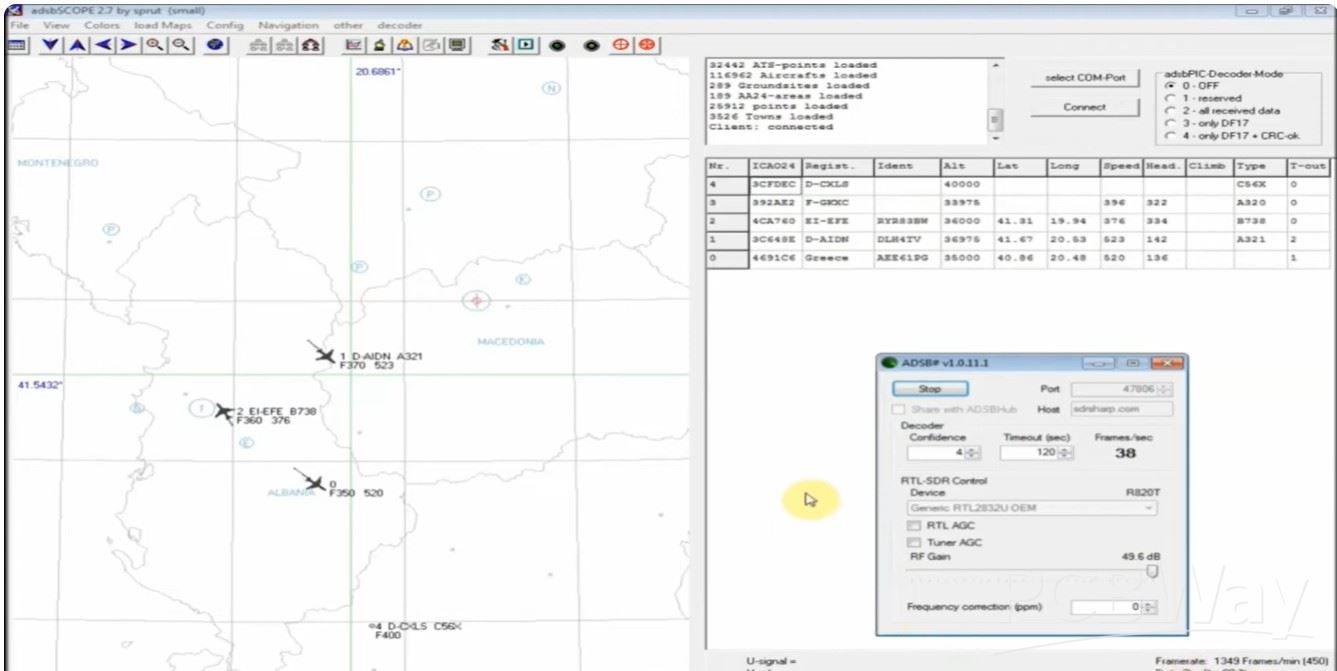
ADS-B, which stands for Automatic Dependent Surveillance-Broadcast, is the modern standard for tracking aircraft. It has largely replaced traditional radar as the primary method for air traffic control (ATC) across the globe. In one of my previous videos , I described a way to receive and decode ADS-B signals via an RTLSDR dongle using a special antenna and software.
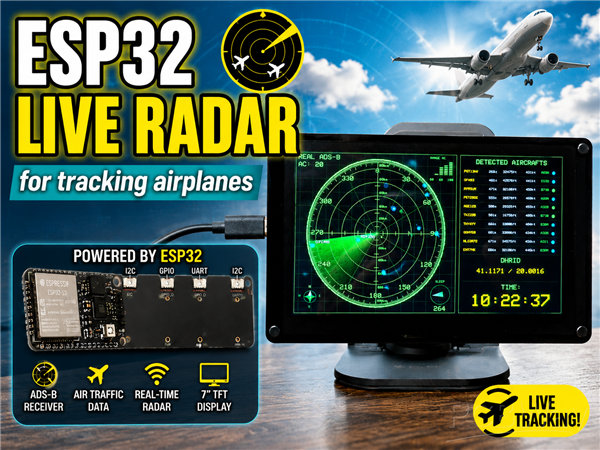
In this project, I built a fully functional real-time aircraft tracking radar using an ESP32-based 7" HMI display. The system visualizes live air traffic data with a smooth rotating radar sweep, just like professional radar systems. ADS-B signals are collected via free online APIs and displayed on the radar in real time. So we only need WiFi connection and internet.
These signals contain the following information:
- Callsign
- Altitude
- Speed
- Aircraft type (A320, B738, etc.)
- and Position (latitude & longitude)
Each aircraft appears on the radar only when the rotating sweep line passes over it, creating an authentic radar effect. The detected aircraft are also listed on the right panel, sorted by distance.

This project is sponsored by PCBWay . From July 1st to July 31st, 2026, PCBWay is organizing 12th anniversary campaig. Grab your discount and unlock more rewards in the form of Exclusive Coupons, PCB Order for Just $5, Turnkey Electronic Design Services, Up to 50% off for 3D printing & CNC Machining, and Special Sales in PCBWay Store. Next, Join the fun with interactive games and receive your exclusive Engineer Color Personality, Click the Box to Participate in the Lucky Draw, Show Your Colorful Projects, and Vote for the Most Popular Badge.
A huge advantage in making this project is the fact that it uses the ESP32-S3 CrowPanel 7" HMI Display, which means that there is no need for any soldering and making a corresponding box. It consists of a 7 inch LCD display with capacitive Touch, ESP32S3 microcontroller that controls the display, USB, Speaker and Battery interfaces, GPIO, I2C and UART ports, as well as a Micro SD card slot. Specifically in this project I use only the Wi-Fi option, but otherwise through the rich selection of I/O interfaces we can use it for many other more complex projects.
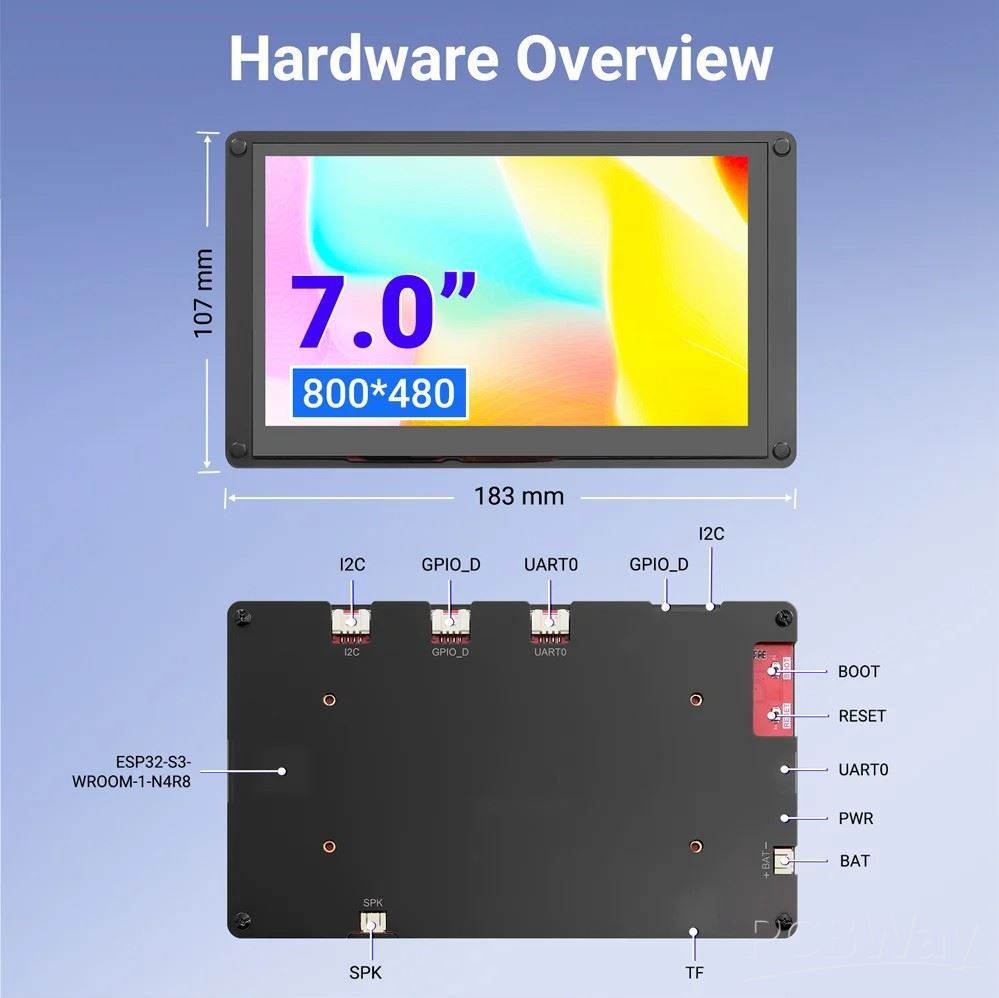
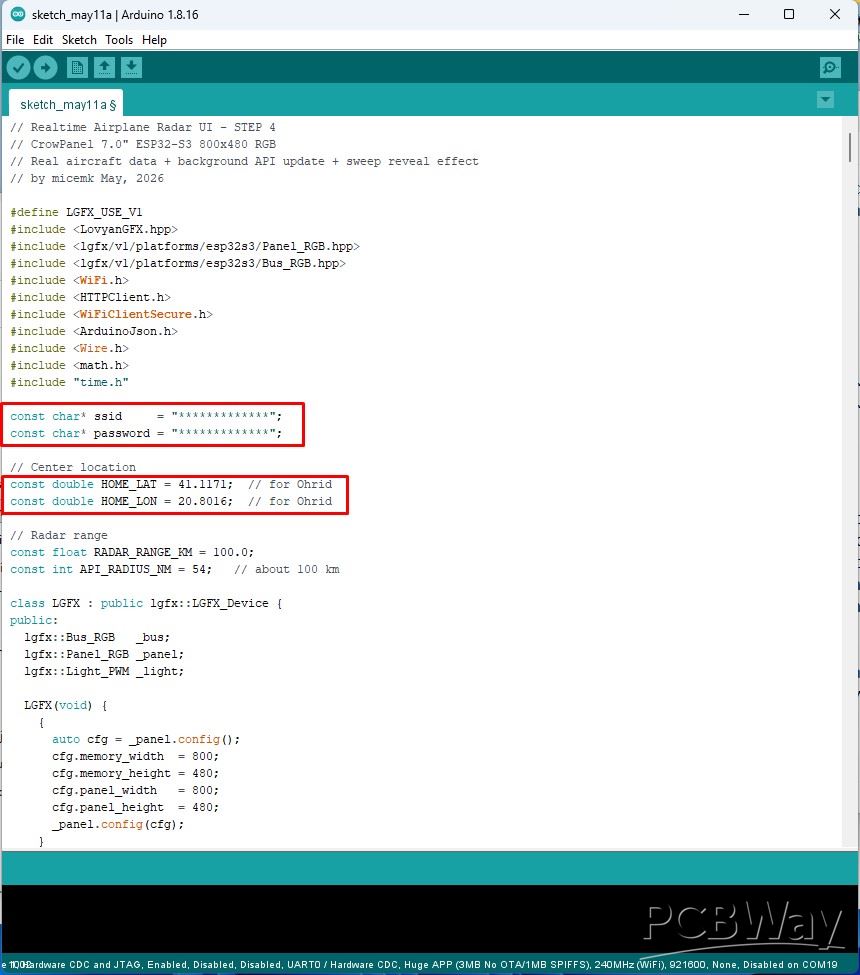
First let me describe how to install the software, because that's the only thing we need to do well to turn this display module into a professional looking aircraft tyracking radar. According to the manufacturer's instructions, we need to install ESP32 Core version 2.0.14 or 2.0.15. Then, in the Board Manager, we need to select Board: ESP32S3 Dev Module. Now we need to make a few settings for this board:
- USB CDC On Boot: Enabled
- Flash Mode: QIO 80MHz
- Flash Size: 4mb
- Partition Scheme: HUGE APP
- and PSRAM: OPI PSRAM
As for the code, we first need to enter the Wi-Fi credentials and the coordinates of the home position (latitude and longitude). We can also change a few parameters, such as colors and shades, then sweep speed, maximum number of detected aircraft, and more.
Now let's move on to the most interesting part, that is, to turn on the device and describe the way it works and the options. After connecting to the network, the radar display appears immediately. In the upper left corner is shown the number of currently detected aircraft at a distance of 100km from the home position. In the lower left is a small compass showing the cardinal points, in the lower right the current sweep position visually and in degrees, and in the upper right corner the number of aircraft in each ring: 20, 40, 60, 80 and 100 km.
Centrally we have Smooth rotating radar sweep with fade effect. Each aircraft appears on the radar only when the rotating sweep line passes over it, creating an authentic radar effect. The detected aircraft are also listed on the right panel, sorted by distance.
>= 30000 ft Blue color
>= 10000 ft Green
>= 0 ft Yellow
Unknown Altitude Red Color
It can be noted that in the northwestern region, at a distance of about 100 km from the home position, we often have aircraft at very low altitudes. The reason for this is that the nearest airport (Tirana) is located exactly in that place, where planes often take off and land. The status is updated every 360 degrees, which is approximately 15 seconds, but this time can be shortened to 1 second. The update moment is indicated in the upper left corner.
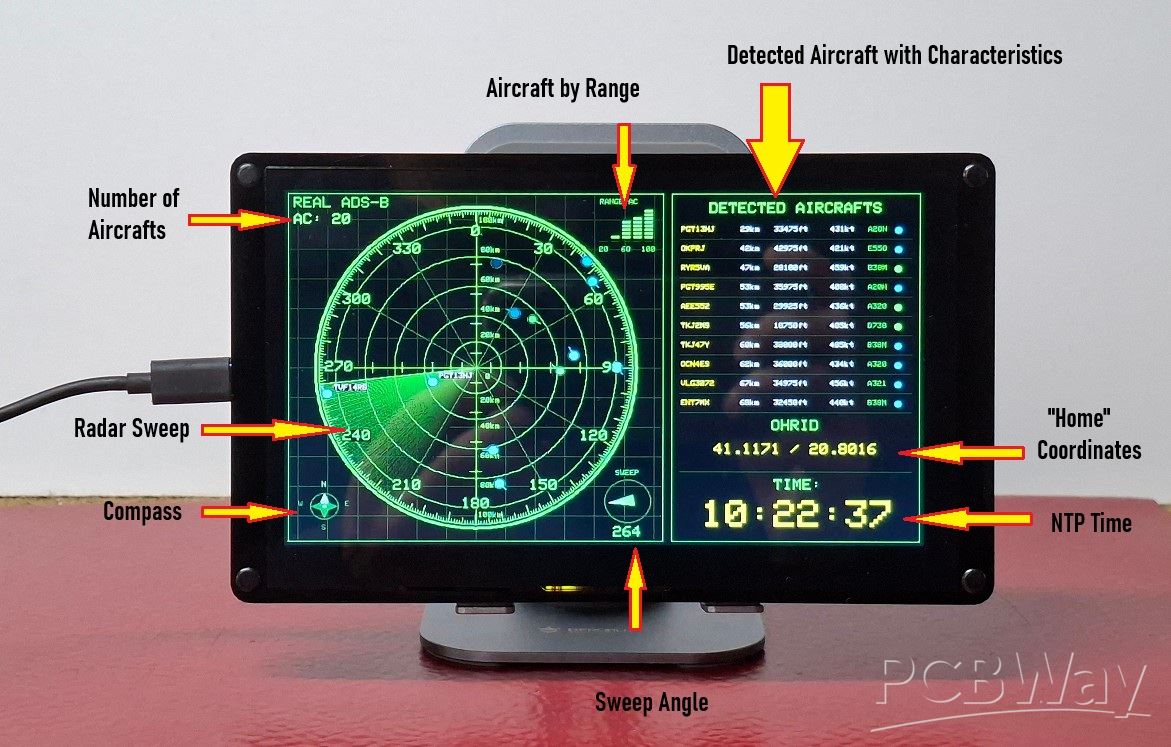
On the right side of the display we have more information. At the bottom in large numbers is shown live local time with NTP synchronization and above it the Home position with the given coordinates latitude and longitude and the name of the place. At the top is information about the ten closest detected aircraft. For each aircraft individually more information is given:
- callsign,
- distance from home position,
- moving speed,
- flying altitude,
- as well as the aircraft type.
On the far right is a circle with the appropriate color depending on the altitude.
And finally a short conclusion. This project demonstrates how an ESP32 and real-time ADS-B data can be combined to create a smooth and realistic air traffic radar display. It’s a great example of blending embedded systems, aviation technology, and custom graphical interfaces into a fully interactive real-time project.
// Realtime Airplane Radar UI - STEP 4
// CrowPanel 7.0" ESP32-S3 800x480 RGB
// Real aircraft data + background API update + sweep reveal effect
// by micemk May, 2026

#define LGFX_USE_V1
#include <LovyanGFX.hpp>
#include <lgfx/v1/platforms/esp32s3/Panel_RGB.hpp>
#include <lgfx/v1/platforms/esp32s3/Bus_RGB.hpp>
#include <WiFi.h>
#include <HTTPClient.h>
#include <WiFiClientSecure.h>
#include <ArduinoJson.h>
#include <Wire.h>
#include <math.h>
#include "time.h"

const char* ssid     = "*************";
const char* password = "*************";

// Center location
const double HOME_LAT = 41.1171;  // for Ohrid
const double HOME_LON = 20.8016;  // for Ohrid

// Radar range
const float RADAR_RANGE_KM = 100.0;
const int API_RADIUS_NM = 54;   // about 100 km

class LGFX : public lgfx::LGFX_Device {
public:
  lgfx::Bus_RGB   _bus;
  lgfx::Panel_RGB _panel;
  lgfx::Light_PWM _light;

  LGFX(void) {
    {
      auto cfg = _panel.config();
      cfg.memory_width  = 800;
      cfg.memory_height = 480;
      cfg.panel_width   = 800;
      cfg.panel_height  = 480;
      _panel.config(cfg);
    }

    {
      auto cfg = _bus.config();
      cfg.panel = &_panel;

      cfg.pin_d0  = GPIO_NUM_15;
      cfg.pin_d1  = GPIO_NUM_7;
      cfg.pin_d2  = GPIO_NUM_6;
      cfg.pin_d3  = GPIO_NUM_5;
      cfg.pin_d4  = GPIO_NUM_4;
      cfg.pin_d5  = GPIO_NUM_9;
      cfg.pin_d6  = GPIO_NUM_46;
      cfg.pin_d7  = GPIO_NUM_3;
      cfg.pin_d8  = GPIO_NUM_8;
      cfg.pin_d9  = GPIO_NUM_16;
      cfg.pin_d10 = GPIO_NUM_1;
      cfg.pin_d11 = GPIO_NUM_14;
      cfg.pin_d12 = GPIO_NUM_21;
      cfg.pin_d13 = GPIO_NUM_47;
      cfg.pin_d14 = GPIO_NUM_48;
      cfg.pin_d15 = GPIO_NUM_45;

      cfg.pin_henable = GPIO_NUM_41;
      cfg.pin_vsync   = GPIO_NUM_40;
      cfg.pin_hsync   = GPIO_NUM_39;
      cfg.pin_pclk    = GPIO_NUM_0;

      cfg.freq_write = 12000000;

      cfg.hsync_front_porch = 40;
      cfg.hsync_pulse_width = 48;
      cfg.hsync_back_porch  = 40;
      cfg.vsync_front_porch = 1;
      cfg.vsync_pulse_width = 31;
      cfg.vsync_back_porch  = 13;

      cfg.pclk_active_neg = 1;
      cfg.de_idle_high    = 0;
      cfg.pclk_idle_high  = 0;

      _bus.config(cfg);
      _panel.setBus(&_bus);
    }

    {
      auto cfg = _light.config();
      cfg.pin_bl = GPIO_NUM_2;
      cfg.freq = 44100;
      cfg.pwm_channel = 7;
      _light.config(cfg);
      _panel.setLight(&_light);
    }

    setPanel(&_panel);
  }
};

LGFX lcd;
LGFX_Sprite radarCanvas(&lcd);

// ---------- LAYOUT ----------
const int MARGIN = 5;

const int RADAR_X = MARGIN;
const int RADAR_Y = MARGIN;
const int RADAR_W = 470;
const int RADAR_H = 470;

const int INFO_X = 485;
const int INFO_Y = MARGIN;
const int INFO_W = 310;
const int INFO_H = 470;

const int CX = 240;
const int CY = 240;

const float X_CORR = 0.93;
const int R = 212;

const int OUTER_GAP = 3;
const int OUTER_RING_THICKNESS = 3;

// ---------- SWEEP ----------
float sweepAngle = 0;
unsigned long lastSweepUpdate = 0;

const int TRAIL_WIDTH = 60;
const int SWEEP_SPEED = 25;

unsigned long lastClockUpdate = 0;

// ---------- COLORS ----------
uint16_t greenBright;
uint16_t green;
uint16_t greenDim;
uint16_t greenDark;
uint16_t panelBg;

// ---------- AIRCRAFT ----------
struct AircraftPoint {
  bool valid;
  float distanceKm;
  float bearingDeg;
  int altitudeFt;
  float speedKt;
  float trackDeg;
  char flight[12];
  char category[5];
  char typeCode[8];
};

const int MAX_PLANES = 40;

AircraftPoint planes[MAX_PLANES];
AircraftPoint pendingPlanes[MAX_PLANES];

int planeCount = 0;
int pendingPlaneCount = 0;

bool apiOk = false;
bool pendingApiOk = false;
bool fetchInProgress = false;
bool pendingDataReady = false;

// ---------- HELPERS ----------
int rxCorr(int radius) {
  return (int)(radius * X_CORR);
}

double deg2radD(double deg) {
  return deg * M_PI / 180.0;
}

double rad2degD(double rad) {
  return rad * 180.0 / M_PI;
}

float angleDiffBehindSweep(float sweep, float targetBearing) {
  float d = sweep - targetBearing;
  while (d < 0) d += 360;
  while (d >= 360) d -= 360;
  return d;
}

float distanceKm(double lat1, double lon1, double lat2, double lon2) {
  const double Rearth = 6371.0;

  double dLat = deg2radD(lat2 - lat1);
  double dLon = deg2radD(lon2 - lon1);

  double a =
    sin(dLat / 2) * sin(dLat / 2) +
    cos(deg2radD(lat1)) * cos(deg2radD(lat2)) *
    sin(dLon / 2) * sin(dLon / 2);

  double c = 2 * atan2(sqrt(a), sqrt(1 - a));
  return Rearth * c;
}

float bearingDeg(double lat1, double lon1, double lat2, double lon2) {
  double y = sin(deg2radD(lon2 - lon1)) * cos(deg2radD(lat2));
  double x =
    cos(deg2radD(lat1)) * sin(deg2radD(lat2)) -
    sin(deg2radD(lat1)) * cos(deg2radD(lat2)) * cos(deg2radD(lon2 - lon1));

  double brng = rad2degD(atan2(y, x));
  if (brng < 0) brng += 360.0;
  return brng;
}

void canvasCorrectedCircle(int cx, int cy, int r, uint16_t col) {
  int lastX = cx + rxCorr(r);
  int lastY = cy;

  for (int a = 1; a <= 360; a++) {
    float rad = a * DEG_TO_RAD;
    int x = cx + cos(rad) * rxCorr(r);
    int y = cy + sin(rad) * r;

    radarCanvas.drawLine(lastX, lastY, x, y, col);

    lastX = x;
    lastY = y;
  }
}

void canvasCorrectedRadialLine(int angleDeg, int r1, int r2, uint16_t col) {
  float rad = (angleDeg - 90) * DEG_TO_RAD;

  int x1 = CX + cos(rad) * rxCorr(r1);
  int y1 = CY + sin(rad) * r1;
  int x2 = CX + cos(rad) * rxCorr(r2);
  int y2 = CY + sin(rad) * r2;

  radarCanvas.drawLine(x1, y1, x2, y2, col);
}

// ---------- API ----------
void fetchAircraftData() {
  if (WiFi.status() != WL_CONNECTED) {
    pendingApiOk = false;
    pendingPlaneCount = 0;
    pendingDataReady = true;
    return;
  }

  String url = "https://api.airplanes.live/v2/point/";
  url += String(HOME_LAT, 4);
  url += "/";
  url += String(HOME_LON, 4);
  url += "/";
  url += String(API_RADIUS_NM);

  WiFiClientSecure client;
  client.setInsecure();

  HTTPClient http;
  http.setTimeout(12000);
  http.addHeader("User-Agent", "ESP32-AirRadar/1.0");

  if (!http.begin(client, url)) {
    pendingApiOk = false;
    pendingDataReady = true;
    return;
  }

  int code = http.GET();

  if (code != 200) {
    Serial.printf("API HTTP error: %d\n", code);
    http.end();
    pendingApiOk = false;
    pendingDataReady = true;
    return;
  }

  String payload = http.getString();
  http.end();

  DynamicJsonDocument doc(65536);
  DeserializationError err = deserializeJson(doc, payload);

  if (err) {
    Serial.print("JSON error: ");
    Serial.println(err.c_str());
    pendingApiOk = false;
    pendingDataReady = true;
    return;
  }

  AircraftPoint tempPlanes[MAX_PLANES];
  int tempCount = 0;

  JsonArray arr = doc["ac"].as<JsonArray>();
  if (arr.isNull()) {
    arr = doc["aircraft"].as<JsonArray>();
  }

  for (JsonObject ac : arr) {
    if (tempCount >= MAX_PLANES) break;

    if (!ac["lat"].is<float>() || !ac["lon"].is<float>()) continue;

    double lat = ac["lat"];
    double lon = ac["lon"];

    float d = distanceKm(HOME_LAT, HOME_LON, lat, lon);
    if (d > RADAR_RANGE_KM) continue;

    AircraftPoint &p = tempPlanes[tempCount];

    p.valid = true;
    p.distanceKm = d;
    p.bearingDeg = bearingDeg(HOME_LAT, HOME_LON, lat, lon);

    if (ac["alt_baro"].is<int>()) p.altitudeFt = ac["alt_baro"];
    else if (ac["alt_geom"].is<int>()) p.altitudeFt = ac["alt_geom"];
    else p.altitudeFt = -1;

    p.speedKt = ac["gs"] | 0.0;
    p.trackDeg = ac["track"] | 0.0;

    const char* fl = ac["flight"] | "";
    strncpy(p.flight, fl, sizeof(p.flight) - 1);
    p.flight[sizeof(p.flight) - 1] = '\0';

    const char* cat = ac["category"] | "";
    strncpy(p.category, cat, sizeof(p.category) - 1);
    p.category[sizeof(p.category) - 1] = '\0';

    const char* typ = ac["t"] | "";
   strncpy(p.typeCode, typ, sizeof(p.typeCode) - 1);
   p.typeCode[sizeof(p.typeCode) - 1] = '\0';

    tempCount++;
  }

  noInterrupts();

  pendingPlaneCount = tempCount;

  for (int i = 0; i < tempCount; i++) {
    pendingPlanes[i] = tempPlanes[i];
  }

  pendingApiOk = true;
  pendingDataReady = true;

  interrupts();

  Serial.printf("Background aircraft found: %d\n", tempCount);
}

void aircraftFetchTask(void *parameter) {
  fetchAircraftData();
  fetchInProgress = false;
  vTaskDelete(NULL);
}

void startAircraftFetchBackground() {
  if (fetchInProgress) return;

  fetchInProgress = true;

  xTaskCreatePinnedToCore(
    aircraftFetchTask,
    "aircraftFetchTask",
    12000,
    NULL,
    1,
    NULL,
    0
  );
}

void applyPendingAircraftData() {
  if (!pendingDataReady) return;

  noInterrupts();

  planeCount = pendingPlaneCount;

  for (int i = 0; i < planeCount; i++) {
    planes[i] = pendingPlanes[i];
  }

  apiOk = pendingApiOk;
  pendingDataReady = false;

  interrupts();

  Serial.printf("Applied aircraft data: %d\n", planeCount);
}

// ---------- RADAR CANVAS DRAW ----------
void drawGridToCanvas() {
  radarCanvas.fillSprite(TFT_BLACK);

  for (int d = -240; d <= 240; d += 40) {
    int x = CX + rxCorr(d);
    if (x >= RADAR_X && x <= RADAR_X + RADAR_W) {
      radarCanvas.drawFastVLine(x, RADAR_Y, RADAR_H, greenDark);
    }
  }

  for (int d = -240; d <= 240; d += 40) {
    int y = CY + d;
    if (y >= RADAR_Y && y <= RADAR_Y + RADAR_H) {
      radarCanvas.drawFastHLine(RADAR_X, y, RADAR_W, greenDark);
    }
  }

  radarCanvas.drawRect(RADAR_X, RADAR_Y, RADAR_W, RADAR_H, green);
}

void drawSweepToCanvas() {
  for (float i = TRAIL_WIDTH; i >= 0; i -= 0.5) {
    float a = sweepAngle - i;
    if (a < 0) a += 360;

    float intensity = (float)(TRAIL_WIDTH - i) / TRAIL_WIDTH;

    uint8_t g = 6 + intensity * 120;
    uint16_t col = radarCanvas.color565(0, g, 0);

    float rad = (a - 90) * DEG_TO_RAD;

    int x = CX + cos(rad) * rxCorr(R);
    int y = CY + sin(rad) * R;

    radarCanvas.drawLine(CX, CY, x, y, col);
  }

  float rad = (sweepAngle - 90) * DEG_TO_RAD;
  int sx = CX + cos(rad) * rxCorr(R);
  int sy = CY + sin(rad) * R;

  radarCanvas.drawLine(CX, CY, sx, sy, greenBright);
  radarCanvas.drawLine(CX + 1, CY, sx + 1, sy, greenBright);
}

void drawRadarCirclesToCanvas() {
  canvasCorrectedCircle(CX, CY, 35, green);
  canvasCorrectedCircle(CX, CY, 70, green);
  canvasCorrectedCircle(CX, CY, 110, green);
  canvasCorrectedCircle(CX, CY, 150, green);
  canvasCorrectedCircle(CX, CY, 190, green);
  canvasCorrectedCircle(CX, CY, R, greenBright);

  for (int i = 0; i < OUTER_RING_THICKNESS; i++) {
    canvasCorrectedCircle(CX, CY, R + OUTER_GAP + 1 + i, greenBright);
  }
}

void drawCrossLinesToCanvas() {
  radarCanvas.drawFastHLine(CX - rxCorr(R), CY, rxCorr(R) * 2, greenBright);
  radarCanvas.drawFastVLine(CX, CY - R, R * 2, greenBright);

  for (int d = 20; d < R; d += 40) {
    radarCanvas.drawFastVLine(CX + rxCorr(d), CY - 7, 14, greenBright);
    radarCanvas.drawFastVLine(CX - rxCorr(d), CY - 7, 14, greenBright);

    radarCanvas.drawFastHLine(CX - 7, CY + d, 14, greenBright);
    radarCanvas.drawFastHLine(CX - 7, CY - d, 14, greenBright);
  }

  for (int a = 30; a < 360; a += 30) {
    if (a == 90 || a == 180 || a == 270) continue;
    canvasCorrectedRadialLine(a, 0, R, greenDim);
  }
}

void drawDistanceLabelsToCanvas() {
  radarCanvas.setTextDatum(middle_center);
  radarCanvas.setTextSize(1);
  radarCanvas.setTextColor(greenBright, TFT_BLACK);

  int radii[] = {35, 70, 110, 150, 190};
  int km[]    = {20, 40, 60, 80, 100};

  const int LABEL_OFFSET = 9;

  for (int i = 0; i < 5; i++) {
    radarCanvas.drawString(String(km[i]) + "km", CX + 18, CY - radii[i] - LABEL_OFFSET);
    radarCanvas.drawString(String(km[i]) + "km", CX + 18, CY + radii[i] + LABEL_OFFSET);
  }

  radarCanvas.drawString("0", CX + 15, CY + 12);
}

void drawAngleScaleToCanvas() {
  for (int a = 0; a < 360; a++) {
    int len = 4;
    if (a % 10 == 0) len = 13;
    else if (a % 5 == 0) len = 8;

    canvasCorrectedRadialLine(a, R - len, R, greenBright);
  }

  radarCanvas.setTextColor(greenBright, TFT_BLACK);
  radarCanvas.setTextSize(2);
  radarCanvas.setTextDatum(middle_center);

  for (int a = 0; a < 360; a += 30) {
    float rad = (a - 90) * DEG_TO_RAD;

    int tx = CX + cos(rad) * rxCorr(R - 28);
    int ty = CY + sin(rad) * (R - 28);

    radarCanvas.drawNumber(a, tx, ty);
  }
}

void drawAircraftTargetsToCanvas() {
  for (int i = 0; i < planeCount; i++) {
    if (!planes[i].valid) continue;

    float ageAngle = angleDiffBehindSweep(sweepAngle, planes[i].bearingDeg);

    if (ageAngle > 260) continue;

    float fade = 1.0;
    if (ageAngle > 200) {
      fade = 1.0 - ((ageAngle - 200.0) / 60.0);
      if (fade < 0.20) fade = 0.20;
    }

    float rr = (planes[i].distanceKm / RADAR_RANGE_KM) * R;
    float rad = (planes[i].bearingDeg - 90) * DEG_TO_RAD;

    int x = CX + cos(rad) * rxCorr(rr);
    int y = CY + sin(rad) * rr;

    uint8_t r = 0;
    uint8_t g = 255 * fade;
    uint8_t b = 35 * fade;

    if (planes[i].altitudeFt >= 30000) {
      r = 0; g = 180 * fade; b = 255 * fade;
    } else if (planes[i].altitudeFt >= 10000) {
      r = 0; g = 255 * fade; b = 35 * fade;
    } else if (planes[i].altitudeFt >= 0) {
      r = 255 * fade; g = 220 * fade; b = 0;
    } else {
      r = 255 * fade; g = 40 * fade; b = 40 * fade;
    }

    uint16_t col = radarCanvas.color565(r, g, b);

    int size = 4;
    if (planes[i].altitudeFt > 30000) size = 5;
    if (planes[i].distanceKm < 20) size = 6;

    radarCanvas.fillCircle(x, y, size, col);
    radarCanvas.drawCircle(x, y, size + 2, greenDim);

    if (planes[i].trackDeg >= 0) {
      float tr = (planes[i].trackDeg - 90) * DEG_TO_RAD;
      int x2 = x + cos(tr) * 12;
      int y2 = y + sin(tr) * 12;
      radarCanvas.drawLine(x, y, x2, y2, col);
    }

    // Callsign label only when sweep has just passed the aircraft
    if (ageAngle >= 0 && ageAngle < 35) {
      radarCanvas.setTextDatum(top_left);
      radarCanvas.setTextSize(1);
      radarCanvas.setTextColor(TFT_WHITE, TFT_BLACK);

      String label = String(planes[i].flight);
      label.trim();
      if (label.length() == 0) label = "UNKNOWN";

      radarCanvas.drawString(label, x + 9, y - 12);

 //     if (planes[i].altitudeFt >= 0) {
 //       radarCanvas.setTextColor(greenBright, TFT_BLACK);
 //       radarCanvas.drawString(String(planes[i].altitudeFt) + "ft", x + 9, y + 2);
 //     }
    }
  }

  // Top-left status - larger
  radarCanvas.setTextDatum(top_left);
  radarCanvas.setTextSize(2);

  if (apiOk) {
    radarCanvas.setTextColor(green, TFT_BLACK);
    radarCanvas.drawString("REAL ADS-B", 12, 10);

    radarCanvas.setTextColor(greenBright, TFT_BLACK);
    radarCanvas.setTextSize(2);
    radarCanvas.drawString("AC: " + String(planeCount), 12, 32);
  } else {
    radarCanvas.setTextColor(radarCanvas.color565(255, 80, 80), TFT_BLACK);
    radarCanvas.drawString("NO API", 14, 14);
  }

  if (fetchInProgress) {
    radarCanvas.setTextSize(2);
    radarCanvas.setTextColor(greenDim, TFT_BLACK);
    radarCanvas.drawString("UPDATING", 10, 54);
  }

  // 3D-like compass bottom-left
  // 3D-like compass bottom-left - smaller
  int ccx = 50;
  int ccy = 427;
  uint16_t compassBright = greenBright;
  uint16_t compassDim = greenDim;
  uint16_t compassDark = greenDark;

  radarCanvas.setTextDatum(middle_center);

  // smaller outer ring
  radarCanvas.drawCircle(ccx, ccy, 17, compassDim);
  radarCanvas.drawCircle(ccx, ccy, 18, compassDark);

  // N triangle - bright
  radarCanvas.fillTriangle(ccx, ccy - 16, ccx - 5, ccy - 4, ccx + 5, ccy - 4, compassBright);
  radarCanvas.drawTriangle(ccx, ccy - 16, ccx - 5, ccy - 4, ccx + 5, ccy - 4, TFT_WHITE);

  // S triangle
  radarCanvas.fillTriangle(ccx, ccy + 16, ccx - 5, ccy + 4, ccx + 5, ccy + 4, compassDim);

  // W triangle
  radarCanvas.fillTriangle(ccx - 16, ccy, ccx - 4, ccy - 5, ccx - 4, ccy + 5, compassDim);

  // E triangle
  radarCanvas.fillTriangle(ccx + 16, ccy, ccx + 4, ccy - 5, ccx + 4, ccy + 5, compassDim);

  // center point
  radarCanvas.fillCircle(ccx, ccy, 2, compassBright);
  radarCanvas.drawCircle(ccx, ccy, 4, compassDim);

  // smaller letters
  radarCanvas.setTextSize(1);
  radarCanvas.setTextColor(compassBright, TFT_BLACK);
  radarCanvas.drawString("N", ccx, ccy - 29);

  radarCanvas.setTextColor(compassDim, TFT_BLACK);
  radarCanvas.drawString("S", ccx, ccy + 29);
  radarCanvas.drawString("W", ccx - 29, ccy - 3);
  radarCanvas.drawString("E", ccx + 29, ccy - 3);
}

void drawRangeBarsToCanvas() {
  // 5 bars: 0-20, 20-40, 40-60, 60-80, 80-100 km
  const int bins = 5;
  int counts[bins] = {0};

  for (int i = 0; i < planeCount; i++) {
    if (!planes[i].valid) continue;

    int bin = (int)(planes[i].distanceKm / 20.0);
    if (bin < 0) bin = 0;
    if (bin >= bins) bin = bins - 1;

    counts[bin]++;
  }

  const int startX = 395;
  const int baseY  = 62;
  const int barW   = 10;
  const int barGap = 14;

  const int tickH = 3;
  const int tickGap = 2;
  const int maxTicks = 8;

  radarCanvas.setTextDatum(top_left);
  radarCanvas.setTextSize(1);
  radarCanvas.setTextColor(green, TFT_BLACK);
  radarCanvas.drawString("RANGE AC", startX - 0, 12);

  for (int b = 0; b < bins; b++) {
    int x = startX + b * barGap;
    int c = counts[b];
    if (c > maxTicks) c = maxTicks;

    for (int t = 0; t < c; t++) {
      int y = baseY - t * (tickH + tickGap);
      radarCanvas.fillRect(x, y, barW, tickH, greenBright);
    }

    // faint zero baseline
    radarCanvas.drawFastHLine(x, baseY + 7, barW, greenDark);
  }

  // labels only 20 / 60 / 100
  radarCanvas.setTextColor(green, TFT_BLACK);
  radarCanvas.drawString("20",  startX - 1,             baseY + 14);
  radarCanvas.drawString("60",  startX + 2 * barGap - 1, baseY + 14);
  radarCanvas.drawString("100", startX + 4 * barGap - 4, baseY + 14);
}

void drawSweepHeadingIndicatorToCanvas() {
  int hx = 430;
  int hy = 420;

  int angleInt = (int)sweepAngle;
  if (angleInt < 0) angleInt += 360;
  if (angleInt >= 360) angleInt -= 360;

  radarCanvas.setTextDatum(middle_center);

  // small dial
  radarCanvas.drawCircle(hx, hy, 28, greenDark);
  radarCanvas.drawCircle(hx, hy, 29, greenDim);

  // rotating pointer triangle
  float a = (sweepAngle - 90) * DEG_TO_RAD;

  int tipX = hx + cos(a) * 23;
  int tipY = hy + sin(a) * 23;

  float leftA  = a + 2.45;
  float rightA = a - 2.45;

  int leftX = hx + cos(leftA) * 10;
  int leftY = hy + sin(leftA) * 10;
  int rightX = hx + cos(rightA) * 10;
  int rightY = hy + sin(rightA) * 10;

  radarCanvas.fillTriangle(tipX, tipY, leftX, leftY, rightX, rightY, greenBright);
  radarCanvas.drawLine(hx, hy, tipX, tipY, TFT_WHITE);

  radarCanvas.fillCircle(hx, hy, 3, greenBright);

  // degree number
  radarCanvas.setTextSize(2);
  radarCanvas.setTextColor(greenBright, TFT_BLACK);

  char buf[8];
  sprintf(buf, "%03d", angleInt);
  radarCanvas.drawString(buf, hx, hy + 42);

  radarCanvas.setTextSize(1);
  radarCanvas.setTextColor(green, TFT_BLACK);
  radarCanvas.drawString("SWEEP", hx, hy - 38);
}

void drawRadarFrameToCanvas() {
  drawGridToCanvas();
  drawSweepToCanvas();
  drawRadarCirclesToCanvas();
  drawCrossLinesToCanvas();
  drawDistanceLabelsToCanvas();
  drawAngleScaleToCanvas();
  drawAircraftTargetsToCanvas();
  drawRangeBarsToCanvas();
  drawSweepHeadingIndicatorToCanvas();
}

void drawTimePanel() {
  int boxX = INFO_X + 18;
  int boxY = INFO_Y + 392;
  int boxW = INFO_W - 36;
  int boxH = 68;

  lcd.fillRect(boxX, boxY, boxW, boxH, TFT_BLACK);

  lcd.drawFastHLine(INFO_X + 10, boxY - 17, INFO_W - 20, greenDark);

  lcd.setTextDatum(top_left);
  lcd.setTextSize(2);
  lcd.setTextColor(greenBright, TFT_BLACK);
  lcd.drawString("TIME:", boxX+110, boxY-7);

  struct tm timeinfo;
  if (getLocalTime(&timeinfo)) {
    char timeStr[12];
    sprintf(timeStr, "%02d:%02d:%02d", timeinfo.tm_hour, timeinfo.tm_min, timeinfo.tm_sec);

    lcd.setTextSize(5);
    lcd.setTextColor(TFT_YELLOW, TFT_BLACK);
    lcd.drawString(timeStr, boxX+20, boxY + 22);
  } else {
    lcd.setTextSize(4);
    lcd.setTextColor(TFT_YELLOW, TFT_BLACK);
    lcd.drawString("--:--:--", boxX+20, boxY + 22);
  }
}

void drawLocationPanel() {
  int boxX = INFO_X + 18;
  int boxY = INFO_Y + 305;   // како што кажа
  int boxW = INFO_W - 36;
  int boxH = 70;

  lcd.fillRect(boxX, boxY, boxW, boxH, TFT_BLACK);

  // 🔹 хоризонтална линија над TIME (ова е болдираната линија што ти фали)
  lcd.drawFastHLine(INFO_X + 10, boxY - 10, INFO_W - 20, greenDark);

  // OHRID - центрирано
  lcd.setTextDatum(top_center);
  lcd.setTextSize(2);
  lcd.setTextColor(greenBright, TFT_BLACK);
  lcd.drawString("OHRID", boxX + boxW / 2, boxY);

  // Lat / Long во ЕДЕН ред
  lcd.setTextDatum(top_center);
  lcd.setTextSize(2);
  lcd.setTextColor(TFT_YELLOW, TFT_BLACK);

  String coord = String(HOME_LAT, 4) + " / " + String(HOME_LON, 4);
  lcd.drawString(coord, boxX + boxW / 2, boxY + 32);
}

void drawDetectedAircraftPanel() {
  int topY = INFO_Y + 10;       // почнува најгоре
  int bottomY = INFO_Y + 295;   // до пред OHRID
  int boxX = INFO_X + 10;
  int boxW = INFO_W - 20;
  int boxH = bottomY - topY;

  lcd.fillRect(boxX, topY, boxW, boxH, TFT_BLACK);

  lcd.setTextDatum(top_center);
  lcd.setTextSize(2);
  lcd.setTextColor(greenBright, TFT_BLACK);
  lcd.drawString("DETECTED AIRCRAFTS", INFO_X + INFO_W / 2, topY + 2);

  const int MAX_ROWS = 10;
  int idx[MAX_ROWS];
  for (int i = 0; i < MAX_ROWS; i++) idx[i] = -1;

  // најди 8 најблиски авиони
  for (int i = 0; i < planeCount; i++) {
    if (!planes[i].valid) continue;

    for (int j = 0; j < MAX_ROWS; j++) {
      if (idx[j] == -1 || planes[i].distanceKm < planes[idx[j]].distanceKm) {
        for (int k = MAX_ROWS - 1; k > j; k--) idx[k] = idx[k - 1];
        idx[j] = i;
        break;
      }
    }
  }

  lcd.setTextDatum(top_left);
  lcd.setTextSize(1);

  int y = topY + 34;

  for (int row = 0; row < MAX_ROWS; row++) {
    if (idx[row] == -1) break;

    AircraftPoint &p = planes[idx[row]];

    String call = String(p.flight);
    call.trim();
    if (call.length() == 0) call = "UNKNOWN";

    uint16_t dotCol = greenBright;
    if (p.altitudeFt >= 30000) dotCol = lcd.color565(0, 180, 255);
    else if (p.altitudeFt >= 10000) dotCol = lcd.color565(0, 255, 35);
    else if (p.altitudeFt >= 0) dotCol = lcd.color565(255, 220, 0);
    else dotCol = lcd.color565(255, 40, 40);

    lcd.setTextColor(TFT_YELLOW, TFT_BLACK);
    lcd.drawString(call.substring(0, 7), boxX + 2, y);

    lcd.setTextColor(TFT_WHITE, TFT_BLACK);
    lcd.drawString(String((int)p.distanceKm) + "km", boxX + 76, y);

    if (p.altitudeFt >= 0) lcd.drawString(String(p.altitudeFt) + "ft", boxX + 118, y);
    else lcd.drawString("---ft", boxX + 118, y);

    lcd.drawString(String((int)p.speedKt) + "kt", boxX + 188, y);

    lcd.setTextColor(green, TFT_BLACK);

   String typ = String(p.typeCode);
typ.trim();
if (typ.length() == 0) typ = String(p.category);

lcd.drawString(typ.substring(0, 5), boxX + 235, y);

    lcd.fillCircle(boxX + 272, y + 5, 4, dotCol);

    lcd.drawFastHLine(boxX, y + 17, boxW, greenDark);

    y += 26;
  }

  if (planeCount == 0) {
    lcd.setTextDatum(top_center);
    lcd.setTextSize(1);
    lcd.setTextColor(greenDim, TFT_BLACK);
    lcd.drawString("NO AIRCRAFT IN RANGE", INFO_X + INFO_W / 2, topY + 52);
  }
}
// ---------- RIGHT PANEL ----------

void drawRightInfoPanel() {
  lcd.fillRect(INFO_X, INFO_Y, INFO_W, INFO_H, TFT_BLACK);
  lcd.drawRect(INFO_X, INFO_Y, INFO_W, INFO_H, green);

  lcd.setTextDatum(top_left);

//  lcd.setTextSize(2);
 // lcd.setTextColor(greenBright, TFT_BLACK);
 // lcd.drawString("AIR TRAFFIC RADAR", INFO_X + 18, INFO_Y + 18);

//  lcd.drawFastHLine(INFO_X + 10, INFO_Y + 55, INFO_W - 20, greenDark);

  drawDetectedAircraftPanel();
  drawLocationPanel();
  drawTimePanel();
}

// ---------- SETUP ----------
void setup() {
  Serial.begin(115200);

  Wire.begin(19, 20);
  Wire.beginTransmission(0x18);
  Wire.write(0x01);
  Wire.write(0x3B);
  Wire.endTransmission();

  lcd.init();
  lcd.setBrightness(180);

  greenBright = lcd.color565(0, 255, 35);
  green       = lcd.color565(0, 180, 25);
  greenDim    = lcd.color565(0, 90, 18);
  greenDark   = lcd.color565(0, 45, 10);
  panelBg     = lcd.color565(0, 20, 0);

  radarCanvas.setPsram(true);
  radarCanvas.setColorDepth(16);

  if (!radarCanvas.createSprite(480, 480)) {
    Serial.println("Radar sprite create failed!");
  }

  lcd.fillScreen(TFT_BLACK);

  lcd.setTextColor(TFT_WHITE, TFT_BLACK);
  lcd.setTextSize(2);
  lcd.setTextDatum(middle_center);
  lcd.drawString("Connecting WiFi...", 240, 240);

  WiFi.begin(ssid, password);

  unsigned long wifiStart = millis();
  while (WiFi.status() != WL_CONNECTED && millis() - wifiStart < 15000) {
    delay(300);
  }

  lcd.fillScreen(TFT_BLACK);

  if (WiFi.status() == WL_CONNECTED) {
    Serial.println("WiFi connected");

    configTzTime("CET-1CEST,M3.5.0/2,M10.5.0/3", "pool.ntp.org", "time.nist.gov");

    fetchAircraftData();
    applyPendingAircraftData();
    startAircraftFetchBackground();

  } else {
    Serial.println("WiFi failed");
    apiOk = false;
  }

  drawRadarFrameToCanvas();
  radarCanvas.pushSprite(0, 0);

  drawRightInfoPanel();
}

// ---------- LOOP ----------
void loop() {
  if (millis() - lastSweepUpdate > SWEEP_SPEED) {
    lastSweepUpdate = millis();

    drawRadarFrameToCanvas();
    radarCanvas.pushSprite(0, 0);

    sweepAngle += 2;

    if (sweepAngle >= 360) {
      sweepAngle -= 360;

      applyPendingAircraftData();
      drawDetectedAircraftPanel();
      startAircraftFetchBackground();
    }
  }

  if (millis() - lastClockUpdate > 1000) {
    lastClockUpdate = millis();
    drawTimePanel();
  }
}
Real-Time Air Traffic Radar using ESP32 + ADS-B Data


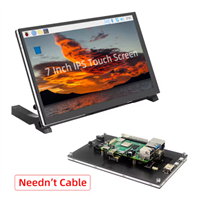
Raspberry Pi 5 7 Inch Touch Screen IPS 1024x600 HD LCD HDMI-compatible Display for RPI 4B 3B+ OPI 5 AIDA64 PC Secondary Screen(Without Speaker)
BUY NOW


- Comments(0)
- Likes(1)
More by Mirko Pavleski
-
 Arduino 3D Printed self Balancing Cube
Self-balancing devices are electronic devices that use sensors and motors to keep themselves balanc...
Arduino 3D Printed self Balancing Cube
Self-balancing devices are electronic devices that use sensors and motors to keep themselves balanc...
-
 Bass Reflex vs Sealed vs Horn – Same 2 inch Speaker Test
In one of the previous videos I presented the making of a miniature Horn type speaker box with a 2 ...
Bass Reflex vs Sealed vs Horn – Same 2 inch Speaker Test
In one of the previous videos I presented the making of a miniature Horn type speaker box with a 2 ...
-
 Building a Mini Fostex Horn Speaker with a 2-Inch Full-Range Driver
A back-loaded horn speaker is a loudspeaker design that channels the rear sound wave of a driver th...
Building a Mini Fostex Horn Speaker with a 2-Inch Full-Range Driver
A back-loaded horn speaker is a loudspeaker design that channels the rear sound wave of a driver th...
-
 ESP32 Moon Lamp That Shows the Real Moon Phase on Crowpanel Round Dispaly
Recently on the Hackaday portal I came across a very interesting project called Moon Display by aut...
ESP32 Moon Lamp That Shows the Real Moon Phase on Crowpanel Round Dispaly
Recently on the Hackaday portal I came across a very interesting project called Moon Display by aut...
-
 40-Year-Old DIY Power Amplifiers – Do They Still Work - 500W MOSFET & Transistor Amps
This time I want to describe my two DIY super powerful audio amplifiers that I made about 40 years ...
40-Year-Old DIY Power Amplifiers – Do They Still Work - 500W MOSFET & Transistor Amps
This time I want to describe my two DIY super powerful audio amplifiers that I made about 40 years ...
-
 Wi-Fi HaLow Explained! Long-Range Camera Test up to 300m (ESP32 + ThinkNode G4 from ELECROW)
I recently needed to install a security camera at a relatively large distance from my home, more pre...
Wi-Fi HaLow Explained! Long-Range Camera Test up to 300m (ESP32 + ThinkNode G4 from ELECROW)
I recently needed to install a security camera at a relatively large distance from my home, more pre...
-
 Simple Object Recognition with the UNIHIKER K10 – No TensorFlow, No Internet, No Cloud AI
Object recognition has become one of the most popular applications of artificial intelligence and em...
Simple Object Recognition with the UNIHIKER K10 – No TensorFlow, No Internet, No Cloud AI
Object recognition has become one of the most popular applications of artificial intelligence and em...
-
 DIY PCL82 Tube Amplifier, Single-Ended Amp with Amazing Sound
The idea for this project came from a local electronics magazine called EMITER, issue 12/13 from 20...
DIY PCL82 Tube Amplifier, Single-Ended Amp with Amazing Sound
The idea for this project came from a local electronics magazine called EMITER, issue 12/13 from 20...
-
 Simple MCP2036 SDR Radio - The Most Unusual Software Defined Radio
SDR (Software Defined Radio) is a radio communication system where many of the key electronic compo...
Simple MCP2036 SDR Radio - The Most Unusual Software Defined Radio
SDR (Software Defined Radio) is a radio communication system where many of the key electronic compo...
-
 Elecrow All-in-One Arduino Starter Kit Review - 20 Projects & 16 Modules
This time I will describe a simple and practical way to enter the world of microcontrollers, specif...
Elecrow All-in-One Arduino Starter Kit Review - 20 Projects & 16 Modules
This time I will describe a simple and practical way to enter the world of microcontrollers, specif...
-
 ESP32-C3 Color Detector with TCS34725, Real-Time RGB Detection & Web Interface
Color detection is a fundamental task in many embedded systems – from industrial sorting machines t...
ESP32-C3 Color Detector with TCS34725, Real-Time RGB Detection & Web Interface
Color detection is a fundamental task in many embedded systems – from industrial sorting machines t...
-
 DIY ESP32 Telegram Flood Protection System - Smart Home Automation
Recently I had an unpleasant experience in my home, specifically my ground floor was flooded as a r...
DIY ESP32 Telegram Flood Protection System - Smart Home Automation
Recently I had an unpleasant experience in my home, specifically my ground floor was flooded as a r...
-
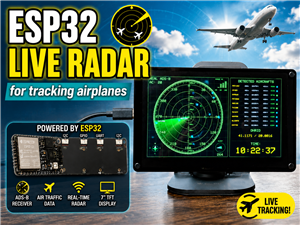 Real-Time Air Traffic Radar using ESP32 + ADS-B Data
ADS-B, which stands for Automatic Dependent Surveillance-Broadcast, is the modern standard for trac...
Real-Time Air Traffic Radar using ESP32 + ADS-B Data
ADS-B, which stands for Automatic Dependent Surveillance-Broadcast, is the modern standard for trac...
-
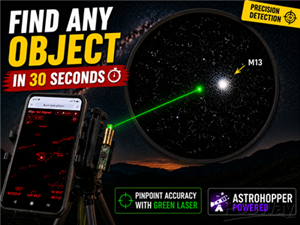 DIY Green Laser Night Sky Object Finder - Find Stars & Galaxies Instantly with great accuracy
As an amateur astronomer, especially at the beginning, the most difficult part of observing the nig...
DIY Green Laser Night Sky Object Finder - Find Stars & Galaxies Instantly with great accuracy
As an amateur astronomer, especially at the beginning, the most difficult part of observing the nig...
-
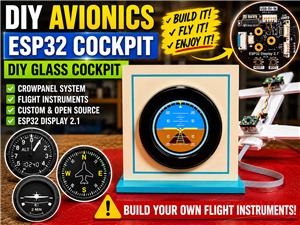 DIY Avionics Simulator with ESP32 - Artificial Horizon, Compass & Altimeter
The inspiration for this project comes from classical aircraft cockpit instruments used for navigat...
DIY Avionics Simulator with ESP32 - Artificial Horizon, Compass & Altimeter
The inspiration for this project comes from classical aircraft cockpit instruments used for navigat...
-
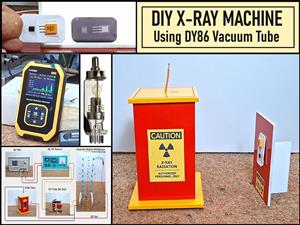 DIY Miniature X-Ray Machine using a TV Vacuum Tube DY86
An X-ray machine (or radiograph) is a quick, painless medical test that produces images of the struc...
DIY Miniature X-Ray Machine using a TV Vacuum Tube DY86
An X-ray machine (or radiograph) is a quick, painless medical test that produces images of the struc...
-
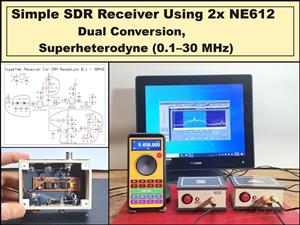 Simple SDR Receiver Using 2x NE612 - Dual Conversion, Superheterodyne (0.1–30 MHz)
SDR (Software Defined Radio) is a radio system in which most of the functions of a classic radio (f...
Simple SDR Receiver Using 2x NE612 - Dual Conversion, Superheterodyne (0.1–30 MHz)
SDR (Software Defined Radio) is a radio system in which most of the functions of a classic radio (f...
-
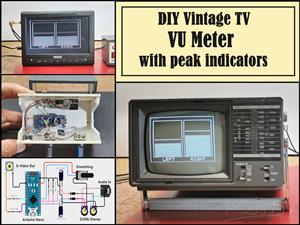 DIY Vintage TV VU Meter with peak indicators
Some time ago in one of my projects I presented you a way to turn a black and white old mini TV int...
DIY Vintage TV VU Meter with peak indicators
Some time ago in one of my projects I presented you a way to turn a black and white old mini TV int...
-
SmallOLED - Live PC Stats, Animated Clocks & Audio Visualizer
738 0 3 -
"Talking Multimeter": Arduino-Based Speech Add-on for Multimeters with SCPI Protocol
419 0 1 -
Programmable Mist Maker - XIAO / QT PY Extension
2864 2 3 -
RadioHAT - Raspberry Pi radio development platform
2455 0 4 -
-
-
-
ARPS-2 – Arduino-Compatible Robot Project Shield for Arduino UNO
4540 0 6