little cloud
This is a device that allows you to easily turn your old electronics into your own little cloud, helping you unlock the computing power of your unused hardware. For instance, it can connect to smartphones, tablets, laptops, desktops, and servers. By aggregating the storage, memory, and GPUs of these existing "worker devices," little cloud provides a plug-and-play, subscription-free alternative to Big Tech platforms.
mechanical engineering
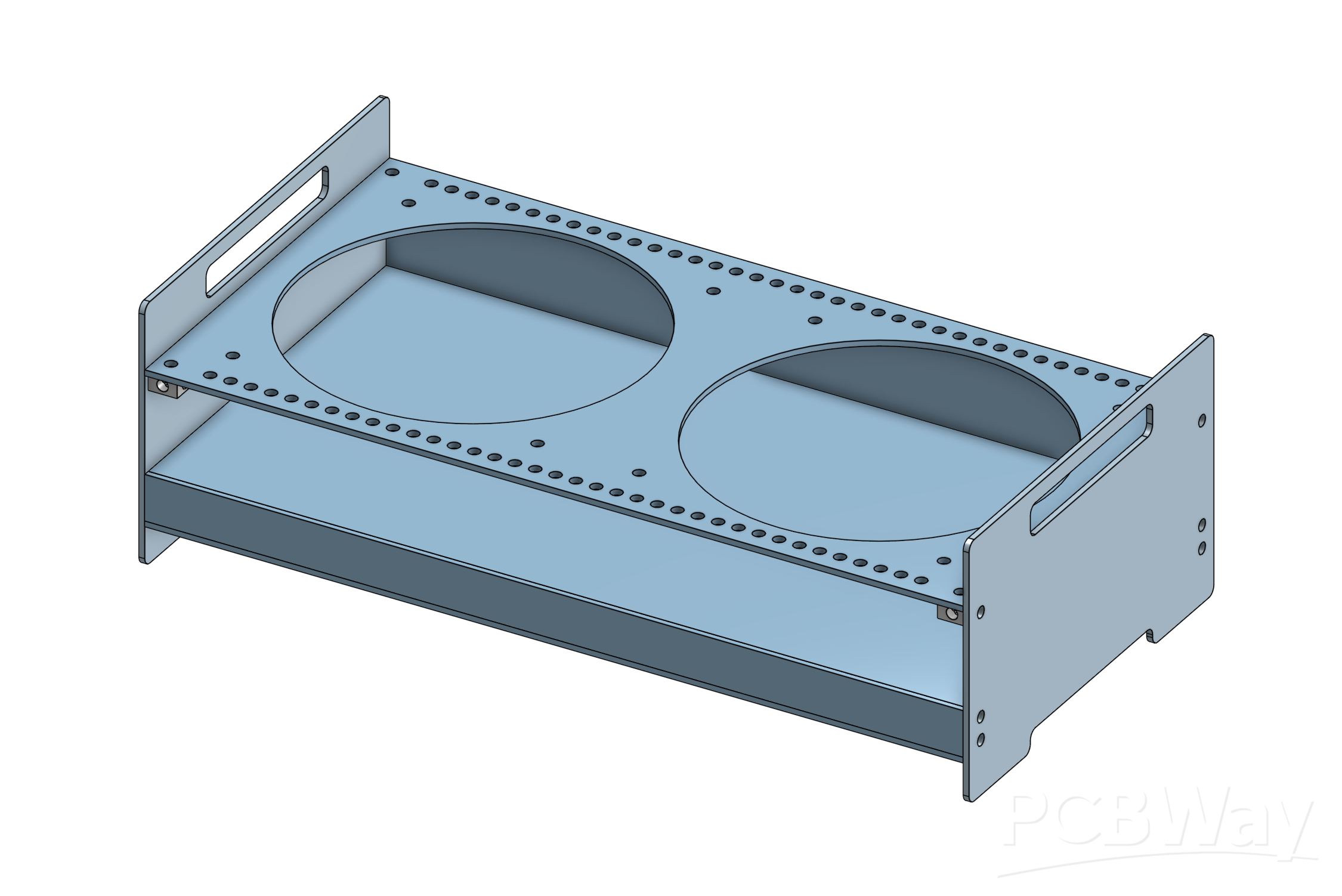
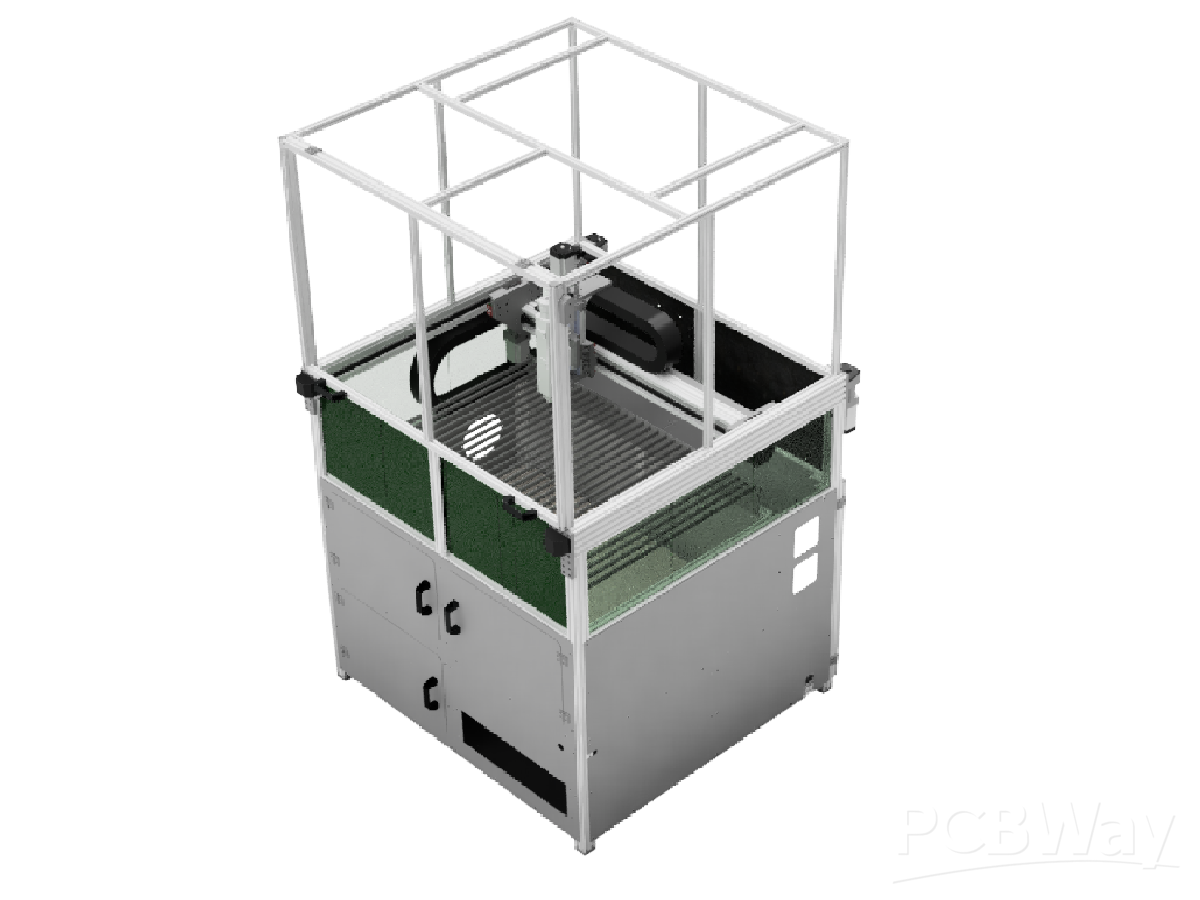
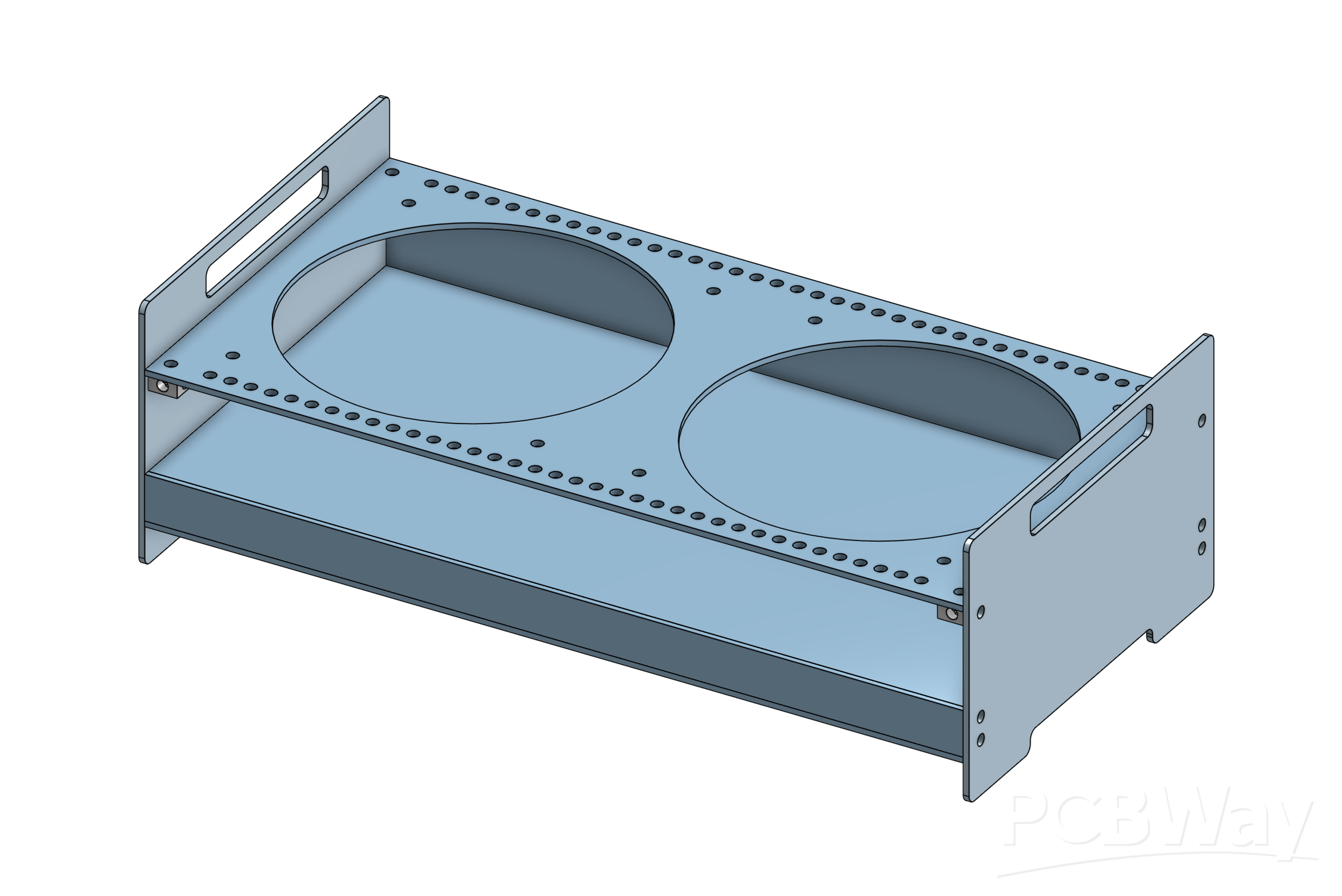
The sheet metal enclosure serves several distinct purposes:
- structural support: It acts as a stand and dock for flat worker devices, such as smartphones, tablets, and laptops. These sit vertically on top of little cloud's enclosure, held by long standoffs whose placement can be adapted as your e-waste cluster evolves. This helps reduce the desk footprint required for keeping the worker devices running.
- air cooling: For worker devices that are passively cooled, such as smartphones, tablets, and some laptops, it prevents them from throttling under load by circulating air across their skins using silent 120mm fans. This helps users get the most out of their existing hardware.
- brick storage: Many laptops are primarily powered by vendor-specific power bricks, which can get quite unwieldy. little cloud integrates a dedicated storage shelf below the worker device array, where users can neatly fit several laptop bricks.
- cable management: The enclosure is designed such that the cables running from the orchestrating PCB to the worker devices run across the rear side of the device, moving the cables out of sight.
- shielded pocket: The PCB that controls the cluster contains multiple high-frequency signals, as well as non-trivial power for charging half a dozen devices. The dedicated PCB pocket helps shield the board, improving EMC and GPSR properties.
In addition, the enclosure has been designed with the following properties in mind:
- cost-effective: Despite being a sheet metal enclosure, there are no bends, and only minimal perforations. This drastically reduces manufacturing costs in volume.
- do-it-yourself: The Ikea-style assembly is accessible enough to be completed by the end-user with just an Allen key, enabling cheap flat-packed storage and shipping.
electrical engineering
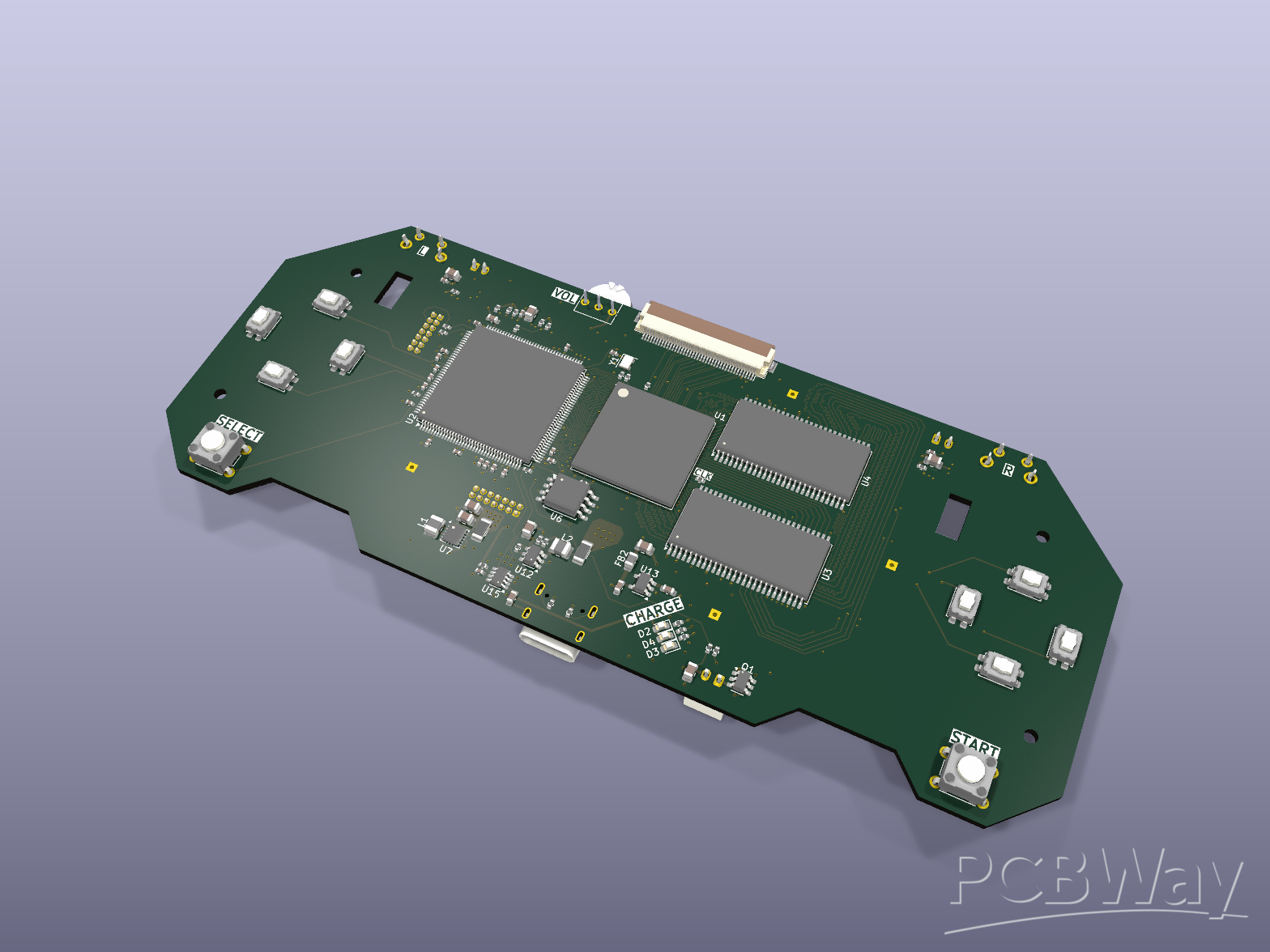
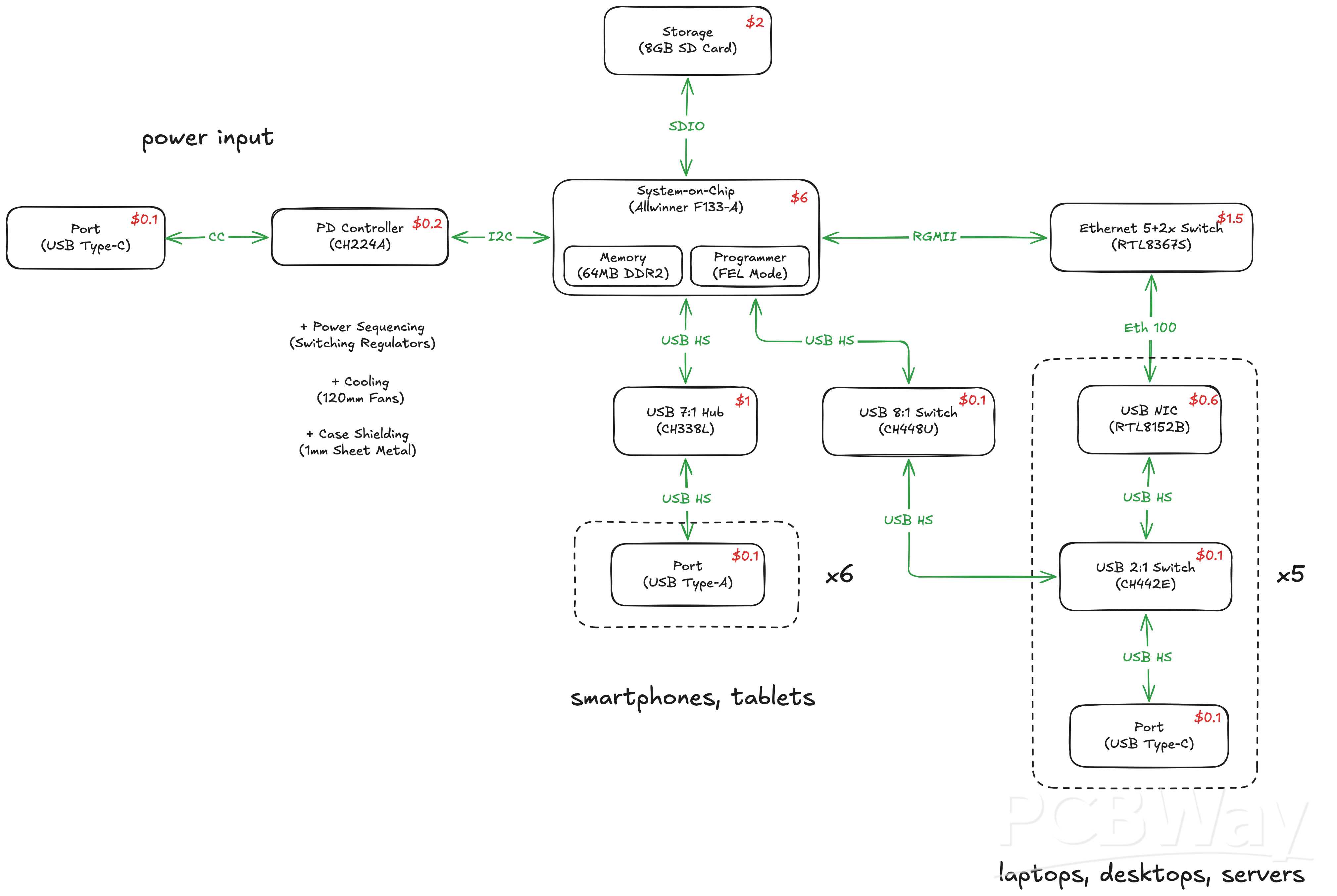
The PCBA itself has several goals:
- integrated charging: For worker devices that can charge off of USB, especially smartphones and tablets, little cloud handles charging through the same cables through which it handles cluster management and workload orchestration.
- universal compatibility: Laptops, desktops, and servers can typically only act as USB hosts. Legacy smartphones and tablets can only act as USB devices. Half of little cloud's USB ports present themselves as hosts, and half as devices, making it possible to work with a wide range of computer form factors, from smartphones to servers.
- adaptive draw: little cloud draws its power from a standard upstream USB Type-C charger. Thanks to its power delivery controller, it can renegotiate power with with a fluctuating power source, such as a portable solar panel, enabling off-grid computing.
- radio expansion: While primarily meant to hook into the existing radios of the worker devices, little cloud offers a network card slot for an eventual WiFi HaLow card that links together off-grid clusters at kilometer range into a "little network."
In addition, little cloud's hardware aims for:
- easy programmability: Previous iterations of the design featured per-port microcontrollers or an FPGA centerpiece with custom gateware. The current design uses a microprocessor as the single programmable chip, coupled with fixed-function chips, simplifying software tinkering.
- commodity chips: Virtually all ICs featured on little cloud's PCB are regularly stocked in the hundreds or thousands on major part distributors, hardening supply and piggybacking on cost reductions from large-scale manufacturing.
software engineering
The software that runs on top of little cloud's PCB has the following responsibilities:
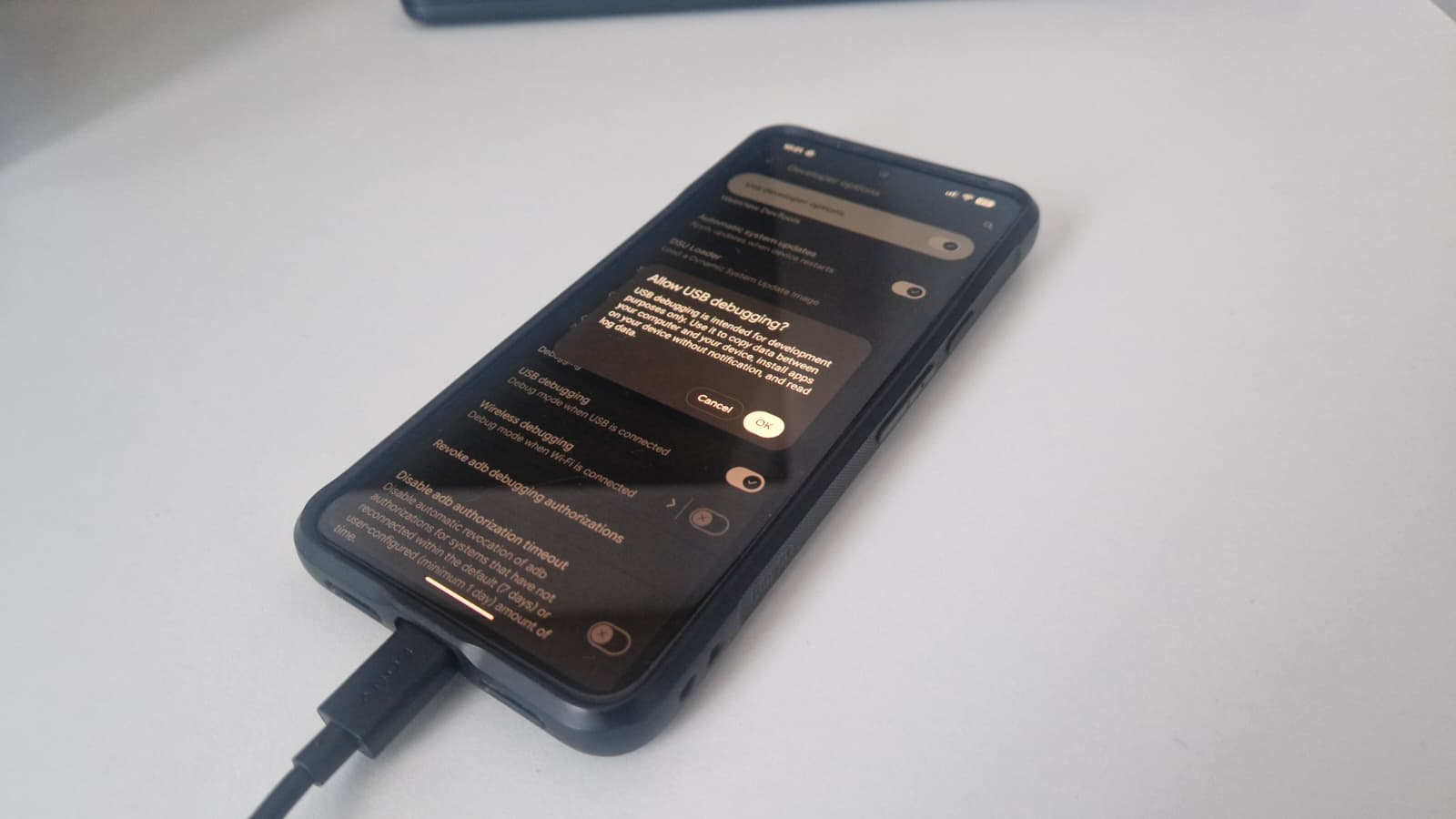
- universal recruitment: During the process of recruiting a new worker into the cluster, little cloud's microprocessor uses its peripherals to establish a persistent, privileged shell on the device. This might involve emulating a flash drive from which to install a headless OS, or using ADB to manage Android workers.
- optional debloating: If retaining the worker's original OS, such as when working with Android devices, little cloud can use its peripherals to temporarily "debloat" worker devices, disabling non-essential apps to free up computing resources for its workloads.
- workload orchestration: After having established control of a device, little cloud then dynamically orchestrates workloads across all workers, depending on the resources available on each.
- saturating interconnect: While the wired USB connection provides a reliable bandwidth baseline across workers, little cloud also attempts to establish a hidden WiFi network across workers, especially for accelerating parallel LLM workloads.
- safe charging: little cloud follows a strict policy for providing power to battery-enabled workers, to avoid swelling and runaway hazards. It only provides power when it can confirm battery health through software, and provides it on a schedule that minimizes battery wear. In addition, air cooling mitigates heat buildup.
Given the goal of getting the most out of heterogeneous devices with wildly different form factors and resources, little cloud's software aims for:
- high performance: Written primarily in Rust, it is meant to require as little RAM and processing power as possible.
- universal targeting: The choice of ecosystem also makes it such that code can variously be compiled for an Android phone, a Xeon server, or anything in between.
Note: This project is under early, active development. Follow the weekly build log here. I plan on putting together videos of the product as it approaches a reliable prototype. My goal is to get accepted into CrowdSupply to scale and distribute little cloud.
- Comments(0)
- Likes(0)