

Game controller With Screen!
Hello I am Jayden!
I am a 15 year old boy and I love programming and PCBs. I mostly code in Arduino IDE on C++ I make projects ranging from LED chasers to full games. I also enjoy making TikTok videos I would love to be famous but its hard to get famous now adays.
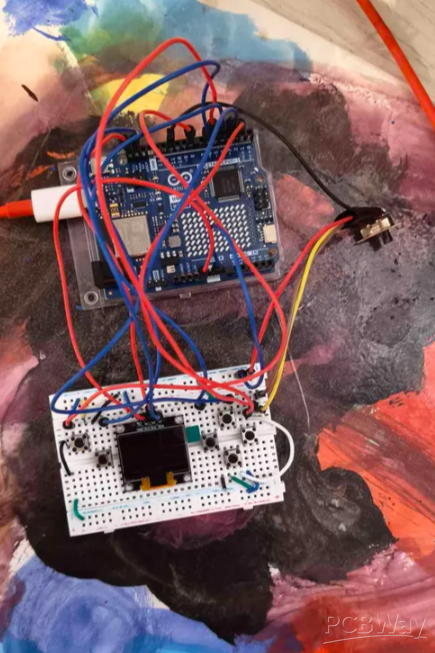
Anyways my project is all about me not using breadboards for my projects. Right now I am making a space-invaders type of game. But having a ugly breadboard as the main bit of my game was not appropriate. So that's why I made this PCB with buttons and spots for a potentiometer and a lever and even a OLED display. At the bottom of this page you can also see my breadboard prototype.
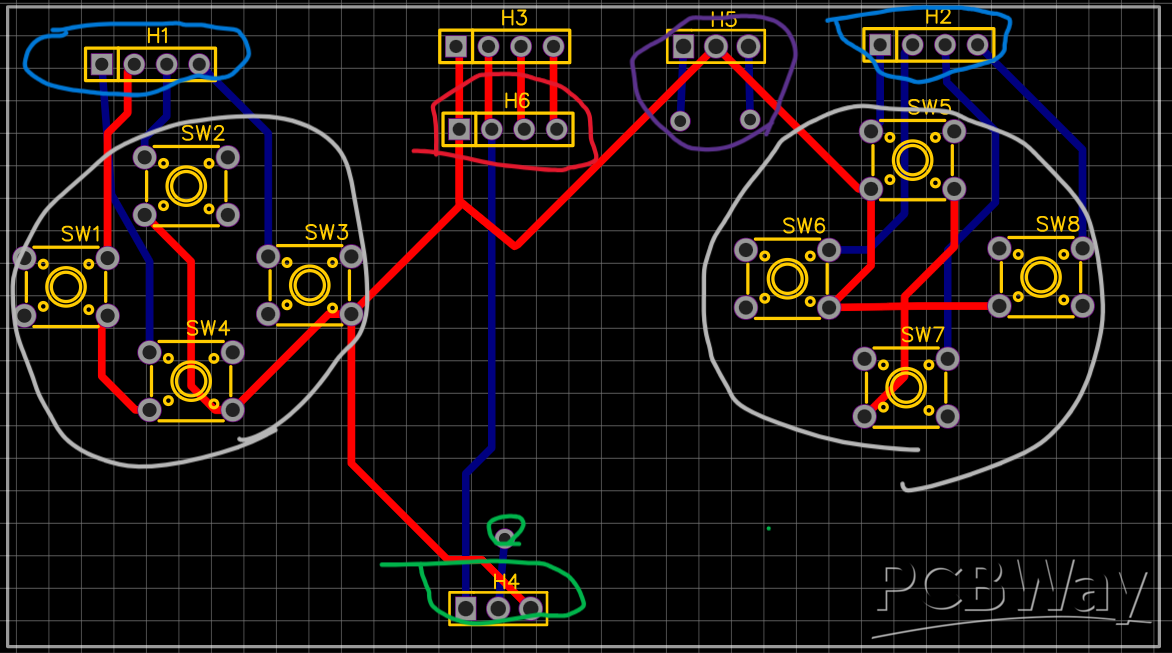
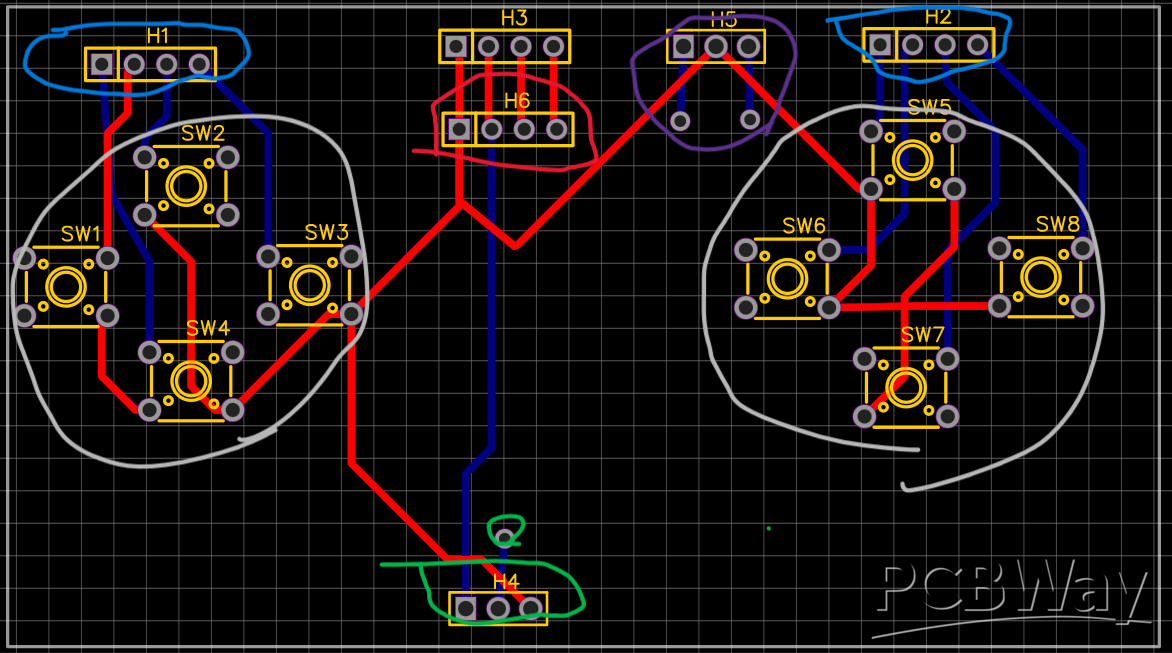
I used EasyEDA to design my PCB and with there amazing library it did not take long! As you can see in the image bellow I have colour coded some parts so here I will explain what every little bit dose.
LIGHT BLUE-This part is the output for my buttons when they get pressed they ground the pin witch a Arduino or ESP32 can read. Use the function pinMode(PIN, INPUT_PULLUP); This makes your Arduino use its internal resistance to set the pin to HIGH so you can read it when it goes LOW. This also prevents bouncing.
GRAY-These are the buttons that control everything and they are what you physically interact with. when pressed they ground the pin that they are connected to and can by example be read like this.
pinMode(PIN, INPUT_PULLUP);
if(digitalRead(PIN) == LOW) {VARIBLE++;}
RED-These are the inputs for all pins like GND , 5V, SDA and SCL. they also connect to a OLED display witch is important for this handheld controller project. What would a game be without a display? In my opinion it would be a game without a display.
GREEN-This is for the potentiometer that you can use for your game or brightness. To code them use VARIBLE = analogRead(PIN); This is a simple feature but can be verry useful.
PURPLE-This is for a lever so you can toggle your display or toggle some other feature! I know I will use it to publish this article.
COMPONENTS LIST
8 pushButtons
12 pinHeaders
1 lever
1 potentiometer
1 SSD1306 OLED display
And now you Readers can hop of because now I want to talk to PCBway themselves. Thank you for letting me write this and thank you for your service! I love your company and I hope you keep going! So sorry if my English is questionable I am from Sweden so English is not my primary language. Below you can also see the breadboard prototype! Special thanks to your worker Evan he is amazing.
tiktok jayden_tech17 any and all support is apreciated!!!
- Comments(0)
- Likes(1)