|
|
SN74HC08PWRTexas Instruments
|
x 1 | |
|
|
SN74LVC245APWRTexas Instruments
|
x 2 | |
|
|
SN74HC245PWRTexas Instruments
|
x 1 | |
|
|
06036C104JAT2AKYOCERA AVX
|
x 4 | |
|
|
CAY10-102J4LFBourns
|
x 8 | |
|
CR0603-J/-000ELFBourns Inc.
|
x 3 |
PICO9918 v0.3 - Pico powered TMS9918A VDP
PICO9918 v0.3
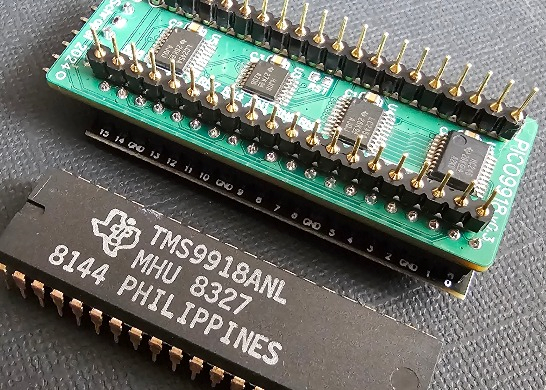
A drop-in replacement for a classic TMS9918A VDP using a Raspberry Pi Pico.
The TMS9918A emulation is handled by my vrEmuTms9918 library which is included as a submodule here


Supported devices
This is a list of devices the PICO9918 has been tested and confirmed to work on.
- Texas Instruments TI-99/4A (NTSC and PAL)
- Texas Instruments TI-99/4QI
- Dan Werner TI-99/22
- ColecoVision (NTSC and PAL)
- Coleco ADAM (NTSC)
- AtariBits CV-NUC+
- Memotech MTX500
- MSX
- Casio MX-10
- Casio PV-7
- Casio PV-16
- Gradiente Expert XP-800
- National CF-2700
- Sharp HB-8000
- Sony HB-75
- Toshiba HX-21
- Yamaha YIS-503
- NABU Personal Computer
- Powertran Cortex
- Sega SG-1000 / SC-3000
- Sord M5
- Tomy Pyūta / Tomy Tutor
- Tomy Pyūta Jr
If you have tested the PICO9918 on any other device, please let me know and I'll happily update this list. :)
Hardware
There are two main variants of the hardware.
v1.2 (formerly v1.1, v1.0 and v0.4)
PICO9918 v1.2 is the single board version which doesn't require a piggy-backed Pi Pico. This is the version you can currently buy pre-assembled from Tindie.

v0.3
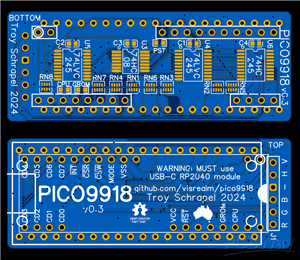
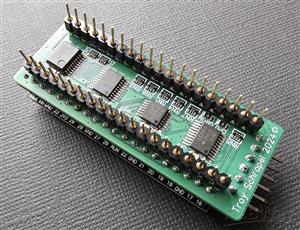
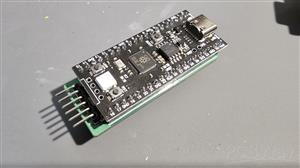
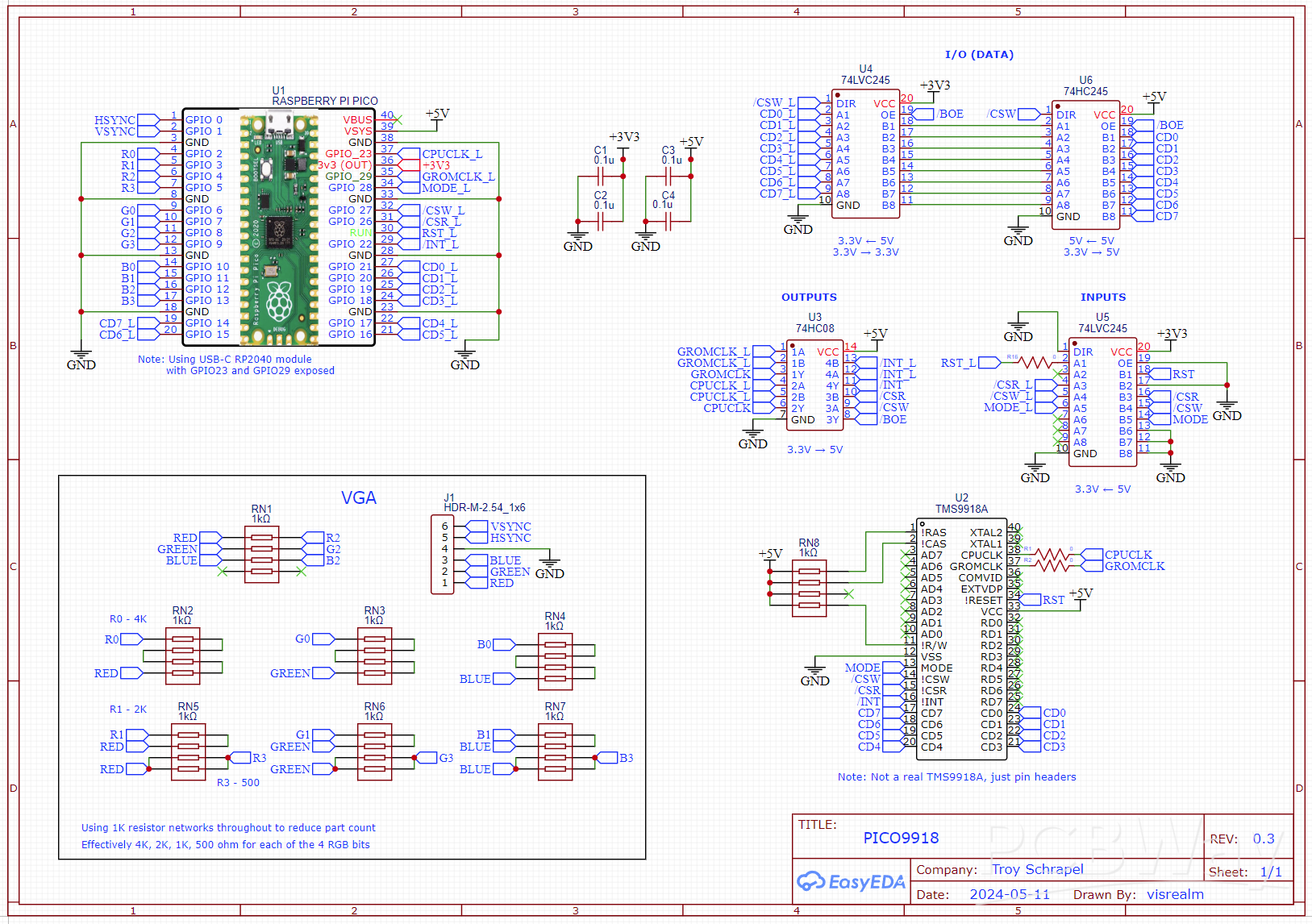
v0.3 is relatively cheap and easy to build, schematic and gerbers are available. This version makes use of an external Pi Pico module piggy-backed onto the PICO9918 PCB.
Firmware
If you're not interested in building the firmware yourself, you'll find the latest firmware in the Releases.
To install, just hold the 'BOOTSEL' (or 'BOOT') button while plugging the Pico into a PC, then drag the pico9918.uf2 file on to the new USB drive which should have the volume label RPI-RP2. The Pico will restart (and disconnect) automatically.
Development environment
To set up your development environment for the Raspberry Pi Pico, follow the Raspberry Pi C/C++ SDK Setup instructions. The latest PICO9918 source can be configured and built using the official Raspberry Pi Pico VSCode plugin.
Windows
The build system expects python3 to be available. If you have installed Python 3 outside of the Microsoft Store, you may need to alias your Python executable.
You can do this from an elevated (Administator) command prompt in your python directory e.g. C:\Program Files\Python310\ by creating a symlink with the command: mklink python3.exe python.exe.
The custom python build tools are used to convert binary data (images) into code. These also require the pillow library - (Installation instructions for pillow)
Discussion
For all the latest news and discussion on the PICO9918, you can follow this AtariAge thread
Purchasing options
Fully assembled and tested PICO9918 v1.2s are available on my Tindie store:
Videos
Initial "raw" videos recorded in the moments following the first boot on my TI-99/4A.
These videos are showing the v0.2 hardware with an external Pi Pico providing the required GROMCLK signal to the TI-99. This signal has been added to v0.3. I'm still waiting on v0.3 boards to arrive.
It freaking works!
Don't mess with Texas!
80 column mode
And now v0.4 - the single board version:
v0.4 prototype working!
F18A mode development preview
Licensing
Hardware
The hardware design files in this repository are licensed under the CERN-OHL-S. See LICENSE_HARDWARE.md for details.
Firmware
The firmware code in this repository is licensed under the MIT License. See LICENSE_FIRMWARE.md for details.
PICO9918 v0.3 - Pico powered TMS9918A VDP
*PCBWay community is a sharing platform. We are not responsible for any design issues and parameter issues (board thickness, surface finish, etc.) you choose.








Raspberry Pi 5 7 Inch Touch Screen IPS 1024x600 HD LCD HDMI-compatible Display for RPI 4B 3B+ OPI 5 AIDA64 PC Secondary Screen(Without Speaker)
BUY NOW


- Comments(2)
- Likes(4)
 More by Troy Schrapel
-
 KEYBOARD/4A-99
New version 1.1: Now re-use the original alpha-lock switch as well.Many Texas Instruments TI-99/4A h...
KEYBOARD/4A-99
New version 1.1: Now re-use the original alpha-lock switch as well.Many Texas Instruments TI-99/4A h...
-
 PICO9918 v0.3 - Pico powered TMS9918A VDP
PICO9918 v0.3A drop-in replacement for a classic TMS9918A VDP using a Raspberry Pi Pico.The TMS9918A...
PICO9918 v0.3 - Pico powered TMS9918A VDP
PICO9918 v0.3A drop-in replacement for a classic TMS9918A VDP using a Raspberry Pi Pico.The TMS9918A...
-
 Breadboard to VGA adapter
When working with VGA on a breadboard, integrating with a VGA connector can be flakey.This is a simp...
Breadboard to VGA adapter
When working with VGA on a breadboard, integrating with a VGA connector can be flakey.This is a simp...
-
 Breadboard to 28p wide ZIF adapter
A simple breadboard to 28-pin Wide ZIF socket adapter.Includes additional ground pins and an (option...
Breadboard to 28p wide ZIF adapter
A simple breadboard to 28-pin Wide ZIF socket adapter.Includes additional ground pins and an (option...
-
 PICO-56 - A 6502 + TMS9918 Retro Computer on a Raspberry Pi Pico
My HBC-56, a 65C02/TMS9918A homebrew computer on a backplane, fully emulated on a Raspberry Pi Pico....
PICO-56 - A 6502 + TMS9918 Retro Computer on a Raspberry Pi Pico
My HBC-56, a 65C02/TMS9918A homebrew computer on a backplane, fully emulated on a Raspberry Pi Pico....
-
-
ARPS-2 – Arduino-Compatible Robot Project Shield for Arduino UNO
1267 0 4 -
A Compact Charging Breakout Board For Waveshare ESP32-C3
1784 3 7 -
AI-driven LoRa & LLM-enabled Kiosk & Food Delivery System
1769 2 0 -
-
-
-
ESP32-C3 BLE Keyboard - Battery Powered with USB-C Charging
1941 0 1 -