


FloppyBoard: a compact and versatile board
Introduction
Hello everyone! Today I present FloppyBoard, a small development board similar to Arduino but designed to be more affordable and feature-rich. Its dimensions are comparable to a standard Arduino. This is the first version, which was also used in my Pet Feeder project. I later created three more versions with improvements.
This article is necessary for the realization of the Pet Feeder, a highly appreciated project that has gained interest from those who want to replicate it. For more details, you can find information on the project on my YouTube channel.
Production and Assembly
After receiving the PCBs, I purchased the components separately and hand-soldered them. I chose this approach to save money and because I find manual assembly an enjoyable activity.
Programming the FloppyBoard
There are two methods to program the FloppyBoard:
- A Nucleo Board with an integrated ST-Link
- A separate ST-Link programmer
In both cases, the connection is made through the programming pins, correctly wired with jumper cables. With the ST-Link, it is also possible to perform debugging and access literally all the features and settings of the microcontroller, which in this case is an STM32G030F6P6.
Connecting to the PC
Connect the ST-Link board to the computer using a USB-A to USB-mini cable.
- Connect the FloppyBoard programming pins to the ST-Link.
- Provide power to the FloppyBoard (the ST-Link does not supply power directly).
- Use STM32CubeIDE to write and upload the firmware to the board.
It is really that easy to connect the FloppyBoard to a PC and program it. In version 3, I added the ability to do everything via USB without needing an ST-Link, but it does not offer the same level of control. For example, debugging is not possible.
First Test: Blinking LED
To verify that the board is functioning correctly, I wrote a simple program to turn an LED on and off, similar to the LED 13 on Arduino. After compiling and uploading the code, the LED blinks regularly, confirming that the board is working properly.
The code can be written using either Arduino IDE or the dedicated STM32CubeIDE. The main difference between these two is code optimization. Arduino IDE is less optimized but easier to use, whereas STM32CubeIDE is more complex but offers maximum optimization. So, it's up to you to choose what best suits your needs.
Advanced Testing with OLED and Buttons
Next, I built a breadboard circuit with a display OLED and three buttons. The FloppyBoard fits between the two breadboards and connects to the various components through dedicated pins.
- The OLED display is connected via I2C.
- The buttons are programmed with interrupts for fast and precise response.
- The firmware allows incrementing or decrementing a number by pressing the corresponding buttons.
This is a simple example created with STM32CubeIDE that demonstrates the usefulness of external interrupts, which these microcontrollers support in abundance. Almost every pin can generate an interrupt event, which is super useful for many projects!
Button Debounce Management
To avoid incorrect readings due to button bouncing, I added resistors and capacitors to the button circuits. The capacitor helps stabilize the signal by reducing bounce spikes, as seen with an oscilloscope.
In practice, this works like a filter: once the button is pressed (discharging the capacitor), the resistor slows down the capacitor's recharge, eliminating rapid state changes of the button.
- When connecting the oscilloscope probe to the microcontroller input, you can see that without a capacitor, the signal has spikes.
- With a capacitor, the signal is clean, eliminating false counts.
Conclusion
This project represents a significant step in developing efficient and cost-effective hardware solutions. For further details and updates on later versions of the FloppyBoard, I invite you to visit my YouTube channel, where you can also find information about the Pet Feeder.
Here you can find the version 3 🤯
FloppyBoard: a compact and versatile board
Project images are for reference only. Actual production is based on the manufacturing files on the project page.
Please review the designer's notes (e.g., PCB thickness) and select the appropriate options.
PCBWay is not responsible
for issues caused by unsuitable parameter selections.
For more important ordering information, please refer to
Read More









Raspberry Pi 5 7 Inch Touch Screen IPS 1024x600 HD LCD HDMI-compatible Display for RPI 4B 3B+ OPI 5 AIDA64 PC Secondary Screen(Without Speaker)
BUY NOW


- Comments(0)
- Likes(0)
More by _ Floppy Lab
-
 Smart Environmental Badge for PCBWay’s 11th Anniversary – Monitor Temperature & Humidity
Philosophy Behind the ProjectAs I usually do, I strive to create devices that are useful in everyday...
Smart Environmental Badge for PCBWay’s 11th Anniversary – Monitor Temperature & Humidity
Philosophy Behind the ProjectAs I usually do, I strive to create devices that are useful in everyday...
-
 A DIY Soldering Station Perfect for Learning (Floppy Soldering Station 3.0)
Have you ever thought about building your own soldering station? With the Floppy Soldering Station, ...
A DIY Soldering Station Perfect for Learning (Floppy Soldering Station 3.0)
Have you ever thought about building your own soldering station? With the Floppy Soldering Station, ...
-
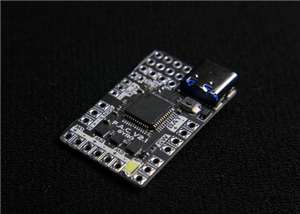 Floppy Ant Controller (FAC V2) The Advanced Control Board for Combat Robotics
Watch here the F.A.C. V2 teaserAbstractThe Floppy Ant Controller (FAC V2) is a compact and highly co...
Floppy Ant Controller (FAC V2) The Advanced Control Board for Combat Robotics
Watch here the F.A.C. V2 teaserAbstractThe Floppy Ant Controller (FAC V2) is a compact and highly co...
-
 Card wallet | slim profile, with card lock and color customizable NEED ASSEMBLY
SpecificationsLow and thin profile.Lip to prevent the cards from coming out.Easy to print.Just a lit...
Card wallet | slim profile, with card lock and color customizable NEED ASSEMBLY
SpecificationsLow and thin profile.Lip to prevent the cards from coming out.Easy to print.Just a lit...
-
 FloppyBoard: a compact and versatile board
IntroductionHello everyone! Today I present FloppyBoard, a small development board similar to Arduin...
FloppyBoard: a compact and versatile board
IntroductionHello everyone! Today I present FloppyBoard, a small development board similar to Arduin...
-
 An alternative clock (Floppy Voltmeter Clock)
What is it?The Floppy Voltmeter Clock is a special clock that instead of using the usual rotating ha...
An alternative clock (Floppy Voltmeter Clock)
What is it?The Floppy Voltmeter Clock is a special clock that instead of using the usual rotating ha...
-
 Christmas present
The idea:I made this small PCB perfect for decorating your Christmas tree, it is also a great gift f...
Christmas present
The idea:I made this small PCB perfect for decorating your Christmas tree, it is also a great gift f...
-
 Snowflake for Christmas tree
The idea:I made this small PCB perfect for decorating your Christmas tree, it is also a great gift f...
Snowflake for Christmas tree
The idea:I made this small PCB perfect for decorating your Christmas tree, it is also a great gift f...
-
 Christmas hat
The idea:I made this small PCB perfect for decorating your Christmas tree, it is also a great gift f...
Christmas hat
The idea:I made this small PCB perfect for decorating your Christmas tree, it is also a great gift f...
-
 A super small Robot Controller, the Floppy Ant Controller
What is the Floppy Ant Controller?The Floppy Ant Controller (abbreviated FAC) is a control board des...
A super small Robot Controller, the Floppy Ant Controller
What is the Floppy Ant Controller?The Floppy Ant Controller (abbreviated FAC) is a control board des...
-
 Dublefas 300g Battle Robot
Robowar eventDuring the Innovation Faire of Sovramonte on the 27th of April, we organised a Mini Rob...
Dublefas 300g Battle Robot
Robowar eventDuring the Innovation Faire of Sovramonte on the 27th of April, we organised a Mini Rob...
-
 The perfect cheap Arduino alternative? (Floppy Boards)
What are Floppy Boards?Floppy Boards are a series of breakout boards for rapid prototyping which I d...
The perfect cheap Arduino alternative? (Floppy Boards)
What are Floppy Boards?Floppy Boards are a series of breakout boards for rapid prototyping which I d...
-
 Automatic Pet Feeder Control Board
Automatic pet feeder (circuit)Hello everyone! In this article I will explain how I created the circu...
Automatic Pet Feeder Control Board
Automatic pet feeder (circuit)Hello everyone! In this article I will explain how I created the circu...
-
Programmable Mist Maker - XIAO / QT PY Extension
2333 2 2 -
RadioHAT - Raspberry Pi radio development platform
2021 0 4 -
-
-
-
ARPS-2 – Arduino-Compatible Robot Project Shield for Arduino UNO
4180 0 6 -
A Compact Charging Breakout Board For Waveshare ESP32-C3
4943 3 8 -
AI-driven LoRa & LLM-enabled Kiosk & Food Delivery System
5722 2 2 -





















