
|
arduino IDEArduino
|
Arduino Mega Control Shield
Introduction
Wiring a robot with a mobile base and a robotic arm on top quickly gets messy. You end up with dozens of jumper wires for stepper drivers, endstops, servos and power, all going into an Arduino Mega. A single loose Dupont connector can cost you an afternoon of debugging.
To fix this, I designed a custom Arduino Mega shield that works as the central hub of the whole robot. Every subsystem connects to it through a dedicated, keyed connector, so the wiring is clean, repeatable and easy to swap.
The shield brings together:
- 4 direct connectors for TB6600 stepper drivers for the wheels of the mobile base
- 3 connectors for a DRV8825 driver board (6 drivers in total) for the robotic arm
- 2 connectors for my endstop breakout board (12 limit switches, 6 axes × Min/Max)
- 3 servo motor connectors
- A power distribution section for the 5 V rail
Design Overview
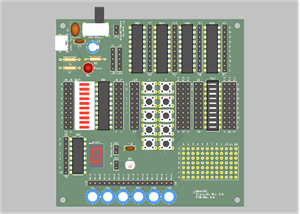
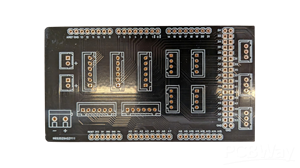
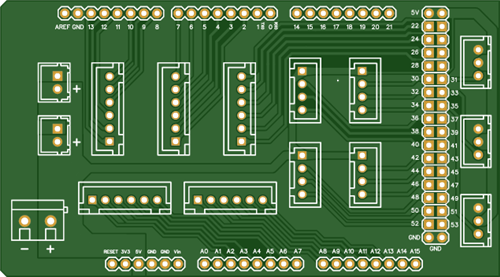
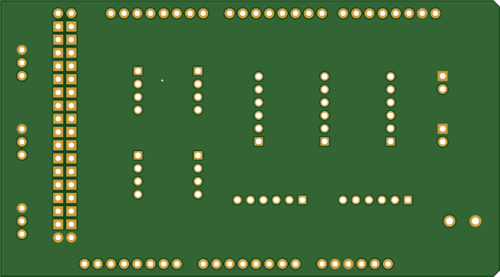
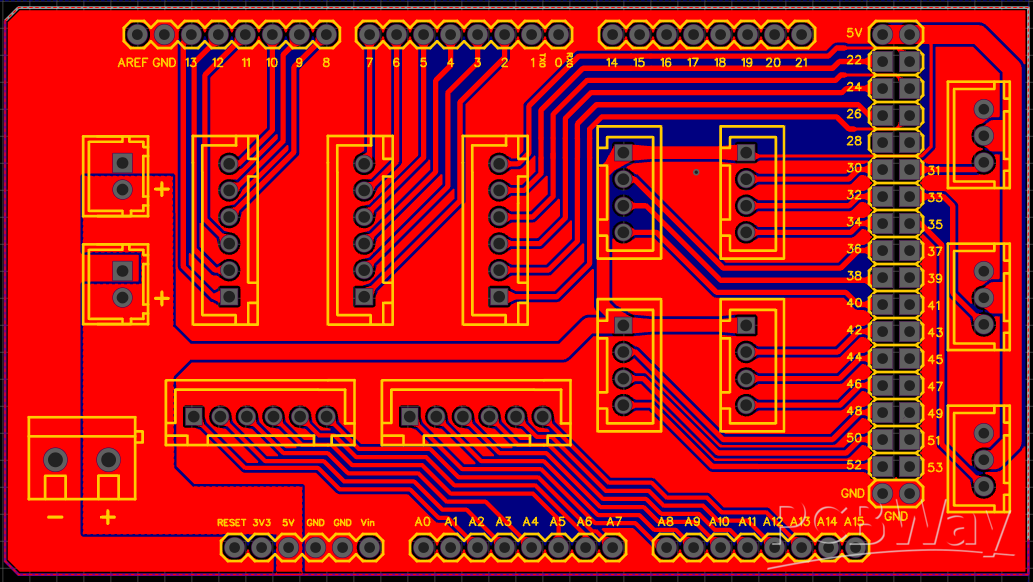
The board follows the Arduino Mega form factor and plugs directly on top of it. All the Mega’s pins are also broken out on headers along the edges (analog A0–A15, digital 0–21 and the 22–53 double-row header), so you can still reach any pin for debugging or future expansions.
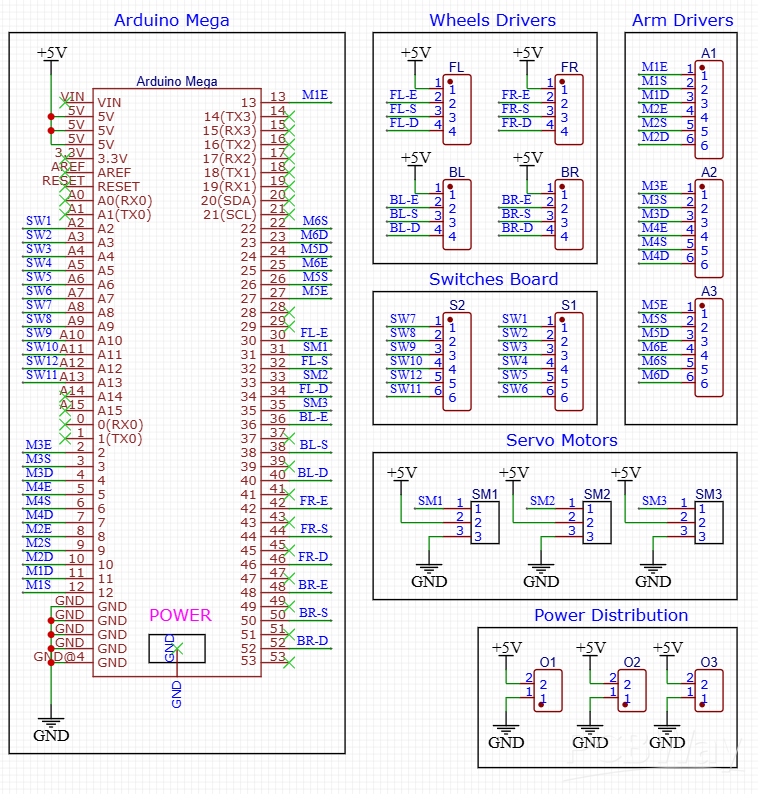
The schematic is organized into functional blocks, and each block is described below.
1. Wheel Drivers – TB6600 (FL, FR, BL, BR)
The mobile base uses four stepper motors, one per wheel: Front-Left, Front-Right, Back-Left, Back-Right. Each one is driven by a TB6600 driver, connected to the shield through a 4-pin connector.
The TB6600 is wired in common-anode configuration. The +5 V goes to all the positive inputs (ENA+, PUL+, DIR+), and the Arduino drives the negative inputs. This requires only 4 wires per driver.
2. Arm Drivers – DRV8825 Board (A1, A2, A3)
The robotic arm has 6 stepper motors, driven by a separate board that holds 6 DRV8825 drivers. The shield connects to it through three 6-pin connectors. Each connector carries the ENABLE, STEP and DIR signals for two motors.
Splitting the signals into three connectors keeps the cables short and flexible, and avoids one huge, rigid ribbon cable.
3. Switches Board – Endstops (S1, S2)
Two 6-pin connectors (S1 and S2) link the shield to my endstop breakout board, a separate PCB that handles 12 limit switches (6 axes, Min and Max). That board already has a 10 kΩ pull-up resistor and a 100 nF capacitor on every channel for RC filtering and debouncing. The signals reach the Arduino clean, with no extra components on the shield.
The 12 switch signals (SW1–SW12) go to the analog pins A0–A11, used as digital inputs. This leaves all the digital pins free for the drivers.
4. Servo Motors (SM1, SM2, SM3)
Three standard 3-pin servo connectors (+5 V, signal, GND) are available for the end effector or any other auxiliary mechanism, such as a gripper. The control signals are on pins D31, D33 and D35.
5. Power Distribution (O1, O2, O3)
The power section distributes the +5 V and GND rails through three connectors: a screw terminal and two 2-pin connectors. The 5 V rail is shared by the logic side of the drivers, the endstop board and the servos. Wide copper areas on both layers keep the voltage drop low.
⚠️ Note: Servos can draw large current peaks. For anything bigger than a micro servo, I recommend powering the 5 V rail with an external supply instead of relying on the Arduino’s onboard regulator.
PCB Layout
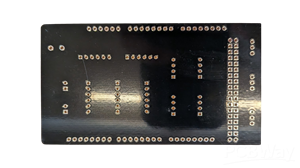
The PCB is a two-layer board with large copper pours on both sides for a solid ground. The connectors are grouped by function:
- Left side: power input and power distribution
- Center: arm driver connectors (A1–A3), wheel driver connectors and endstop connectors
- Right side: the three servo connectors, close to the 22–53 header
All connectors are polarized JST-style, so cables can’t be plugged in the wrong way, and swapping a driver or a subsystem takes seconds.
Why a Custom Shield?
- Reliability: no more loose jumper wires on a moving robot
- Modularity: every subsystem (wheels, arm, endstops, servos) lives on its own board and can be replaced or upgraded independently
- Clean pin allocation: each function has a dedicated group of pins, which makes the firmware easier to write and read
- Easy debugging: all the Mega’s pins are still accessible through the breakout headers.
Conclusion
This shield turned a messy prototype into a robot that is clean and easy to maintain. Combined with the endstop breakout board and the DRV8825 driver board, it forms a complete modular control system for a mobile manipulator, driven by a single Arduino Mega.
More projects and courses on robotics are available on Learn By Doing!.
Arduino Mega Control Shield
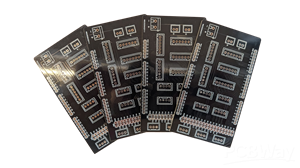
Project images are for reference only. Actual production is based on the manufacturing files on the project page.
Please review the designer's notes (e.g., PCB thickness) and select the appropriate options.
PCBWay is not responsible
for issues caused by unsuitable parameter selections.
For more important ordering information, please refer to
Read More


Raspberry Pi 5 7 Inch Touch Screen IPS 1024x600 HD LCD HDMI-compatible Display for RPI 4B 3B+ OPI 5 AIDA64 PC Secondary Screen(Without Speaker)
BUY NOW


- Comments(0)
- Likes(0)
More by Francesco Brandi
-
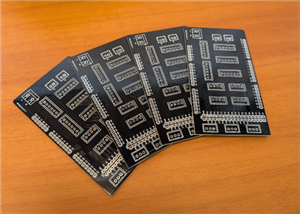 Arduino Mega Control Shield
IntroductionWiring a robot with a mobile base and a robotic arm on top quickly gets messy. You end u...
Arduino Mega Control Shield
IntroductionWiring a robot with a mobile base and a robotic arm on top quickly gets messy. You end u...
-
 Endstops Breakout Board
If you've ever wired more than two or three limit switches to a microcontroller, you already know th...
Endstops Breakout Board
If you've ever wired more than two or three limit switches to a microcontroller, you already know th...
-
 DIY Relay Oscillator
Hi everyone! I’m sharing a classic Relay Oscillator Circuit designed to continuously toggle an exter...
DIY Relay Oscillator
Hi everyone! I’m sharing a classic Relay Oscillator Circuit designed to continuously toggle an exter...
-
Émetteur Récepteur Optique Expérimental (communication UART ATtiny + fibre optique)
74 0 1 -
SmallOLED - Live PC Stats, Animated Clocks & Audio Visualizer
896 0 3 -
"Talking Multimeter": Arduino-Based Speech Add-on for Multimeters with SCPI Protocol
524 0 1 -
Programmable Mist Maker - XIAO / QT PY Extension
2989 2 3 -
RadioHAT - Raspberry Pi radio development platform
2540 0 4 -
-
-