
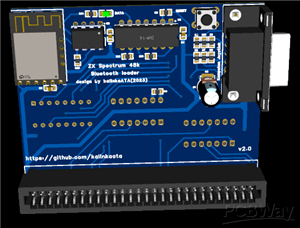
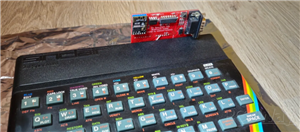
ZX Spectrum 48k Bluetooth Loader and Kempston Joystick Interface
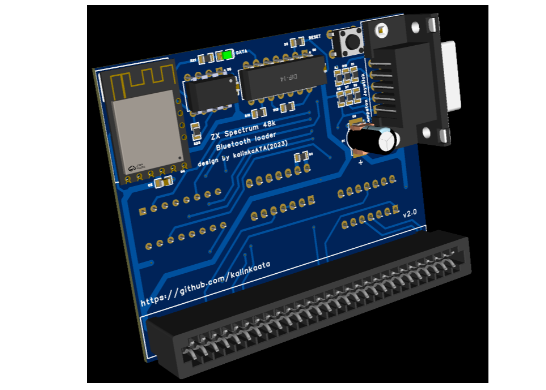
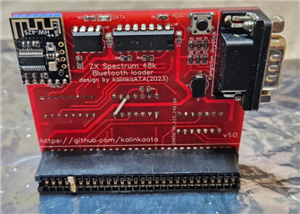
This is a Bluetooth loader and a joystick interface for ZX Spectrum 48k computers.
- it's a proven / tested working project
- provides direct digital input to the ZX Spectrum via the Bluetooth module. Data is injected directly on the data bus, without using
the MIC/EAR inputs, so it can work with Spectrum with a failed or damaged MIC/EAR ports
- provides a robust and reliable program loading while still maintaining the old feeling of loading with load screens and border bars.
- added joystick port to provide joystick connection as it occupies the expansion port and prevents use of normal joystick interfaces
- Intended to use with a mobile phone or other Bluetooth capable device that can play ZX Spectrum programs/games as audio.
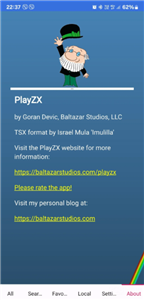
- Tested with Android phones using the free PlayZX app on Google Play store. As a bonus, this app already contains hundreds of games.
- You can use any other app, or device if it's capable of playing these files via Bluetooth
- The expansion card creates a Bluetooth connection which you should pair with your phone as an audio playback device ( same as if you are connecting to a Bluetooth speaker ).
- The LED will give you an indication of connected / not connected status.
- ...then the procedure is the same as if you have a casette player > Type LOAD"" on the spectrum, press enter, and play the file on your mobile phone
- Some experimentation may be needed with volume level on your phone. In most cases the highest volume works best.
- Make sure you switch off any sound enhancing functions on your phone ( equalizer, hearing aid...automatic volume control...etc )
- Make sure you disable notifications, because the notification sound is also played via Bluetooth and will cause a loading error
- Loading time is same as with a casette player, but the application has a 2x speed option.
- Once you set up everything , programs should load without error every time,
- You will see the normal loading bars in the border, but you may or may not hear the loading sound ( depends on motherboard versions ). This is normal. Seeing the border bars is enough feedback to tell if everything's working fine and the loading is in progress.
- The joystick connector is just a standard 9pin kempston compatible one..nothing special. Choose "Kempston" in games.
- Populating the PCB :
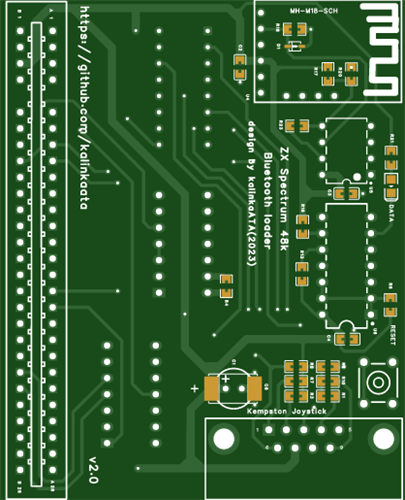
- C1/C8 are interchangeable. Use only one of them, whichever suits you better ( TH or SMD )
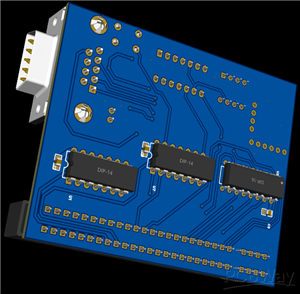
- For logic ICs use only HCT or LS parts and try not to mix them on the same board - but most of the time it will still work.
- As the edge connector is long time obsolete, you have to make your own from a standard 2x28pin 2.54mm edge connector ( or buy it ready made on some of the retro sites ). You will probably have to trim the upper right edge of the connector ( towards the power connector of the Spectrum ) to be able to fully insert the card into the expansion port. There are plenty of tutorials on the internet to see how to do it. Recommend taking apart the spectrum and try it unpowered first to see if it fits perfectly. If not properly inserted, it can damage your Spectrum !!!
- PCB is designed to sit flush to the back of the Spectrum, so be prepared, it is hard to remove it once it's inserted. This is a deliberate design choice to provide additional stability against pulling it out accidentally via the joystick cable.
- Use 2.54mm pin headers to connect the Bluetooth board and rise it a bit above the components below it. The 4 pins on the side of the module do not need to be connected.
The device is tested only on ZX Spectrum 48k. It should work on a Spectrum+ too.
I ENCOURAGE everybody to design a 3D printed case for this and share , as I'm not good at making those :)
ZX Spectrum 48k Bluetooth Loader and Kempston Joystick Interface
Project images are for reference only. Actual production is based on the manufacturing files on the project page.
Please review the designer's notes (e.g., PCB thickness) and select the appropriate options.
PCBWay is not responsible
for issues caused by unsuitable parameter selections.
For more important ordering information, please refer to
Read More


Raspberry Pi 5 7 Inch Touch Screen IPS 1024x600 HD LCD HDMI-compatible Display for RPI 4B 3B+ OPI 5 AIDA64 PC Secondary Screen(Without Speaker)
BUY NOW


- Comments(0)
- Likes(4)
More by Attila Kalinka
-
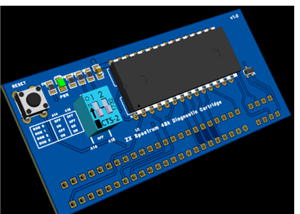 ZX Spectrum Diagnostic/Game cartridge
Simple and small 4 in 1 diagnostic / game cartridge for ZX Spectrum 48k/128/+2I am using it as a dia...
ZX Spectrum Diagnostic/Game cartridge
Simple and small 4 in 1 diagnostic / game cartridge for ZX Spectrum 48k/128/+2I am using it as a dia...
-
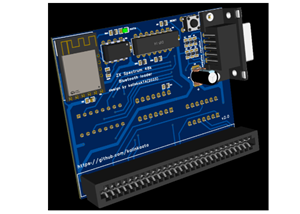 ZX Spectrum 48k Bluetooth Loader and Kempston Joystick Interface
This is a Bluetooth loader and a joystick interface for ZX Spectrum 48k computers.it's a proven / te...
ZX Spectrum 48k Bluetooth Loader and Kempston Joystick Interface
This is a Bluetooth loader and a joystick interface for ZX Spectrum 48k computers.it's a proven / te...
-
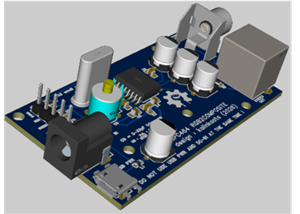 Amstrad/Schneider CPC464/6128 RGB to Composite / SVIDEO Converter
This board converts CPC464/6128 video output to Composite and S-VIDEO signals.so you can use any TV ...
Amstrad/Schneider CPC464/6128 RGB to Composite / SVIDEO Converter
This board converts CPC464/6128 video output to Composite and S-VIDEO signals.so you can use any TV ...
-
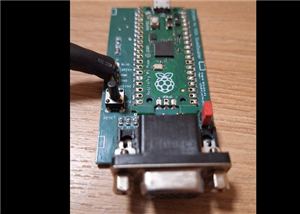 Amstrad/Schneider CPC464/664/6128 VGA Output
This is a proven working project.The original project can be found here : https://github.com/grzegor...
Amstrad/Schneider CPC464/664/6128 VGA Output
This is a proven working project.The original project can be found here : https://github.com/grzegor...
-
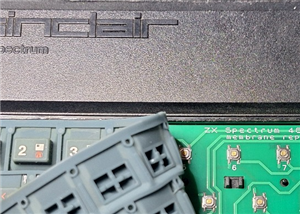 ZX Spectrum Microswitch SMD Keyboard Membrane Replacement
Perfect fit PCB based keyboard for ZX Spectrum 16/48k.PCB MUST BE 0.6mm thick ! Pay attention when o...
ZX Spectrum Microswitch SMD Keyboard Membrane Replacement
Perfect fit PCB based keyboard for ZX Spectrum 16/48k.PCB MUST BE 0.6mm thick ! Pay attention when o...
-
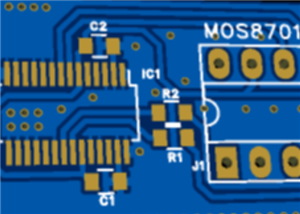 C64/C128 MOS8701 replacement based on dodgypll
This is proven working project. Only applicable for PAL Commodore 64/128Project is based on this pro...
C64/C128 MOS8701 replacement based on dodgypll
This is proven working project. Only applicable for PAL Commodore 64/128Project is based on this pro...
-
Programmable Mist Maker - XIAO / QT PY Extension
2638 2 3 -
RadioHAT - Raspberry Pi radio development platform
2274 0 4 -
-
-
-
ARPS-2 – Arduino-Compatible Robot Project Shield for Arduino UNO
4403 0 6 -
A Compact Charging Breakout Board For Waveshare ESP32-C3
5175 3 8 -
AI-driven LoRa & LLM-enabled Kiosk & Food Delivery System
5926 2 2 -