






Thoth's Oracle
USB operated media display/controller for Windows(, Linux, MacOS WIP).
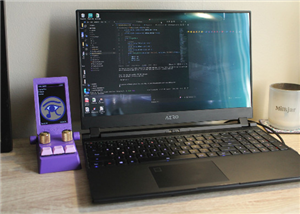
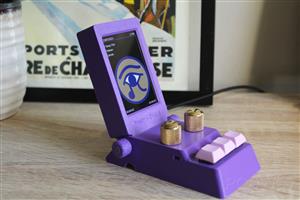
USB music display helps you keep track of what you are listening to without taking up precious screen space. Thoth's Oracle provides a one stop shop for checking on the current media information and basic controls such as skipping tracks, playing and pausing and adjusting the volume. 

Features
- Software agnostic companion app listens to operating system rather than a specific program like Spotify app or Firefox
- If OS is aware of media, companion app will be as well
- 320x480 IPS display for maximum readability
- Display the available metadata of current media
- Thumbnail
- Title
- Album
- Artist
- Duration and current position
- Basic media control
- Play/pause
- Skip track
- Previous track
- Mute/unmute
- Volume control
- Tiltable screen
- Brightness control
- Lightweight companion app (peak RAM usage <80MB, avg <50MB)
- Wallpaper mode to cycle through local images in Wallpaper folder
- Standard components allowing for custom configuration and ease of assembly
- Hotswappable MX style or Kailh Choc low-profile style switches
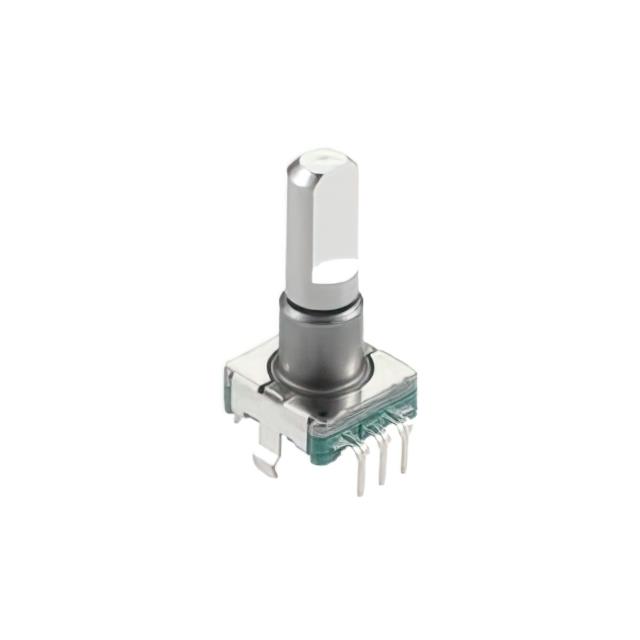
- 6mm rotary potentiometer and encoder
- 3D printed shell
- One screw size
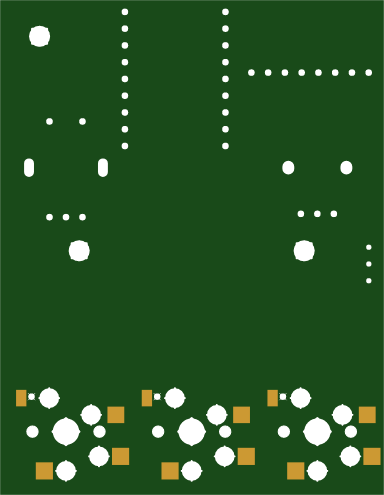
- Small PCB with mostly THT components. Only the hotswap sockets are SMD (hand solderable)
Make your own!
Everything you need to make your own should be in BOM-and-Assembly found in the github repository. Let me know if anything can be improved.
How it works
Hardware
- An ESP32-S3 zero controls all of the device inputs and displays information on screen
- ESP32 communicates with PC over USB C OTG connection
Software
- The software is written in C# for the Windows App.
- Companion app catches changes to focused media broadcast from the operating system.
- On media change, Thoth requests metadata, packages it, then waits for signal from the Oracle that it is ready to receive the data.
- Metadata is packaged as follows with header tag denoting type, size, etc.:
- System information containing date and time
- Media duration and position
- Media text: title, album, artist
- Thumbnail
- All text is converted to UTF-8.
- Once ready signal is received, Thoth sends a package over serial port, waits for ready signal, then proceeds to next package.
- When input commands are received, Thoth requests the OS completes the action.
Firmware
The firmware is written in C.
- All serial communications are handled by Core 1. Core 0 handles all display features running LVGL.
- Thoth's Oracle emits ready signal periodically while idling, and emits control commands as soon as they are inputted by the user.
- When data is received, the header tag is analyzed to know which buffer it should be put in.
- If there is an error with the header tag, all subsequent data is dumped, and firmware waits for a pause in data transmission before resetting header information and buffers, and returning to idle state.
- If no errors are detected, data is placed directly into the correct buffer for further analysis in the case of text data, or displayed immediately for images (rolling effect as image loads).
- Media text starts as one big array of characters, and is split into the three fields using escape characters inserted by companion app.
- The font used is DejaVu-Sans in 16 point, with as much of the character set as is hopefully reasonable to ensure maximum language compatibility, without containing the entire set.
- Once the expected number of bytes is received based on the header tag, the header is reset, Oracle emits a ready signal, then enters idle state.
- If firmware times out before receiving expected data, header tag is reset and device enters idle state.
Configuration
The following can be configured from companion app or config file
- Which program to listen to
- Port the device is connected to
- Sensitivity of volume knob
- Which output device to control (default, speakers, headphones, etc.)
- Wallpaper mode
Installation
Companion app is provided as portable application that doesn't need installation. Just download and extract the software file for your system wherever you want and run it!
Instructions for making app launch on startup (Section WIP)
Windows
Right click on .exe and select 'Create shortcut'
Copy the shortcut to %APPDATA%\Microsoft\Windows\Start Menu\Programs\Startup
Thoth's Oracle
Project images are for reference only. Actual production is based on the manufacturing files on the project page.
Please review the designer's notes (e.g., PCB thickness) and select the appropriate options.
PCBWay is not responsible
for issues caused by unsuitable parameter selections.
For more important ordering information, please refer to
Read More









Raspberry Pi 5 7 Inch Touch Screen IPS 1024x600 HD LCD HDMI-compatible Display for RPI 4B 3B+ OPI 5 AIDA64 PC Secondary Screen(Without Speaker)
BUY NOW


- Comments(0)
- Likes(1)
 More by Dominique
-
Émetteur Récepteur Optique Expérimental (communication UART ATtiny + fibre optique)
138 0 1 -
SmallOLED - Live PC Stats, Animated Clocks & Audio Visualizer
983 0 3 -
"Talking Multimeter": Arduino-Based Speech Add-on for Multimeters with SCPI Protocol
561 0 1 -
Programmable Mist Maker - XIAO / QT PY Extension
3033 2 3 -
RadioHAT - Raspberry Pi radio development platform
2582 0 4 -
-
-



















