





|
arduino IDEArduino
|
|

|
Autodesk Fusion 360Autodesk
|
|

|
Visual Studio CodeMicrosofe
|
|
|
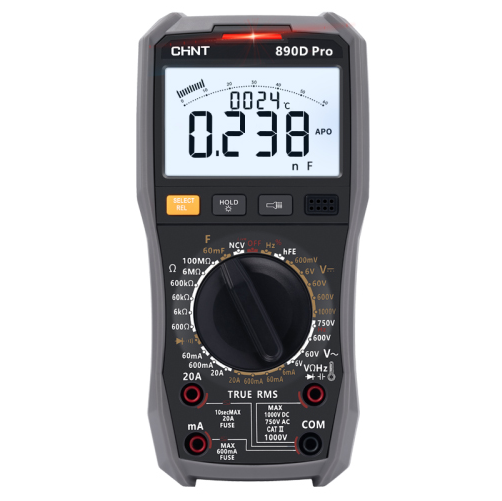
Digital High-precision Automatic Multimeter ZTW890DProCHINT
|
|

|
Soldering iron (generic) |
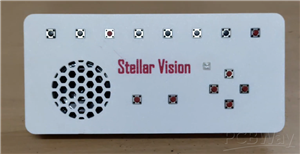
Stellar Vision - The Affordable Braille Console in The World
Stellar Vision V1 – The Affordable Braille Console in World !!
Stellar Vision V1 is a next-generation assistive Braille input solution created to enhance the independence of visually impaired users by integrating accurate hardware design, intelligent software processing, and reliable wireless connectivity.
The system features a compact 14-key Braille keyboard, AI-driven assistance, HID-based typing, optical character recognition (OCR), real-time audio feedback, and a fully wireless file management framework.
Project Overview
Stellar Vision V1 is a portable, multi-purpose assistive console that merges Braille-based user input with advanced digital functionality. Powered by the ESP32 platform and associated peripheral modules, the device supports high-speed Braille typing, AI-powered queries, document OCR, wireless file handling, gesture-based navigation, and emergency communication features.
Key Features
- 14-key Braille input interface with precise 6-dot pattern recognition for accurate character entry
- AI-powered assistance enabling real-time question answering via the Gemini API
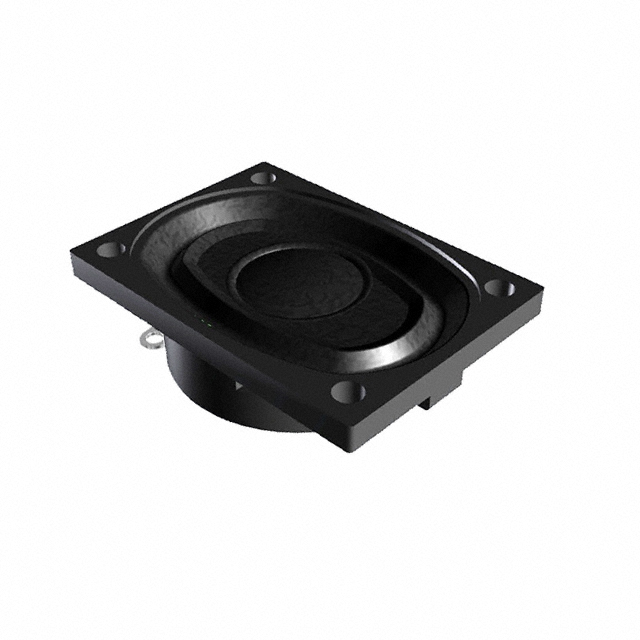
- Multi-modal user feedback, including audio prompts, haptic vibration, and text-to-speech (TTS) output
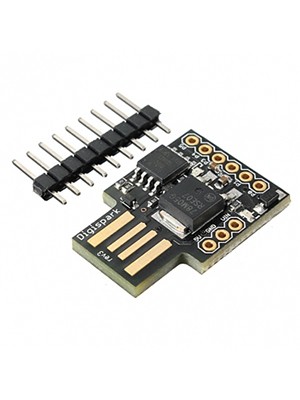
- HID keyboard emulation using DigiSpark for seamless interaction with computers and mobile devices
- SOS emergency alert system capable of sending SMS notifications through Twilio
- Wireless file upload and management system for independent data handling
- Single-hand gesture control mode implemented using the MPU6050 motion sensor
- Optical Character Recognition (OCR) mode for extracting readable text from images and PDF documents
- SD card storage support for notes, audio files, and system logs
- Over-the-Air (OTA) firmware update capability for continuous feature upgrades
- Deep-sleep–optimized power management to maximize energy efficiency and extend operating time
Please refer to the User Manual for complete operational details — it documents every feature in depth.
The Stellar Vision V1 User Manual is available for download on the official GitHub repository User manual
How Each Mode Assists Visually Impaired Users
1. Perkins Mode
Core Objective
- Enables direct, real-time interaction with computers and digital platforms using Braille input.
User Capabilities
- Compose and send emails independently
- Participate in online examinations
- Write source code, including special characters (<, >, (), #)
- Browse the internet efficiently
- Perform general computer-based tasks without visual assistance
Accessibility Enhancements
- Optional read-aloud feedback activated through a long-press action
- Full typing autonomy, supporting numbers, capital letters, and symbols
- Automatic text correction to improve typing speed and confidence
Input System Architecture
- 14-key Braille input interface with accurate 6-dot pattern recognition
- Four dedicated navigation keys for menu traversal and mode switching
- Dual space buttons designed for ergonomic and efficient typing
- CTRL modifier key enabling HID shortcut functions (copy, paste, etc.)
- Backspace key for standard character deletion
.png)
2. Notification Mode
Functionality
- Enables seamless synchronization with a mobile device to deliver notifications through distinct vibration patterns.
Notification Handling
- Notifications are announced using custom haptic vibration cues
- Designed for non-audio, discreet alerts
Storage Mechanism
- All received notifications are automatically stored on the SD card using the format:
App: [Application Name] [Timestamp] Msg: [Title] [Message Content]
- Clears outdated notifications during system startup
- Stored alerts can be reviewed later using SD Reader Mode
3. NoteMaker Mode
Purpose
- Facilitates independent and efficient note-taking for visually impaired users.
Common Use Cases
- Academic note-taking
- Recording event information
- Personal writing and journaling
Core Features
- Notes are securely saved to the SD card
- Instant audio feedback via text-to-speech (TTS)
- Automatic text correction to improve writing accuracy and confidence
4. SD Card Mode
Capabilities
Allows users to access and manage stored data directly from the SD card, including:
- Text files
- Notes and documents
- Images and media files
OCR Functionality (B-Drive Mode)
- Converts printed book pages into readable digital text
- Provides spoken audio output for extracted content
- Supports text extraction from images and PDF documents
Additional Utilities
- Built-in audio player for podcasts, audiobooks, and user recordings
5. Gemini AI Mode
AI Capabilities
- Intelligent assistance powered by Gemini AI 2.0
- Supports real-time question answering across multiple domains
- Automatically saves question–answer sessions to the SD card
Feedback Mechanism
- Audio announcements
- Haptic vibration signals
- Text-to-speech (TTS) responses
- Custom audio cues for enhanced interaction
6. HID Shortcut Mode
Automation Features
- Provides single-key automation for frequently used digital tools, including:
- Wi-Fi enable/disable
- Google Chrome browser
- Gmail
- ChatGPT
- Online Python IDE
- Digital library platforms
This mode significantly reduces interaction complexity and accelerates workflow.
7. SD Upload Mode
Wireless File Management
Enables full file control without removing the SD card.
Supported Operations
- Browse directory structure
- Upload and download files
- Delete unnecessary files
Key Advantages
- Wireless upload via built-in web interface
- Supports text documents, audio files, and study materials
- Promotes complete independence in managing digital resources
8. OTA Update Mode
Update System
- Supports wireless over-the-air (OTA) firmware updates
- Ensures smooth and interruption-free upgrades
Benefits
- Continuous feature enhancement
- Bug fixes without physical access
- Long-term device scalability and reliability
9. SOS Emergency Mode
Safety Mechanism
Provides an immediate safety response during critical or unsafe situations.
Key Functions
- Sends an emergency SMS alert via Twilio to a predefined contact
- Activated through a dedicated space-button press
- Functions as a reliable protection layer for users during emergencies
- This feature ensures quick communication without requiring visual or complex interaction.
10. One-Hand Gesture Mode
Usage Overview
Designed for users who prefer minimal physical interaction or single-hand operation.
Functionality
- Utilizes the MPU6050 motion sensor to switch between modes
- Requires minimal hand movement
- Significantly reduces physical effort and accelerates navigation
This mode improves accessibility for users with limited mobility or fatigue.
11. Audio Player Mode
Purpose
Enables audio-based learning and content consumption.
Supported Use Cases
- Playback of educational podcasts
- Audiobooks for academic and leisure reading
- Personal voice recordings
This mode is especially useful during extended study sessions and hands-free learning.
12. Sleep Mode
Power Management System
Optimized for energy efficiency and extended operational time.
Features
- Automatically enters sleep after 30 seconds of inactivity
- Employs deep-sleep power optimization to reduce consumption
- Temporarily disabled in modes requiring continuous operation
- (e.g., SD Upload Mode and B-Drive OCR Mode)
- This ensures battery efficiency without disrupting critical tasks.
HID Keyboard & Controller Architecture
Current Implementation
- Uses DigiSpark (ATtiny85) for stable and reliable HID keyboard output
- Enables seamless Braille-to-keyboard translation for computers
Planned Enhancement
- Migration to ESP32-S3 to improve native HID handling
- Intended to resolve existing I²C and I²S resource conflicts
- Will reduce dependency on external HID controllers
Future Expansion
Planned Feature
- Integration of an AI voice agent using an I²S microphone
- This enhancement will enable voice-based interaction, further reducing reliance on physical input.
Web Interface Features
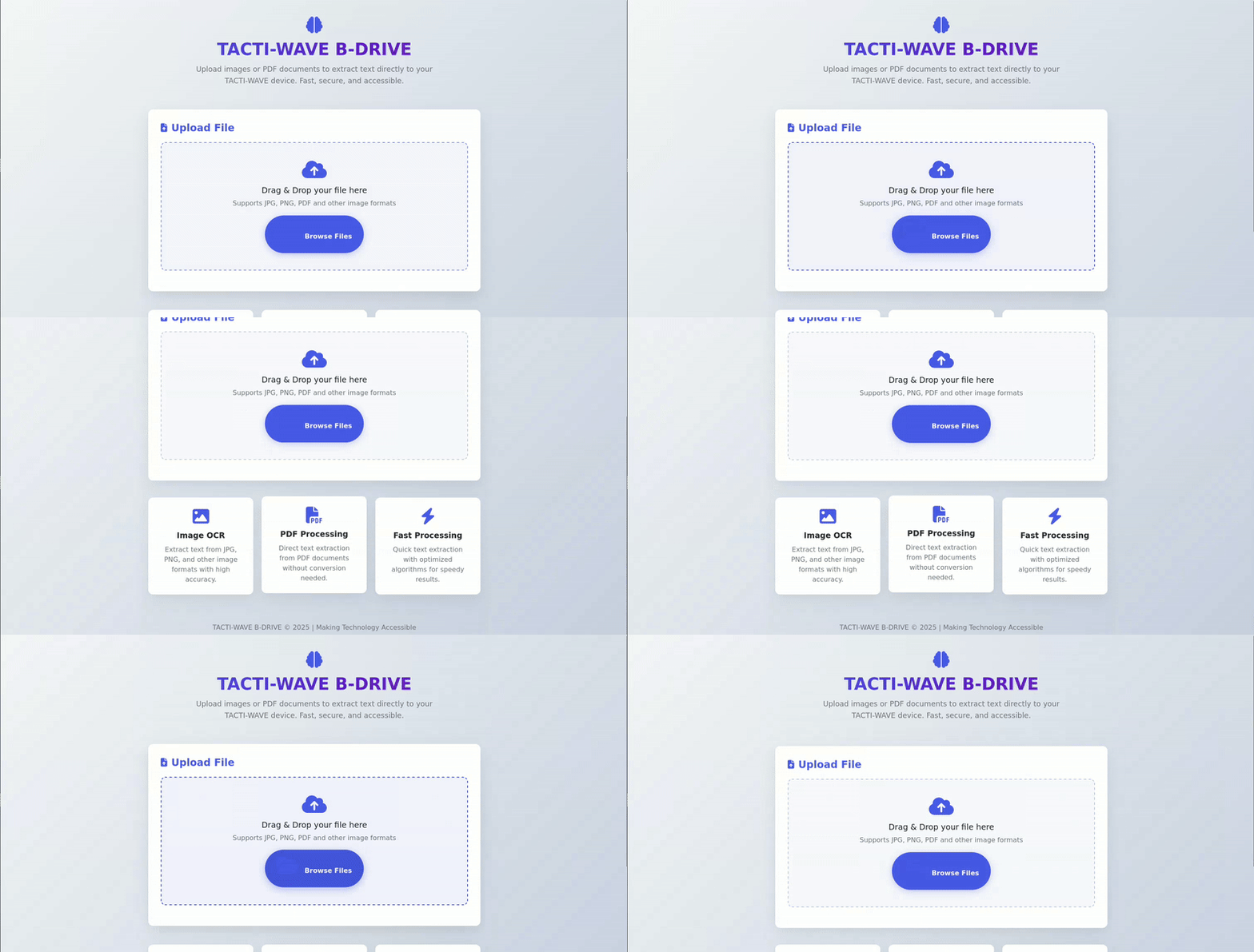
1. B-DRIVE OCR System
Web-Based OCR Platform
- Built-in web server accessible from any modern browser
- Simple drag-and-drop interface for image and PDF uploads
- Supports JPG, PNG, and PDF formats
OCR Processing
- Powered by the OCR.space API for accurate text extraction
- Automatically converts uploaded documents into readable text
User Feedback
Haptic vibration alert notifies the user upon completion of processing
2. SD Upload Mode (Web Interface)
- Wireless File Management System
- Accessible via a clean web dashboard at:
http://[device-ip]:8080
Features
- Upload, download, delete, and browse files wirelessly
- Supports entire folder uploads with nested directory structures
- Real-time upload progress indicators
- Operates entirely on a local Wi-Fi network (no internet required)
- Accessibility Advantage
- Fully mobile-friendly interface
- Works seamlessly on smartphones, tablets, and desktop browsers
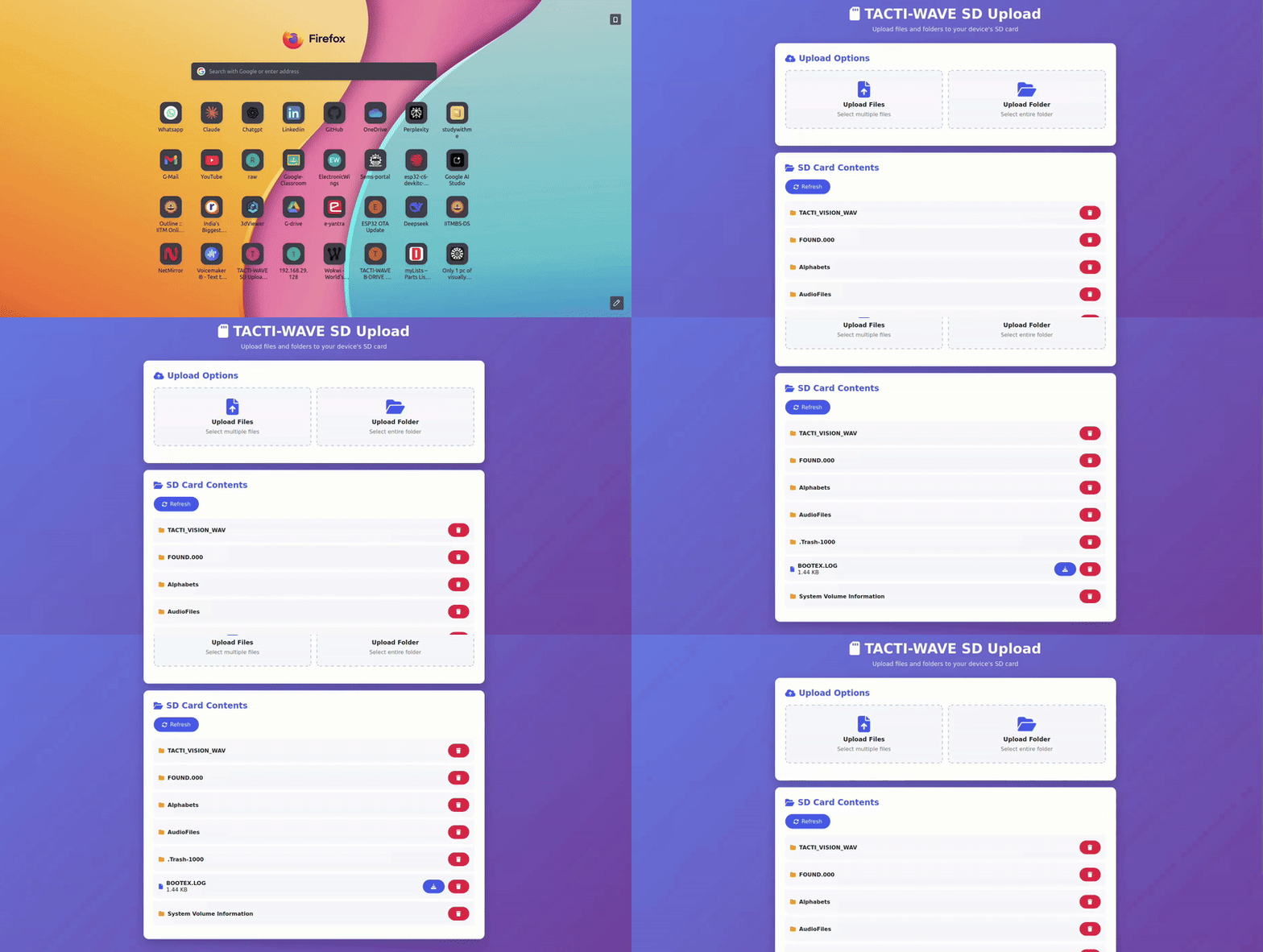
Image of the Components used : 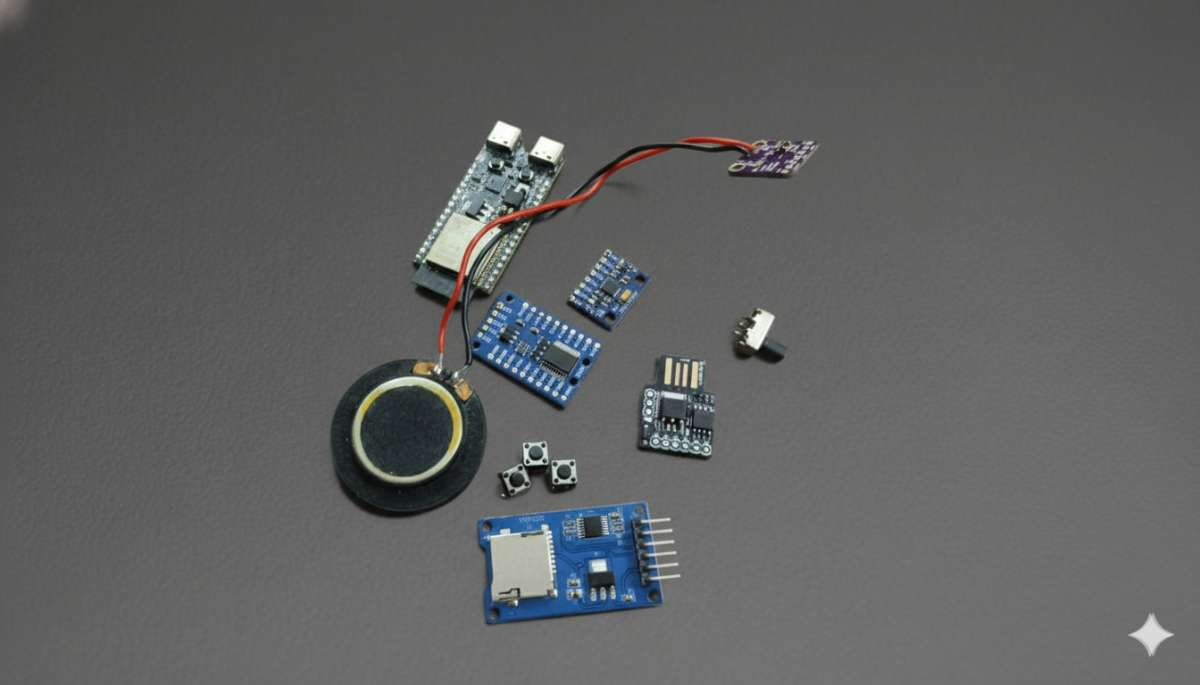
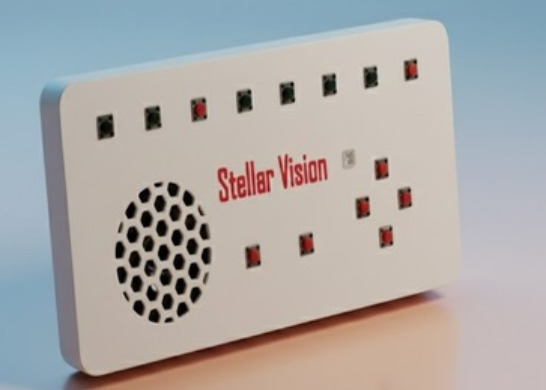
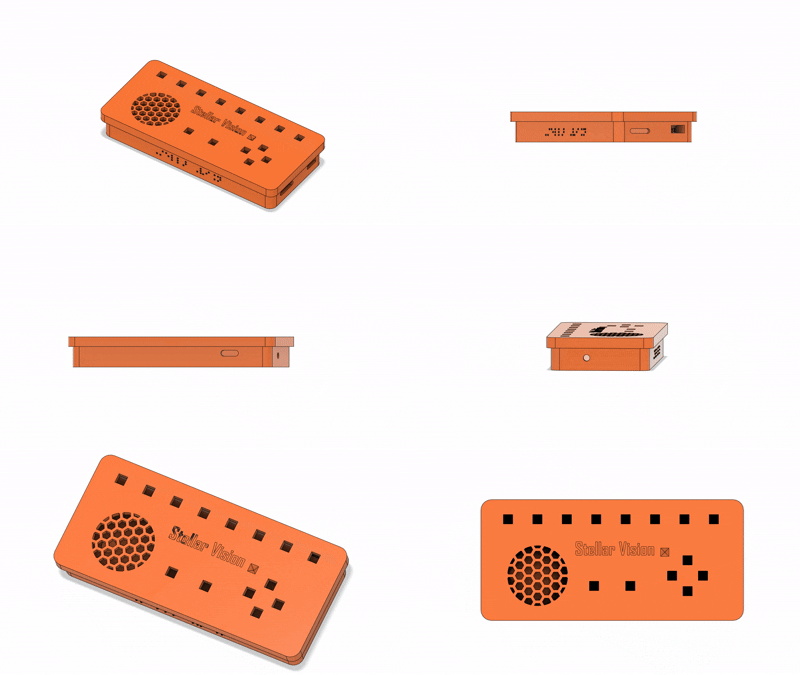
3D MODEL :
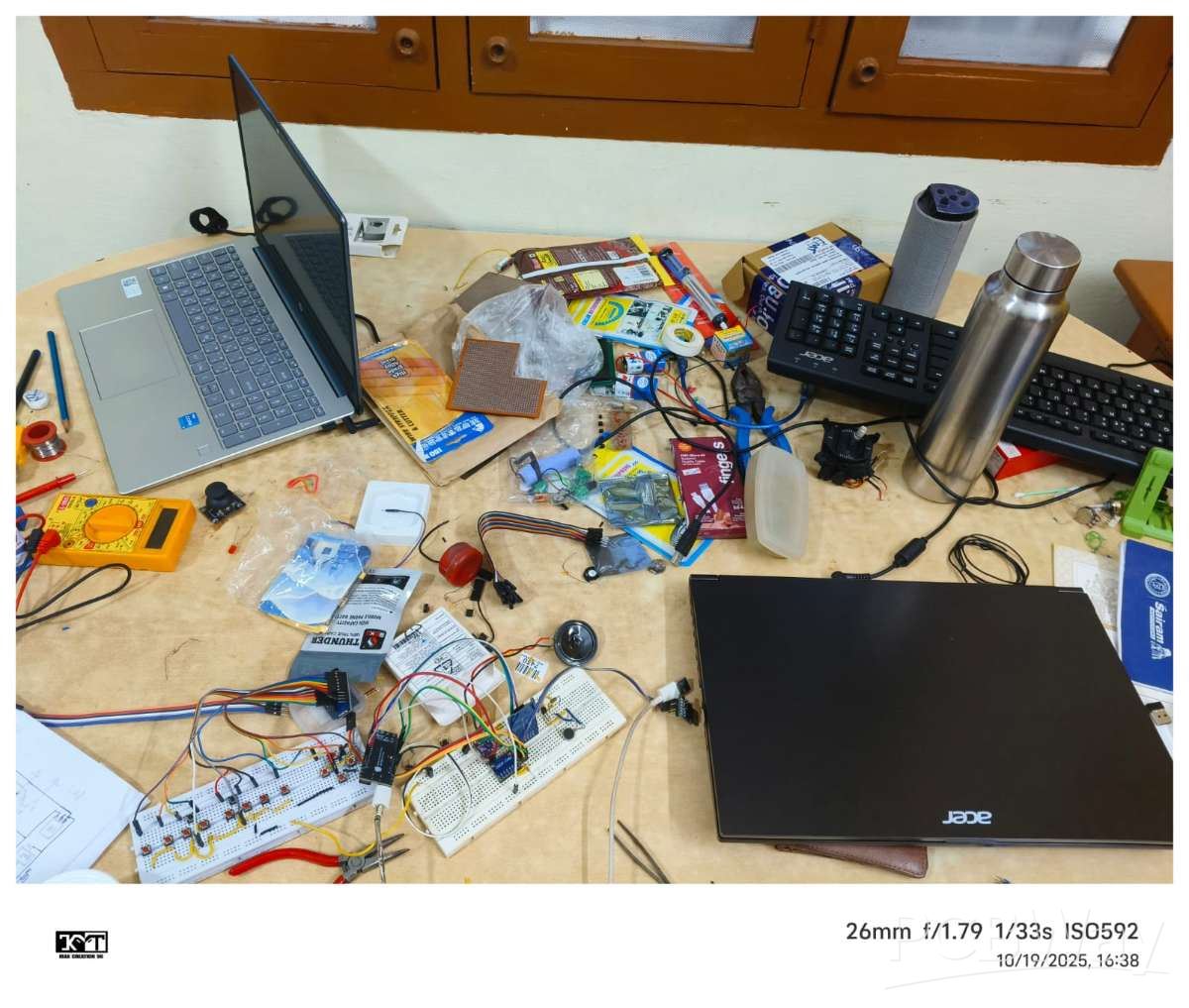
I developed the complete hardware prototype in six days and built a custom, feature-rich firmware that surpasses the capabilities of many existing assistive devices available on the market. Most commercial solutions are overpriced, and several technologies they use are not affordable for common users.
Let us now compare my device with a leading product from one of the top Braille reader manufacturers.
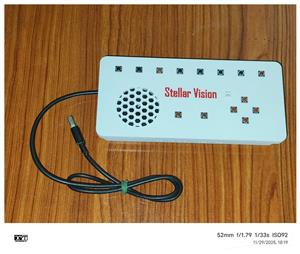
Prototype Model :
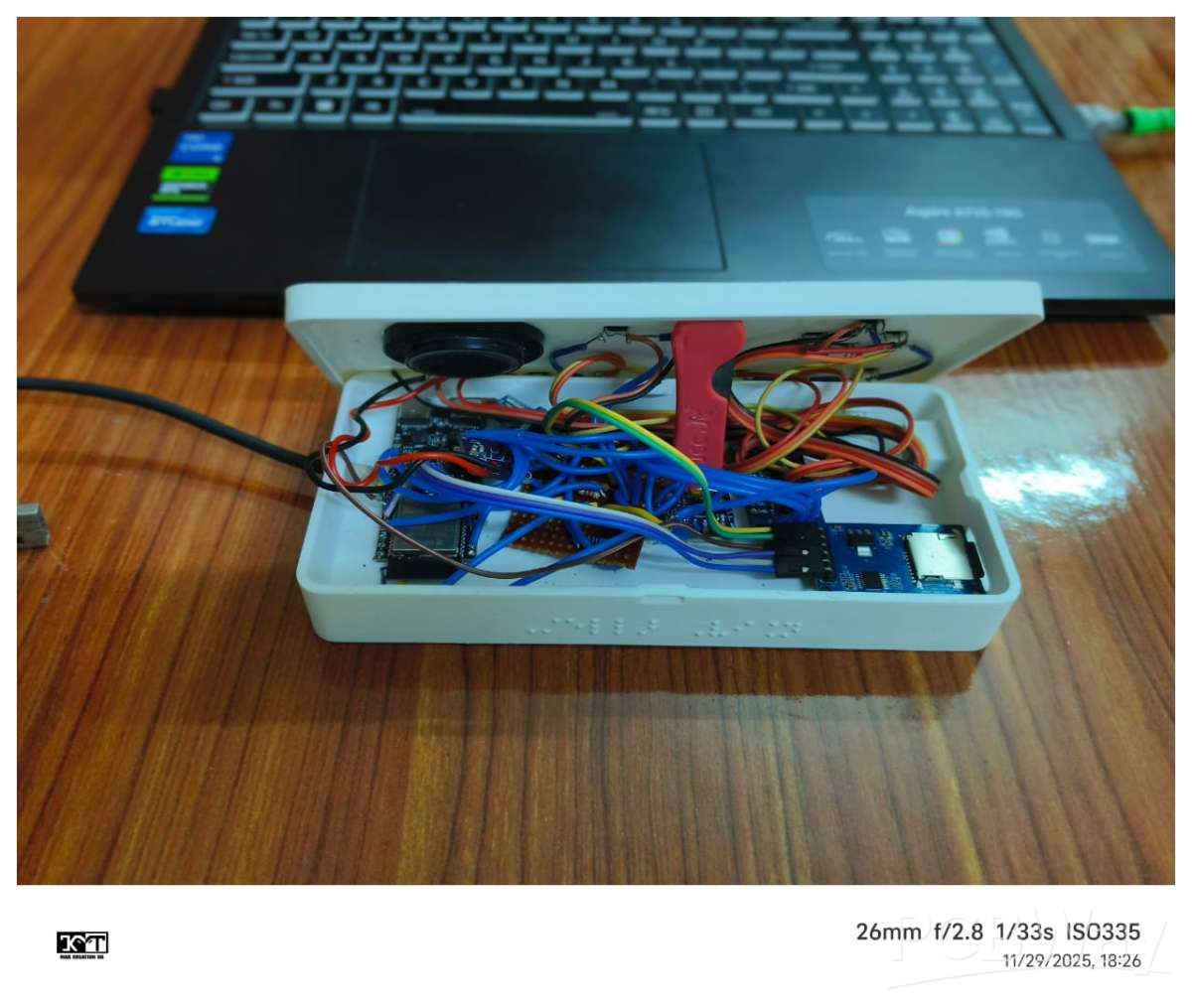
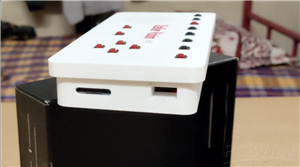
Final Product :
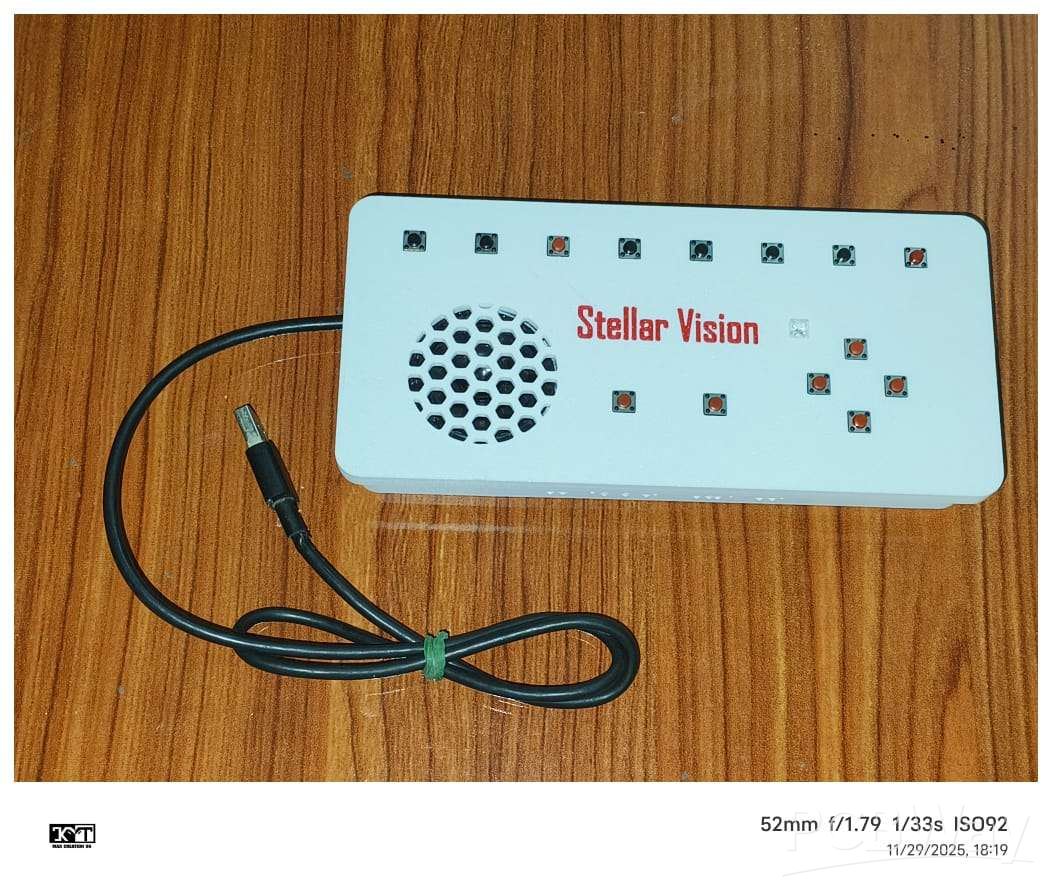
The firmware development and stabilization process spanned almost one month. This project stands as a comprehensive and original guide to designing advanced assistive technology, with limited or no comparable resources currently available on the web.

3D MODEL
You can use the following circuit resources to build the hardware:
Complete Circuit Diagram (PDF):
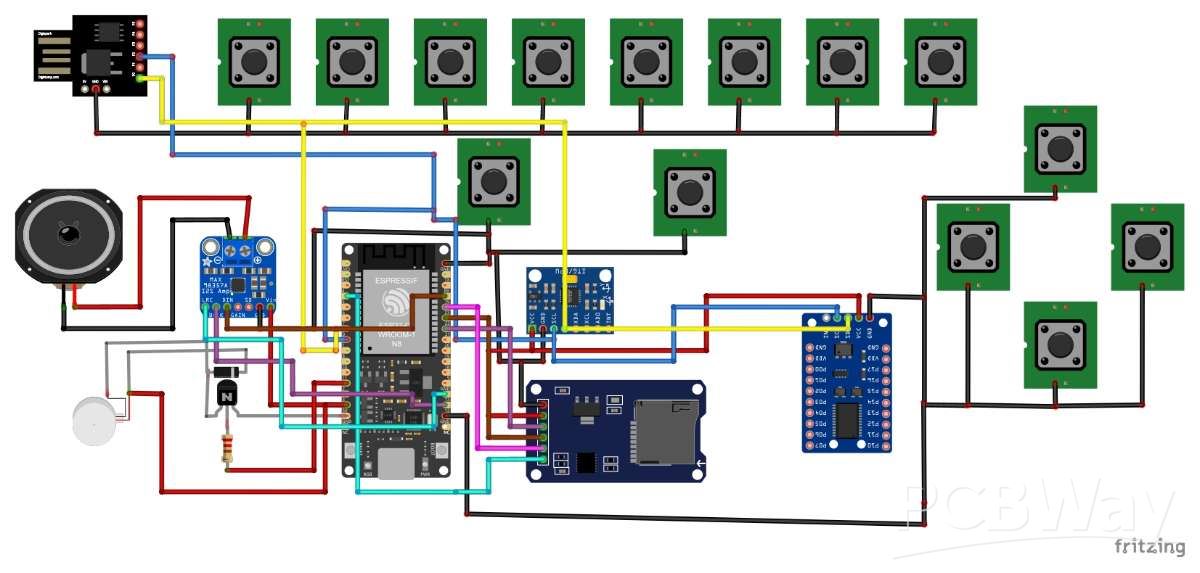
Detailed GPIO Expander (PCF8575) Wiring Guide:
Detailed GPIO Expander (PCF8575) Wiring Guide
Dedicated Markdown File for the Entire Circuit Connection:
Full Circuit Connection Markdown File
A detailed comparison for this hardware section is provided below:
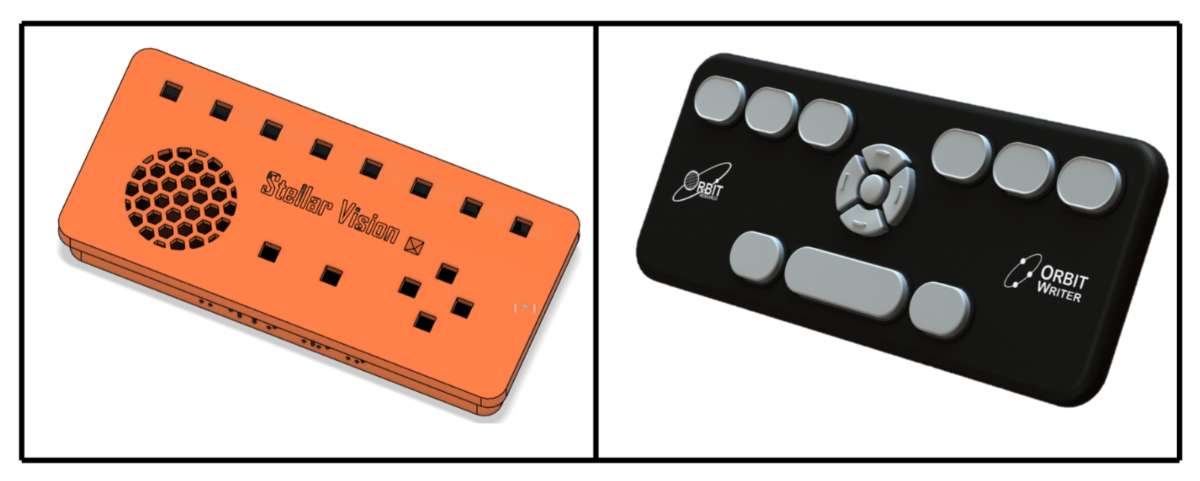
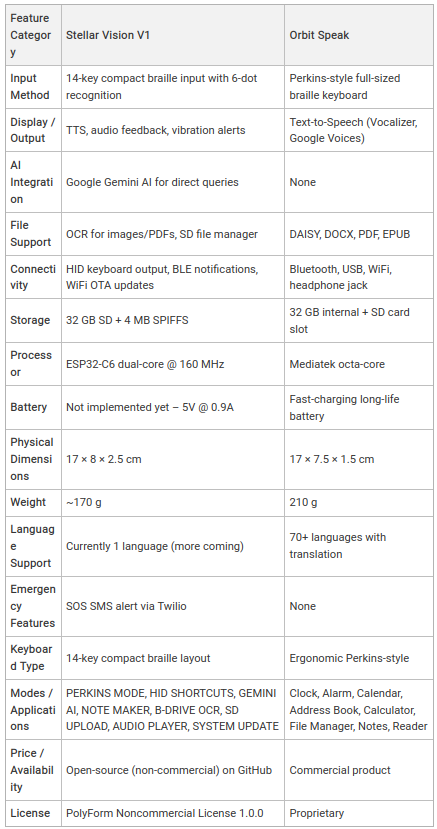
Products That Can Be Replaced by Stellar Vision V1 (Current Capability)
As of now, Stellar Vision V1 is capable of replacing the following commercially available assistive devices:
Orbit Writer – $149 (₹13,433.38)
Orbit Speak Plus – $749 (₹67,527.52)
Orbit Speak – $599 (₹54,003.98)
Orbit Speak Standard – $199 (₹17,941.22)
Upcoming Hardware & Software Enhancements (Minimal Feature List)
The following upgrades are currently under active development and will significantly enhance usability, performance, and accessibility:
- Audio bookmark system inspired by direct feedback from visually impaired users
- Firmware migration from Arduino framework to ESP-IDF
- I²S microphone integration to enable a built-in voice assistant
- Rubber-dome key switches for improved tactile feedback
- USB Type-A female port for direct HID keyboard connectivity
- mmWave presence sensor for advanced safety and context awareness
- 3.5 mm TRRS audio jack for external audio devices
- Refreshable Braille display based on Vijay Varada’s electromechanical module
- Hackaday project reference
- Migration to ESP32-S3 processor
- 5000 mAh battery system for extended operation
- Custom-designed PCB and a newly engineered ergonomic enclosure
- SPIFFS-based internal storage system
- Low-power tilt sensor for intelligent mode control
How to built it ?
Here is the two dedicated Files to explain that !!
🎉 Congratulations! Your Stellar Vision device is now ready to use.
For support and updates, visit the official repository:
Stellar Vision V1 – GitHub
If you feel to get more details about the Functionality of Modes Check this out !!
Note: The Stellar Vision V1 firmware is protected under the PolyForm Noncommercial License.
It is intended for personal or educational use only.
Do not copy, distribute, or misuse it for commercial purposes.
Author :
Maathes Thilak K
Embedded Systems & Robotics Enthusiast
Bachelor of Engineering – Electronics & Communication Engineering
2nd Year Student, Madras Institute of Technology (MIT), Anna University, Chennai, India
Connect With Me
Email: maathesthilaklin2006@gmail.com
LinkedIn: Maathes Thilak K
GrabCAD: Profile Link
GitHub: MAATHES-THILAK-K
Stellar Vision - The Affordable Braille Console in The World









Raspberry Pi 5 7 Inch Touch Screen IPS 1024x600 HD LCD HDMI-compatible Display for RPI 4B 3B+ OPI 5 AIDA64 PC Secondary Screen(Without Speaker)
BUY NOW


- Comments(2)
- Likes(2)
More by MAATHES THILAK K
-
 BLUDIONO - Arduino Accelerated with Bluetooth Module
This project presents a compact Arduino-compatible SMD development board based on the ATmega328P-AU,...
BLUDIONO - Arduino Accelerated with Bluetooth Module
This project presents a compact Arduino-compatible SMD development board based on the ATmega328P-AU,...
-
 Solder-Master-PRO
is a precision soldering station designed to deliver professional-grade temperature control using a ...
Solder-Master-PRO
is a precision soldering station designed to deliver professional-grade temperature control using a ...
-
 RP2040 Community-Driven UNO MCU
This project expands an RP2040-based, Arduino UNO–style microcontroller designed to stay familiar wh...
RP2040 Community-Driven UNO MCU
This project expands an RP2040-based, Arduino UNO–style microcontroller designed to stay familiar wh...
-
 4CH_TIMER_RELAY
This 4-channel relay timer controller is built around the ESP32-C3 microcontroller, offering smart a...
4CH_TIMER_RELAY
This 4-channel relay timer controller is built around the ESP32-C3 microcontroller, offering smart a...
-
 Spray Bot - 3D MODEL
Spray Bot is an intelligent agricultural robot designed to complement Vision Bot by performing targe...
Spray Bot - 3D MODEL
Spray Bot is an intelligent agricultural robot designed to complement Vision Bot by performing targe...
-
 AIR MOUSE CASE
_ is a compact wireless remote mouse built around the ESP32-C3, intended for smart TVs, media center...
AIR MOUSE CASE
_ is a compact wireless remote mouse built around the ESP32-C3, intended for smart TVs, media center...
-
 RS485 based Flight Controller - STM32F411CEU6
This repository documents the design and implementation of a custom STM32F411-based flight controlle...
RS485 based Flight Controller - STM32F411CEU6
This repository documents the design and implementation of a custom STM32F411-based flight controlle...
-
 SBUS-Transmitter Made with ESP32
This centroid file is an approximate pick-and-place reference created for early PCB planning of your...
SBUS-Transmitter Made with ESP32
This centroid file is an approximate pick-and-place reference created for early PCB planning of your...
-
 Attiny85-Powered Mini Oscilloscope
This project presents a compact, cost-effective mini oscilloscope PCB powered by the ATtiny85 microc...
Attiny85-Powered Mini Oscilloscope
This project presents a compact, cost-effective mini oscilloscope PCB powered by the ATtiny85 microc...
-
 Water Motor Controller - Twin Node
Project DescriptionThe TWIN-NODE Motor Controller is a compact, wireless motor control PCB designed ...
Water Motor Controller - Twin Node
Project DescriptionThe TWIN-NODE Motor Controller is a compact, wireless motor control PCB designed ...
-
 BENCH_POWER_SUPPLY-PSU
This project presents a compact bench power supply enclosure designed in Autodesk Fusion 360, tailor...
BENCH_POWER_SUPPLY-PSU
This project presents a compact bench power supply enclosure designed in Autodesk Fusion 360, tailor...
-
 AIR_MOUSE – ESP32-C3 Based Wireless Air-Style Remote
The AIR_MOUSE is a compact wireless air-style remote designed for effortless navigation of TVs and o...
AIR_MOUSE – ESP32-C3 Based Wireless Air-Style Remote
The AIR_MOUSE is a compact wireless air-style remote designed for effortless navigation of TVs and o...
-
 Indoor Node - WaterlevelMonitor - Twin Node
The TWIN-NODE Indoor Node is a battery-powered receiver module designed to provide local indication ...
Indoor Node - WaterlevelMonitor - Twin Node
The TWIN-NODE Indoor Node is a battery-powered receiver module designed to provide local indication ...
-
 Twin_Node_V2.0_WaterLevelMonitor
TWIN-NODE is a two-node, ultra-low-power water level monitoring system engineered for overhead tanks...
Twin_Node_V2.0_WaterLevelMonitor
TWIN-NODE is a two-node, ultra-low-power water level monitoring system engineered for overhead tanks...
-
 Twin_Node_V1.0-OUTDOOR
TWIN NODE V1.0 is a low-power, outdoor-ready water level sensor node designed as a practical learnin...
Twin_Node_V1.0-OUTDOOR
TWIN NODE V1.0 is a low-power, outdoor-ready water level sensor node designed as a practical learnin...
-
 Vision Bot V1 – AI rover with pneumatic
Vision Bot V1 is the latest and fully refined iteration of our agricultural monitoring rover, develo...
Vision Bot V1 – AI rover with pneumatic
Vision Bot V1 is the latest and fully refined iteration of our agricultural monitoring rover, develo...
-
 OverEngineered Bread Board Power supply
Over-Engineered Breadboard Power SupplyThis project is a compact, high-current breadboard power supp...
OverEngineered Bread Board Power supply
Over-Engineered Breadboard Power SupplyThis project is a compact, high-current breadboard power supp...
-
 USB to UART Converter Board using CP2102
This project presents a simple and compact USB to UART converter board designed around the CP2102 US...
USB to UART Converter Board using CP2102
This project presents a simple and compact USB to UART converter board designed around the CP2102 US...
-
Programmable Mist Maker - XIAO / QT PY Extension
2333 2 2 -
RadioHAT - Raspberry Pi radio development platform
2021 0 4 -
-
-
-
ARPS-2 – Arduino-Compatible Robot Project Shield for Arduino UNO
4180 0 6 -
A Compact Charging Breakout Board For Waveshare ESP32-C3
4943 3 8 -
AI-driven LoRa & LLM-enabled Kiosk & Food Delivery System
5722 2 2 -





















