




Pico2DVI the Graphics Card You Can Build Yourself!
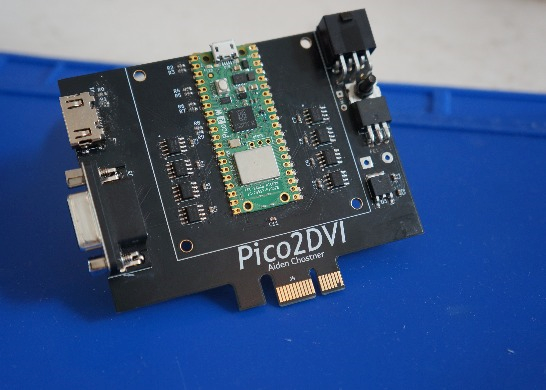
Recently, I began exploring circuit design, and I liked the idea of creating my own custom graphics card because it sounded like a fun project. After some back and forth of choosing requirements for the GPU, I settled on using a Raspberry Pi Pico as the main processor. It already had a graphics library made for it, which would make adding HDMI support simple. I saw PicoDVI by Luke Wren, but I wanted to add more RAM and some extra capabilities. I added 32MB of VRAM (Video Random Access Memory), which is about 250 times less capacity and 36 million times slower than the memory on a modern GPU. (As you can probably tell, I was not going for speed.) The Pico also has Wi-Fi and extra general-purpose pins. That means the card can take in user inputs like a keyboard and output data in ways other than just a display. It can also fetch data (e.g stock market information) from the Internet. I prioritized versatility over speed.
Detailed instructions on Instructables.
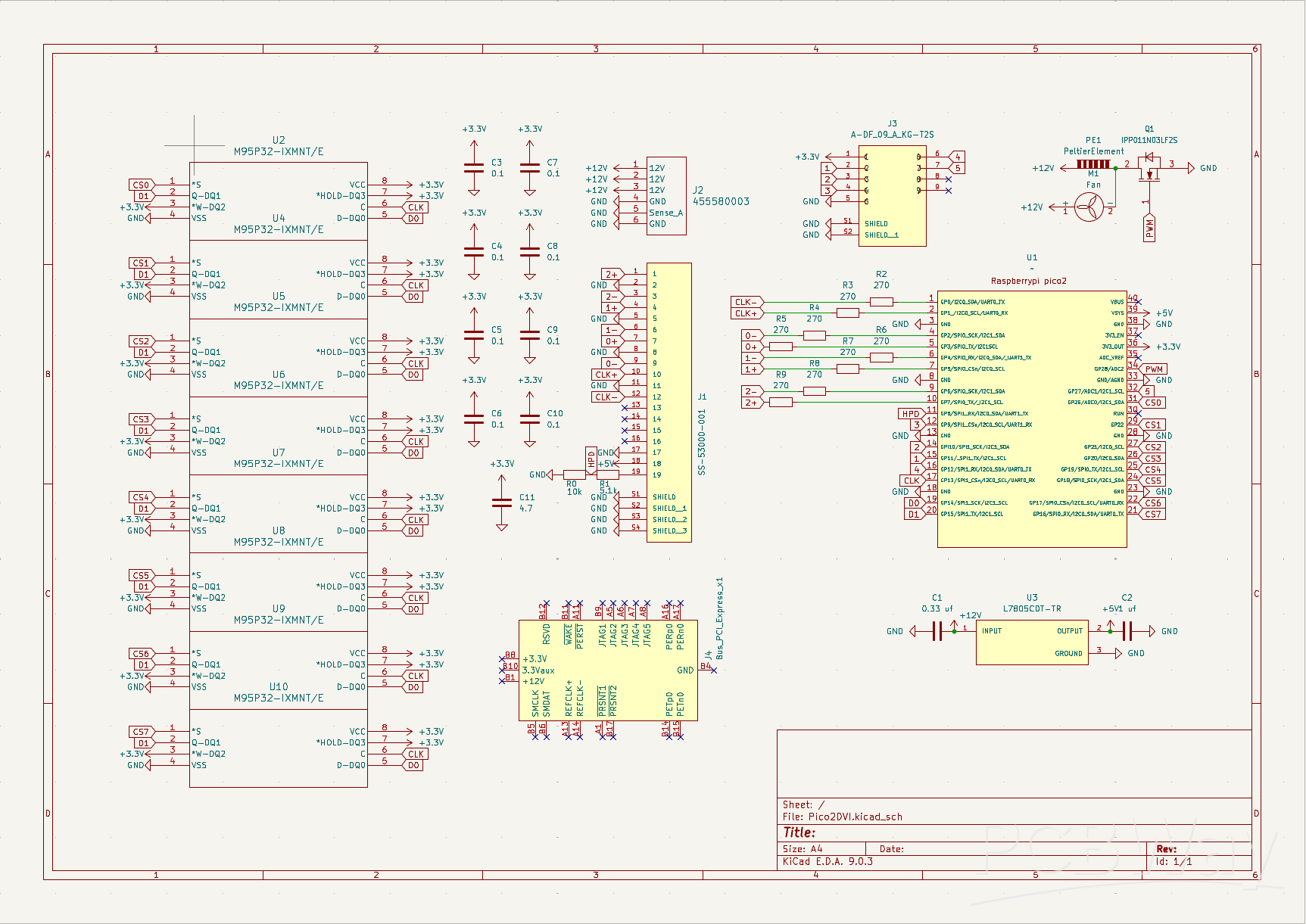
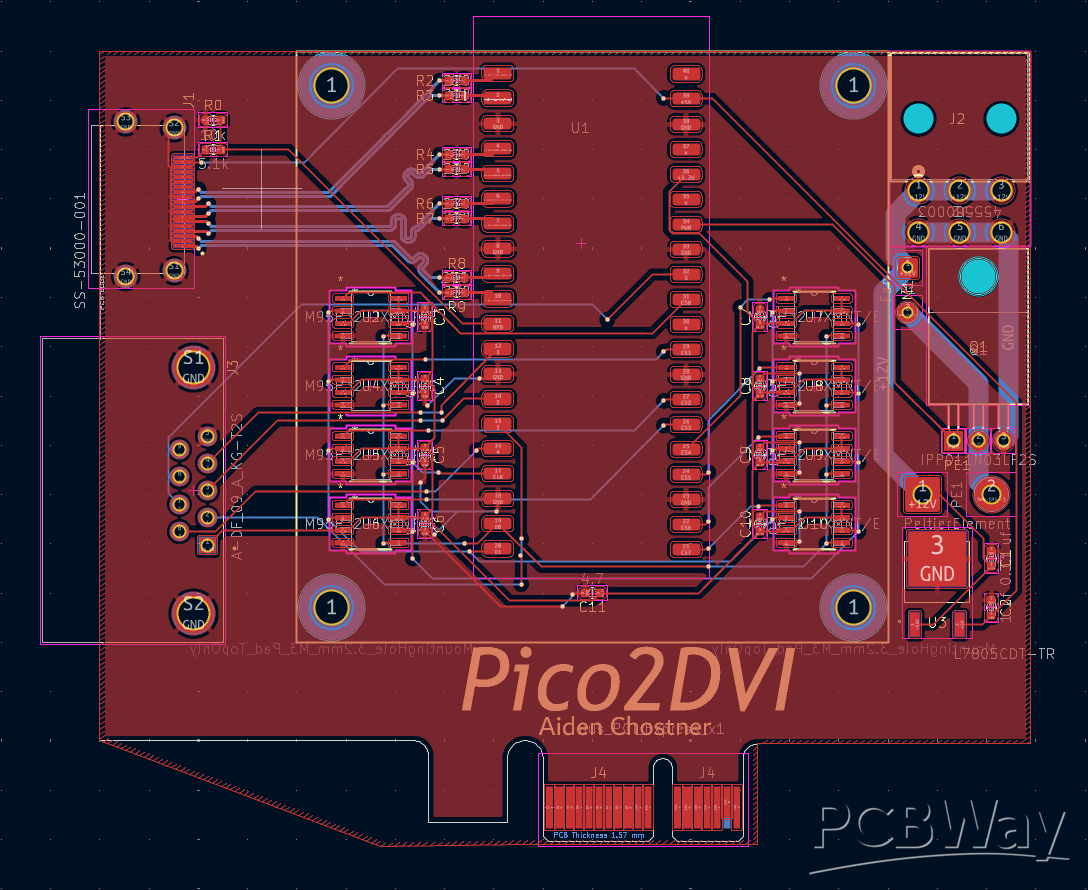
Pico2DVI the Graphics Card You Can Build Yourself!
Project images are for reference only. Actual production is based on the manufacturing files on the project page.
Please review the designer's notes (e.g., PCB thickness) and select the appropriate options.
PCBWay is not responsible
for issues caused by unsuitable parameter selections.
For more important ordering information, please refer to
Read More









Raspberry Pi 5 7 Inch Touch Screen IPS 1024x600 HD LCD HDMI-compatible Display for RPI 4B 3B+ OPI 5 AIDA64 PC Secondary Screen(Without Speaker)
BUY NOW


- Comments(1)
- Likes(0)
 More by Aiden C
-
Émetteur Récepteur Optique Expérimental (communication UART ATtiny + fibre optique)
138 0 1 -
SmallOLED - Live PC Stats, Animated Clocks & Audio Visualizer
986 0 3 -
"Talking Multimeter": Arduino-Based Speech Add-on for Multimeters with SCPI Protocol
563 0 1 -
Programmable Mist Maker - XIAO / QT PY Extension
3033 2 3 -
RadioHAT - Raspberry Pi radio development platform
2582 0 4 -
-
-



















