1. Blog>
  2. Essential Tips for Compact PCB Designs: Practical Layout Strategies for Limited Space

Essential Tips for Compact PCB Designs: Practical Layout Strategies for Limited Space

by: Nov 28,2025 447 Views 0 Comments Posted in PCB Design & Layout

compact PCB designs compact PCB layout PCB layout strategies limited space PCB design small PCB layout

As electronic devices continue to shrink in size, their internal circuits must also become smaller. Product miniaturization has become a strong industry trend, creating new challenges for engineers working on compact PCB designs. When designing PCBs in limited space, engineers often integrate external components into the internal structure to reduce part count. However, reducing the solution size often introduces performance trade-offs. The following sections outline the essential constraints that must be defined before starting a tight-space PCB design.


Key Constraints to Define Before Starting a Compact PCB Layout

Board Size Limitations
  • PCB length, width, and overall thickness.
  • Maximum allowed component height in each region—especially when large housings, heat sinks, or mechanical parts sit above the board.
  • Precise locations of mounting holes, screw holes, and keep-out zones.


Functional Module Definition
  • Divide the system into clear circuit blocks: power, MCU, DDR, analog, RF, and I/O.
  • Plan block locations according to signal flow and power distribution.
  • Fix the placement of mandatory interface components such as USB/HDMI connectors, buttons, and LEDs.


Manufacturing and Process Constraints

Key fabrication limits directly affect limited space PCB design feasibility:
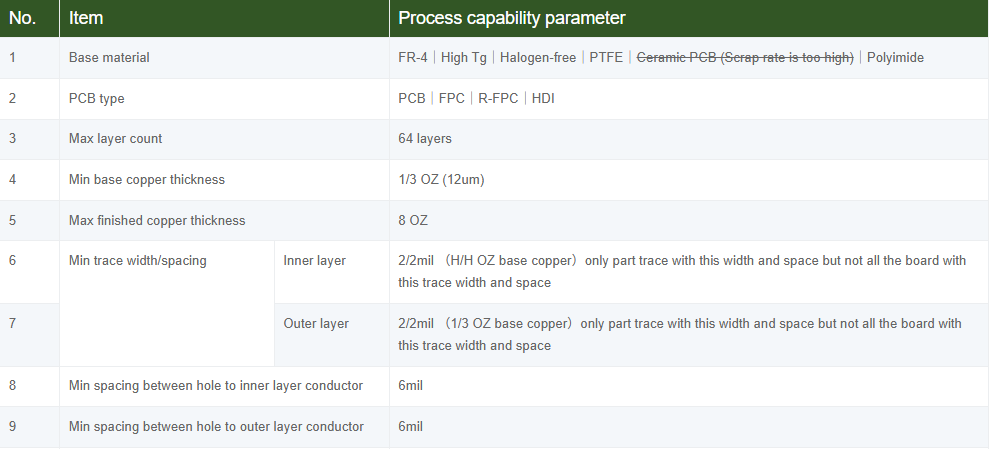
  • Minimum trace width/spacing.
  • Minimum via diameter and pad size.
  • Stack-up and layer count limits.
  • Availability of HDI processes (laser vias, microvias, buried vias).


Signal Types and Critical Network Requirements

Compact and tight-space PCB design requires early identification of sensitive or high-speed paths:

  • High-speed buses (DDR, PCIe, SATA, USB): topology, length matching, impedance control.
  • Differential pairs (USB, HDMI, LVDS): spacing, impedance, skew tolerance.
  • Sensitive analog signals: isolation, shielding, ground strategy.
  • Clock signals: shortest return path, stable reference plane, proper termination.


Component Placement Strategies for Compact PCB Designs

Functional Block–Based Placement

Treat the PCB not as scattered components but as structured modules. Grouping circuits into logical blocks simplifies routing and reduces congestion in space-constrained PCB layouts. (e.g., power module, LDO module, MCU with its decoupling network, DDR memory module, USB interface module, sensor conditioning circuitry, etc.)


Grouping Highly Related Component

In compact PCB designs, short signal paths improve stability. Examples:

  • Decoupling capacitors: place as close as possible to power pins
  • Filter networks: keep π-filters arranged in a tight, linear sequence
  • Feedback networks: must be placed close to feedback pins
  • Crystal oscillators: placed immediately next to MCU XTAL pins


Prioritize the Placement of Critical Components

The placement process should follow a clear priority. Core components determine the structural “skeleton” of the entire PCB, so their positions must be fixed early in the layout stage.

  • MCU/SoC: ideally centered on a solid ground plane.
  • DDR memory: placed adjacent to the controller.
  • PMIC/DC-DC converters: placed to balance input source and output loads.


Orientation and DFM Considerations

Layout planning must consider not only electrical performance but also whether the design can be manufactured efficiently and reliably:

  • Keep similar components aligned to improve pick-and-place efficiency.
  • Maintain reasonable spacing for rework and solder reliability.
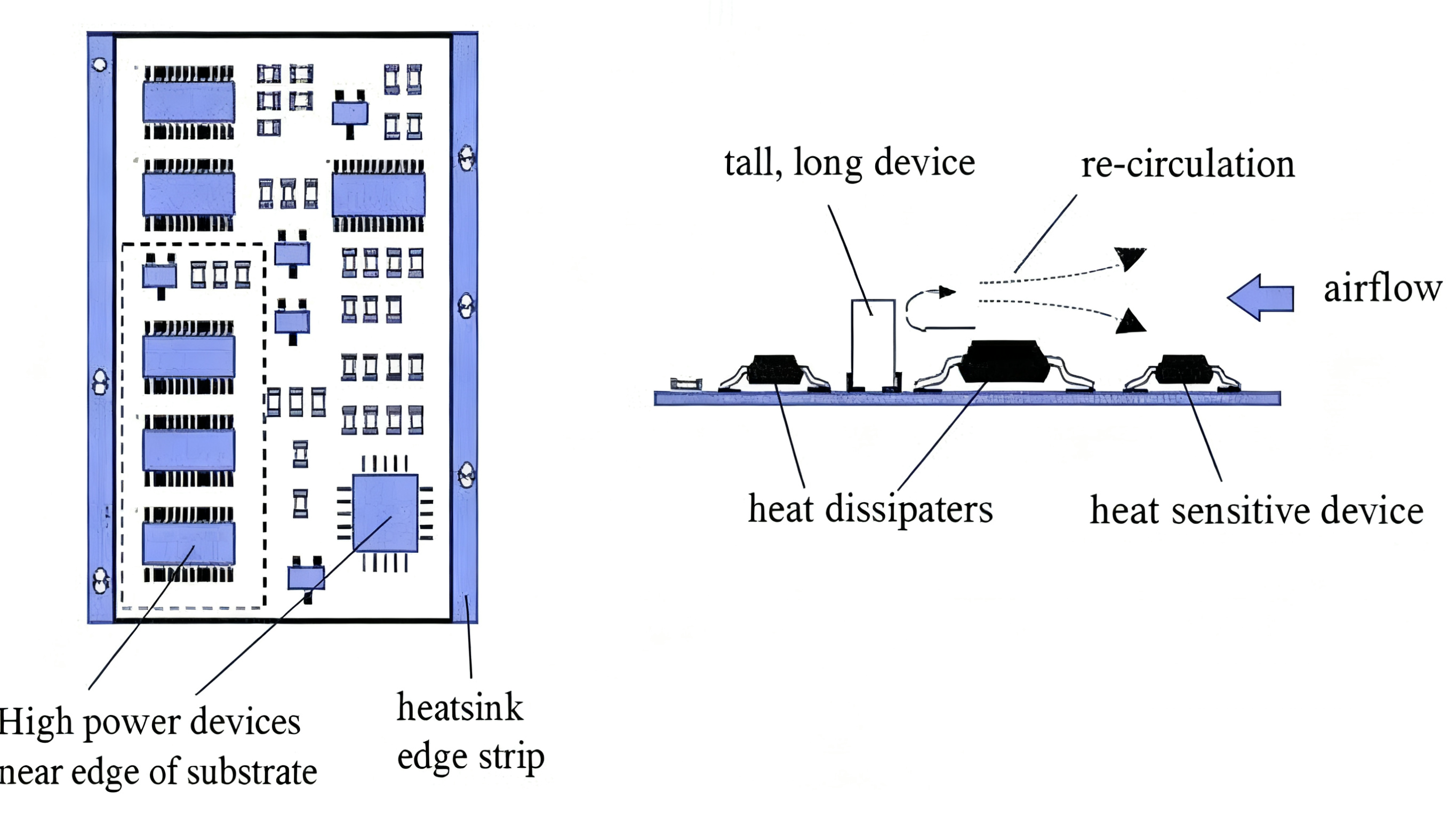
  • Separate high-heat components to avoid localized thermal hotspots.


Avoid Congestion Hotspots

In tight-space PCB design, it is very easy for certain areas to become overly congested, leaving no room for routing. These issues must be anticipated and resolved during the early layout phase:

  • Do not crowd unrelated components around large ICs.
  • Pre-reserve routing channels around BGAs or high-pin-count packages.
  • Use vias around dense areas to redirect signals to lower layers.


Layout Optimization Tips for Small PCB Designs

Vertical and Horizontal Space Utilization
  • Increase layer count when necessary to relieve routing pressure.
  • Distribute power and filtering networks across internal layers.
  • Use component gaps around connectors or sockets to place small SMD parts.


Region Segmentation

Dividing areas improves noise control and routing efficiency:
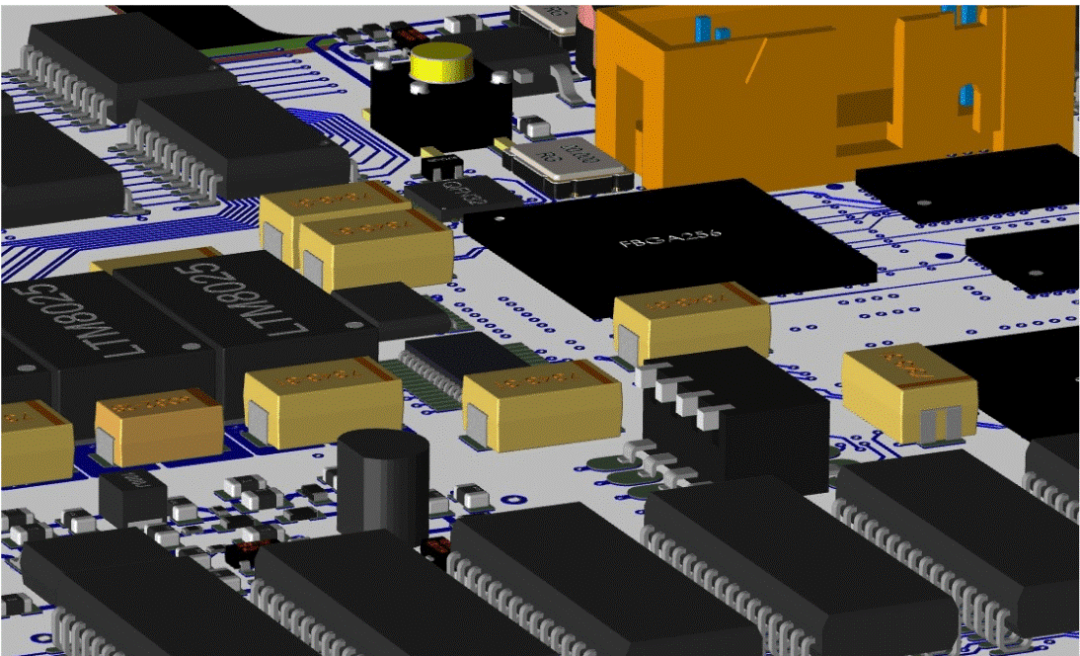
  • Power region: keep switching power supplies grouped near the source.
  • Analog region: isolated from digital and switching circuits.
  • Digital region: controller, memory, and logic.
  • RF region: shielded and isolated from noisy signals.


Space-Saving Package Choices
  • Prioritize SMD Components: Unless a design has specific power or mechanical-strength requirements, SMD components should be used whenever possible.
  • 0402/0201: These package sizes have become mainstream standards for compact PCB designs.
  • CSP/WLCSP: These packages are nearly the same size as the silicon die itself, making them an excellent choice for extremely small PCB layouts.


Optimized Component Spacing

Spacing isn’t about making everything as small as possible. It need to design appropriate component spacing to avoid routing obstacles later in compact PCB designs:

  • Leave adequate thermal space between high-power components.
  • Keep fanout channels clear around large ICs.
  • Use staggered placement for passives instead of tight grid alignment.


The Importance of Stack-Up Design in Compact PCB Layouts

When to Add More Layers

Increasing the number of layers is the most direct—but also the most expensive—way to address routing congestion and signal-quality issues. In compact PCB designs, you may consider adding layers when the following situations occur:

  • Routing is impossible within current constraints.
  • Multiple power domains require dedicated layers.
  • High-speed signals need continuous reference planes.
  • BGA fanout becomes too dense for standard vias.


Continuity of Ground Planes and Return Path Optimization

Proper stack-up ensures signal integrity and routing feasibility in compact PCB layouts:
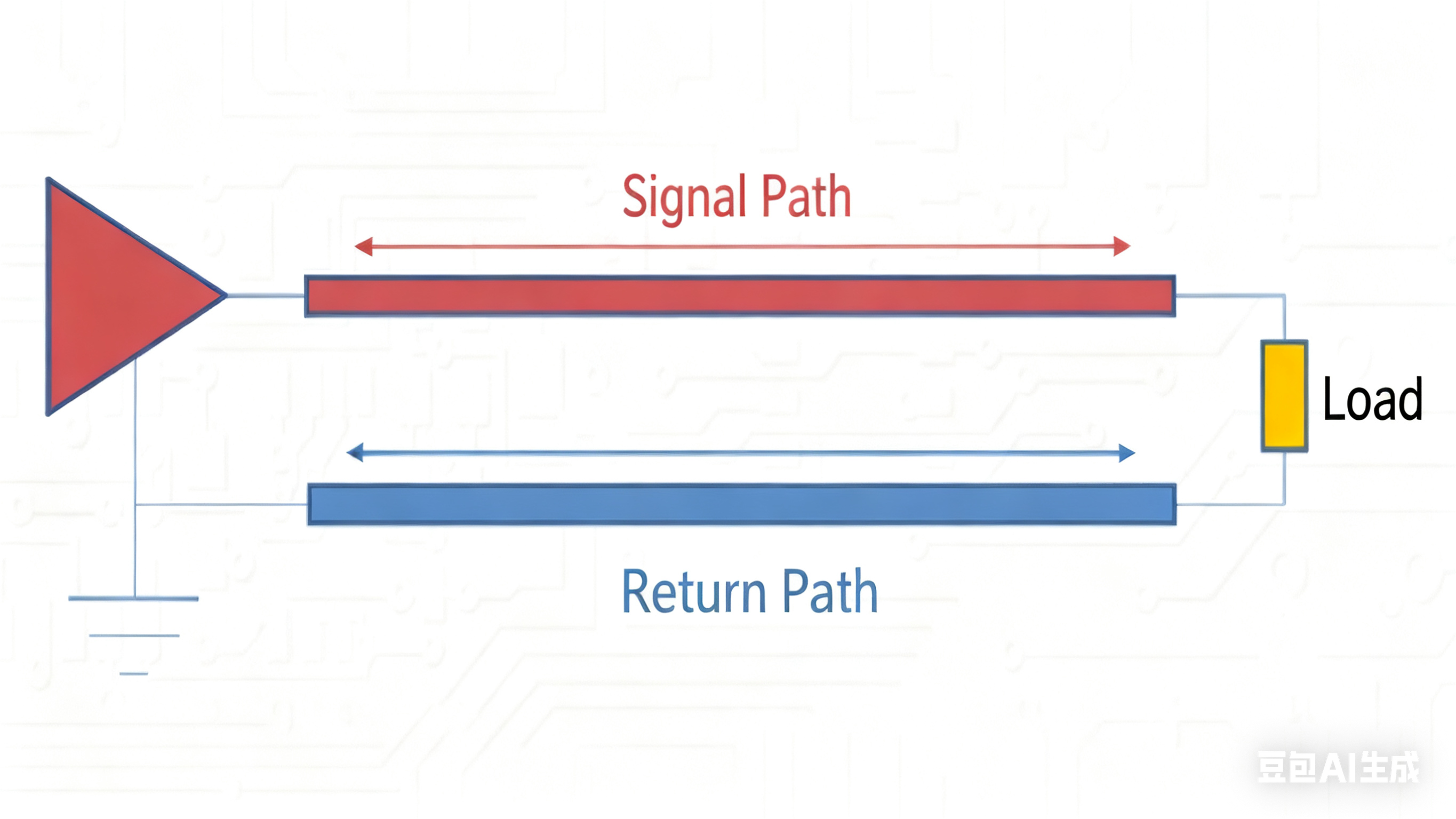
  • Every high-speed layer must be adjacent to an uninterrupted reference plane.
  • Avoid ground splits under differential pairs or clocks.
  • Add stitching vias to maintain consistent return paths.


Common Layer Stack-Up Examples
  • 4-Layer: Top / GND / Power / Bottom
  • 6-Layer:
  1. Option A: Top / GND / Sig1 / Power / GND / Bottom
  2. Option B: Top / GND / Sig1 / Sig2 / Power / Bottom
  • 8-Layer: Top -> GND -> SIG1 -> PWR -> GND -> SIG2 -> GND -> Bottom


Power and Thermal Management Challenges in Small PCB Layouts

Power and thermal management are among the toughest challenges in compact PCB designs. The smaller the available space, the higher the current density and thermal density become, causing problems to escalate exponentially.

Power Routing
  • Size traces according to maximum continuous current.
  • Place PMIC and loads close to minimize IR drop.
  • Avoid routing power lines too close to high-speed signals.


Using Copper for Heat Spreading

Using copper pours for thermal management is one of the most effective methods:

  • Extend copper areas to distribute heat across the board.
  • Add thermal pads beneath power components.


Isolation Between Heat Sources and Sensitive Components
  • Keep thermal-sensitive devices away from power stages.
  • Place high-heat components at board corners if possible.
  • Route airflow or thermal channels around sensitive regions.


Structural Thermal Features
  • Thermal via arrays: 0.2–0.3 mm vias, 1.0–1.5 mm pitch; ideally filled and plated.
  • Copper islands for localized heat spreading.
  • External heatsinks when PCB alone cannot dissipate heat.


Improving Manufacturability (DFM) in Limited Space PCB Design

Silkscreen, Test Points, and Connector Placement
  • Silkscreen

In compact PCB designs, when space is limited, prioritize making component designators (e.g., R1, C5, U3), polarity marks (“+”, “-”, diode cathode line), and Pin 1 indicators clearly readable. Other information, such as project name or version number, can be reduced in size or omitted.

  • Test Points

Use the component pads themselves (resistors, capacitors, IC pins) as test points. Ensure these pads are large enough and have sufficient surrounding space for probe access.

  • Connectors

Reserve enough clearance around connectors to allow easy finger access for insertion and removal.


Pad Spacing Optimization

This is critical for yield in space-constrained PCB layouts:

  • Follow minimum pad-to-pad spacing limits for solder reliability.
  • Ensure solder mask dams are manufacturable to prevent bridging.
  • Maintain spacing that supports stable SMT and rework.


Conclusion

The core of compact PCB designs is balancing electrical performance, manufacturability, thermal, and structural requirements within very limited space.

Success in tight-space PCB design relies on proactive planning rather than reactive fixes. From defining constraints and applying effective PCB layout strategies to optimizing the layer stack-up and thermal management, manufacturability (DFM) must remain central.

A well-executed compact PCB layout achieves product miniaturization while ensuring performance, reliability, and yield, offering practical guidance on layout tips for compact PCB designs and how to design PCBs in limited space.


Feel free to ask us if you have any question.

Join us
Wanna be a dedicated PCBWay writer? We definately look forward to having you with us.
  • Comments(0)
Upload photo
You can only upload 5 files in total. Each file cannot exceed 2MB. Supports JPG, JPEG, GIF, PNG, BMP
0 / 10000
    Back to top