PCBWay now supports Payoneer as a payment method for your orders. Payoneer is a secure and convenient way to pay for your orders. This guide will walk you through the steps to complete your payment quickly and safely.
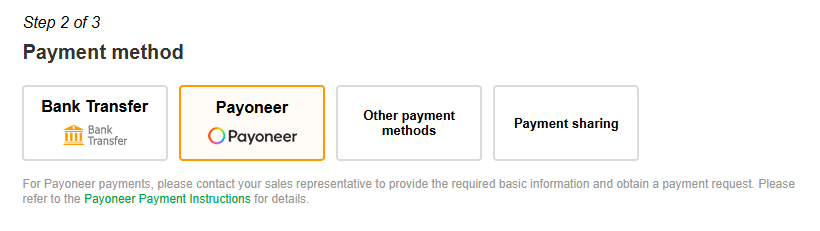
1. On the order page, select “Payoneer” as the payment method and click “Place Order.” A awaiting payment order package will be created.
2. Our sales representative will send you a Payoneer payment link via email. If you do not receive it, please contact your sales representative or find their contact in the top-right corner of your account page.
3. Click the payment link to go to the Payoneer payment page. If you are a new user, you will need to sign up for a Payoneer account before making the payment.
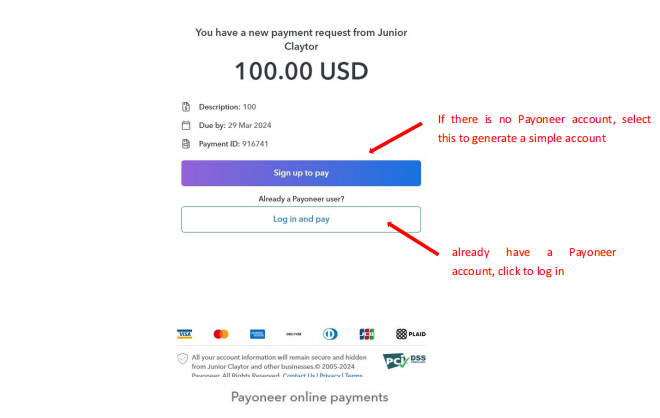
4. During registration, verify that the order number is correct and create your payer account password.
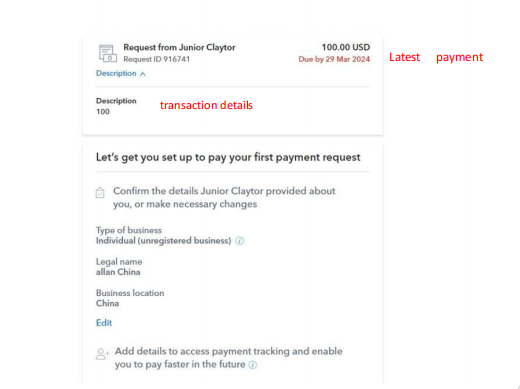
5. Click “Add Payment Method” and enter your credit card information to add the card.
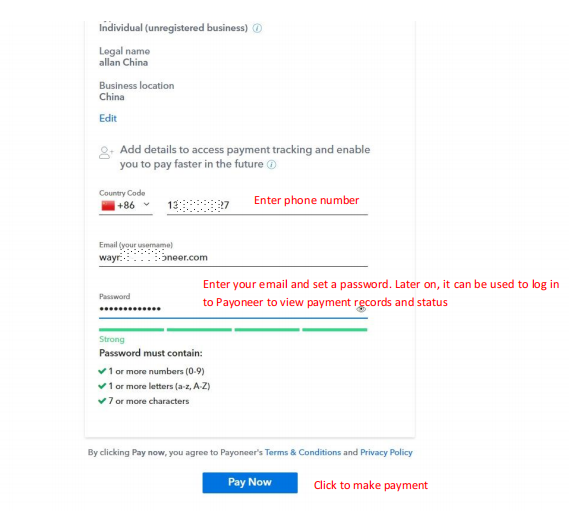
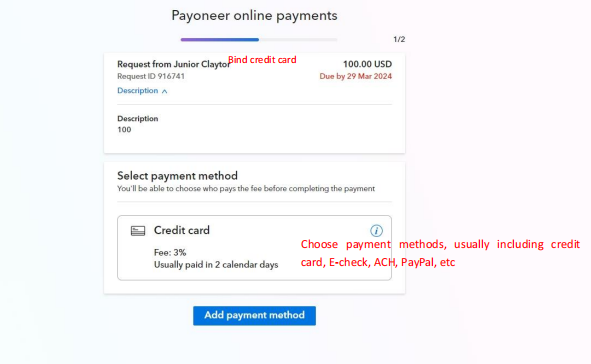
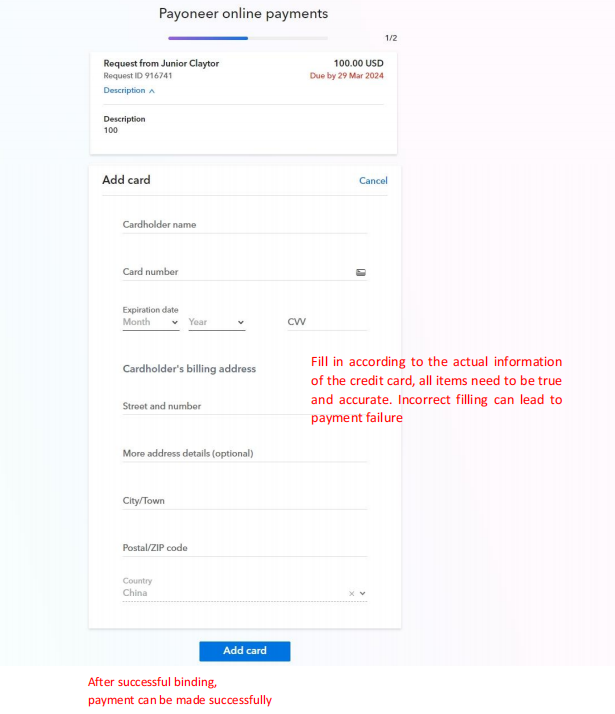
6. Use your credit card to pay for the request and you can track the payment status of each payment request.
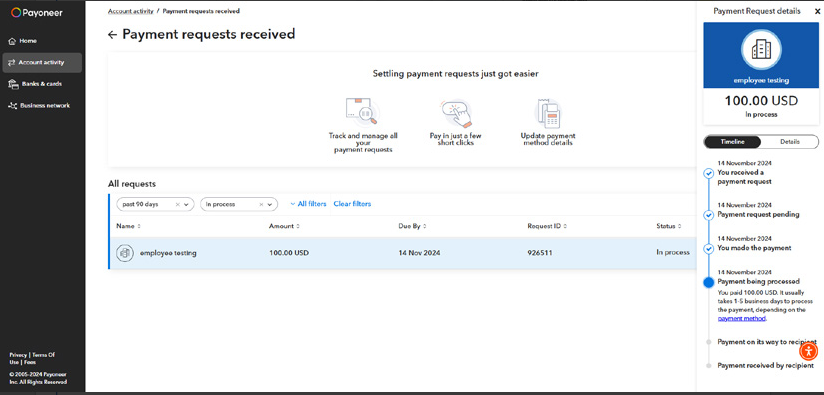
7. After the payment is completed, our finance team will verify whether the payment has been received. Once confirmed, your sales representative will help finalize the payment for the order package, and production will begin.
If you have any questions, please contact your sales representative or online Live Chat.



