OEM (Original Equipment Manufacturer) refers to a cooperation model in which the customer provides the product design or core technology, and the manufacturer produces, assembles, and delivers the product according to the customer’s specifications.
PCBWay offers a complete OEM service, from PCB fabrication and assembly to box build and final product delivery. This article will guide you step by step on how to place an OEM order and receive a fully assembled product.
On the PCB quotation page, locate the Assembly Service option. Select this option to proceed with PCB assembly–related settings.
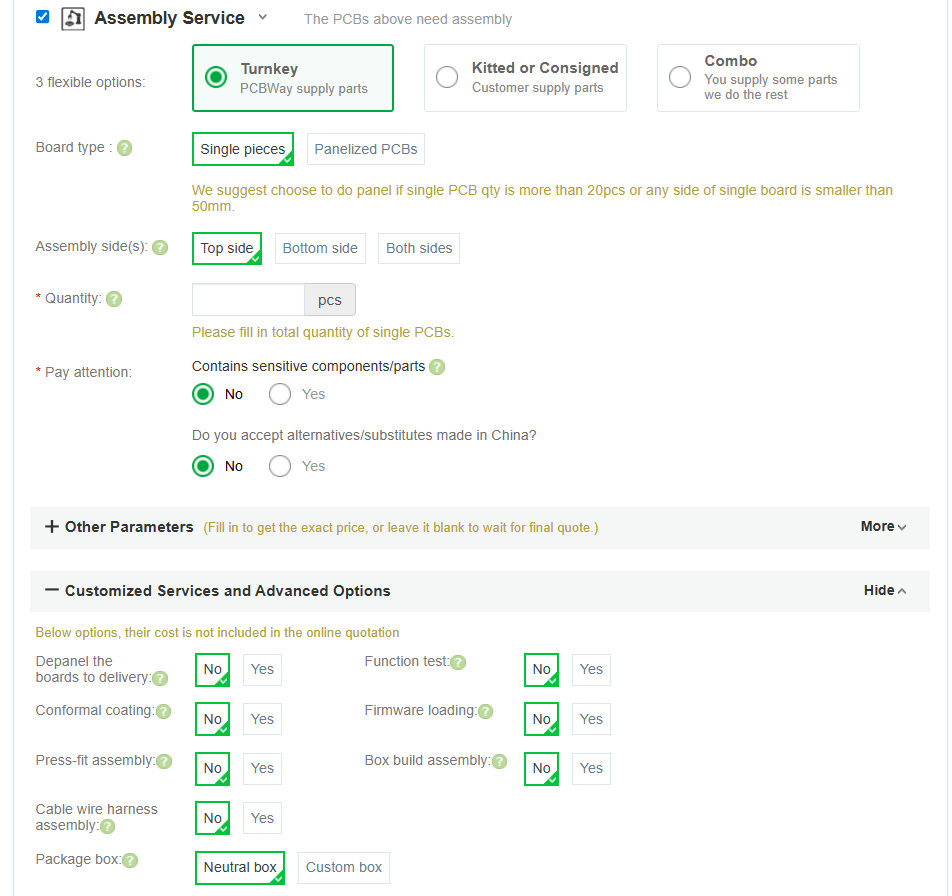
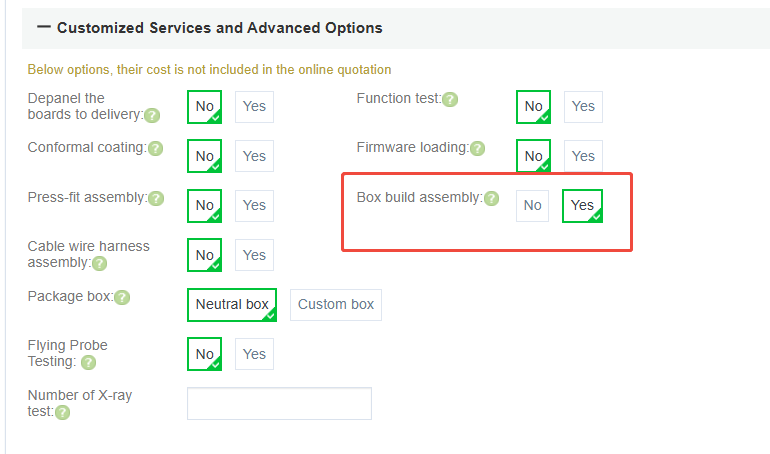
Within the Assembly Service section, find “Box Build Assembly” and set it to “Yes” to request full product assembly.
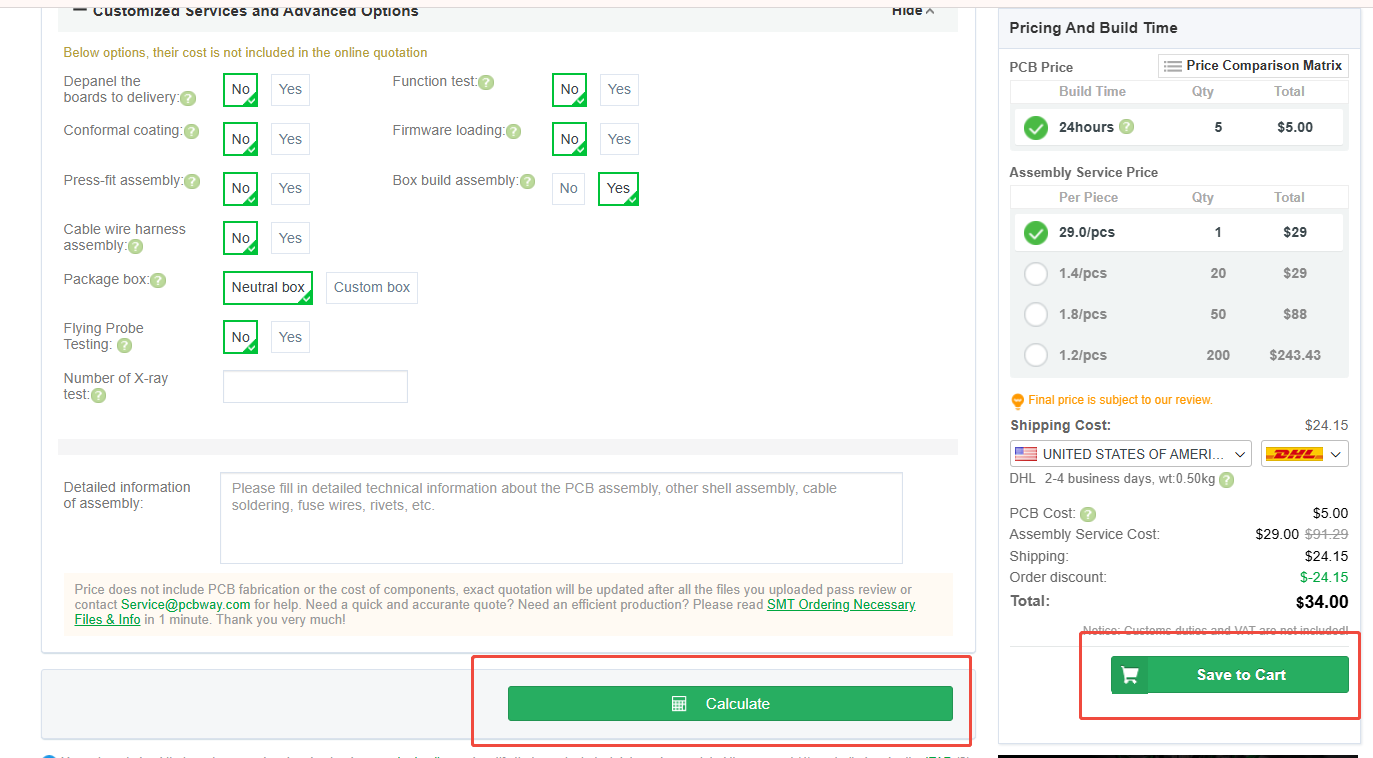
After confirming that all PCB specifications are correctly selected, click “Calculate” to review the estimated quote. Then click “Save to Cart” to submit the order.
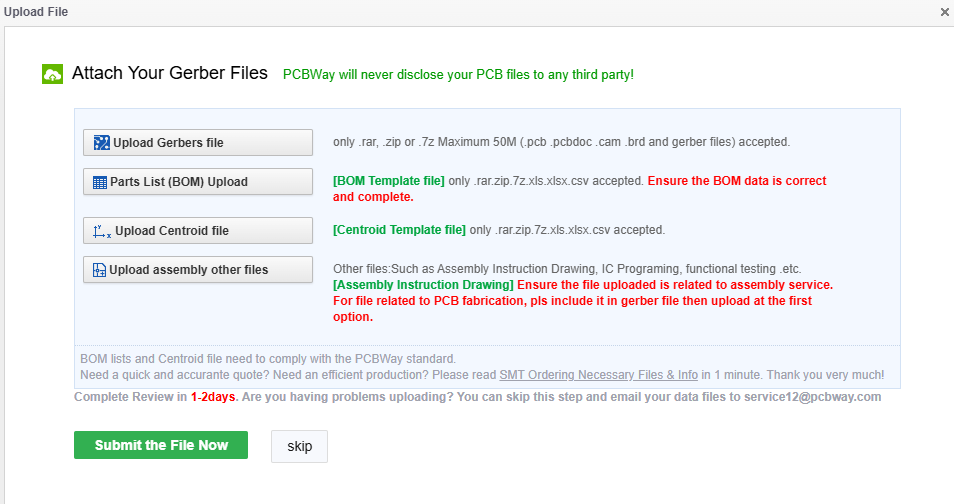
After submitting the inquiry, please upload the following files for quotation and engineering review:
Once all required files are uploaded, PCBWay will review the information and provide a detailed quotation.
If you encounter any issues during the ordering process, please contact your sales representative or reach out via Live Chat for support. Our team will assist you throughout the entire OEM ordering process.



