
|
KiCad 9.0 |
|

|
arduino IDEArduino
|
|

|
VS Code |
|
|
|
ClaudeAnthropic
|
solenoid_controller
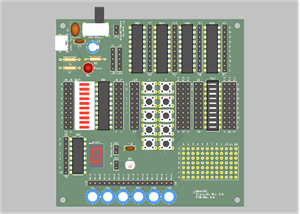
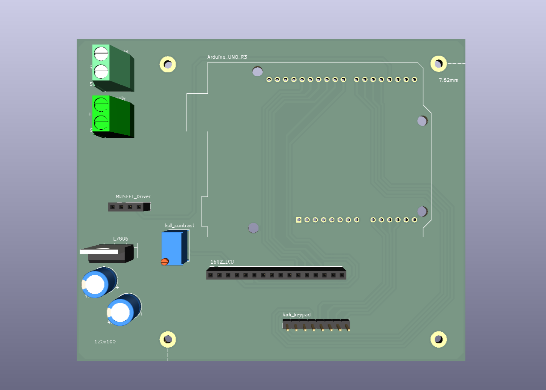
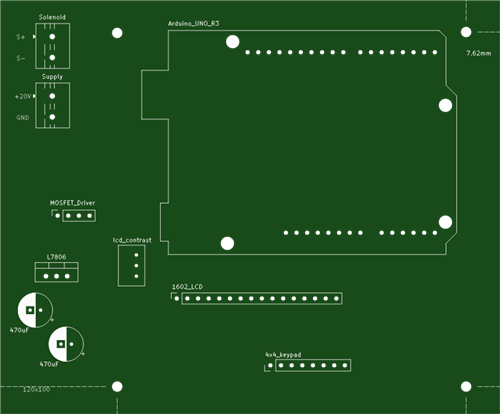
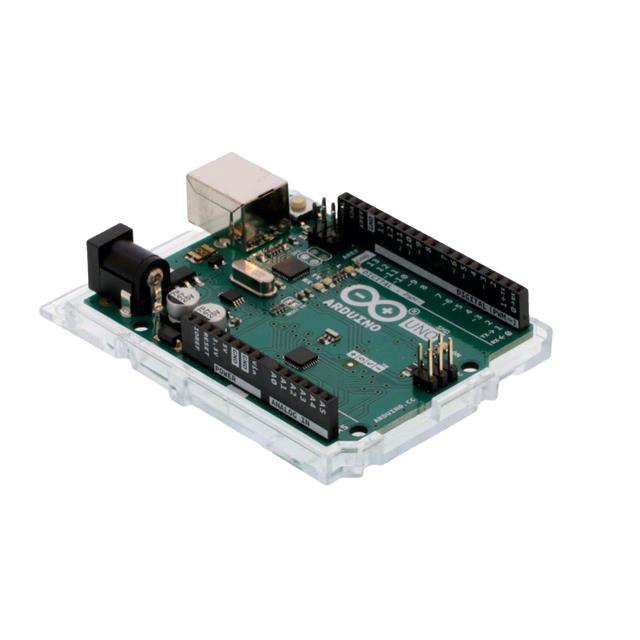
this is a small device used to control a solenoid. we made it as part of a research projec t to study the electrical response of piezoelectric crystals when a specific force is applied.
we first calibrated the solenoid (find the froce it produces for a given pwm) using a 20kg load cell and HX711 module.
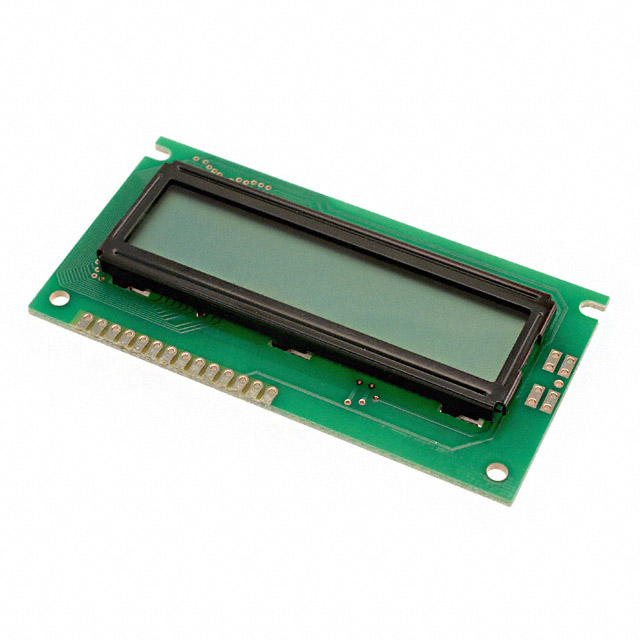
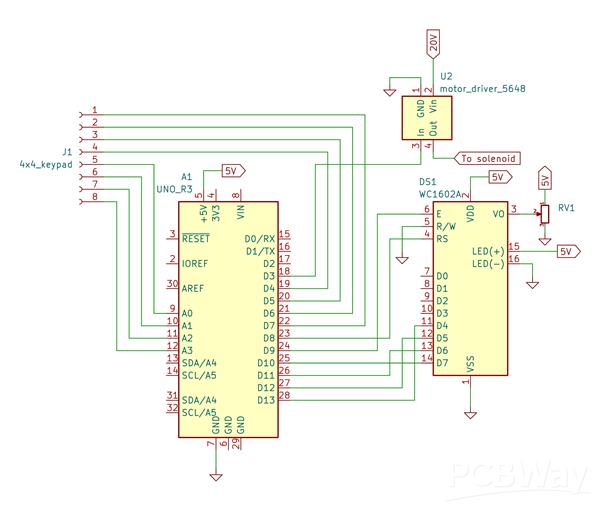
then we used this data to produce a function that could convert the speciied force to required pwm. thus the solenoid can apply the force specified. the final device has a 1602 lcd and a 4x4 keypad. it can take user input for the force and no of hits. it also has emergency abort button (assigned to 'A" button on the keypad).
havent made an enclosure for it yet. :)
#include <LiquidCrystal.h>
#include <Keypad.h>

// pin configuration
const int LCD_RS = 8;
const int LCD_EN = 9;
const int LCD_D4 = 13;
const int LCD_D5 = 12;
const int LCD_D6 = 11;
const int LCD_D7 = 10;

//pwm output for solenoid
const int solenoidPin = 3;

LiquidCrystal lcd(LCD_RS, LCD_EN, LCD_D4, LCD_D5, LCD_D6, LCD_D7);

// 4x4 keypad configuration
const byte ROWS = 4;
const byte COLS = 4;

char keys[ROWS][COLS] = {
  {'*', '0', '#', 'D'},
  {'7', '8', '9', 'C'},
  {'4', '5', '6', 'B'},
  {'1', '2', '3', 'A'}
};

byte rowPins[ROWS] = {4, 5, 6, 7};
byte colPins[COLS] = {A0, A1, A2, A3};

Keypad keypad = Keypad(makeKeymap(keys), rowPins, colPins, ROWS, COLS);

// solenoid on time and off time
const unsigned long hitTime = 200;
const unsigned long offTime = 400;

//constants in the pwm  calculation equation
const float a = -6.29477;
const float b = 0.13048;

// input configuration
const int maxDigits = 3;
String inputBuffer = "";

// abort flag
bool aborted = false;

void setup() {
  lcd.begin(16, 2);
  pinMode(solenoidPin, OUTPUT);
  analogWrite(solenoidPin, 0);

  showInstructions();
}

void loop() {
  aborted = false;
  lcd.clear();

  int force = getForceInput();

  if (aborted) {
    showAborted();
    return;
  }

  if (force <= 0) {
    showError("Invalid Force");
    return;
  }

  // Calculate pwm and display
  int pwmValue = calculatePWM(force);
  displayForcePWM(force, pwmValue);

  // Get the number of hits from user
  int hits = getHitsInput();

  if (aborted) {
    showAborted();
    return;
  }

  if (hits <= 0) {
    showError("Invalid Hits");
    return;
  }

  performHits(pwmValue, hits);

  if (aborted) {
    showAborted();
    return;
  }

  waitForKeyPress();

  if (aborted) {
    showAborted();
    return;
  }
}

//prints instructions to the lcd about the button functions
void showInstructions() {
  lcd.clear();
  lcd.setCursor(0, 0);
  lcd.print("Press * to clear");
  lcd.setCursor(0, 1);
  lcd.print("Press # to enter");

  if (waitWithKeyCheck(4000)) {
    return;
  }

  lcd.clear();
  lcd.setCursor(0, 0);
  lcd.print("Press A to abort");

  if (waitWithKeyCheck(4000)) {
    return;
  }
}

//check for keypress
bool waitWithKeyCheck(unsigned long ms) {
  unsigned long startTime = millis();
  while (millis() - startTime < ms) {
    if (keypad.getKey() != NO_KEY) {
      return true;
    }
  }
  return false;
}
//check for abort button
bool delayWithAbortCheck(unsigned long ms) {
  unsigned long startTime = millis();
  while (millis() - startTime < ms) {
    char key = keypad.getKey();
    if (key == 'A') {
      aborted = true;
      analogWrite(solenoidPin, 0);
      return true;
    }
  }
  return false;
}

//aborted message
void showAborted() {
  analogWrite(solenoidPin, 0);
  lcd.clear();
  lcd.setCursor(0, 0);
  lcd.print("Aborted!!");
  delay(2000);
}

//get user input for force
int getForceInput() {
  inputBuffer = "";

  lcd.setCursor(0, 0);
  lcd.print("F:");
  lcd.setCursor(2, 0);
  lcd.blink();

  while (true) {
    char key = keypad.getKey();

    if (key != NO_KEY) {
      if (key == 'A') {
        aborted = true;
        lcd.noBlink();
        return 0;
      }
      else if (key >= '0' && key <= '9') {
        if (inputBuffer.length() < maxDigits) {
          inputBuffer += key;
          lcd.print(key);
        }
      }
      else if (key == '*') {
        inputBuffer = "";
        lcd.setCursor(2, 0);
        lcd.print("   ");
        lcd.setCursor(2, 0);
      }
      else if (key == '#') {
        lcd.noBlink();
        if (inputBuffer.length() > 0) {
          return inputBuffer.toInt();
        }
        return 0;
      }
    }
  }
}

//get user input for no. of hits
int getHitsInput() {
  inputBuffer = "";

  lcd.setCursor(0, 1);
  lcd.print("Hits:");
  lcd.setCursor(5, 1);
  lcd.blink();

  while (true) {
    char key = keypad.getKey();

    if (key != NO_KEY) {
      if (key == 'A') {
        aborted = true;
        lcd.noBlink();
        return 0;
      }
      else if (key >= '0' && key <= '9') {
        if (inputBuffer.length() < maxDigits) {
          inputBuffer += key;
          lcd.print(key);
        }
      }
      else if (key == '*') {
        inputBuffer = "";
        lcd.setCursor(5, 1);
        lcd.print("   ");
        lcd.setCursor(5, 1);
      }
      else if (key == '#') {
        lcd.noBlink();
        if (inputBuffer.length() > 0) {
          return inputBuffer.toInt();
        }
        return 0;
      }
    }
  }
}

//display force and calculated pwm
void displayForcePWM(int force, int pwmValue) {
  lcd.setCursor(0, 0);
  lcd.print("                ");
  lcd.setCursor(0, 0);
  lcd.print("F:");
  lcd.print(force);
  lcd.print(" PWM:");
  lcd.print(pwmValue);
}

int calculatePWM(int force) {
  float pwmFloat = ((float)force - a) / b;
  int pwmInt = (int)round(pwmFloat);
  pwmInt = constrain(pwmInt, 0, 255);
  return pwmInt;
}

//perform hits
void performHits(int pwmValue, int hits) {
  for (int i = 1; i <= hits; i++) {

    //update hit count
    lcd.setCursor(0, 1);
    lcd.print("                ");
    lcd.setCursor(0, 1);
    lcd.print("Hits:");
    lcd.print(i);
    lcd.print("/");
    lcd.print(hits);

    // Solenoid ON
    analogWrite(solenoidPin, pwmValue);
    if (delayWithAbortCheck(hitTime)) {
      return;
    }

    // Solenoid OFF
    analogWrite(solenoidPin, 0);
    if (i < hits) {
      if (delayWithAbortCheck(offTime)) {
        return;
      }
    }
  }

  analogWrite(solenoidPin, 0);
}

//
void showError(const char* message) {
  lcd.clear();
  lcd.setCursor(0, 0);
  lcd.print(message);
  delay(1500);
}

//register keypresses
void waitForKeyPress() {
  while (keypad.getKey() != NO_KEY) {}

  while (true) {
    char key = keypad.getKey();
    if (key != NO_KEY) {
      if (key == 'A') {
        aborted = true;
      }
      break;
    }
  }

  delay(200);
}
solenoid_controller
Project images are for reference only. Actual production is based on the manufacturing files on the project page.
Please review the designer's notes (e.g., PCB thickness) and select the appropriate options.
PCBWay is not responsible
for issues caused by unsuitable parameter selections.
For more important ordering information, please refer to
Read More


Raspberry Pi 5 7 Inch Touch Screen IPS 1024x600 HD LCD HDMI-compatible Display for RPI 4B 3B+ OPI 5 AIDA64 PC Secondary Screen(Without Speaker)
BUY NOW


- Comments(1)
- Likes(0)
More by glyecrine bliz
-
SmallOLED - Live PC Stats, Animated Clocks & Audio Visualizer
738 0 3 -
"Talking Multimeter": Arduino-Based Speech Add-on for Multimeters with SCPI Protocol
419 0 1 -
Programmable Mist Maker - XIAO / QT PY Extension
2864 2 3 -
RadioHAT - Raspberry Pi radio development platform
2455 0 4 -
-
-
-
ARPS-2 – Arduino-Compatible Robot Project Shield for Arduino UNO
4540 0 6