|
|
Raspberry Pi Zero |
x 1 | |
|
|
RP Zero Dynamixel Hat |
x 1 |
Raspberry Pi Zero Dynamixel Hat
The Dynamixel Hat is a board capable of communicating the raspberry Pi ( Serial ) with the Dynamixel servos by using the 74LS241 Tri-state Buffer connected to 3-pin Molex connectors.

The board contains a TI TPS62143 regulator that steps down the voltage to power up the Raspberry Pi Zero that can be power on or off with the onboard slide switch. The TPS62143 is a synchronous step-down DC-DC converter optimized for applications with high power density.

This board accepts 2S and 3S Lipo batteries, the DC-DC converter accepts up to 17 Volts but the motors recommended voltage is 11.1V ( 3S Lipo ) as the MAX Input voltage is around 16 Volts.

The boards incorporate two I2C ports for sensors for your robotic project. These are JST 1 mm pitch and 4-pin connectors compatible with many boards on the QWIIC family.
There are also 3 LEDs and 3 Buttons for notification and interaction with the electronics, the buttons are programable through the Raspberry GPIOs and 1 LED also GPIO Configurable, the other 2 LEDs are the Activity and PowerOn notification.
Test Code:
import RPi.GPIO as GPIO import serial import time GPIO.setwarnings(False) GPIO.setmode(GPIO.BCM) GPIO.setup(18,GPIO.OUT) # Control Data Direction Pin GPIO.setup(6,GPIO.OUT) # Blue LED Pin GPIO.setup(26,GPIO.IN) # S2 Push Button Pin GPIO.setup(19,GPIO.IN) # S3 Push Button Pin GPIO.setup(13,GPIO.IN) # S4 Push Button Pin Dynamixel=serial.Serial("/dev/ttyS0",baudrate=1000000,timeout=0.1, bytesize=8) # UART in ttyS0 @ 1Mbps while True: if GPIO.input(26): GPIO.output(6,GPIO.LOW) else: GPIO.output(6,GPIO.HIGH) GPIO.output(18,GPIO.HIGH) Dynamixel.write(bytearray.fromhex("FF FF 01 05 03 1E CD 00 0B")) # Move Servo with ID = 1 to position 205 GPIO.output(18,GPIO.LOW) startDynamixel = Dynamixel.read() startDynamixel = Dynamixel.read() idDynamixel = Dynamixel.read() lenghtDynamixel = Dynamixel.read() errorDynamixel = Dynamixel.read() chkDynamixel = Dynamixel.read() print("Servo ID = " , int.from_bytes(idDynamixel,byteorder='big') , " Errors = ", int.from_bytes(errorDynamixel,byteorder='big')) time.sleep(1) if GPIO.input(19): GPIO.output(6,GPIO.LOW) else: GPIO.output(6,GPIO.HIGH) GPIO.output(18,GPIO.HIGH) Dynamixel.write(bytearray.fromhex("FF FF 01 04 02 2A 01 CD")) # Read Voltage of Servo with ID = 1 GPIO.output(18,GPIO.LOW) startDynamixel = Dynamixel.read() startDynamixel = Dynamixel.read() idDynamixel = Dynamixel.read() lenghtDynamixel = Dynamixel.read() errorDynamixel = Dynamixel.read() voltDynamixel = Dynamixel.read() chkDynamixel = Dynamixel.read() print("Servo Voltage = " , int.from_bytes(voltDynamixel,byteorder='big')) GPIO.output(18,GPIO.HIGH) Dynamixel.write(bytearray.fromhex("FF FF 01 04 02 2B 01 CC")) # Read Temperature of Servo with ID = 1 GPIO.output(18,GPIO.LOW) startDynamixel = Dynamixel.read() startDynamixel = Dynamixel.read() idDynamixel = Dynamixel.read() lenghtDynamixel = Dynamixel.read() errorDynamixel = Dynamixel.read() tempDynamixel = Dynamixel.read() chkDynamixel = Dynamixel.read() print("Servo Temperature = " , int.from_bytes(tempDynamixel,byteorder='big')) GPIO.output(18,GPIO.HIGH) Dynamixel.write(bytearray.fromhex("FF FF 01 04 02 24 02 D2")) # Read Position of Servo with ID = 1 GPIO.output(18,GPIO.LOW) startDynamixel = Dynamixel.read() startDynamixel = Dynamixel.read() idDynamixel = Dynamixel.read() lenghtDynamixel = Dynamixel.read() errorDynamixel = Dynamixel.read() posDynamixel = Dynamixel.read(2) chkDynamixel = Dynamixel.read() print("Servo Position = " , int.from_bytes(posDynamixel,byteorder='little')) time.sleep(1) if GPIO.input(13): GPIO.output(6,GPIO.LOW) else: GPIO.output(6,GPIO.HIGH) GPIO.output(18,GPIO.HIGH) Dynamixel.write(bytearray.fromhex("FF FF 01 05 03 1E 32 03 A3")) # Move Servo with ID = 1 to position 816 GPIO.output(18,GPIO.LOW) startDynamixel = Dynamixel.read() startDynamixel = Dynamixel.read() idDynamixel = Dynamixel.read() lenghtDynamixel = Dynamixel.read() errorDynamixel = Dynamixel.read() chkDynamixel = Dynamixel.read() print("Servo ID = " , int.from_bytes(idDynamixel,byteorder='big') , " Errors = ", int.from_bytes(errorDynamixel,byteorder='big')) time.sleep(1)
Make sure to add the following to your Raspberry config file at /boot/config.txt:
enable_uart=1 init_uart_clock=16000000
Assembly video:
Raspberry Pi Zero Dynamixel Hat
Project images are for reference only. Actual production is based on the manufacturing files on the project page.
Please review the designer's notes (e.g., PCB thickness) and select the appropriate options.
PCBWay is not responsible
for issues caused by unsuitable parameter selections.
For more important ordering information, please refer to
Read More


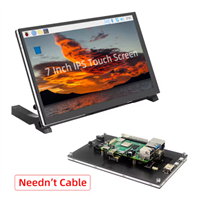
Raspberry Pi 5 7 Inch Touch Screen IPS 1024x600 HD LCD HDMI-compatible Display for RPI 4B 3B+ OPI 5 AIDA64 PC Secondary Screen(Without Speaker)
BUY NOW


- Comments(0)
- Likes(0)
-
 Cistercian Display
I have always loved displays, I really like anything that emits light and that is controllable, that...
Cistercian Display
I have always loved displays, I really like anything that emits light and that is controllable, that...
-
 Raspberry Pi Zero Dynamixel Hat
The Dynamixel Hat is a board capable of communicating the raspberry Pi ( Serial ) with the Dynamixel...
Raspberry Pi Zero Dynamixel Hat
The Dynamixel Hat is a board capable of communicating the raspberry Pi ( Serial ) with the Dynamixel...
-
 SPI Display Array Clock
The main idea of this project was to make a customizable clock, a clock that would have the option t...
SPI Display Array Clock
The main idea of this project was to make a customizable clock, a clock that would have the option t...
-
 ST7789V Breakout board to connect to any microcontroller.
ST7789V Breakout board to connect to any microcontroller.
ST7789V Breakout board to connect to any microcontroller.
-
 JTAG to SWD and Tag-Connect Adapter
JTAG to SWD and Tag-Connect Adapter
JTAG to SWD and Tag-Connect Adapter
-
Émetteur Récepteur Optique Expérimental (communication UART ATtiny + fibre optique)
142 0 1 -
SmallOLED - Live PC Stats, Animated Clocks & Audio Visualizer
991 0 3 -
"Talking Multimeter": Arduino-Based Speech Add-on for Multimeters with SCPI Protocol
569 0 1 -
Programmable Mist Maker - XIAO / QT PY Extension
3041 2 3 -
RadioHAT - Raspberry Pi radio development platform
2585 0 4 -
-
-