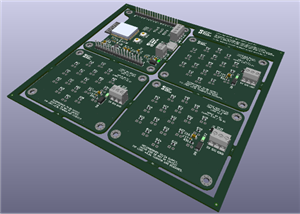
A8PicoCart v2 - XE Version (No Case)
Original GITHUB: https://github.com/robinhedwards/A8PicoCart
A8PicoCart (UnoCart on a Raspberry Pi Pico clone)
The A8PicoCart is a multi-cart for the Atari 8-bit (XL/XE) which you can make at home with only basic soldering skills. It is based on my earlier UnoCart design but uses a very inexpensive Raspberry Pi Pico clone (£2-3) for an easy build.
When plugged into a PC by USB it becomes a Mass Storage device allowing ROM/CAR/XEX & ATR files to be copied to the cartridge. When plugged into an Atari these files are shown on the menu and the device will either emulate the selected cartridge type or act as a XEX file launcher. It also has (very) limited support for ATR files allowing you to do some programming and save your work to an ATR file.
This page contains everything you need to build the project - firmware to flash to your purple Pico clone, Kicad PCB design files to make a PCB and 3d print files for a nice case. The source code for everything is also here. There is also a manual detailing the full capabilities of the cartridge.
If you build an A8PicoCart consider donating to help fund this and my future projects:


Quick Start
Get yourself a purple Raspberry Pi Pico clone (see this thread for details) and order a PCB using the KiCad board files provided. You have a choice of two PCB designs - the XE design is for use uncased, with the Pico on the top surface. The XL/XE version is desgined to be mounted in a case (though can be used uncased too) with the Pico on the bottom/back surface. Once you have the Pico clone and PCB, solder the pico as pictured below, depending on your PCB version. Program the firmware onto the device by pressing BOOTSEL on the board and connecting to USB on a PC and drag the firmware (UF2 file) onto the device. It should then remount as A8-PICOCART so you can copy Atari CAR & XEX files to it. Unmount, then plug into your Atari and play! Optionally solder a reset button to reset back to the menu.
Warning: always disconnect from PC/USB before plugging into your Atari or you will damage your Atari and/or PC. This warning mainly applies to the XE/uncased version of the PCB. The newest version of the XL/XE board makes it physically impossible to connect USB when the cartridge is inserted in an Atari.


Inserting the cartridge
Depending on which PCB you choose the Pico clone may be mounted on the front or back of the PCB. When you insert the cartridge in the Atari make sure the "S..A" side of the cartridge edge (NOT the "1..15" side) is facing upwards (XE) or towards you (XL).
Purple Pico clones
The firmware is designed for the Purple Pico clones with USB C connector and 16Megs of flash and a single button (BOOTSEL). I've received these devices with two different types of SPI flash chips - Winbond and (slower) Z-bit. The firmware has been tested with both types.
The project defines a custom board with a higher value for PICO_FLASH_SPI_CLKDIV so it supports the slower Z-bit flash.
Be aware that it's possible you might get one with another type of flash memory chip that has not been tested.
Reset button
You can solder a push button to the cartridge to get back to the menu and avoid wear on your Atari power switch. When you reset the cartridge the Atari will crash - just push reset on the Atari itself to get back to the menu.
The button used is a 6x6mm thru-hole tactile momentary switch. If you are going to print a case, then 9mm+ height is suitable. When you solder the button to the PCB - make sure the lower two holes in the PCB are bridged only when the button is pressed.
It works simply by pulling the RUN pin on the pico clone to ground to reset.
3D print files
The STL files can be used to print a 3 part (front, back and logo) cartridge shell. The 2-tone logo is achieved by changing the filament at the correct z-position when printing a8pico_logo.stl. You'll also need two M3 15mm screws.


Changelog
7 Oct 2023 - Add new PCB & case design files to make it impossible to insert USB when plugged into Atari. Add support for Microcart (CAR type 52) cartridges. Updated manual.
29 Oct 2023 - Adds 3 new cartridge types (thanks to ascrnet)
Credits
Design, hardware and firmware by Robin Edwards (electrotrains at atariage)
XEX loader and OS modifications by Jonathan Halliday (flashjazzcat at atariage)
Altirra LLE OS used with permision from Avery Lee (phaeron at atariage)
A8PicoCart v2 - XE Version (No Case)
*PCBWay community is a sharing platform. We are not responsible for any design issues and parameter issues (board thickness, surface finish, etc.) you choose.









Raspberry Pi 5 7 Inch Touch Screen IPS 1024x600 HD LCD HDMI-compatible Display for RPI 4B 3B+ OPI 5 AIDA64 PC Secondary Screen(Without Speaker)
BUY NOW


- Comments(0)
- Likes(3)
-
 Necroware S7-VRM (2024 Version)
Note from PCBWay: There are some problems in the BOM on the project page that cannot be resolved. If...
Necroware S7-VRM (2024 Version)
Note from PCBWay: There are some problems in the BOM on the project page that cannot be resolved. If...
-
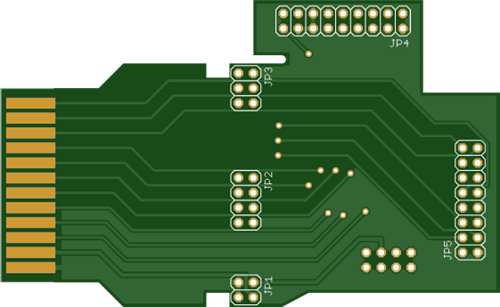 Atari 2600 PlusCart
Original Site: https://gitlab.com/firmaplus/atari-2600-pluscart
Atari 2600 PlusCart
Original Site: https://gitlab.com/firmaplus/atari-2600-pluscart
-
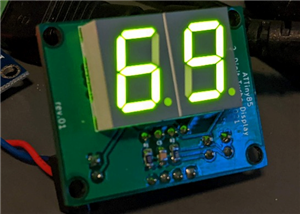 2 digit Turbo Display
Original GITHUB: https://github.com/wiretap-retro/2-digit-Turbo-Display?tab=readme-ov-file#2-digit-t...
2 digit Turbo Display
Original GITHUB: https://github.com/wiretap-retro/2-digit-Turbo-Display?tab=readme-ov-file#2-digit-t...
-
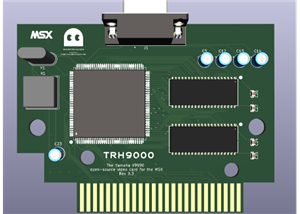 TRH9000 - a graphics expansion cartridge for MSX
Original GITHUB: https://github.com/cristianoag/trh9000
TRH9000 - a graphics expansion cartridge for MSX
Original GITHUB: https://github.com/cristianoag/trh9000
-
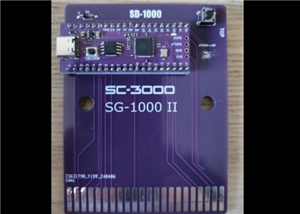 SD-1000 - Sega flash multicart for SC-3000, SG-1000 and Mark III based on Pico Clone
Original GITIHUB: https://github.com/aotta/SD-1000
SD-1000 - Sega flash multicart for SC-3000, SG-1000 and Mark III based on Pico Clone
Original GITIHUB: https://github.com/aotta/SD-1000
-
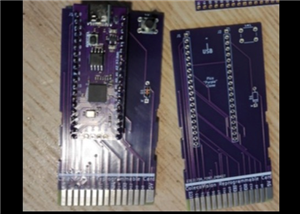 PiCOLECO - a Colecovision flash multicart based on Pico clone
Original GITHUB: https://github.com/aotta/PiCOLECO
PiCOLECO - a Colecovision flash multicart based on Pico clone
Original GITHUB: https://github.com/aotta/PiCOLECO
-
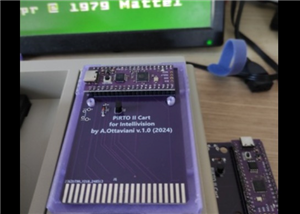 Pi-RTO II - a Intellivision flash multicart based on Pico clone
Original GITHUB: https://github.com/aotta/PiRTOII
Pi-RTO II - a Intellivision flash multicart based on Pico clone
Original GITHUB: https://github.com/aotta/PiRTOII
-
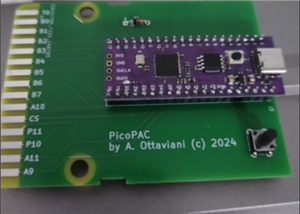 PicoPAC - Flash Multicart for Philips Videopac (Magnavox Odyssey 2)
Original GITHUB: https://github.com/aotta/PicoPACMore info: https://www.nightfallcrew.com/22/09/202...
PicoPAC - Flash Multicart for Philips Videopac (Magnavox Odyssey 2)
Original GITHUB: https://github.com/aotta/PicoPACMore info: https://www.nightfallcrew.com/22/09/202...
-
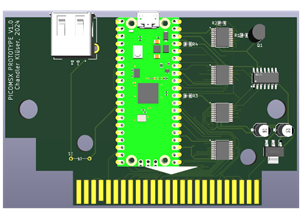 PicoMSX (Pico MSX Not MSXPico)
ORIGINAL GITHUB: https://github.com/Chandler-Kluser/picomsxThis project is on development by his aut...
PicoMSX (Pico MSX Not MSXPico)
ORIGINAL GITHUB: https://github.com/Chandler-Kluser/picomsxThis project is on development by his aut...
-
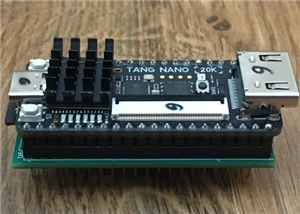 MSX Goauld Rev. 4.1
Original GITHUB: https://github.com/jabadiagm/MSXgoauld_tn20k
MSX Goauld Rev. 4.1
Original GITHUB: https://github.com/jabadiagm/MSXgoauld_tn20k
-
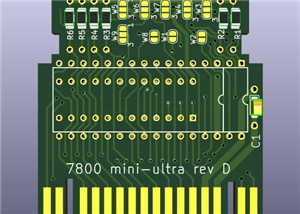 Atari 7800 Mini Ultra Rev. D Game Cart
Please see the AtariAge forum: https://forums.atariage.com/topic/69710-the-7800-cartridge-board-thre...
Atari 7800 Mini Ultra Rev. D Game Cart
Please see the AtariAge forum: https://forums.atariage.com/topic/69710-the-7800-cartridge-board-thre...
-
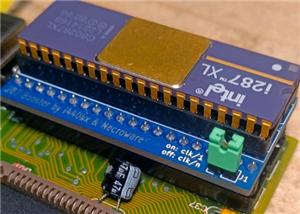 286 Booster from Necroware
Original GITHUB:https://github.com/necroware/287-boosterCredits to Necroware.
286 Booster from Necroware
Original GITHUB:https://github.com/necroware/287-boosterCredits to Necroware.
-
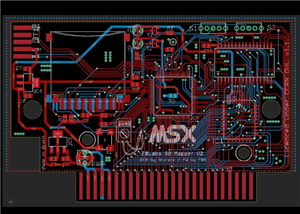 MSX SD Mapper v2
ORIGINAL GITHUB: GitHub - fbelavenuto/msxsdmapperv2: MSX SD Mapper Interface V2
MSX SD Mapper v2
ORIGINAL GITHUB: GitHub - fbelavenuto/msxsdmapperv2: MSX SD Mapper Interface V2
-
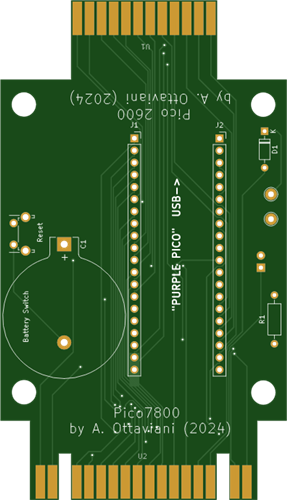 Atari 2600 & 7800 Pico Cart Nightfall Version
Original Website: https://www.nightfallcrew.com/17/01/2025/picoa10400-flashcart-for-atari-2600-7800/
Atari 2600 & 7800 Pico Cart Nightfall Version
Original Website: https://www.nightfallcrew.com/17/01/2025/picoa10400-flashcart-for-atari-2600-7800/
-
 Atari XE FULL RA Cart / ECI Extender v2.0
TESTED AND WORKING PERFECT.
Atari XE FULL RA Cart / ECI Extender v2.0
TESTED AND WORKING PERFECT.
-
 Atari 1200XL Extender Cart
Original Website: https://www.bitsofthepast.com/cartridgeboards.html#
Atari 1200XL Extender Cart
Original Website: https://www.bitsofthepast.com/cartridgeboards.html#
-
 Atari 1200XL RA Extender ( Angle Cart )
Original Website: https://www.bitsofthepast.com/cartridgeboards.html#
Atari 1200XL RA Extender ( Angle Cart )
Original Website: https://www.bitsofthepast.com/cartridgeboards.html#
-
 Atari XE ECI port to XL PBI Angle Cart
Original Creator and Website: https://www.bitsofthepast.com/PBI_ECIBoards.html#ATTENTION: This proje...
Atari XE ECI port to XL PBI Angle Cart
Original Creator and Website: https://www.bitsofthepast.com/PBI_ECIBoards.html#ATTENTION: This proje...
-
Programmable Mist Maker - XIAO / QT PY Extension
940 1 0 -
RadioHAT - Raspberry Pi radio development platform
765 0 2 -
-
-
-
-
ARPS-2 – Arduino-Compatible Robot Project Shield for Arduino UNO
3225 0 6 -
A Compact Charging Breakout Board For Waveshare ESP32-C3
3847 3 8 -
AI-driven LoRa & LLM-enabled Kiosk & Food Delivery System
4202 2 2