|
|
SBX-1610-52 SONYSONY
|
x 1 | |
|
|
ESP32 NodeMCU Development Board |
x 1 | |
|
|
IR Receiver Module |
x 1 | |
|
|
100Ω Resistor (0805) |
x 1 |
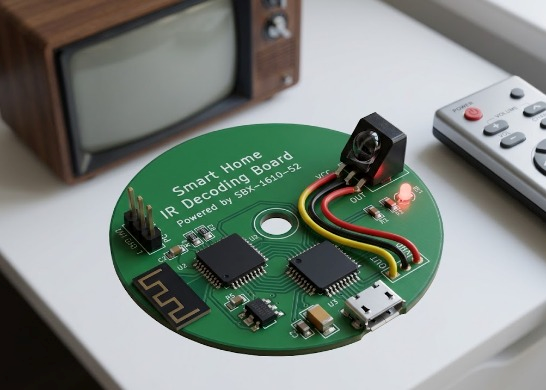
Smart Home Infrared Receiver & Learning Module based on SBX-1610-52
Project Overview
This project is an open-source Smart Home Infrared Receiver & Learning Module built around the Sony SBX-1610-52 IR receiver module.
The primary goal is to provide a reliable, low-cost solution for capturing, decoding, and processing infrared signals from standard remote controls (such as TV, AC, or audio equipment remotes). By interfacing the SBX-1610-52 with an ESP32 microcontroller, this board bridges legacy infrared-controlled appliances with modern smart home ecosystems like Home Assistant via MQTT.
Key Features
- High-Sensitivity IR Reception: Utilizes the Sony SBX-1610-52 module for optical filtering and noise suppression.
- Smart Home Integration: Communicates with home automation platforms over Wi-Fi / MQTT via ESP32.
- Protocol Support: Supports standard protocols including NEC, RC-5, RC-6, and Sony SIRC.
- Low Component Count: Simple peripheral circuit with power filtering to prevent false triggers.
Hardware & Circuit Design
- The board circuit is minimal yet robust:
- Power Supply Filtering: An RC filter (100Ω resistor and 47µF capacitor) stabilizes the Vcc supply to the SBX-1610-52 module to reduce high-frequency power noise.
- Signal Line: The output pin (OUT) of the SBX-1610-52 connects directly to a GPIO pin on the ESP32 (e.g., GPIO 15) with an internal/external pull-up resistor.
- Status Indicator: An onboard LED connected to a dedicated GPIO provides visual feedback whenever an IR signal is actively received.
Software & Firmware
The firmware can be easily compiled using the Arduino IDE or PlatformIO using the IRremoteESP8266 library.
Basic Arduino Code Snippet:
C++
#include <Arduino.h>
#include <IRrecv.h>
#include <IRutils.h>
const uint16_t RECV_PIN = 15; // Connected to OUT of SBX-1610-52
IRrecv irrecv(RECV_PIN);
decode_results results;
void setup() {
Serial.begin(115200);
irrecv.enableIRIn(); // Start the receiver
Serial.println("IR Receiver Initialized.");
}
void loop() {
if (irrecv.decode(&results)) {
// Print received IR code in hex
serialPrintUint64(results.value, HEX);
Serial.println("");
irrecv.resume(); // Receive the next value
}
}
How to Use
Assemble the PCB components according to the BOM.
Upload the IR receiver code to the ESP32.
Point any standard remote control at the SBX-1610-52 module and press a button.
Open the Serial Monitor (115200 baud) to view the decoded signal format and hexadecimal code.
Smart Home Infrared Receiver & Learning Module based on SBX-1610-52


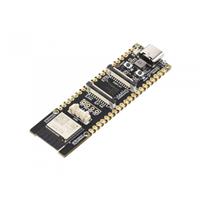
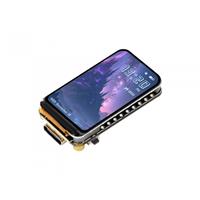
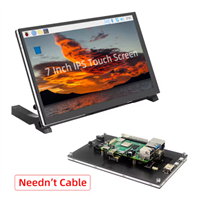
Raspberry Pi 5 7 Inch Touch Screen IPS 1024x600 HD LCD HDMI-compatible Display for RPI 4B 3B+ OPI 5 AIDA64 PC Secondary Screen(Without Speaker)
BUY NOW

- Comments(1)
- Likes(0)
More by Cathy Cathy
-
Émetteur Récepteur Optique Expérimental (communication UART ATtiny + fibre optique)
204 0 1 -
SmallOLED - Live PC Stats, Animated Clocks & Audio Visualizer
1084 0 3 -
"Talking Multimeter": Arduino-Based Speech Add-on for Multimeters with SCPI Protocol
628 0 1 -
Programmable Mist Maker - XIAO / QT PY Extension
3090 2 3 -
RadioHAT - Raspberry Pi radio development platform
2635 0 4 -
-