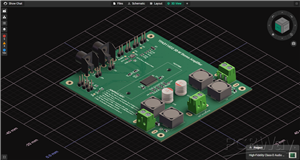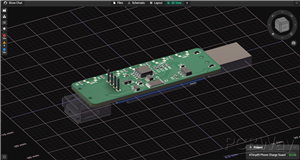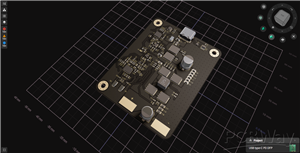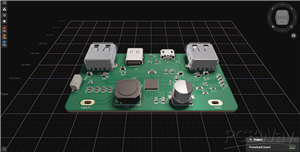


Corsair Lighting Protocol board
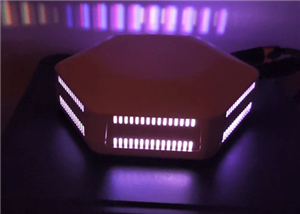
This board can be used to integrate custom/unofficial ARGB strips with iCUE.
software from: https://github.com/Legion2/CorsairLightingProtocol
// Samples for multiple devices.

#include <CorsairLightingProtocol.h>
#include <FastLED.h>

// for Multiple Device. Set DEVICE_NO
#define DEVICE_NO 0

#define DATA_PIN_CHANNEL_1 2
#define DATA_PIN_CHANNEL_2 3

#define CHANNEL_LED_COUNT 60

CRGB ledsChannel1[CHANNEL_LED_COUNT];
CRGB ledsChannel2[CHANNEL_LED_COUNT];

#if DEVICE_NO == 0
const char mySerialNumber[] PROGMEM = "202B6949A967";
#elif DEVICE_NO == 1
const char mySerialNumber[] PROGMEM = "202B6949A968";
#elif DEVICE_NO == 2
const char mySerialNumber[] PROGMEM = "202B6949A969";
#elif DEVICE_NO == 3
const char mySerialNumber[] PROGMEM = "202B6949A96A";
#elif DEVICE_NO == 4
const char mySerialNumber[] PROGMEM = "202B6949A96B";
#endif

CorsairLightingFirmware firmware = corsairLightingNodePROFirmware();
FastLEDController ledController(true);
CorsairLightingProtocolController cLP(&ledController, &firmware);
CorsairLightingProtocolHID cHID(&cLP, mySerialNumber);


void setup() {
#if DEVICE_NO == 0
  byte deviceId[4] = { 0x9A, 0xDA, 0xA7, 0x8E };
#elif DEVICE_NO == 1
  byte deviceId[4] = { 0x9A, 0xDA, 0xA7, 0x8F };
#elif DEVICE_NO == 2
  byte deviceId[4] = { 0x9A, 0xDA, 0xA7, 0x90 };
#elif DEVICE_NO == 3
  byte deviceId[4] = { 0x9A, 0xDA, 0xA7, 0x91 };
#elif DEVICE_NO == 4
  byte deviceId[4] = { 0x9A, 0xDA, 0xA7, 0x92 };
#endif
  firmware.setDeviceID(deviceId);

  CLP::disableBuildInLEDs();
  if (CLP::shouldReset(&firmware)) {
    CLP::reset(&firmware);
    ledController.reset();
  }
  FastLED.addLeds<NEOPIXEL, DATA_PIN_CHANNEL_1>(ledsChannel1, CHANNEL_LED_COUNT);
  FastLED.addLeds<NEOPIXEL, DATA_PIN_CHANNEL_2>(ledsChannel2, CHANNEL_LED_COUNT);
  ledController.addLEDs(0, ledsChannel1, CHANNEL_LED_COUNT);
  ledController.addLEDs(1, ledsChannel2, CHANNEL_LED_COUNT);
}

void loop() {
//	cLNP.update();

  cHID.update();

  if (ledController.updateLEDs()) {
    FastLED.show();
  }
}
Corsair Lighting Protocol board
Project images are for reference only. Actual production is based on the manufacturing files on the project page.
Please review the designer's notes (e.g., PCB thickness) and select the appropriate options.
PCBWay is not responsible
for issues caused by unsuitable parameter selections.
For more important ordering information, please refer to
Read More


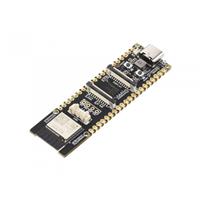
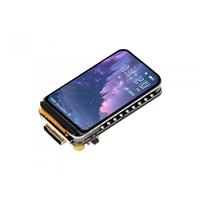
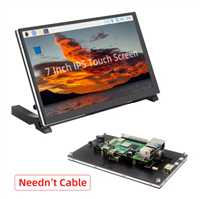
Raspberry Pi 5 7 Inch Touch Screen IPS 1024x600 HD LCD HDMI-compatible Display for RPI 4B 3B+ OPI 5 AIDA64 PC Secondary Screen(Without Speaker)
BUY NOW


- Comments(13)
- Likes(4)
More by Yukari Shoji
-
 ESP32 DevKit-C Base Board
ESP32-DevKit-C Base BoardConnectersJ1: JTAG (3V3/GND/TMS/TCK/TDO/TDO)J2: I2C (GND/3V3/SCL/SDA)J3: I2...
-
 ESP32 CPU board for ESP-PROG. Ver2.0
This CPU board is Ver.2 for use with ESP-PROG.Since the writing circuit of ESP-PROG is used, it is a...
-
 ESP32 CPU board for ESP-PROG.
This CPU board is for use with ESP-PROG.Since the writing circuit of ESP-PROG is used, it is a simpl...
-
 Corsair Lighting Protocol board
This board can be used to integrate custom/unofficial ARGB strips with iCUE. software from: https://...
-
 ESP32-Minikit Base Board
Base Board for ESP32-MiniKitElectrolytic capacitors and ceramic capacitors for 3V3 and 5V power line...
-
-
AudioLink – USB & Bluetooth LE Audio / Auracast Receiver with Balanced Line Outputs (nRF5340)
134 0 0 -
-
-
-
Émetteur Récepteur Optique Expérimental (communication UART ATtiny + fibre optique)
313 0 0 -
SmallOLED - Live PC Stats, Animated Clocks & Audio Visualizer
1306 0 3 -
"Talking Multimeter": Arduino-Based Speech Add-on for Multimeters with SCPI Protocol
744 0 1 -
Programmable Mist Maker - XIAO / QT PY Extension
3274 2 4