|
|
arduino uno r4 wifiArduino
|
x 1 |
|
|
wokwi |
a arduino safe
its just a safe that accalty works
define SERVO_PIN 6
#define SERVO_LOCK_POS   20
#define SERVO_UNLOCK_POS 90
Servo lockServo;

/* Display */
LiquidCrystal lcd(12, 11, 10, 9, 8, 7);

/* Keypad setup */
const byte KEYPAD_ROWS = 4;
const byte KEYPAD_COLS = 4;
byte rowPins[KEYPAD_ROWS] = {5, 4, 3, 2};
byte colPins[KEYPAD_COLS] = {A3, A2, A1, A0};
char keys[KEYPAD_ROWS][KEYPAD_COLS] = {
  {'1', '2', '3', 'A'},
  {'4', '5', '6', 'B'},
  {'7', '8', '9', 'C'},
  {'*', '0', '#', 'D'}
};

Keypad keypad = Keypad(makeKeymap(keys), rowPins, colPins, KEYPAD_ROWS, KEYPAD_COLS);

/* SafeState stores the secret code in EEPROM */
SafeState safeState;

void lock() {
  lockServo.write(SERVO_LOCK_POS);
  safeState.lock();
}

void unlock() {
  lockServo.write(SERVO_UNLOCK_POS);
}

void showStartupMessage() {
  lcd.setCursor(4, 0);
  lcd.print("Welcome!");
  delay(1000);

  lcd.setCursor(0, 2);
  String message = "ArduinoSafe v1.0";
  for (byte i = 0; i < message.length(); i++) {
    lcd.print(message[i]);
    delay(100);
  }
  delay(500);
}

String inputSecretCode() {
  lcd.setCursor(5, 1);
  lcd.print("[____]");
  lcd.setCursor(6, 1);
  String result = "";
  while (result.length() < 4) {
    char key = keypad.getKey();
    if (key >= '0' && key <= '9') {
      lcd.print('*');
      result += key;
    }
  }
  return result;
}

void showWaitScreen(int delayMillis) {
  lcd.setCursor(2, 1);
  lcd.print("[..........]");
  lcd.setCursor(3, 1);
  for (byte i = 0; i < 10; i++) {
    delay(delayMillis);
    lcd.print("=");
  }
}

bool setNewCode() {
  lcd.clear();
  lcd.setCursor(0, 0);
  lcd.print("Enter new code:");
  String newCode = inputSecretCode();

  lcd.clear();
  lcd.setCursor(0, 0);
  lcd.print("Confirm new code");
  String confirmCode = inputSecretCode();

  if (newCode.equals(confirmCode)) {
    safeState.setCode(newCode);
    return true;
  } else {
    lcd.clear();
    lcd.setCursor(1, 0);
    lcd.print("Code mismatch");
    lcd.setCursor(0, 1);
    lcd.print("Safe not locked!");
    delay(2000);
    return false;
  }
}

void showUnlockMessage() {
  lcd.clear();
  lcd.setCursor(0, 0);
  lcd.write(ICON_UNLOCKED_CHAR);
  lcd.setCursor(4, 0);
  lcd.print("Unlocked!");
  lcd.setCursor(15, 0);
  lcd.write(ICON_UNLOCKED_CHAR);
  delay(1000);
}

void safeUnlockedLogic() {
  lcd.clear();

  lcd.setCursor(0, 0);
  lcd.write(ICON_UNLOCKED_CHAR);
  lcd.setCursor(2, 0);
  lcd.print(" # to lock");
  lcd.setCursor(15, 0);
  lcd.write(ICON_UNLOCKED_CHAR);

  bool newCodeNeeded = true;

  if (safeState.hasCode()) {
    lcd.setCursor(0, 1);
    lcd.print("  A = new code");
    newCodeNeeded = false;
  }

  auto key = keypad.getKey();
  while (key != 'A' && key != '#') {
    key = keypad.getKey();
  }

  bool readyToLock = true;
  if (key == 'A' || newCodeNeeded) {
    readyToLock = setNewCode();
  }

  if (readyToLock) {
    lcd.clear();
    lcd.setCursor(5, 0);
    lcd.write(ICON_UNLOCKED_CHAR);
    lcd.print(" ");
    lcd.write(ICON_RIGHT_ARROW);
    lcd.print(" ");
    lcd.write(ICON_LOCKED_CHAR);

    safeState.lock();
    lock();
    showWaitScreen(100);
  }
}

void safeLockedLogic() {
  lcd.clear();
  lcd.setCursor(0, 0);
  lcd.write(ICON_LOCKED_CHAR);
  lcd.print(" Safe Locked! ");
  lcd.write(ICON_LOCKED_CHAR);

  String userCode = inputSecretCode();
  bool unlockedSuccessfully = safeState.unlock(userCode);
  showWaitScreen(200);

  if (unlockedSuccessfully) {
    showUnlockMessage();
    unlock();
  } else {
    lcd.clear();
    lcd.setCursor(0, 0);
    lcd.print("Access Denied!");
    showWaitScreen(1000);
  }
}

void setup() {
  lcd.begin(16, 2);
  init_icons(lcd);

  lockServo.attach(SERVO_PIN);

  /* Make sure the physical lock is sync with the EEPROM state */
  Serial.begin(115200);
  if (safeState.locked()) {
    lock();
  } else {
    unlock();
  }

  showStartupMessage();
}

void loop() {
  if (safeState.locked()) {
    safeLockedLogic();
  } else {
    safeUnlockedLogic();
  }
}
a arduino safe
Project images are for reference only. Actual production is based on the manufacturing files on the project page.
Please review the designer's notes (e.g., PCB thickness) and select the appropriate options.
PCBWay is not responsible
for issues caused by unsuitable parameter selections.
For more important ordering information, please refer to
Read More


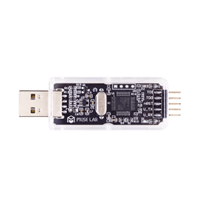
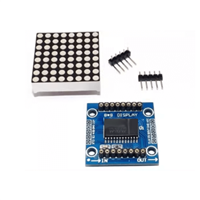
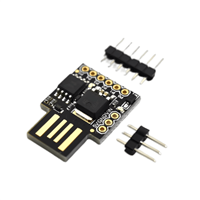
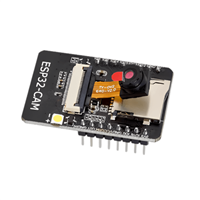
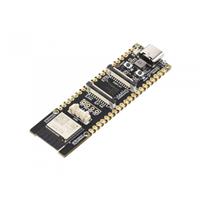
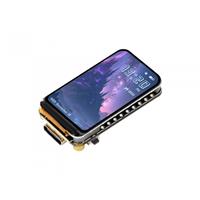
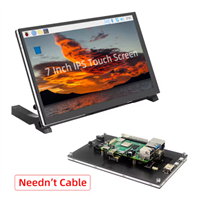
Raspberry Pi 5 7 Inch Touch Screen IPS 1024x600 HD LCD HDMI-compatible Display for RPI 4B 3B+ OPI 5 AIDA64 PC Secondary Screen(Without Speaker)
BUY NOW

- Comments(0)
- Likes(0)
 More by Engineer

-
-
AudioLink – USB & Bluetooth LE Audio / Auracast Receiver with Balanced Line Outputs (nRF5340)
150 0 0 -
-
-
-
Émetteur Récepteur Optique Expérimental (communication UART ATtiny + fibre optique)
319 0 1 -
SmallOLED - Live PC Stats, Animated Clocks & Audio Visualizer
1319 0 3 -
"Talking Multimeter": Arduino-Based Speech Add-on for Multimeters with SCPI Protocol
750 0 1 -
Programmable Mist Maker - XIAO / QT PY Extension
3285 2 4