



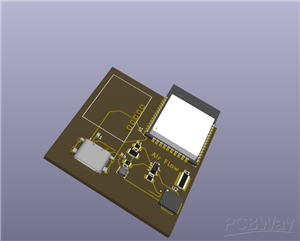
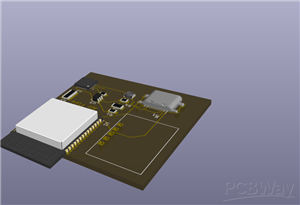
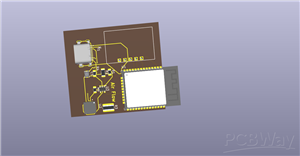
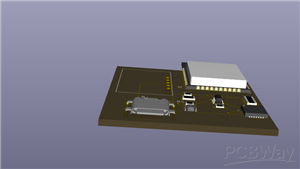
|
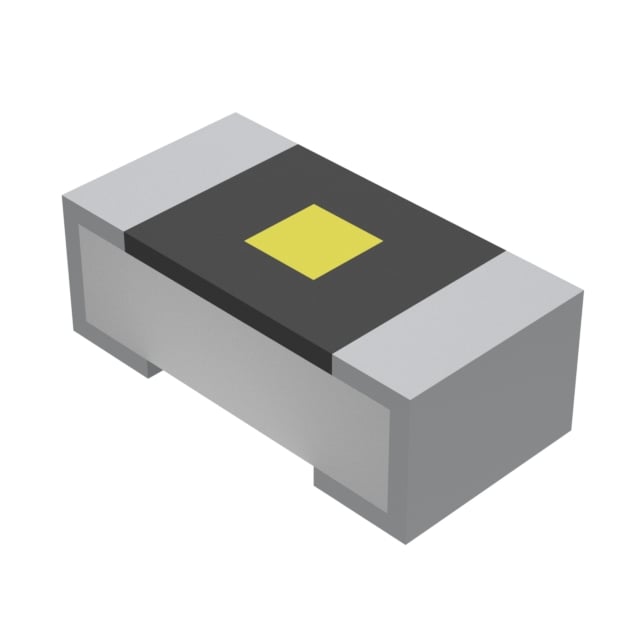
ESR10EZPF5102Rohm Semiconductor
|
x 3 | |
|
|
10kΩ |
x 1 | |
|
|
AP2112K-3.3TRG1DIODES(美台)『 』Diodes Incorporated
|
x 1 | |
|
|
CP2102-GMRSilicon Labs
|
x 1 | |
|
|
0.01u/16V |
x 1 | |
|
|
ESP32-WROOM-32DEspressif Systems
|
x 1 |

|
KiCADKicad
|
|

|
arduino IDEArduino
|
Air Flow -
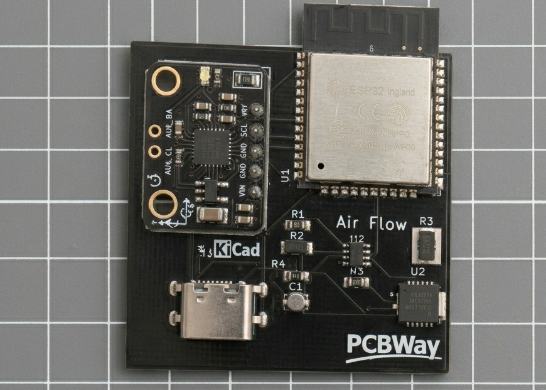
You know the feeling. It’s Tuesday, 2:47 p.m. Your hand rests on that same contoured lump of matte plastic, your fingers curled in the exact position they’ve held for six years. The cursor sits in the middle of a spreadsheet, blinking with the patience of a thing that has no pulse. You need to move it four cells to the right. You perform the tiny, mechanical wrist-shuffle—slide, stop. Slide, stop. Lift, drop. The mouse wheel gives a dry, unsatisfying zzt-zzt under your finger. Each notch is a grain of sand falling through the hourglass of your afternoon. The boredom is so thick it has a taste: stale coffee and recycled office air.
This is the tyranny of the normal mouse. It chains you to a flat surface, dictating your posture, your hand position, even your mood. It turns every click into a two-step drill of position-then-press, every scroll into a granular, repetitive chore. Your brain thinks “there,” but your body must translate that into a series of micro-movements through a cold, dead piece of hardware that was designed decades ago and hasn’t evolved since. You aren’t interacting; you are negotiating with a brick.
But now imagine a device that doesn’t just tweak this experience—it obliterates it. Imagine lifting your hand off the desk entirely. No pad. No cable. No dead weight. The air itself becomes your workspace. This is the buttonless, gesture-controlled air mouse, and it replaces every single one of those painful, boring rituals with a language your body already speaks: movement.
The Complete Feature Map of a Liberation
Absolute Button-Free Operation
There are no buttons. Not one. The entire device is a tiny sensor board that reads the orientation and motion of your hand in three dimensions. An MPU6050 gyroscope and accelerometer feed raw data into a Madgwick sensor-fusion algorithm, which computes your hand’s exact roll, pitch, and yaw a hundred times per second. Every mouse function—cursor motion, left click, right click, scroll, middle click—is triggered by intentional, natural gestures that feel immediate and physical. You never have to search for a button again; the gesture is the button.
3D Cursor Movement – Pointing in Free Space
Forget the “slide, lift, drop” cycle forever. Cursor movement is driven directly by the gyroscope’s angular velocity.
Rotating your hand left or right (yaw) moves the cursor horizontally.
Tilting your hand forward or back (pitch) moves it vertically, with the direction inverted so it feels like you’re gently aiming a laser pointer.
A built-in dead zone (±2°/s) filters out natural hand tremor, so the cursor stays rock-steady when you’re not moving intentionally.
An exponential smoothing filter eliminates jitter without introducing lag, making the motion buttery and precise.
The result is a cursor that glides in perfect sync with your smallest wrist movement. You can lean back in your chair, stand up, or gesture while pacing—the pointer follows you everywhere. The boring mouse glued you to one spot; this one sets you free.
Left Click – A Simple Tilt of the Hand
Instead of pressing a stiff switch, you simply roll your hand to the left, past 40°. The device registers a left mouse button click instantly.
A smart cooldown mechanism prevents accidental double-clicks: after the click fires, your hand must return to a near-level position (|roll| < 15°) and stay there for 600 milliseconds before another left click is allowed.
This makes every left click feel deliberate and confident, never twitchy. You don’t think “press”; you just tilt and it happens, as naturally as pointing a finger.
Right Click – Mirror Gesture, Same Confidence
Tilt your hand more than 40° to the right, and you get a right-click with the identical safety cooldown. The left and right systems work independently, so you can alternate rapidly without one interfering with the other. No more awkwardly hunting for the tiny right button with your ring finger—just a smooth, symmetric motion that’s impossible to miss.
Continuous Scrolling – Hold the Angle
The scroll wheel’s incremental, grinding zzt-zzt is replaced by a continuous, fluid gesture.
Hold your hand tilted upwards beyond 30° pitch, and the page scrolls up smoothly, line after line, for as long as you maintain the angle.
Tilt downwards beyond -30° pitch for smooth downward scroll.
A configurable scroll interval (default 50 ms) ensures the speed feels natural and doesn’t flood the screen.
You can fly through documents with a slight, relaxed tilt of the wrist, and stop instantly by returning to neutral. No wheel, no endless finger-flicking, just effortless velocity controlled by posture.
Middle Click (Scroll Wheel Button) – A Rapid Flick Gesture
The middle click—the most fiddly, hard-to-press button on a normal mouse—is now a quick pitch motion. The system uses a three-state gesture detector:
Idle: normal cursor and scroll mode.
When you quickly pitch your hand up past +20°, a timer starts.
If you then pitch down past -20° within 1 second, a middle click is triggered—exactly like a scroll-wheel press.
The algorithm is clever: if you hold the up-tilt for more than 300 milliseconds, it seamlessly transitions into continuous scroll mode instead of triggering a middle click, so you never get an accidental button press when you meant to scroll. This single, intuitive “flick” gesture replaces the heavy, unreliable middle button and does it with a fluid, almost musical motion of the hand.
Self-Calibration and Smart Power
The sensor calibrates its gyroscope on startup with 200 samples while you hold it still, eliminating drift.
Wearable, Not Wieldable
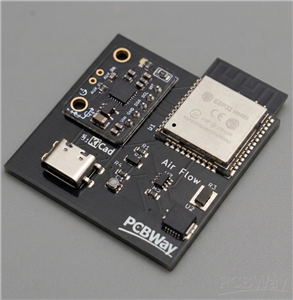
Because the board is smaller than a matchbox, it can be slipped into a wristband, glove, or ring mount. It becomes part of your hand rather than a tool you grasp. You no longer “use” a mouse; you simply move, and the digital world moves with you.
Air Flow -
Project images are for reference only. Actual production is based on the manufacturing files on the project page.
Please review the designer's notes (e.g., PCB thickness) and select the appropriate options.
PCBWay is not responsible
for issues caused by unsuitable parameter selections.
For more important ordering information, please refer to
Read More









Raspberry Pi 5 7 Inch Touch Screen IPS 1024x600 HD LCD HDMI-compatible Display for RPI 4B 3B+ OPI 5 AIDA64 PC Secondary Screen(Without Speaker)
BUY NOW


- Comments(0)
- Likes(0)
More by Anjana Kushwaha
-
Émetteur Récepteur Optique Expérimental (communication UART ATtiny + fibre optique)
142 0 1 -
SmallOLED - Live PC Stats, Animated Clocks & Audio Visualizer
990 0 3 -
"Talking Multimeter": Arduino-Based Speech Add-on for Multimeters with SCPI Protocol
569 0 1 -
Programmable Mist Maker - XIAO / QT PY Extension
3040 2 3 -
RadioHAT - Raspberry Pi radio development platform
2584 0 4 -
-
-



















