|
KiCADKicad
|
AVR Miner Board
This is the AVR Miner Board for the Duco-Miners Projects.
The complete project information can be found here: https://www.pcbway.com/project/shareproject/DUCO_Miners_a67cdb4b.html
Assembling the AVR Miner Board:
You can get this board fabricated & assembled directly from PCBWay at an attractive cost.
If you want to assemble the boards on your own, you can download the BOM & the KiCad PCB design files.
Code the AVR Miner Board:
Uploading the code to the AVR-Miner Board:

To upload the code to the AVR-Miner Board, I used a USBasp Programmer to program the microcontroller via ISP programming pins. You can also use an Arduino UNO or Arduino Nano board as a programmer. Check out this tutorial for reference: (https://www.instructables.com/Turn-Your-Arduino-Into-an-ISP)
I also built a 10-pin to 6-pin ISP connector for connecting the USBasp to the AVR Miner Board.

Make sure you connect the ISP pins correctly. Refer to the KiCAD project files for understanding the pin notations.
1) The first step is to burn the bootloader to the controller for setting the clock configuration. If you are using a controller with a pre-loaded bootloader you may skip uploading the bootloader to it. Select the appropriate Board Name from the Tools menu as per the microcontroller used on the AVR-Miner Board. For example: If the AVR-Miner has Atmega328 on it, you may select the Board as Arduino Nano. If it is Atmega8, then you may select Arduino NG (Atmega8).
2) Select the Upload Using Programmer option from the Sketch menu to upload the respective code to the AVR-Miner. Make sure you change the I2C address in the code for every different AVR-Miner Board.
Next Steps:
Refer to the main project page to view the complete project here: https://www.pcbway.com/project/shareproject/DUCO_Miners_a67cdb4b.html
AVR Miner Board
Project images are for reference only. Actual production is based on the manufacturing files on the project page.
Please review the designer's notes (e.g., PCB thickness) and select the appropriate options.
PCBWay is not responsible
for issues caused by unsuitable parameter selections.
For more important ordering information, please refer to
Read More


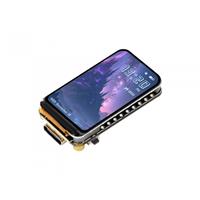
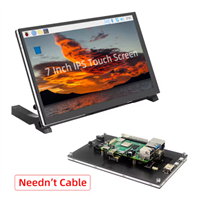
Raspberry Pi 5 7 Inch Touch Screen IPS 1024x600 HD LCD HDMI-compatible Display for RPI 4B 3B+ OPI 5 AIDA64 PC Secondary Screen(Without Speaker)
BUY NOW


- Comments(0)
- Likes(1)
More by Maker Vinod
-
 Common Miner Baseboard
This is the Common Miner Baseboard for the Duco-Miners Projects.The complete project information can...
Common Miner Baseboard
This is the Common Miner Baseboard for the Duco-Miners Projects.The complete project information can...
-
 ESP32 Miner Board
This is the ESP32 Miner Board for the Duco-Miners Projects.The complete project information can be f...
ESP32 Miner Board
This is the ESP32 Miner Board for the Duco-Miners Projects.The complete project information can be f...
-
 AVR Miner Board
This is the AVR Miner Board for the Duco-Miners Projects.The complete project information can be fou...
AVR Miner Board
This is the AVR Miner Board for the Duco-Miners Projects.The complete project information can be fou...
-
 DUCO-Miners
Have you ever heard about Crypto-Currency Mining using Arduino, ESP8266, ESP32, or Raspberry Pi? Yes...
DUCO-Miners
Have you ever heard about Crypto-Currency Mining using Arduino, ESP8266, ESP32, or Raspberry Pi? Yes...
-
Programmable Mist Maker - XIAO / QT PY Extension
2333 2 2 -
RadioHAT - Raspberry Pi radio development platform
2021 0 4 -
-
-
-
ARPS-2 – Arduino-Compatible Robot Project Shield for Arduino UNO
4180 0 6 -
A Compact Charging Breakout Board For Waveshare ESP32-C3
4943 3 8 -
AI-driven LoRa & LLM-enabled Kiosk & Food Delivery System
5722 2 2 -