
|
|
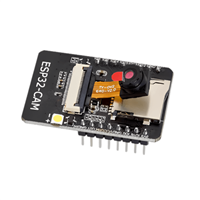
esp32 dev board |
x 1 | |
|
|
TFT Touchscreen, 320x240 |
x 1 | |
|
|
Buzzer |
x 1 |

|
Soldering Iron Kit |
|

|
arduino IDEArduino
|
DIY ESP32 15 Puzzle game on TFT touch Dispaly
The "15 Puzzle" is a classic sliding puzzle that consists of a 4×4 grid with 15 numbered square tiles and one empty space. The objective is to rearrange the tiles from a scrambled initial state into numerical order (1 to 15, left to right, top to bottom) by sliding them into the empty space.
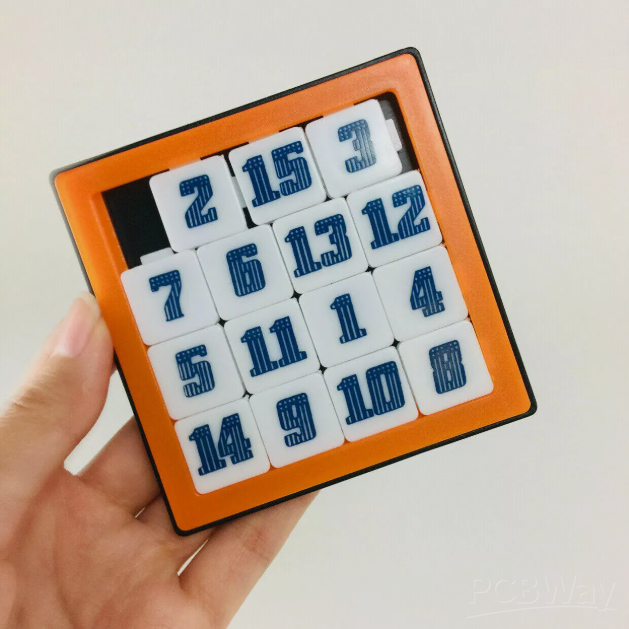
Objective of the game is to arrange the tiles in ascending order, with the empty space in the bottom-right corner. There are 15! = 1.3 trillion possible tile arrangements, but only half are solvable.
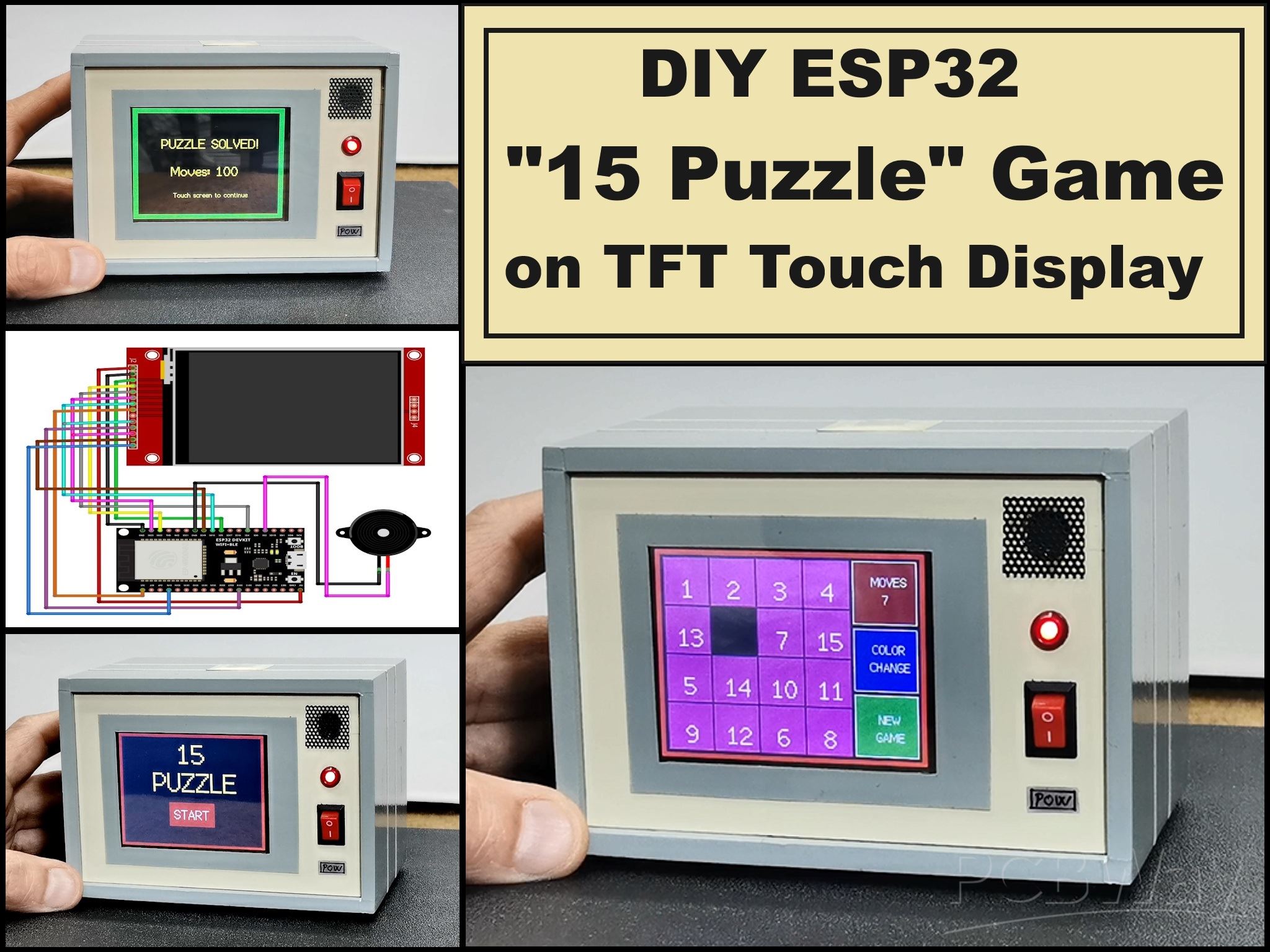
In this project I will present you with an electronic version of this puzzle which also has many useful improvements and options compared to the original mechanical version.
The game is played on a color touch-sensitive display, so there is no sticking or difficult movement of the tiles, which is a common case with mechanical versions.
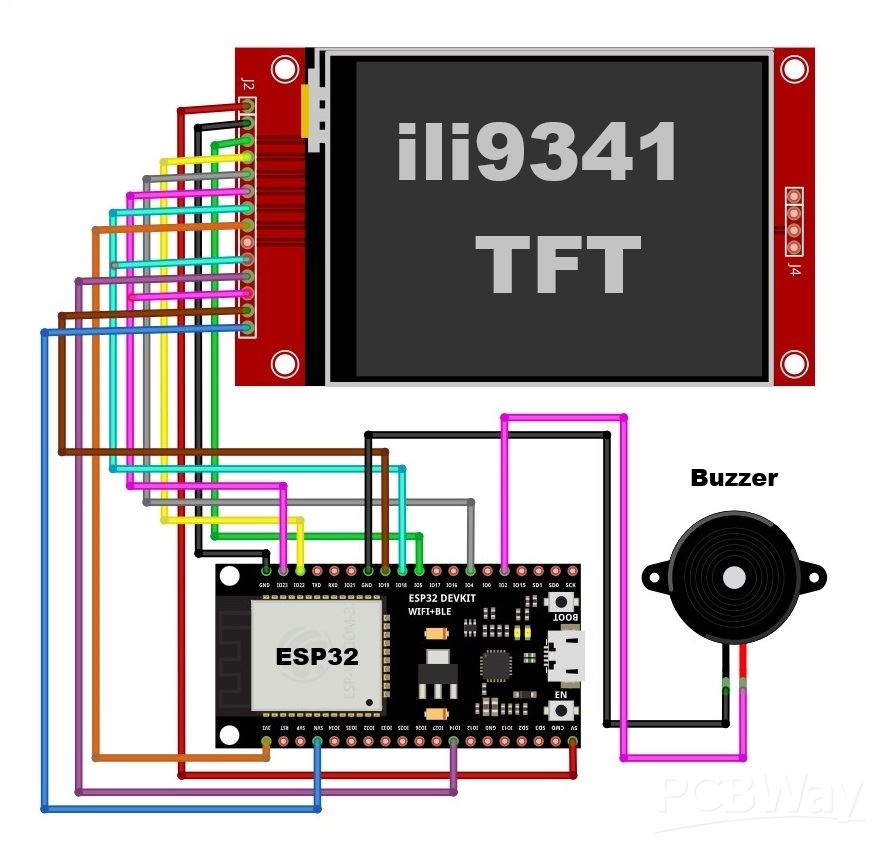
The hardware part is extremely simple and consists of only three components:
- ESP32 Development Board
- 3.2 inch TFT LCD Display ILI9341 driver with Touchscreen
- and small Buzzer

This project is sponsored by PCBWay (https://www.pcbway.com/?from=MirkoP). They has all the services you need to create your project at the best price, whether is a scool project, or complex professional project. On PCBWay you can share your experiences, or get inspiration for your next project. They also provide completed Surface mount SMT PCB assemblY service at a best price, and ISO9001 quality control. Visit pcbway.com for more services.
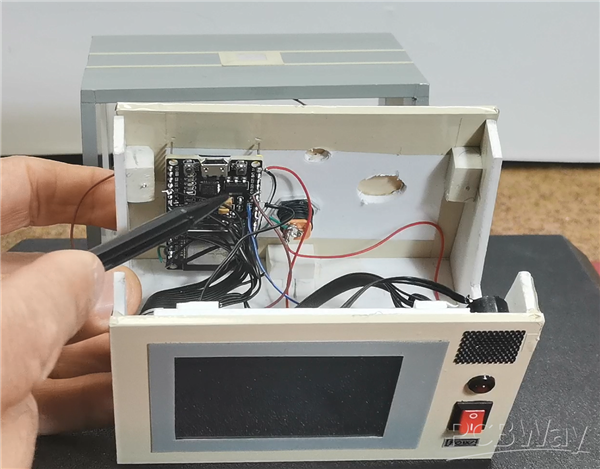
It is very important to emphasize that if you use the display connection to the microcontroller in an identical way as in the given schematic diagram, then you must also use the given TFTesPI library adapted specifically for this project. Also, don't forget to tell you that I compiled the code with Arduino IDE version 1.8.16, and more importantly, ESP32 core version 2.0.4.
First, I will describe how to join as well as the options in the game. After turning on the device, a guide to calibrating the touch screen appears on the display.
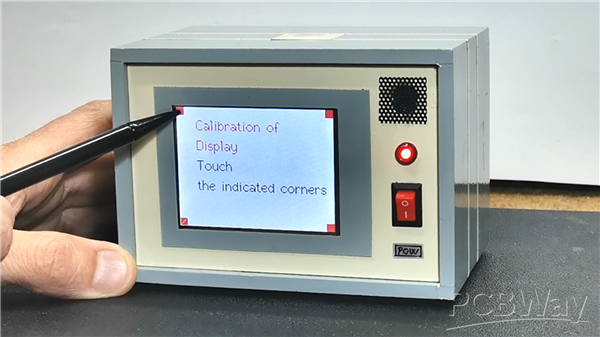
This is important because the game itself is played by touching the screen and it is crucial that it is well calibrated. We perform the calibration by pressing the four corners of the display in the specified order. Then the name of the game appears and we start the game by pressing the button. The playing field takes up most of the display, and on the right side there are three control-information buttons.
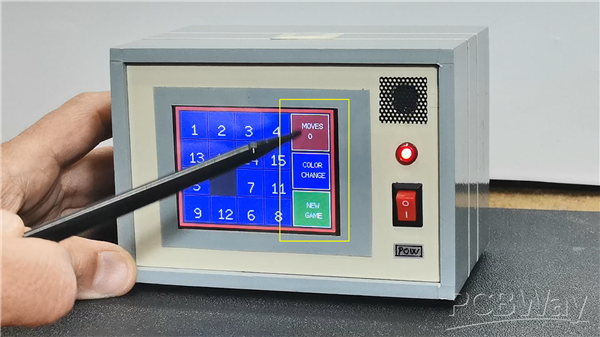
- The top button displays the current number of moves played. In fact, here we monitor the course and success of the game. Namely, the goal of the game is to arrange the numbers in as few moves as possible.
- With the middle button we can choose one of the five colors of the board we are playing on. This is a particularly useful option and we can use it at any moment of the game, without affecting the result.
- The bottom button is also used to start a new game. This button is functional both at the beginning and at any moment of the current game, if we get stuck with some positions. With each press of this button, a new game is randomly generated, so we can choose a game that at least visually seems easier to solve. All touches on the screen are accompanied by an appropriate sound, which makes playing easier and more interesting.
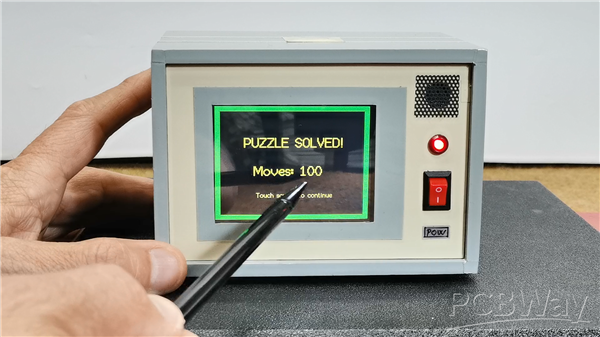
Finally, when we finish the game, a screen appears with information showing how many steps the puzzle was solved in, as well as a button to start a new game.
Just a few words about the code.
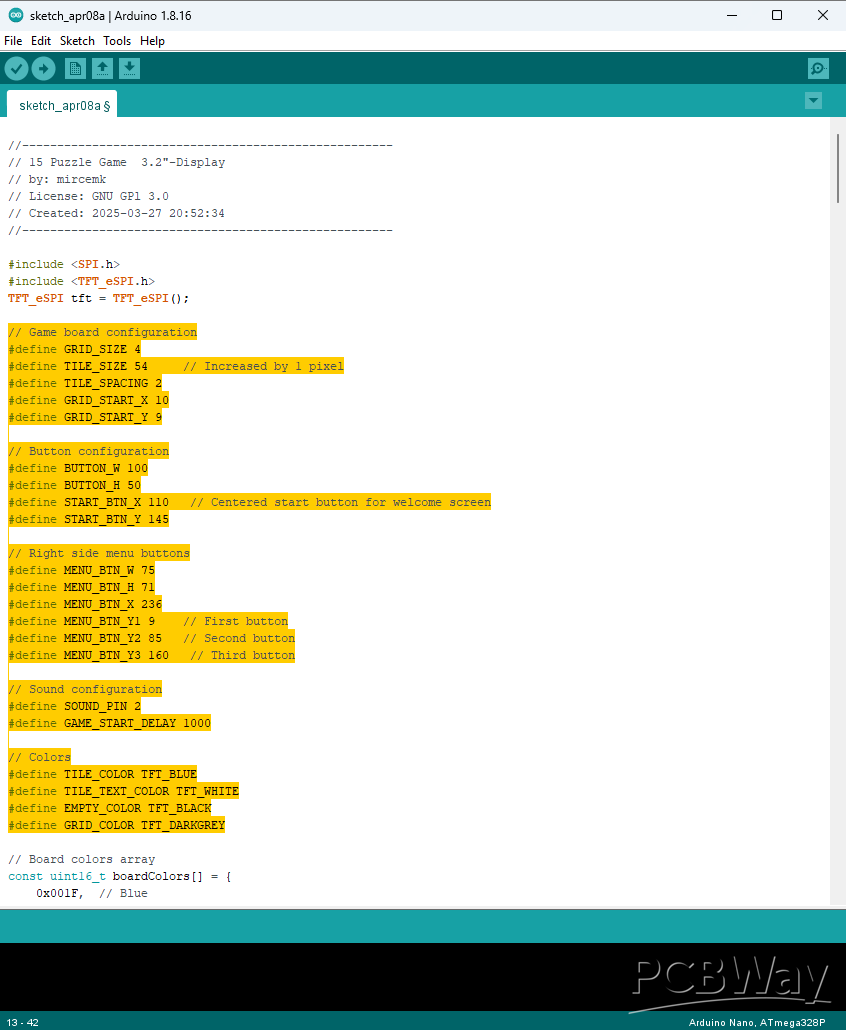
You can see that it is designed in a way that allows you to easily change most parameters, from tile spacing and size, to adjusting the sounds and colors in the game.
And finally, a short conclusion. This is an extremely simple way to make this fun puzzle game, which only requires three components, and will provide you with many hours of fun.
//-----------------------------------------------------
// 15 Puzzle Game  3.2"-Display
// by: mircemk
// License: GNU GPl 3.0
// Created: 2025-03-27 20:52:34
//-----------------------------------------------------

#include <SPI.h>
#include <TFT_eSPI.h>
TFT_eSPI tft = TFT_eSPI();

// Game board configuration
#define GRID_SIZE 4
#define TILE_SIZE 54     // Increased by 1 pixel
#define TILE_SPACING 2
#define GRID_START_X 10
#define GRID_START_Y 9

// Button configuration
#define BUTTON_W 100
#define BUTTON_H 50
#define START_BTN_X 110   // Centered start button for welcome screen
#define START_BTN_Y 145

// Right side menu buttons
#define MENU_BTN_W 75
#define MENU_BTN_H 71
#define MENU_BTN_X 236
#define MENU_BTN_Y1 9    // First button
#define MENU_BTN_Y2 85   // Second button
#define MENU_BTN_Y3 160   // Third button

// Sound configuration
#define SOUND_PIN 2
#define GAME_START_DELAY 1000

// Colors
#define TILE_COLOR TFT_BLUE
#define TILE_TEXT_COLOR TFT_WHITE
#define EMPTY_COLOR TFT_BLACK
#define GRID_COLOR TFT_DARKGREY

// Board colors array
const uint16_t boardColors[] = {
    0x001F,  // Blue
    0xFDA0,  // Orange
    0xF800,  // Red
    0x7BE0,  //  Olivie
    0xF81F   // Magenta
};
int currentColorIndex = 0;

// Game state variables
uint16_t pixel_x, pixel_y;
byte gameBoard[GRID_SIZE][GRID_SIZE];
int emptyTileX = GRID_SIZE - 1;
int emptyTileY = GRID_SIZE - 1;
bool gameStarted = false;
int moves = 0;
int iEnableButtons = 1;
unsigned long lastSoundTime = 0;
bool soundEnabled = true;
unsigned long lastButtonPress = 0;
#define BUTTON_DEBOUNCE_TIME 250  // 250ms debounce

// Function prototypes
void showWelcomeScreen();
void drawFrame(int size, uint16_t color);
void initializeGame();
void drawBoard();
void drawTile(int x, int y);
void drawMenuButtons();
bool isValidMove(int x, int y);
void moveTile(int x, int y);
void silentMoveTile(int x, int y);
void shuffleBoard();
void handleGameTouch();
void checkMenuButtons();
bool checkWin();
void gameWon();
void playSound(int type);
void updateMovesDisplay();
void changeBoardColor();

void setup() {
    uint16_t calibrationData[5];
    pinMode(15, OUTPUT);
    digitalWrite(15, LOW);
    Serial.begin(115200);

    tft.init();
    tft.setRotation(1);
    tft.fillScreen((0xFFFF));

    // Calibration screen
    tft.setCursor(40, 20, 2);
    tft.setTextColor(TFT_RED, TFT_WHITE);
    tft.setTextSize(2);
    tft.println("Calibration of");
    tft.setCursor(40, 60, 2);
    tft.println("Display");
    tft.setTextColor(TFT_BLACK, TFT_WHITE);
    tft.setCursor(40, 100, 2);
    tft.println("Touch");
    tft.setCursor(40, 140, 2);
    tft.println("the indicated corners");
    tft.calibrateTouch(calibrationData, TFT_GREEN, TFT_RED, 15);

    showWelcomeScreen();
}

void loop() {
    static uint16_t color;
    if (tft.getTouch(&pixel_x, &pixel_y) && iEnableButtons) {
        if (!gameStarted) {
            if (pixel_x > START_BTN_X && pixel_x < (START_BTN_X + BUTTON_W) &&
                pixel_y > START_BTN_Y && pixel_y < (START_BTN_Y + BUTTON_H)) {

                iEnableButtons = 0;

                while(tft.getTouch(&pixel_x, &pixel_y)) {
                    delay(10);
                }

                playSound(1);
                delay(GAME_START_DELAY);

                tft.fillScreen(TFT_BLACK);
                initializeGame();
                shuffleBoard();
                gameStarted = true;

                while(tft.getTouch(&pixel_x, &pixel_y)) {
                    delay(10);
                }

                delay(250);
                iEnableButtons = 1;
            }
        } else {
            handleGameTouch();
            checkMenuButtons();
        }
    }
}

void changeBoardColor() {
    currentColorIndex = (currentColorIndex + 1) % 5;
    for (int y = 0; y < GRID_SIZE; y++) {
        for (int x = 0; x < GRID_SIZE; x++) {
            if (gameBoard[y][x] != 0) {
                int pixelX = GRID_START_X + x * (TILE_SIZE + TILE_SPACING);
                int pixelY = GRID_START_Y + y * (TILE_SIZE + TILE_SPACING);
                tft.fillRect(pixelX, pixelY, TILE_SIZE, TILE_SIZE, boardColors[currentColorIndex]);

                tft.setTextColor(TILE_TEXT_COLOR);
                tft.setTextSize(2);
                String number = String(gameBoard[y][x]);
                int textWidth = number.length() * 12;
                int textHeight = 14;
                int textX = pixelX + (TILE_SIZE - textWidth) / 2;
                int textY = pixelY + (TILE_SIZE - textHeight) / 2;
                tft.setCursor(textX, textY);
                tft.print(number);
            }
        }
    }
}

void playSound(int type) {
    if (!soundEnabled) return;

    switch(type) {
        case 0: // Tile move sound
            tone(SOUND_PIN, 200, 50);  // Short 200Hz beep
            break;

        case 1: // Game start sound
            soundEnabled = false;
            tone(SOUND_PIN, 400, 200);
            delay(250);
            tone(SOUND_PIN, 600, 200);
            delay(250);
            tone(SOUND_PIN, 800, 400);
            delay(500);
            soundEnabled = true;
            break;

        case 2: // Win sound
            soundEnabled = false;
            tone(SOUND_PIN, 800, 200);
            delay(200);
            tone(SOUND_PIN, 1000, 200);
            delay(200);
            tone(SOUND_PIN, 1200, 400);
            delay(500);
            soundEnabled = true;
            break;
    }
}

void updateMovesDisplay() {
    // Clear the previous number with MAROON background
    tft.fillRect(MENU_BTN_X + 1, MENU_BTN_Y1 + 35, MENU_BTN_W - 2, 20, TFT_MAROON);

    tft.setTextColor(TFT_WHITE);
    tft.setTextSize(1);

    String movesStr = String(moves);
    int textWidth = movesStr.length() * 6;

    tft.setCursor(MENU_BTN_X + (MENU_BTN_W - textWidth) / 2, MENU_BTN_Y1 + 35);
    tft.print(movesStr);
}

void showWelcomeScreen() {
    tft.fillScreen(TFT_BLACK);
    drawFrame(5, TFT_RED);

    tft.setTextColor(TFT_YELLOW);
    tft.setTextSize(4);
    tft.setCursor(130, 10);
    tft.print("15");
    tft.setCursor(75, 70);
    tft.print("PUZZLE");

    tft.fillRect(START_BTN_X, START_BTN_Y, BUTTON_W, BUTTON_H, TFT_RED);
    tft.setTextColor(TFT_WHITE);
    tft.setTextSize(2);
    tft.setCursor(START_BTN_X + 10, START_BTN_Y + 10);
    tft.print("START");
}

void drawFrame(int size, uint16_t color) {
    for (int i = 0; i < size; i++) {
        tft.drawRect(i, i, 320-i*2, 240-i*2, color);
    }
}

void initializeGame() {
    tft.fillScreen(TFT_BLACK);
    drawFrame(5, TFT_RED);

    emptyTileX = GRID_SIZE - 1;
    emptyTileY = GRID_SIZE - 1;
    moves = 0;
    currentColorIndex = 0;  // Reset color to first color

    int value = 1;
    for (int y = 0; y < GRID_SIZE; y++) {
        for (int x = 0; x < GRID_SIZE; x++) {
            if (x == GRID_SIZE-1 && y == GRID_SIZE-1) {
                gameBoard[y][x] = 0;
            } else {
                gameBoard[y][x] = value++;
            }
        }
    }

    drawBoard();
    drawMenuButtons();
}

void drawBoard() {
    for (int y = 0; y < GRID_SIZE; y++) {
        for (int x = 0; x < GRID_SIZE; x++) {
            drawTile(x, y);
        }
    }
}

void drawTile(int x, int y) {
    int pixelX = GRID_START_X + x * (TILE_SIZE + TILE_SPACING);
    int pixelY = GRID_START_Y + y * (TILE_SIZE + TILE_SPACING);

    if (gameBoard[y][x] == 0) {
        tft.fillRect(pixelX, pixelY, TILE_SIZE, TILE_SIZE, EMPTY_COLOR);
    } else {
        tft.fillRect(pixelX, pixelY, TILE_SIZE, TILE_SIZE, boardColors[currentColorIndex]);
        tft.setTextColor(TILE_TEXT_COLOR);
        tft.setTextSize(2);

        String number = String(gameBoard[y][x]);
        int textWidth = number.length() * 12;
        int textHeight = 14;

        int textX = pixelX + (TILE_SIZE - textWidth) / 2;
        int textY = pixelY + (TILE_SIZE - textHeight) / 2;

        tft.setCursor(textX, textY);
        tft.print(number);
    }
}

void drawMenuButtons() {
    // Draw three menu buttons on the right
    for(int i = 0; i < 3; i++) {
        int y_pos;
        switch(i) {
            case 0: y_pos = MENU_BTN_Y1; break;
            case 1: y_pos = MENU_BTN_Y2; break;
            case 2: y_pos = MENU_BTN_Y3; break;
        }

        // Set different colors for each button
        uint16_t buttonColor;
        if (i == 0) buttonColor = TFT_MAROON;      // Moves button
        else if (i == 1) buttonColor = TFT_BLUE;   // Color change button
        else buttonColor = TFT_DARKGREEN;          // New game button

        tft.fillRect(MENU_BTN_X, y_pos, MENU_BTN_W, MENU_BTN_H, buttonColor);
        tft.drawRect(MENU_BTN_X, y_pos, MENU_BTN_W, MENU_BTN_H, TFT_WHITE);

        if (i == 0) {  // Top button - Moves counter
            tft.setTextColor(TFT_WHITE);
            tft.setTextSize(1);
            tft.setCursor(MENU_BTN_X + (MENU_BTN_W - 30) / 2, y_pos + 15);
            tft.print("MOVES");
            updateMovesDisplay();
        }
        else if (i == 1) {  // Middle button - Color changer
            tft.setTextColor(TFT_WHITE);
            tft.setTextSize(1);
            tft.setCursor(MENU_BTN_X + (MENU_BTN_W - 30) / 2, y_pos + 15);
            tft.print("COLOR");
            tft.setCursor(MENU_BTN_X + (MENU_BTN_W - 36) / 2, y_pos + 35);
            tft.print("CHANGE");
        }
        else if (i == 2) {  // Bottom button - NEW GAME
            tft.setTextColor(TFT_WHITE);
            tft.setTextSize(1);
            tft.setCursor(MENU_BTN_X + (MENU_BTN_W - 18) / 2, y_pos + 20);
            tft.print("NEW");
            tft.setCursor(MENU_BTN_X + (MENU_BTN_W - 24) / 2, y_pos + 40);
            tft.print("GAME");
        }
    }
}

void handleGameTouch() {
    int tileX = (pixel_x - GRID_START_X) / (TILE_SIZE + TILE_SPACING);
    int tileY = (pixel_y - GRID_START_Y) / (TILE_SIZE + TILE_SPACING);

    if (tileX >= 0 && tileX < GRID_SIZE && tileY >= 0 && tileY < GRID_SIZE) {
        if (isValidMove(tileX, tileY)) {
            moveTile(tileX, tileY);
            moves++;
            updateMovesDisplay();

            if (checkWin()) {
                gameWon();
            }
        }
    }
}

void checkMenuButtons() {
    unsigned long currentTime = millis();

    if (currentTime - lastButtonPress < BUTTON_DEBOUNCE_TIME) {
        return;
    }

    if (pixel_x >= MENU_BTN_X && pixel_x < (MENU_BTN_X + MENU_BTN_W)) {
        if (pixel_y >= MENU_BTN_Y1 && pixel_y < (MENU_BTN_Y1 + MENU_BTN_H)) {
            playSound(0);
            lastButtonPress = currentTime;

            while(tft.getTouch(&pixel_x, &pixel_y)) {
                delay(10);
            }
        }
        else if (pixel_y >= MENU_BTN_Y2 && pixel_y < (MENU_BTN_Y2 + MENU_BTN_H)) {
            playSound(0);
            changeBoardColor();
            lastButtonPress = currentTime;

            while(tft.getTouch(&pixel_x, &pixel_y)) {
                delay(10);
            }
        }
        else if (pixel_y >= MENU_BTN_Y3 && pixel_y < (MENU_BTN_Y3 + MENU_BTN_H)) {
            iEnableButtons = 0;

            while(tft.getTouch(&pixel_x, &pixel_y)) {
                delay(10);
            }

            playSound(1);
            delay(GAME_START_DELAY);

            initializeGame();
            shuffleBoard();
            gameStarted = true;

            while(tft.getTouch(&pixel_x, &pixel_y)) {
                delay(10);
            }

            delay(250);
            iEnableButtons = 1;
            lastButtonPress = currentTime;
        }
    }
}

bool isValidMove(int x, int y) {
    return (
        (abs(x - emptyTileX) == 1 && y == emptyTileY) ||
        (abs(y - emptyTileY) == 1 && x == emptyTileX)
    );
}

void moveTile(int x, int y) {
    gameBoard[emptyTileY][emptyTileX] = gameBoard[y][x];
    gameBoard[y][x] = 0;
    drawTile(emptyTileX, emptyTileY);
    drawTile(x, y);
    emptyTileX = x;
    emptyTileY = y;
    playSound(0);
}

void silentMoveTile(int x, int y) {
    gameBoard[emptyTileY][emptyTileX] = gameBoard[y][x];
    gameBoard[y][x] = 0;
    emptyTileX = x;
    emptyTileY = y;
}

void shuffleBoard() {
    iEnableButtons = 0;
    soundEnabled = false;

    randomSeed(analogRead(34));
    for (int i = 0; i < 200; i++) {
        int direction = random(4);
        int newX = emptyTileX;
        int newY = emptyTileY;

        switch (direction) {
            case 0: newY--; break;
            case 1: newY++; break;
            case 2: newX--; break;
            case 3: newX++; break;
        }

        if (newX >= 0 && newX < GRID_SIZE && newY >= 0 && newY < GRID_SIZE) {
            silentMoveTile(newX, newY);
        }
    }

    drawBoard();

    delay(250);
    soundEnabled = true;
    iEnableButtons = 1;
}

bool checkWin() {
    int value = 1;
    for (int y = 0; y < GRID_SIZE; y++) {
        for (int x = 0; x < GRID_SIZE; x++) {
            if (y == GRID_SIZE-1 && x == GRID_SIZE-1) {
                if (gameBoard[y][x] != 0) return false;
            } else {
                if (gameBoard[y][x] != value++) return false;
            }
        }
    }
    return true;
}

void gameWon() {
    tft.fillScreen(TFT_BLACK);
    drawFrame(10, TFT_GREEN);

    tft.setTextColor(TFT_YELLOW);
    tft.setTextSize(2);
    tft.setCursor(60, 60);
    tft.print("PUZZLE SOLVED!");

    tft.setTextSize(2);
    tft.setCursor(80, 120);
    tft.print("Moves: ");
    tft.print(moves);

    tft.setTextSize(1);
    tft.setCursor(85, 180);
    tft.print("Touch screen to continue");

    playSound(2);

    while(tft.getTouch(&pixel_x, &pixel_y)) {
        delay(10);
    }

    while(!tft.getTouch(&pixel_x, &pixel_y)) {
        delay(10);
    }

    gameStarted = false;
    moves = 0;
    showWelcomeScreen();
}
DIY ESP32 15 Puzzle game on TFT touch Dispaly


Raspberry Pi 5 7 Inch Touch Screen IPS 1024x600 HD LCD HDMI-compatible Display for RPI 4B 3B+ OPI 5 AIDA64 PC Secondary Screen(Without Speaker)
BUY NOW


- Comments(0)
- Likes(0)
More by Mirko Pavleski
-
 Arduino 3D Printed self Balancing Cube
Self-balancing devices are electronic devices that use sensors and motors to keep themselves balanc...
Arduino 3D Printed self Balancing Cube
Self-balancing devices are electronic devices that use sensors and motors to keep themselves balanc...
-
 Building a Mini Fostex Horn Speaker with a 2-Inch Full-Range Driver
A back-loaded horn speaker is a loudspeaker design that channels the rear sound wave of a driver th...
Building a Mini Fostex Horn Speaker with a 2-Inch Full-Range Driver
A back-loaded horn speaker is a loudspeaker design that channels the rear sound wave of a driver th...
-
 ESP32 Moon Lamp That Shows the Real Moon Phase on Crowpanel Round Dispaly
Recently on the Hackaday portal I came across a very interesting project called Moon Display by aut...
ESP32 Moon Lamp That Shows the Real Moon Phase on Crowpanel Round Dispaly
Recently on the Hackaday portal I came across a very interesting project called Moon Display by aut...
-
 40-Year-Old DIY Power Amplifiers – Do They Still Work - 500W MOSFET & Transistor Amps
This time I want to describe my two DIY super powerful audio amplifiers that I made about 40 years ...
40-Year-Old DIY Power Amplifiers – Do They Still Work - 500W MOSFET & Transistor Amps
This time I want to describe my two DIY super powerful audio amplifiers that I made about 40 years ...
-
 Wi-Fi HaLow Explained! Long-Range Camera Test up to 300m (ESP32 + ThinkNode G4 from ELECROW)
I recently needed to install a security camera at a relatively large distance from my home, more pre...
Wi-Fi HaLow Explained! Long-Range Camera Test up to 300m (ESP32 + ThinkNode G4 from ELECROW)
I recently needed to install a security camera at a relatively large distance from my home, more pre...
-
 Simple Object Recognition with the UNIHIKER K10 – No TensorFlow, No Internet, No Cloud AI
Object recognition has become one of the most popular applications of artificial intelligence and em...
Simple Object Recognition with the UNIHIKER K10 – No TensorFlow, No Internet, No Cloud AI
Object recognition has become one of the most popular applications of artificial intelligence and em...
-
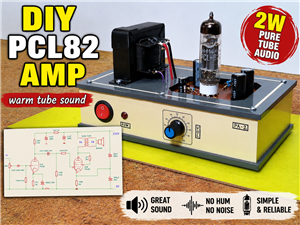 DIY PCL82 Tube Amplifier, Single-Ended Amp with Amazing Sound
The idea for this project came from a local electronics magazine called EMITER, issue 12/13 from 20...
DIY PCL82 Tube Amplifier, Single-Ended Amp with Amazing Sound
The idea for this project came from a local electronics magazine called EMITER, issue 12/13 from 20...
-
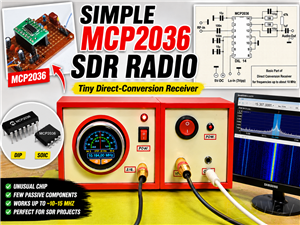 Simple MCP2036 SDR Radio - The Most Unusual Software Defined Radio
SDR (Software Defined Radio) is a radio communication system where many of the key electronic compo...
Simple MCP2036 SDR Radio - The Most Unusual Software Defined Radio
SDR (Software Defined Radio) is a radio communication system where many of the key electronic compo...
-
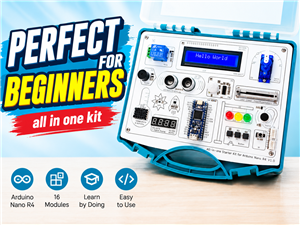 Elecrow All-in-One Arduino Starter Kit Review - 20 Projects & 16 Modules
This time I will describe a simple and practical way to enter the world of microcontrollers, specif...
Elecrow All-in-One Arduino Starter Kit Review - 20 Projects & 16 Modules
This time I will describe a simple and practical way to enter the world of microcontrollers, specif...
-
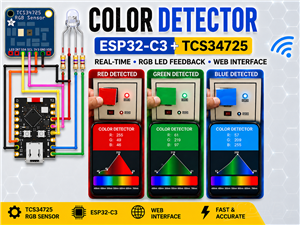 ESP32-C3 Color Detector with TCS34725, Real-Time RGB Detection & Web Interface
Color detection is a fundamental task in many embedded systems – from industrial sorting machines t...
ESP32-C3 Color Detector with TCS34725, Real-Time RGB Detection & Web Interface
Color detection is a fundamental task in many embedded systems – from industrial sorting machines t...
-
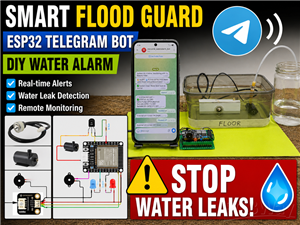 DIY ESP32 Telegram Flood Protection System - Smart Home Automation
Recently I had an unpleasant experience in my home, specifically my ground floor was flooded as a r...
DIY ESP32 Telegram Flood Protection System - Smart Home Automation
Recently I had an unpleasant experience in my home, specifically my ground floor was flooded as a r...
-
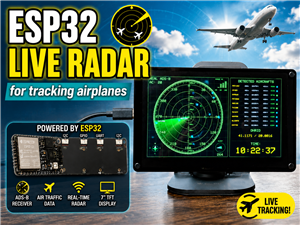 Real-Time Air Traffic Radar using ESP32 + ADS-B Data
ADS-B, which stands for Automatic Dependent Surveillance-Broadcast, is the modern standard for trac...
Real-Time Air Traffic Radar using ESP32 + ADS-B Data
ADS-B, which stands for Automatic Dependent Surveillance-Broadcast, is the modern standard for trac...
-
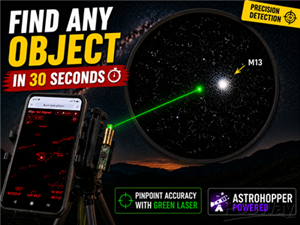 DIY Green Laser Night Sky Object Finder - Find Stars & Galaxies Instantly with great accuracy
As an amateur astronomer, especially at the beginning, the most difficult part of observing the nig...
DIY Green Laser Night Sky Object Finder - Find Stars & Galaxies Instantly with great accuracy
As an amateur astronomer, especially at the beginning, the most difficult part of observing the nig...
-
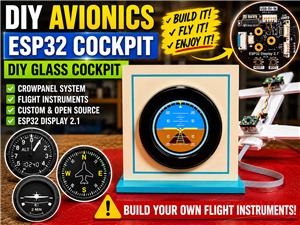 DIY Avionics Simulator with ESP32 - Artificial Horizon, Compass & Altimeter
The inspiration for this project comes from classical aircraft cockpit instruments used for navigat...
DIY Avionics Simulator with ESP32 - Artificial Horizon, Compass & Altimeter
The inspiration for this project comes from classical aircraft cockpit instruments used for navigat...
-
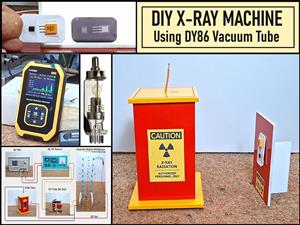 DIY Miniature X-Ray Machine using a TV Vacuum Tube DY86
An X-ray machine (or radiograph) is a quick, painless medical test that produces images of the struc...
DIY Miniature X-Ray Machine using a TV Vacuum Tube DY86
An X-ray machine (or radiograph) is a quick, painless medical test that produces images of the struc...
-
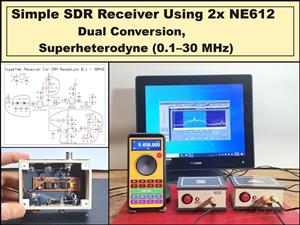 Simple SDR Receiver Using 2x NE612 - Dual Conversion, Superheterodyne (0.1–30 MHz)
SDR (Software Defined Radio) is a radio system in which most of the functions of a classic radio (f...
Simple SDR Receiver Using 2x NE612 - Dual Conversion, Superheterodyne (0.1–30 MHz)
SDR (Software Defined Radio) is a radio system in which most of the functions of a classic radio (f...
-
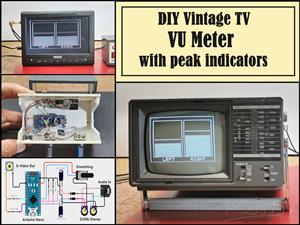 DIY Vintage TV VU Meter with peak indicators
Some time ago in one of my projects I presented you a way to turn a black and white old mini TV int...
DIY Vintage TV VU Meter with peak indicators
Some time ago in one of my projects I presented you a way to turn a black and white old mini TV int...
-
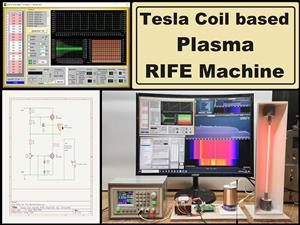 DIY Tesla Coil based Plasma Rife Machine
In several of my previous videos, I presented you with different ways to make a Rife Machine, from ...
DIY Tesla Coil based Plasma Rife Machine
In several of my previous videos, I presented you with different ways to make a Rife Machine, from ...
-
Programmable Mist Maker - XIAO / QT PY Extension
2377 2 2 -
RadioHAT - Raspberry Pi radio development platform
2059 0 4 -
-
-
-
ARPS-2 – Arduino-Compatible Robot Project Shield for Arduino UNO
4211 0 6 -
A Compact Charging Breakout Board For Waveshare ESP32-C3
4987 3 8 -
AI-driven LoRa & LLM-enabled Kiosk & Food Delivery System
5755 2 2 -