

|
|
FreeCADFree Software Foundation, Inc.
|
|

|
VS Code |
BARKLEY PC - Building My Own Pocket Cyberdeck From Scratch
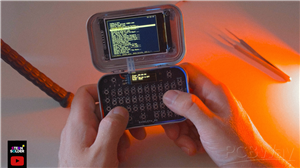
A Real, Working Pocket Computer
Anyone can build this project using readily available electronic modules and custom PCBs. You can order the custom circuit boards right here from PCBWay in just a few clicks, then assemble your own BARKLEY PC. And the best part? It actually works! I use my BARKLEY PC every single day.
This isn't just a concept or a decorative electronics project. It's a functional pocket computer with its own operating system, applications, wireless connectivity, and multimedia capabilities.
I can listen to music through my Bluetooth headphones, browse photos, run applications, and experiment with new features.
Recently, I also developed a wireless application and file management system for BARKLEY PC.
The device can create its own Wi-Fi access point and host a web interface that you can open directly from your smartphone or computer.
Through this interface, you can upload new applications, photos, and music to the device without connecting it to a computer with a USB cable.
This makes BARKLEY PC much more convenient to use and allows me to expand its functionality without constantly modifying the main firmware.
There is currently one limitation with Bluetooth audio compatibility. Not all Bluetooth headphones are supported by the current implementation. However, my Marshall MID ANC headphones from around 2020 work perfectly with the system.
And this is only the beginning!
The Idea
What if you could build your own pocket computer, design its electronics, create your own operating system, and fit everything inside an ordinary mint tin?
That's exactly what I wanted to find out.
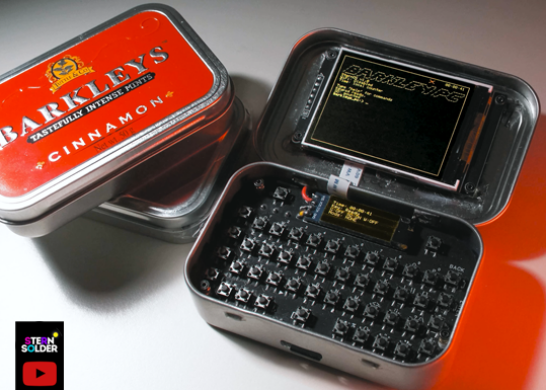
Meet BARKLEY PC, a tiny DIY cyberdeck powered by an ESP32 microcontroller, featuring a custom keyboard, two displays, and its own operating system called STERN OS.
Instead of buying an existing device, I wanted to understand how everything works by creating it myself, from the electronic circuits to the software.
Why I Built It
I've always been fascinated by electronics and the idea that anyone can create their own technology.
I wanted a device that wasn't just another development board connected to a screen, but something completely custom. Something I could hold in my hands, program, experiment with, and improve over time.
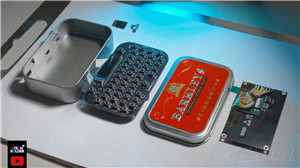
The biggest challenge was fitting an entire computer system into a small metal mint tin while keeping it functional and practical.
Hardware
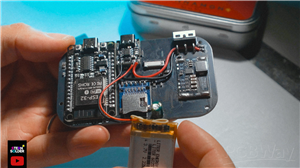
BARKLEY PC combines several components into one compact design:
ESP32 microcontroller - the brain of the device.
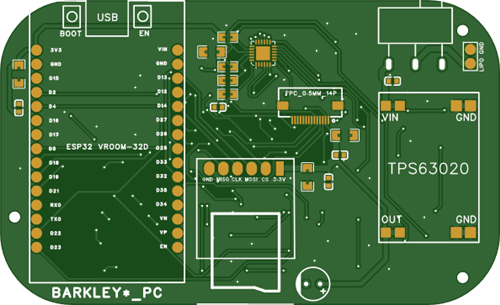
Custom-designed PCB motherboard.
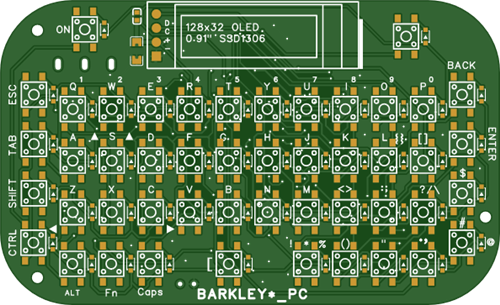
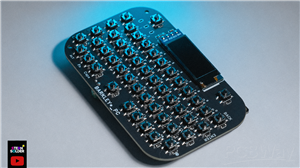
Custom PCB keyboard with tactile buttons.
TCA8418 keyboard controller.
2.4-inch TFT color display (240 × 320).
Small SSD1306 OLED display.
MicroSD card storage.
Rechargeable lithium-ion battery.
Custom-designed 3D-printed internal components.
Original metal Barkleys mint tin enclosure.
The circuit boards were designed specifically for this project, with careful attention to component placement, limited space, and assembly.
The goal was to combine custom-designed electronics with readily available components and modules, making the project reproducible by other electronics enthusiasts.
Software - STERN OS
I also developed my own software environment called STERN OS.
The system provides a graphical interface for navigating applications and controlling the device.
One of its key design ideas is separating the main system interface from applications stored on a microSD card.
The main system runs from the ESP32's internal flash memory, while applications can be stored on the MicroSD card and launched through the graphical menu.
This architecture allows me to experiment with new features and expand the device's capabilities.
Some of the features developed for STERN OS include:
Graphical application launcher.
MicroSD-based application storage.
MP3 music player with Bluetooth headphone support.
Image viewer.
Wi-Fi access point with a built-in web interface.
Wireless uploading of applications, photos, and music from a smartphone or computer.
Customizable interface themes.
Experimental applications and utilities.
The wireless web interface is one of my favorite additions. Instead of constantly removing the MicroSD card or connecting cables, I can simply connect my phone to BARKLEY PC's Wi-Fi network and manage files through a browser.
STERN OS continues to evolve as I develop new applications and improve the system.
PCB Design and Manufacturing
Designing the custom circuit boards was one of the most interesting parts of this project.
I created the electronic schematics and PCB layouts, organized the components, and designed the boards to fit the dimensions of the enclosure.
PCBWay makes it possible to turn these digital designs into professionally manufactured PCBs.
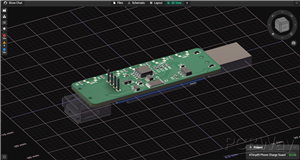
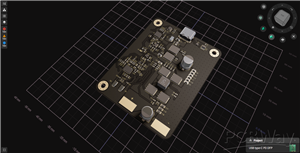
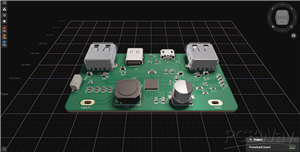
The project uses separate circuit boards for the main electronics and keyboard, allowing the components to fit inside the extremely limited space of the mint tin.
By sharing the PCB designs and project information, I want to make it easier for other makers to reproduce the hardware and build their own BARKLEY PC.
Important Warning - Power Supply and Firmware Uploading
WARNING: Always keep the power switch in the OFF position when connecting the ESP32 to a computer via USB Type-C, especially when uploading firmware.
When USB Type-C is connected to the ESP32, the device receives power through the ESP32 board's onboard 3.3V voltage regulator.
For standalone operation, BARKLEY PC is powered by its rechargeable Li-ion battery.
Important: This hardware version does not include protection against simultaneous power from the USB connection and the battery. To prevent possible damage to the battery or electronic components, never turn the power switch ON while USB is connected to the ESP32.
Always disconnect the USB cable before switching to battery power.
What's Next?
A major hardware and software upgrade is already in development!
I'm working on the next stage of BARKLEY PC, with plans to improve the hardware, expand STERN OS, introduce new applications, and unlock even more possibilities for this tiny computer.
The project is far from finished, and I have plenty of ideas I want to explore.
I'm sharing BARKLEY PC to inspire other makers to experiment with electronics, PCB design, programming, and building their own devices.
You don't need to start with a perfect design. You just need an idea, curiosity, and the willingness to learn.
Follow this project and stay tuned! A major upgrade to both the hardware and software is coming.
Built by STERN SOLDER.
BARKLEY PC - Building My Own Pocket Cyberdeck From Scratch
Project images are for reference only. Actual production is based on the manufacturing files on the project page.
Please review the designer's notes (e.g., PCB thickness) and select the appropriate options.
PCBWay is not responsible
for issues caused by unsuitable parameter selections.
For more important ordering information, please refer to
Read More


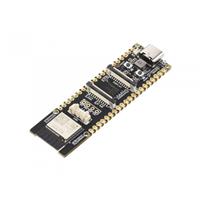
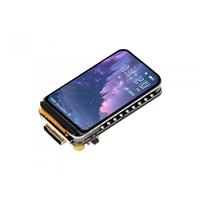
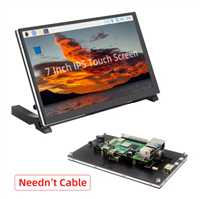
Raspberry Pi 5 7 Inch Touch Screen IPS 1024x600 HD LCD HDMI-compatible Display for RPI 4B 3B+ OPI 5 AIDA64 PC Secondary Screen(Without Speaker)
BUY NOW


- Comments(0)
- Likes(1)
More by STERN SOLDER
-
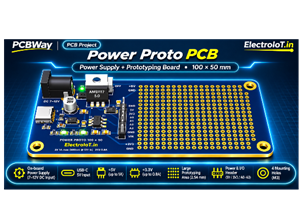
Power Proto Board 100 x 50 mm (built-in 5 V + 3.3 V supply)
104 0 0 -
-
-
-
-
-
-
AudioLink – USB & Bluetooth LE Audio / Auracast Receiver with Balanced Line Outputs (nRF5340)
513 0 1 -
-
-
-
Émetteur Récepteur Optique Expérimental (communication UART ATtiny + fibre optique)
489 0 1