

Air Quality Monitor
This is an AirGradient product with slight modification posted under the same CC-BY-SA
I made a YouTube video about the process and have been asked to share what I did, so that's what I'm doing!
substitutions:
  name: "air-sensor"
  friendly_name: "Air Sensor"

esphome:
  name: ${name}
  name_add_mac_suffix: false
  friendly_name: ${friendly_name}

ota:  # Add password as desired
  platform: esphome
  # password:

wifi:
  ssid: !secret wifi_ssid
  password: !secret wifi_password

dashboard_import:
  package_import_url: github://MallocArray/airgradient_esphome/airgradient-one.yaml
  import_full_config: false

packages:
  board: github://MallocArray/airgradient_esphome/packages/airgradient_esp32-c3_board.yaml
  captive_portal: github://MallocArray/airgradient_esphome/packages/captive_portal.yaml
  pm_2.5: github://MallocArray/airgradient_esphome/packages/sensor_pms5003.yaml
  co2: github://MallocArray/airgradient_esphome/packages/sensor_s8.yaml
  temp_humidity: github://MallocArray/airgradient_esphome/packages/sensor_sht40.yaml
  tvoc: github://MallocArray/airgradient_esphome/packages/sensor_sgp41.yaml
  #display: github://MallocArray/airgradient_esphome/packages/display_sh1106_multi_page.yaml
  led: github://MallocArray/airgradient_esphome/packages/led.yaml
  #led_co2: github://MallocArray/airgradient_esphome/packages/led_co2.yaml
  airgradient_api: github://MallocArray/airgradient_esphome/packages/airgradient_api_esp32-c3.yaml
  hardware_watchdog: github://MallocArray/airgradient_esphome/packages/watchdog.yaml
  #config_button: github://MallocArray/airgradient_esphome/packages/config_button.yaml
  wifi: github://MallocArray/airgradient_esphome/packages/sensor_wifi.yaml
  uptime: github://MallocArray/airgradient_esphome/packages/sensor_uptime.yaml

api:
  encryption:
    key: {{USE_YOUR_OWN}}

bluetooth_proxy:
Air Quality Monitor
Project images are for reference only. Actual production is based on the manufacturing files on the project page.
Please review the designer's notes (e.g., PCB thickness) and select the appropriate options.
PCBWay is not responsible
for issues caused by unsuitable parameter selections.
For more important ordering information, please refer to
Read More


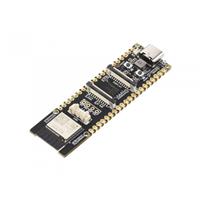
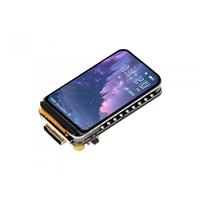
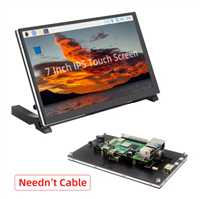
Raspberry Pi 5 7 Inch Touch Screen IPS 1024x600 HD LCD HDMI-compatible Display for RPI 4B 3B+ OPI 5 AIDA64 PC Secondary Screen(Without Speaker)
BUY NOW


- Comments(1)
- Likes(4)
More by James Malt & Make
-
-
-
-
AudioLink – USB & Bluetooth LE Audio / Auracast Receiver with Balanced Line Outputs (nRF5340)
324 0 1 -
-
-
-
Émetteur Récepteur Optique Expérimental (communication UART ATtiny + fibre optique)
379 0 1 -
SmallOLED - Live PC Stats, Animated Clocks & Audio Visualizer
1482 0 3